Conversion of Pine Script WT Oscillator

Viewing 7 posts - 1 through 7 (of 7 total)

  • Author
    Posts
  • #179580 quote
    DavidMClarke1974
    Participant
    New

    Hi guys

    I am looking for some assistance in converting a pine script code of a WaveTrend Oscillator into Prorealtime. I have had a go myself, but to be fair have made a complete hash of it.

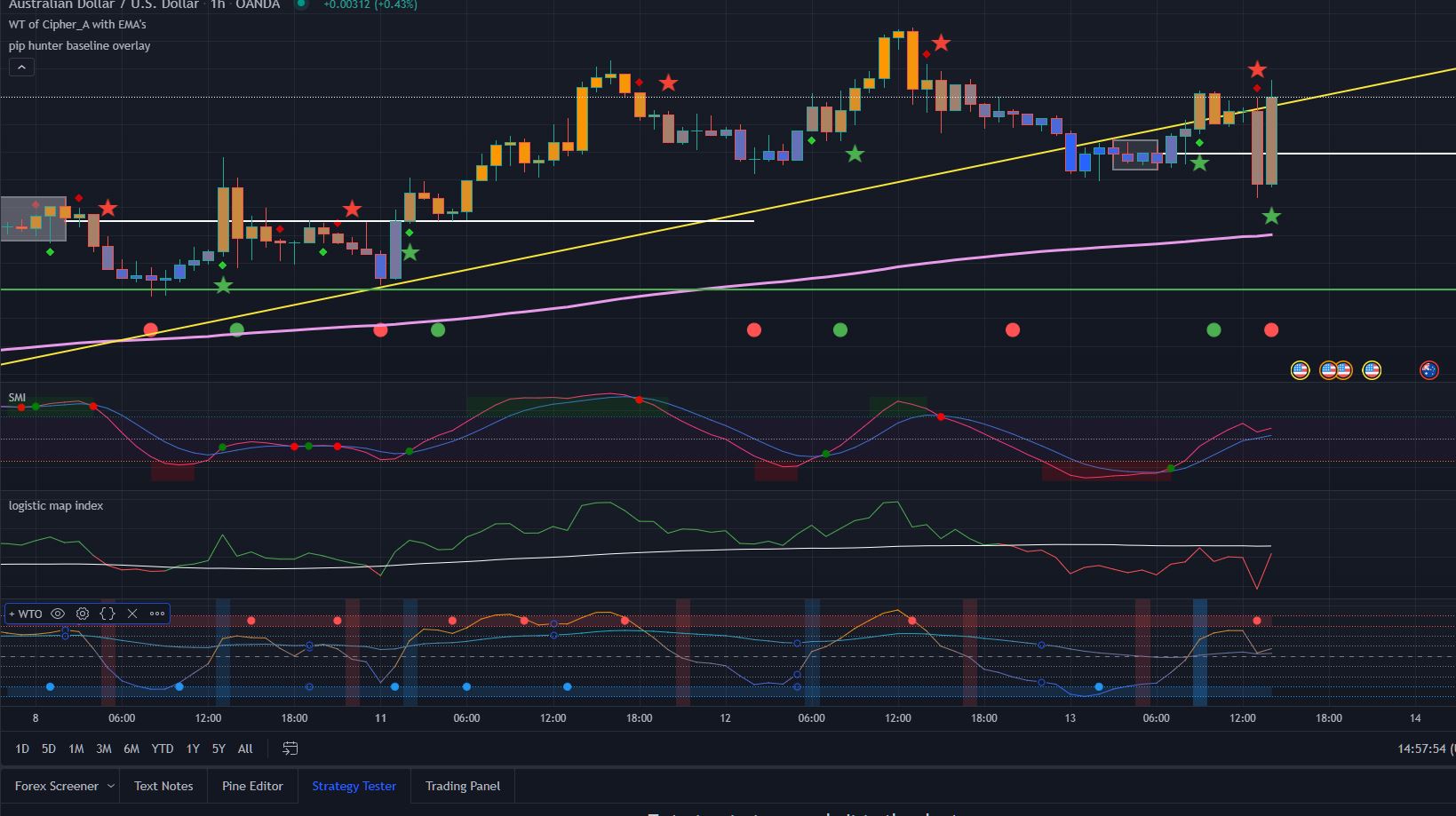
    I have attached the script and an image of the output.

    Many thanks in advance for the assistance and happy trading.

    Dave

    WTO-Image.jpg WTO-Image.jpg WTO-Original-Code.txt
    #179588 quote
    Nicolas
    Keymaster
    Master
    #179590 quote
    DavidMClarke1974
    Participant
    New

    Hi Nicolas


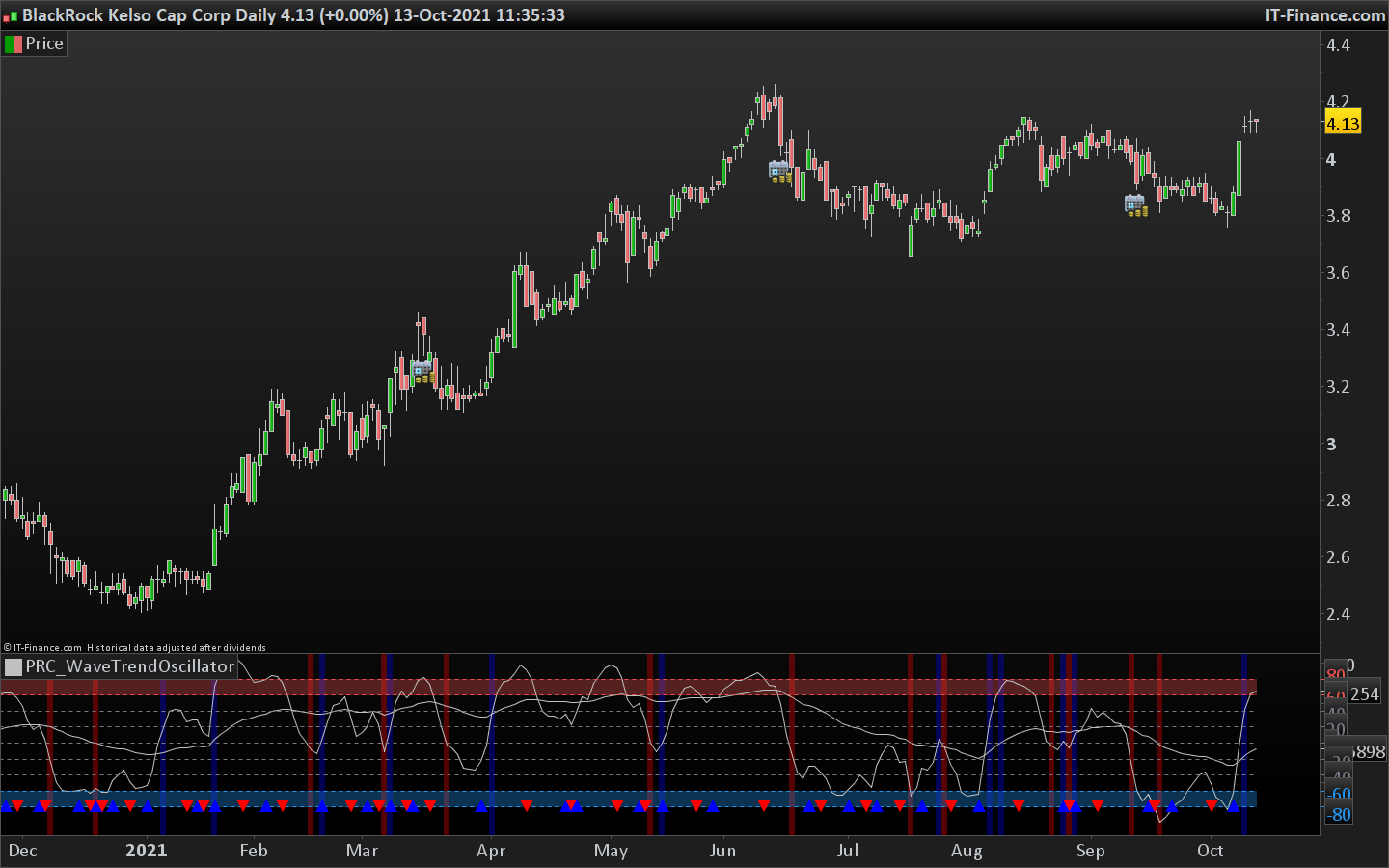
    Thanks for getting back to me so quickly, but I had already looked at the oscillator you have suggested, and unfortunately it’s much closer to a rehash of a Stochastic Momentum than it is the Wave Trend Oscillator I am looking for – I have attached a couple of screen shots for you to see.

    I appreciate that you are converting code for free, and do not want to take advantage, but If it is not possible to replicate the indicator i am looking for, then please do tell me and I will continue with my Tradingview subscription instead.


    Many Thanks

    Dave

    PRC_WaveTrend.jpg PRC_WaveTrend.jpg PineScript-WTO.jpg PineScript-WTO.jpg
    #179611 quote
    Nicolas
    Keymaster
    Master

    Of course that’s possible and you will gain your monthly fee of TV thanks to my free coding. Just wait a couple of hours and you’ll get your indicator for free.

    #179615 quote
    Nicolas
    Keymaster
    Master

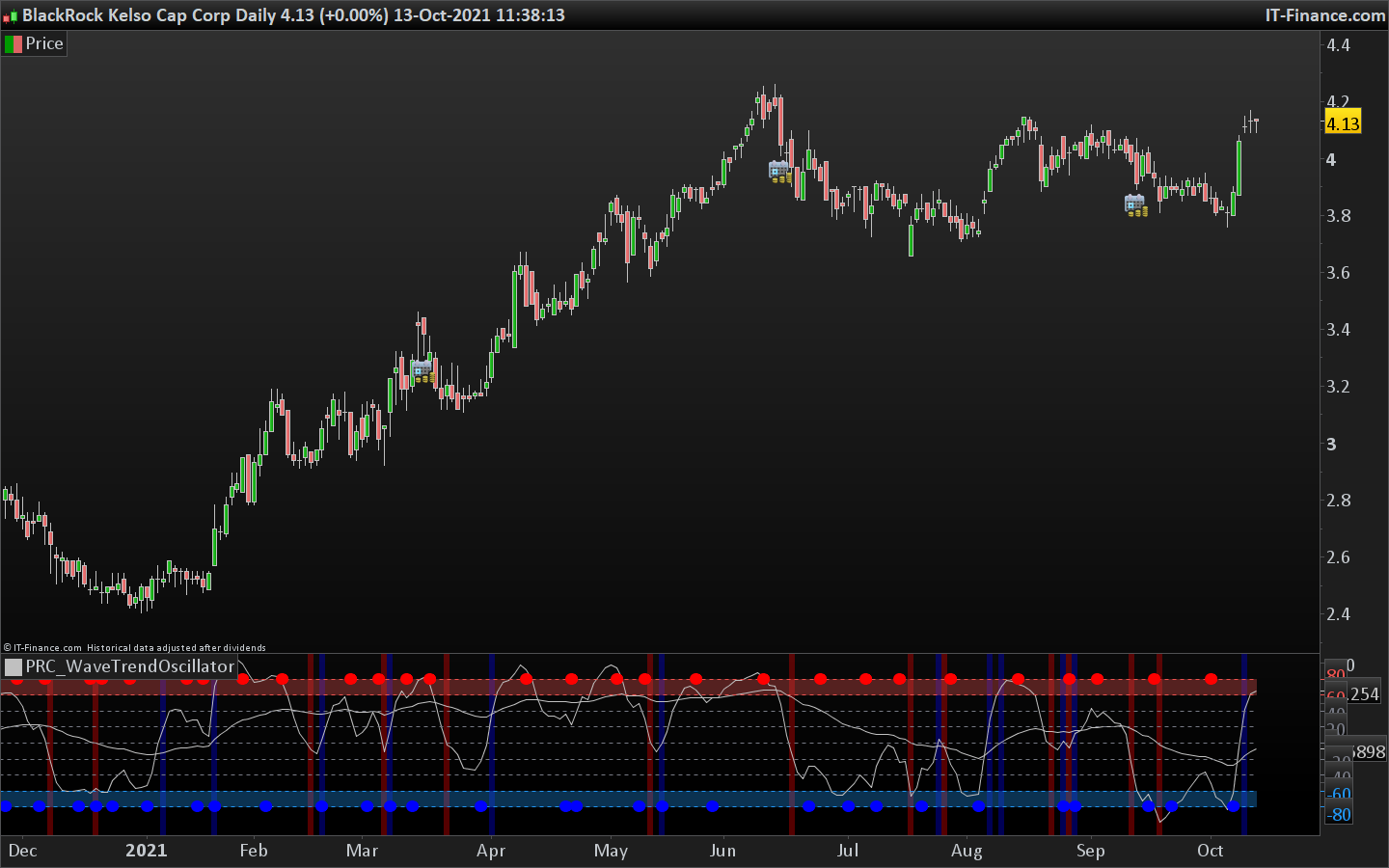
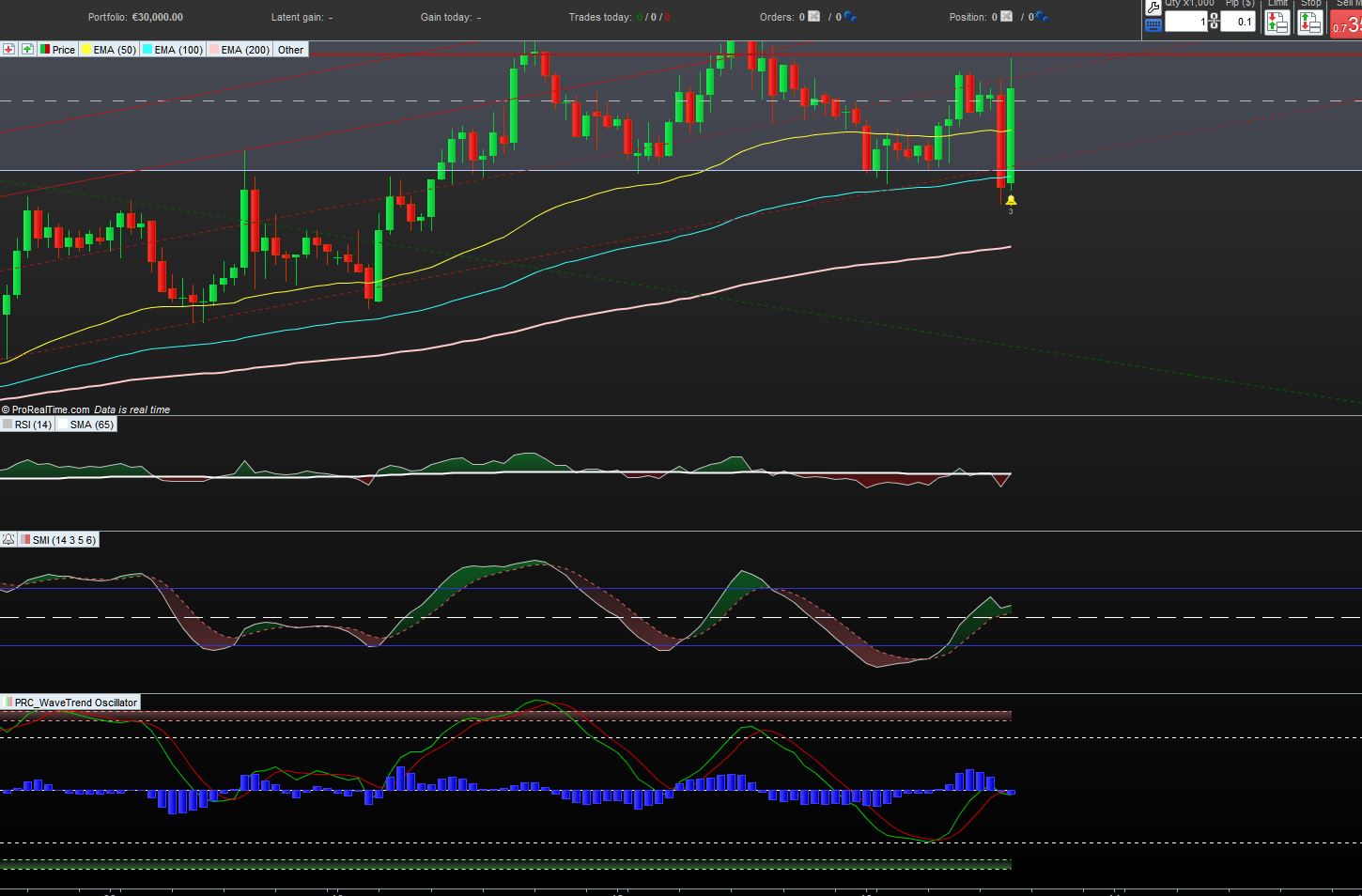
    Ok here it is, I hope you dont mind I did not code color gradient of the curves? Do you need also candle coloring like in the original code, your screenshot is only about the oscillator though ..

    src = medianprice
    
    //WTO PLOT ONE
    channellen = 8 //Channel Length
    averagelen = 6 //Average Length
    wt1malen = 3 //Moving Average Length
    
    esa = average[channellen,1](src)
    d = average[channellen,1](abs(src - esa))
    ci = (src - esa) / (0.015 * d)
    tci = average[averagelen,1](ci)
    wt1 = tci
    wt1ma = average[wt1malen](wt1)
    
    //COLOR INPUTS
    //wt_1_up = input(#ff9800, title="High", inline="wt 1 color", group="Primary Wavetrend Inputs")
    //wt_1_down = input(#2962ff, title="Low", inline="wt 1 color", group="Primary Wavetrend Inputs")
    //wt_1_color = color.from_gradient(wt_1, -80, 80, wt_1_down, wt_1_up)
    //plot(wt_1, color=wt_1_color, title="Primary Wavetrend")
    
    //WTO PLOT TWO
    channellen2 = 13 //Channel Length
    averagelen2 = 55 //Average Length
    
    esa2 = average[channellen2,1](src)
    d2 = average[channellen2,1](abs(src - esa2))
    ci2 = (src - esa2) / (0.015 * d2)
    tci2 = average[averagelen2,1](ci2)
    wt2 = tci2
    
    ////MOMENTUM CHANGE & BACKGROUND COLORS
    
    //PRIMARY WTO & SECONDARY WTO
    momchangelong1 = wt1 crosses over 0 
    momchangeshort1 = wt1 crosses under 0
    
    momchangelong2 = wt2 crosses over 0
    momchangeshort2 = wt2 crosses under 0
    
    if momchangelong1 then 
    backgroundcolor(0,0,255,85)
    elsif momchangeshort1 then
    backgroundcolor(255,0,0,85)
    endif
    if momchangelong2 then
    backgroundcolor(0,0,255,85)
    elsif momchangeshort2 then
    backgroundcolor(255,0,0,85)
    endif
    
    //MOVING AVERAGE CROSS SIGNALS ON PRIMARY WAVETREND
    if wt1 crosses over wt1ma then 
    drawtext("●",barindex,-80,dialog,bold,16) coloured(0,0,255)
    elsif wt1 crosses under wt1ma then
    drawtext("●",barindex,80,dialog,bold,16) coloured(255,0,0)
    endif
    
    if islastbarupdate then
    drawrectangle(0,60,barindex,80) coloured(239, 83, 80,85) bordercolor(0,0,0,0)
    drawrectangle(0,-60,barindex,-80) coloured(33, 150, 243,85) bordercolor(0,0,0,0)
    endif 
    
    return wt1 as "Primary Wavetrend", wt2 as "Secondary Wavetrend", 0 coloured(120, 123, 134) style(dottedline) as "median", 40 coloured(120, 123, 134) style(dottedline) as "40",  20 coloured(120, 123, 134) style(dottedline) as "20", -40 coloured(120, 123, 134) style(dottedline) as "-40",  -20 coloured(120, 123, 134) style(dottedline) as "-20", 80 coloured(239, 83, 80) style(dottedline) as "80", 60 coloured(239, 83, 80) style(dottedline) as "60",-80 coloured(33, 150, 243) style(dottedline) as "-80", -60 coloured(33, 150, 243) style(dottedline) as "-60"
    wave-trend-oscillator.png wave-trend-oscillator.png wave-trend-oscillator-prorealtime.png wave-trend-oscillator-prorealtime.png
    #179621 quote
    DavidMClarke1974
    Participant
    New

    Hi Nicolas

    It is looking very close to being spot on, and is close enough for me to work with – thank you very much.

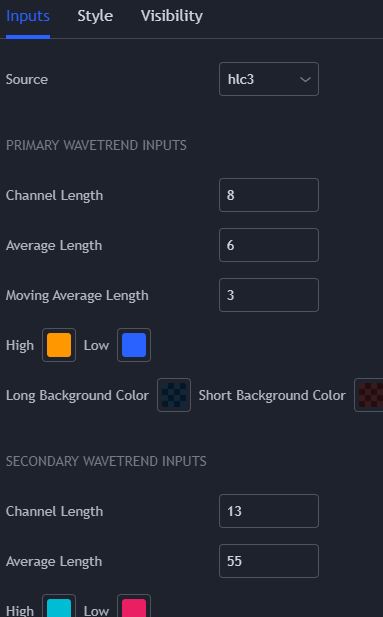
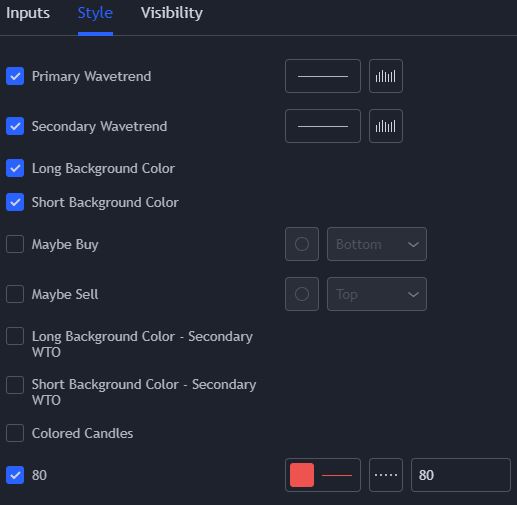
    What code would I need to add to make the different elements editable within the settings pop up of the indicator – for example Channel Length = x (i’ve attached a couple of images for explanation)

    Again, many thanks.

    WTO-Settings.jpg WTO-Settings.jpg WTO-Style.jpg WTO-Style.jpg
    #179645 quote
    Nicolas
    Keymaster
    Master

    I published a more complete version with the settings available in the window, you can download now from the library: Wave Trend Oscillator

Viewing 7 posts - 1 through 7 (of 7 total)
  • You must be logged in to reply to this topic.

Conversion of Pine Script WT Oscillator


ProBuilder: Indicators & Custom Tools

New Reply
Author
Summary

This topic contains 6 replies,
has 2 voices, and was last updated by Nicolas

4 years, 4 months ago.

Topic Details
Forum: ProBuilder: Indicators & Custom Tools
Language: English
Started: 10/13/2021
Status: Active
Attachments: 8 files
Logo Logo
Loading...