Conversion of Pine Script WT Oscillator

Viewing 7 posts - 1 through 7 (of 7 total)

  • Author
    Posts
  • #179580 quote
    DavidMClarke1974DavidMClarke1974
    Participant
    New

    Hi guys

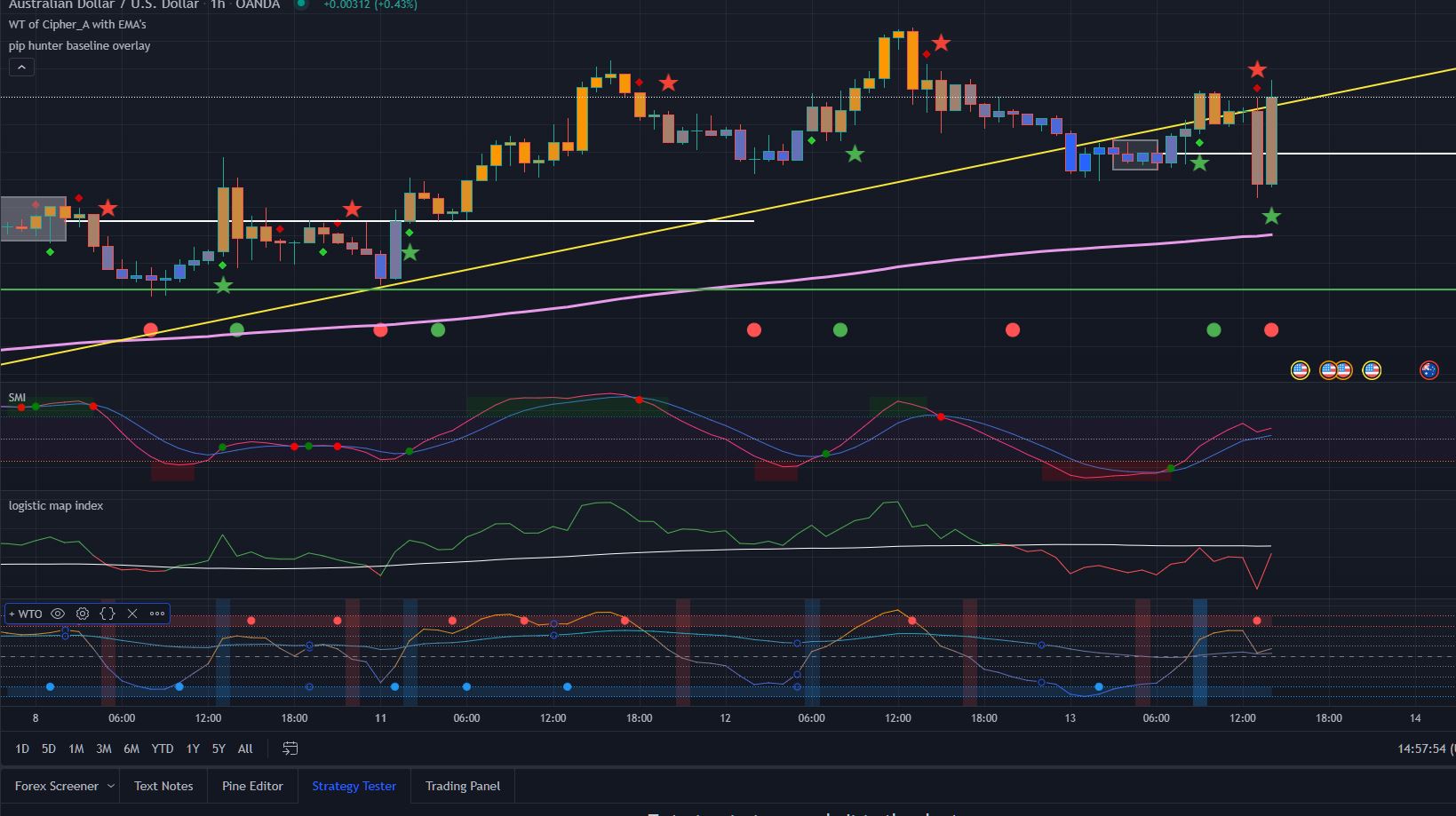
    I am looking for some assistance in converting a pine script code of a WaveTrend Oscillator into Prorealtime. I have had a go myself, but to be fair have made a complete hash of it.

    I have attached the script and an image of the output.

    Many thanks in advance for the assistance and happy trading.

    Dave

    WTO-Image.jpg WTO-Image.jpg WTO-Original-Code.txt
    #179588 quote
    NicolasNicolas
    Keymaster
    Legend
    #179590 quote
    DavidMClarke1974DavidMClarke1974
    Participant
    New

    Hi Nicolas


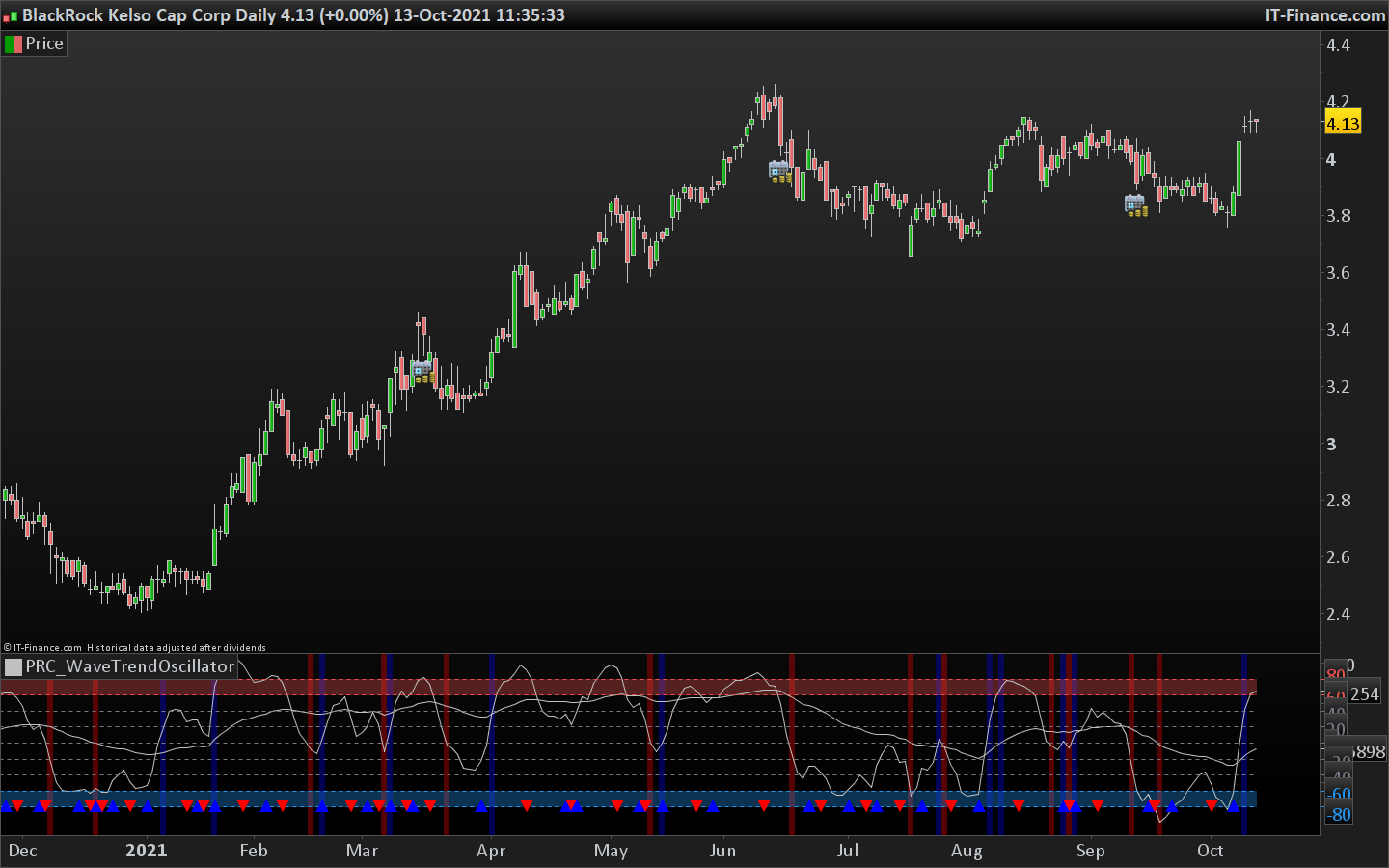
    Thanks for getting back to me so quickly, but I had already looked at the oscillator you have suggested, and unfortunately it’s much closer to a rehash of a Stochastic Momentum than it is the Wave Trend Oscillator I am looking for – I have attached a couple of screen shots for you to see.

    I appreciate that you are converting code for free, and do not want to take advantage, but If it is not possible to replicate the indicator i am looking for, then please do tell me and I will continue with my Tradingview subscription instead.


    Many Thanks

    Dave

    PRC_WaveTrend.jpg PRC_WaveTrend.jpg PineScript-WTO.jpg PineScript-WTO.jpg
    #179611 quote
    NicolasNicolas
    Keymaster
    Legend

    Of course that’s possible and you will gain your monthly fee of TV thanks to my free coding. Just wait a couple of hours and you’ll get your indicator for free.

    #179615 quote
    NicolasNicolas
    Keymaster
    Legend

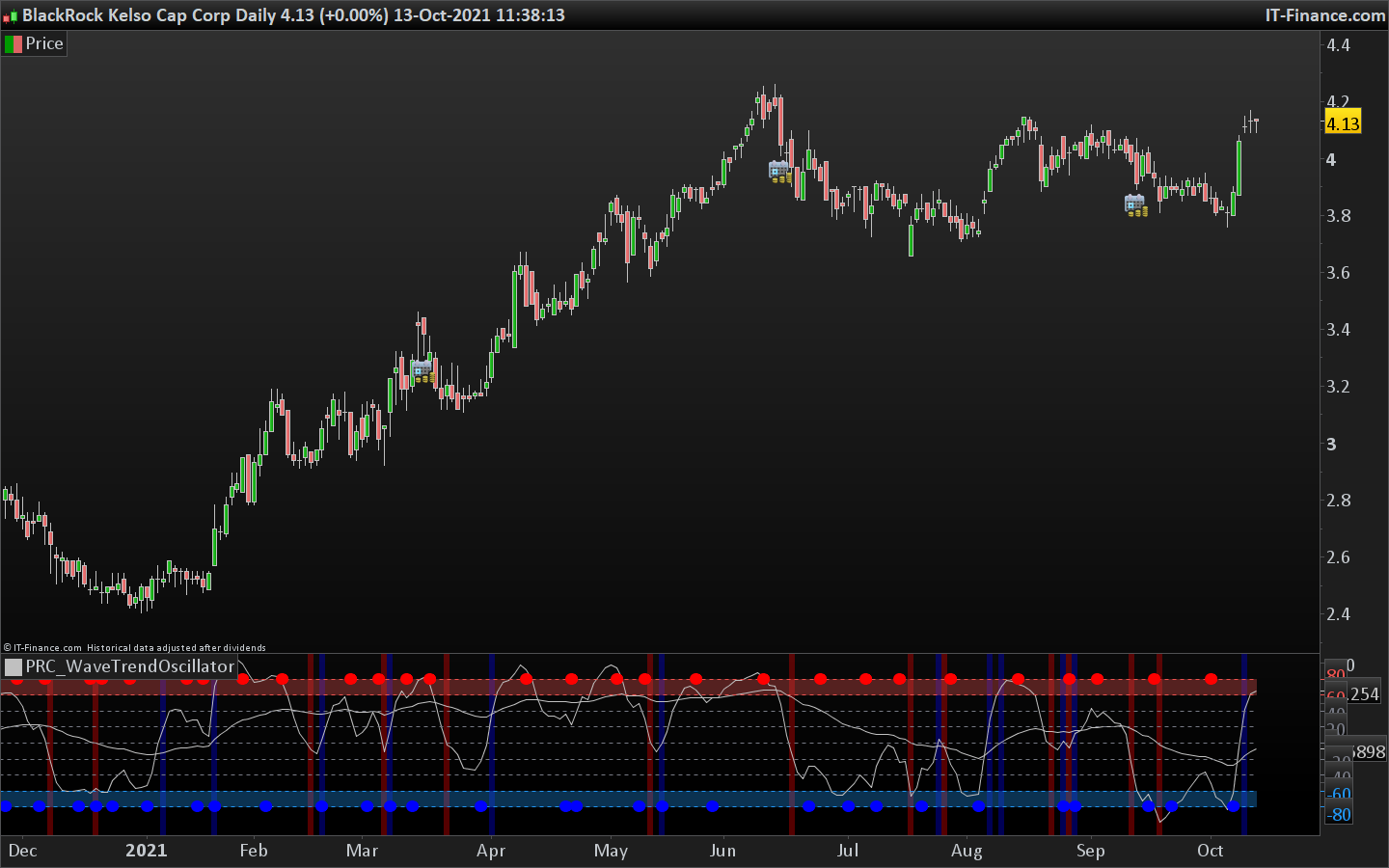
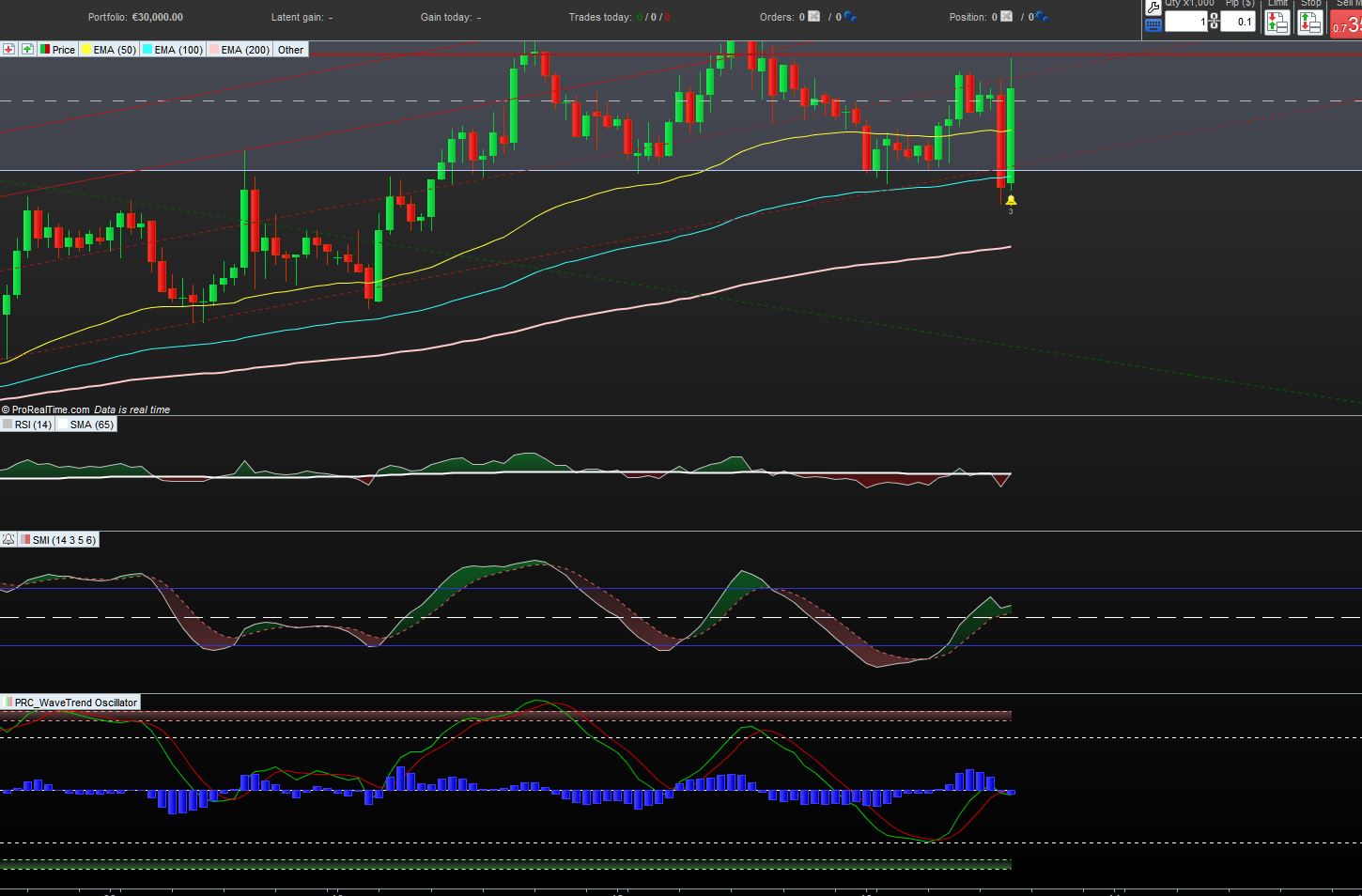
    Ok here it is, I hope you dont mind I did not code color gradient of the curves? Do you need also candle coloring like in the original code, your screenshot is only about the oscillator though ..

    src = medianprice
    
    //WTO PLOT ONE
    channellen = 8 //Channel Length
    averagelen = 6 //Average Length
    wt1malen = 3 //Moving Average Length
    
    esa = average[channellen,1](src)
    d = average[channellen,1](abs(src - esa))
    ci = (src - esa) / (0.015 * d)
    tci = average[averagelen,1](ci)
    wt1 = tci
    wt1ma = average[wt1malen](wt1)
    
    //COLOR INPUTS
    //wt_1_up = input(#ff9800, title="High", inline="wt 1 color", group="Primary Wavetrend Inputs")
    //wt_1_down = input(#2962ff, title="Low", inline="wt 1 color", group="Primary Wavetrend Inputs")
    //wt_1_color = color.from_gradient(wt_1, -80, 80, wt_1_down, wt_1_up)
    //plot(wt_1, color=wt_1_color, title="Primary Wavetrend")
    
    //WTO PLOT TWO
    channellen2 = 13 //Channel Length
    averagelen2 = 55 //Average Length
    
    esa2 = average[channellen2,1](src)
    d2 = average[channellen2,1](abs(src - esa2))
    ci2 = (src - esa2) / (0.015 * d2)
    tci2 = average[averagelen2,1](ci2)
    wt2 = tci2
    
    ////MOMENTUM CHANGE & BACKGROUND COLORS
    
    //PRIMARY WTO & SECONDARY WTO
    momchangelong1 = wt1 crosses over 0 
    momchangeshort1 = wt1 crosses under 0
    
    momchangelong2 = wt2 crosses over 0
    momchangeshort2 = wt2 crosses under 0
    
    if momchangelong1 then 
    backgroundcolor(0,0,255,85)
    elsif momchangeshort1 then
    backgroundcolor(255,0,0,85)
    endif
    if momchangelong2 then
    backgroundcolor(0,0,255,85)
    elsif momchangeshort2 then
    backgroundcolor(255,0,0,85)
    endif
    
    //MOVING AVERAGE CROSS SIGNALS ON PRIMARY WAVETREND
    if wt1 crosses over wt1ma then 
    drawtext("●",barindex,-80,dialog,bold,16) coloured(0,0,255)
    elsif wt1 crosses under wt1ma then
    drawtext("●",barindex,80,dialog,bold,16) coloured(255,0,0)
    endif
    
    if islastbarupdate then
    drawrectangle(0,60,barindex,80) coloured(239, 83, 80,85) bordercolor(0,0,0,0)
    drawrectangle(0,-60,barindex,-80) coloured(33, 150, 243,85) bordercolor(0,0,0,0)
    endif 
    
    return wt1 as "Primary Wavetrend", wt2 as "Secondary Wavetrend", 0 coloured(120, 123, 134) style(dottedline) as "median", 40 coloured(120, 123, 134) style(dottedline) as "40",  20 coloured(120, 123, 134) style(dottedline) as "20", -40 coloured(120, 123, 134) style(dottedline) as "-40",  -20 coloured(120, 123, 134) style(dottedline) as "-20", 80 coloured(239, 83, 80) style(dottedline) as "80", 60 coloured(239, 83, 80) style(dottedline) as "60",-80 coloured(33, 150, 243) style(dottedline) as "-80", -60 coloured(33, 150, 243) style(dottedline) as "-60"
    wave-trend-oscillator.png wave-trend-oscillator.png wave-trend-oscillator-prorealtime.png wave-trend-oscillator-prorealtime.png
    #179621 quote
    DavidMClarke1974DavidMClarke1974
    Participant
    New

    Hi Nicolas

    It is looking very close to being spot on, and is close enough for me to work with – thank you very much.

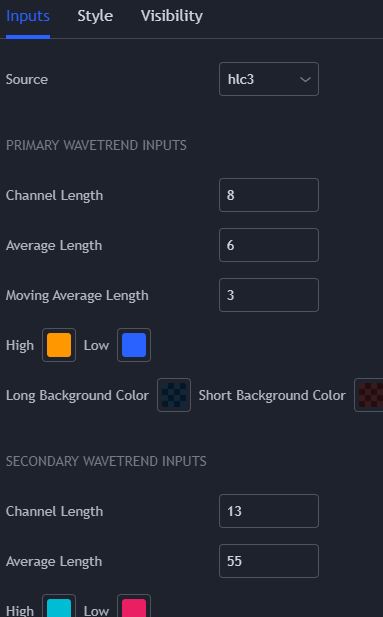
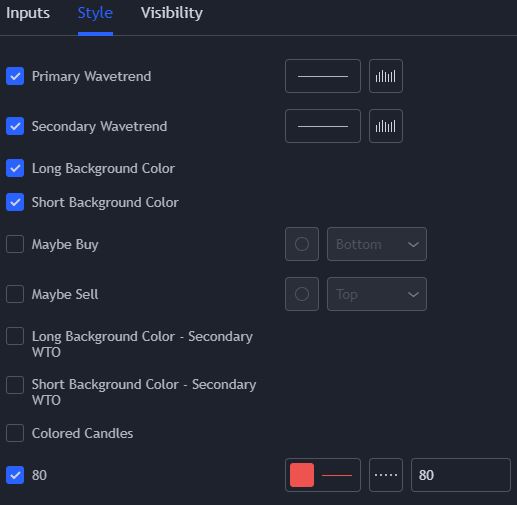
    What code would I need to add to make the different elements editable within the settings pop up of the indicator – for example Channel Length = x (i’ve attached a couple of images for explanation)

    Again, many thanks.

    WTO-Settings.jpg WTO-Settings.jpg WTO-Style.jpg WTO-Style.jpg
    #179645 quote
    NicolasNicolas
    Keymaster
    Legend

    I published a more complete version with the settings available in the window, you can download now from the library: Wave Trend Oscillator

Viewing 7 posts - 1 through 7 (of 7 total)
  • You must be logged in to reply to this topic.

ProRealAI ProRealAI New

Stuck on this ProBuilder code?

Describe what this topic is trying to build, in plain English, and ProRealAI writes the ProRealTime™ indicator, screener or system for you.

Available in 7 languages
Try ProRealAI

Conversion of Pine Script WT Oscillator


ProBuilder: Indicators & Custom Tools

New Reply
Author
Summary

This topic contains 6 replies,
has 2 voices, and was last updated by NicolasNicolas

4 years, 11 months ago.

Topic Details
Forum: ProBuilder: Indicators & Custom Tools
Language: English
Started: 10/13/2021
Status: Active
Attachments: 8 files
ProRealCode ProRealCode
Loading...