Conversion of “Bar Count by GYH9” from the TradingView software

Viewing 15 posts - 1 through 15 (of 19 total)
  • Author
    Posts
  • #205841 quote
    gadetrading
    Participant
    New

    Hello! Thank you for taking time to read this. I have found a code on TradingView that assigns a number to every other bar in the session. This allows me to reference bars, for example “bar 24 made a higher high” etc. I am wondering if this code can be converted to the ProRealTime software. All it should do is put a tiny number below every other bar in the session (I use regular trading hours).
    If this is possible to convert, I will be forever thankful! Regards, Andreas Faurholdt.

    This is the TradingView code: (it is also attached)


    //@version=4
    study(“Bar Count”, overlay=true, max_labels_count=500)
    sizeOption = input(title=”Label Size”, type=input.string,
         options=[“Auto”, “Huge”, “Large”, “Normal”, “Small”, “Tiny”],
         defval=”Normal”)
    labelSize = (sizeOption == “Huge”) ? size.huge :
         (sizeOption == “Large”) ? size.large :
         (sizeOption == “Small”) ? size.small :
         (sizeOption == “Tiny”) ? size.tiny :
         (sizeOption == “Auto”) ? size.auto :
             size.normal
    color c_labelColor = input(color.orange, “Text Color”, input.color)
    c_contador = input(title=”Display at every X bars”, type=input.integer, defval=2)
    is_new_day()=>
        d=dayofweek
        na(d[1]) or d != d[1]
    var count = 1
    if is_new_day()
        count := 1
    else
        count := count + 1
    if count % c_contador == 0
        label1 = label.new(bar_index, 0, style=label.style_none, text=tostring(count))
        label.set_textcolor(label1, c_labelColor)
        label.set_yloc(label1, yloc.belowbar)
        label.set_size(label1, labelSize)
    #205849 quote
    JS
    Participant
    Senior

    Hi @gadetrading

    Here is the indicator…

    You can adjust the session times…

     
    Once Count = 0
    
    StartSession=153000
    EndSession=220000
    
    If OpenTime >= StartSession and OpenTime <= EndSession then
    Count=Count+1
    xEven=Count/2 - Round(Count/2) 
    
    If Count > 0 and xEven=0 then
    DrawText( "#Count#", BarIndex,Low-10*pipsize)
    EndIf
    
    If OpenTime = EndSession then
    Count=0
    EndIf
    EndIf
    Return
    Nicolas and gadetrading thanked this post
    #205875 quote
    gadetrading
    Participant
    New
    Hello JS. Thank you. It is greatly appreciated. If possible I have an additional request: Can you make the bar count reset at the start of every session? I have set custom trading hours to show data from 09:00 to 17:30 for the German DAX index and ideally I want the counting to begin from 09:00 and end at 17:30 and then the count will reset the next day and start over at 09:00. I have multiple days shown on my chart and the numbers get very big right now.
    #205881 quote
    gadetrading
    Participant
    New
    #205886 quote
    Nicolas
    Keymaster
    Master
    Just change the “endsession” setting with the desired time. Peter has set it with 220000 (10pm).
    gadetrading thanked this post
    #205891 quote
    JS
    Participant
    Senior

    Hi @gadetrading

    You just need to adjust the session times…

    For the DAX:

    StartSession=090000

    EndSession=173000

    gadetrading thanked this post
    #205892 quote
    gadetrading
    Participant
    New
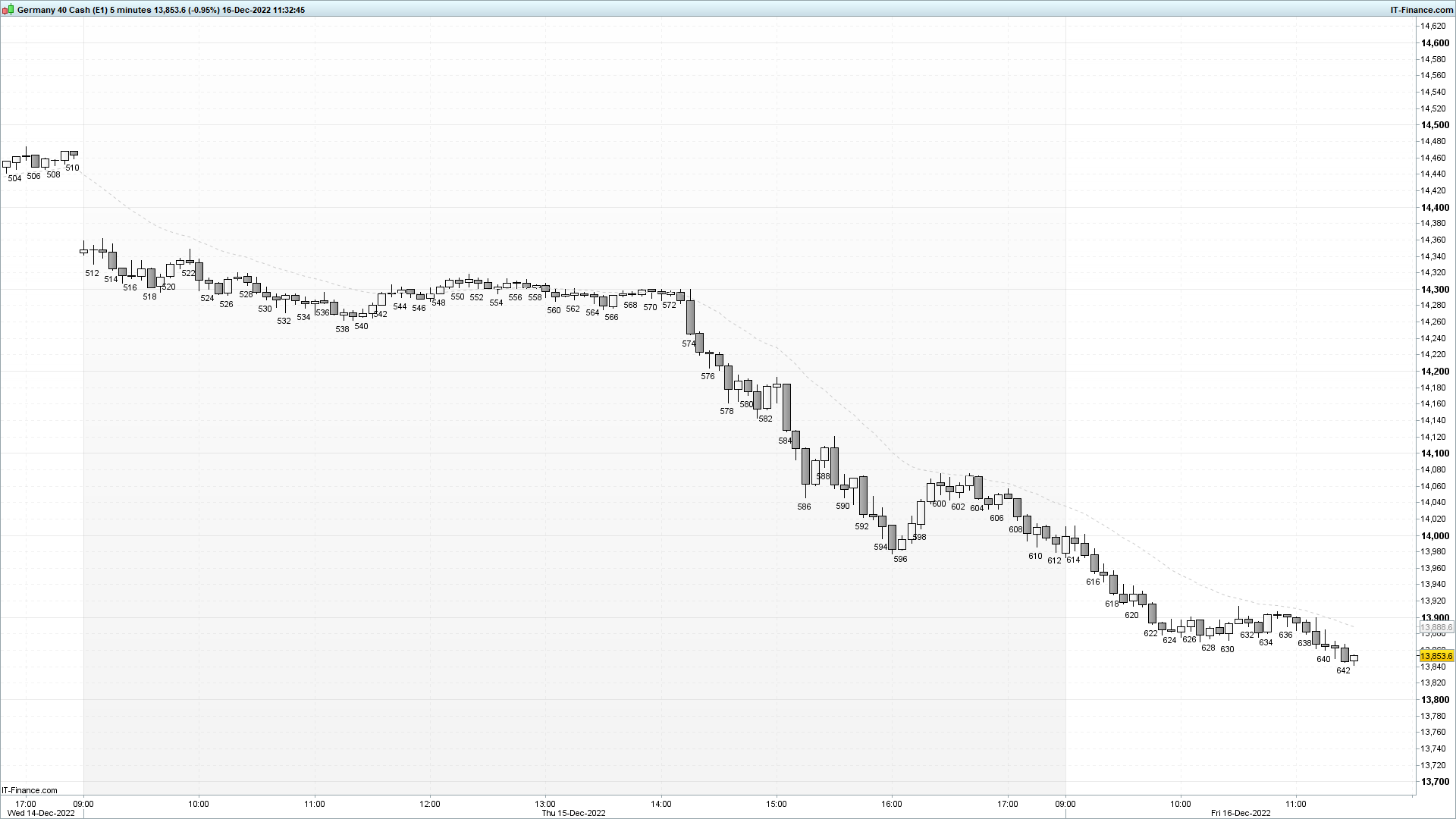
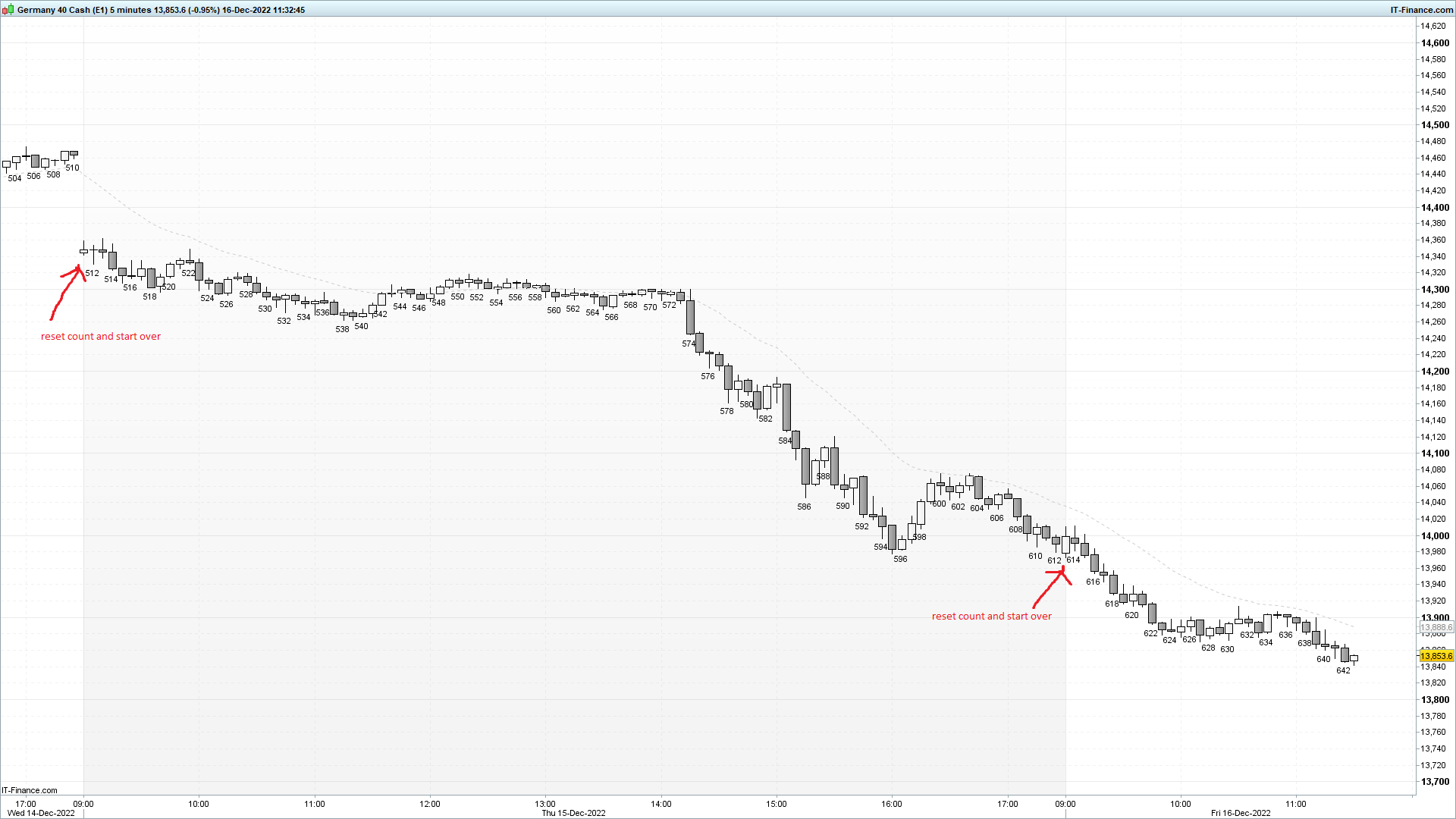
    @Nicolas @JS I have set the desired time, however, it does not start over (reset the bar count) every time the clock is 9 AM. I have shown it in the screenshot, for example, bar 614 should be bar 2 since it is the second bar after 9 AM.
    #205895 quote
    JS
    Participant
    Senior

    Hi @gadetrading

    I think you’ve set the trading hours separately in “Time Zones & Trading Hours”…

    Maybe it helps if you set it to 08:55 to 17:35

    Time frame 5 minutes.

    #205896 quote
    Nicolas
    Keymaster
    Master
    Please don’t embed pictures in content, it is not necessary. I think end session should use Time instead of OpenTime, what do you think @JS ?
    gadetrading thanked this post
    #205897 quote
    JS
    Participant
    Senior

    Hi @Nicolas

    The indicator does what it is supposed to do here, also on the DAX…

    I think it’s the settings in the “Time Zones & Trading Hours”

    #205907 quote
    gadetrading
    Participant
    New
    Hello @JS Thank you. I have set the settings in “Time Zones & Trading Hours” to show only regular trading hours for the DAX CFD. I have also tested the bar count indicator as you requested with 08:55 and 17:35 which fixes the problem and the counting resets at 09:00 every day. However, I do not wish to show those two extra bars on my 5 minute chart. I only wish to show price action from 09:00 to 17:30 for the CFD and still have the count reset at 09:00 every day.
    #205908 quote
    JS
    Participant
    Senior

    Hi @gadetrading

    Try Nicolas’ solution:

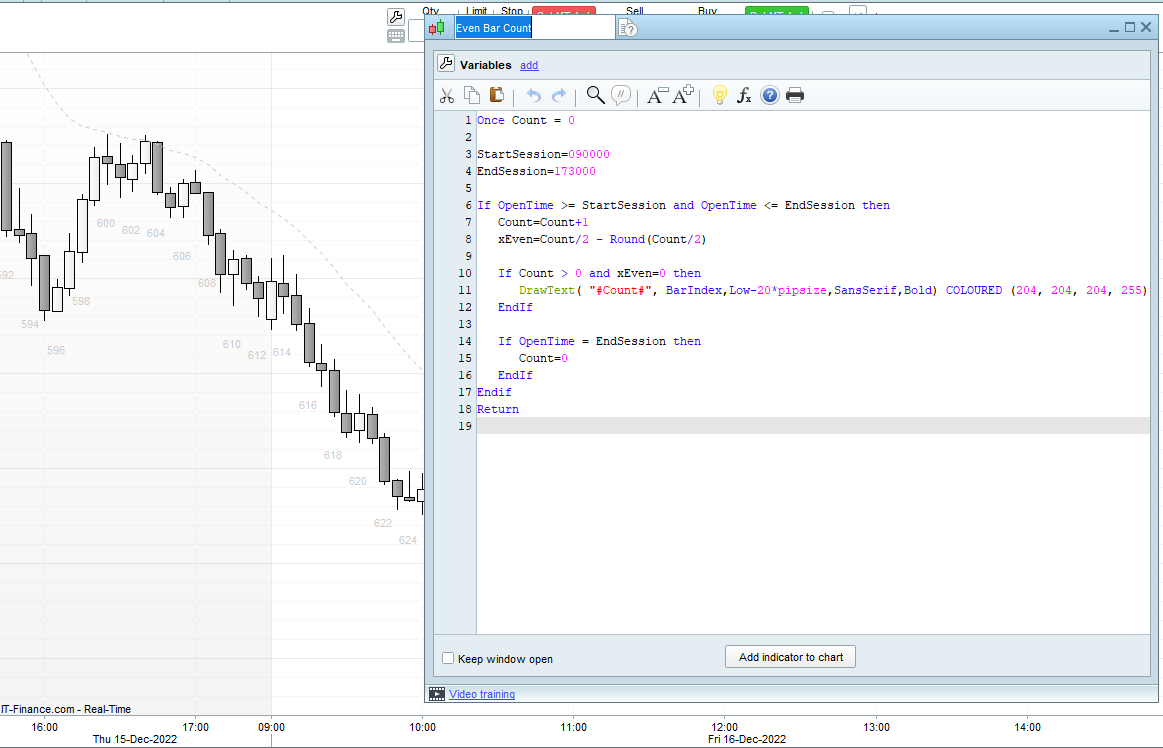
    Change “OpenTme = EndSession ” to  “Time = EndSession”

    Once Count = 0
    
    StartSession=090000
    EndSession=173000
    
    If OpenTime >= StartSession and OpenTime <= EndSession then
    Count=Count+1
    xEven=Count/2 - Round(Count/2)
    
    If Count > 0 and xEven=0 then
    DrawText( "#Count#", BarIndex,Low-10*pipsize)
    EndIf
    
    If Time = EndSession then
    Count=0
    EndIf
    EndIf
    Return
    gadetrading thanked this post
    #205909 quote
    gadetrading
    Participant
    New
    @JS @Nicolas Now I understand. Nicolas’ solution works. It is now functioning like I want it to with “Time = EndSession”. Thank you both for taking the time to help. It is appreciated.
    JS thanked this post
    #210090 quote
    gadetrading
    Participant
    New
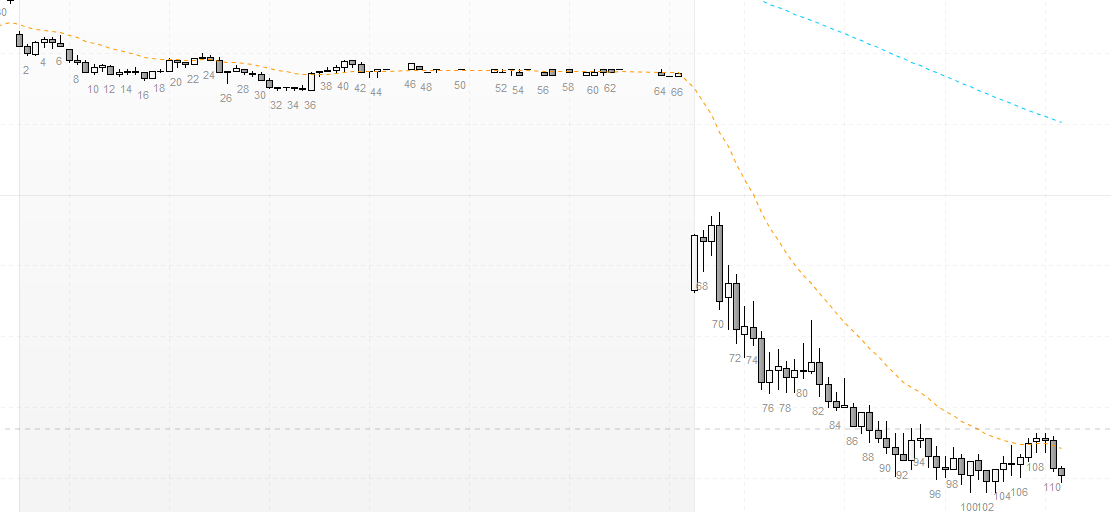
    Hello @JS Is it possible to make sure the bar counter resets every day? I have attached a screenshot. This is a problem because some days have less bars than others in the same timespan. In the screenshot you can see that the first bar of the day is actually bar 67, when it should be bar 1. It is because yesterday had fewer bars than other days in the same timespan.
    Once Count = 0
     
    StartSession=093000
    EndSession=161500
     
    If OpenTime >= StartSession and OpenTime <= EndSession then
    Count=Count+1
    xEven=Count/2 - Round(Count/2)
     
    If Count > 0 and xEven=0 then
    DrawText( "#Count#", BarIndex,Low-2*pipsize,SansSerif) COLOURED (153, 153, 153, 255)
    EndIf
     
    If Time = EndSession then
    Count=0
    EndIf
    Endif
    Return
    
    #210095 quote
    JS
    Participant
    Senior

    Hi gadetrading,

    You can try/add this…

    If IntraDayBarIndex = 0 then

    Count = 0

    EndIf

    gadetrading thanked this post
Viewing 15 posts - 1 through 15 (of 19 total)
  • You must be logged in to reply to this topic.

Conversion of “Bar Count by GYH9” from the TradingView software


ProBuilder: Indicators & Custom Tools

New Reply
Author
Summary

This topic contains 18 replies,
has 3 voices, and was last updated by gadetrading
2 years, 11 months ago.

Topic Details
Forum: ProBuilder: Indicators & Custom Tools
Language: English
Started: 12/15/2022
Status: Active
Attachments: 10 files
Logo Logo
Loading...