


Conversion de code pine script

Viewing 2 posts - 1 through 2 (of 2 total)

  • Author
    Posts
  • #241476 quote
    Gmx91
    Participant
    New

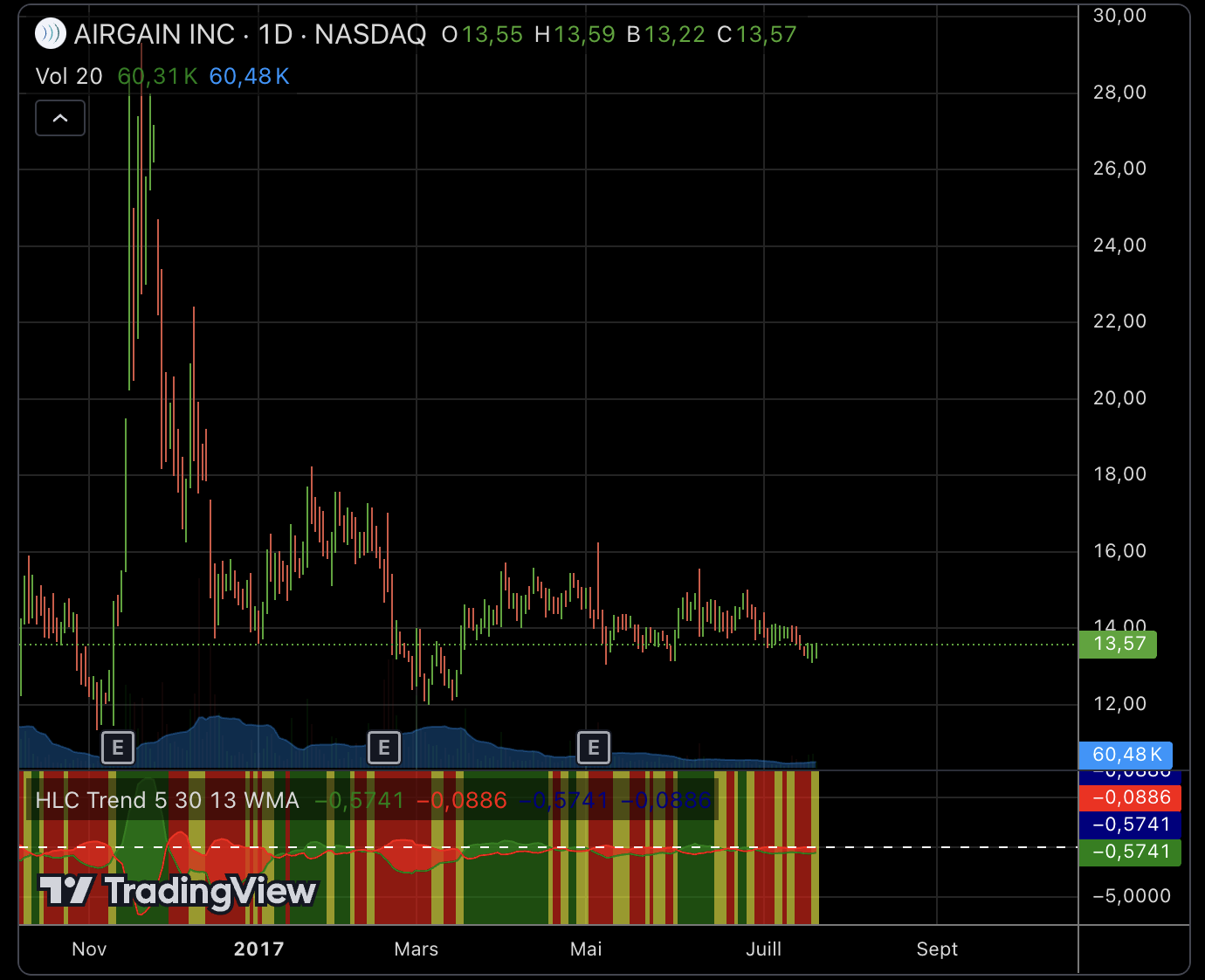
    Bonjour, pouvez-vous m’aider à convertir ce code pine script en Probuilder pour PRT ?

    //@version=3
    study(“HLC Trend”)

    // Pull traditional HLC
    sHigh = security(tickerid, period, high)
    sLow = security(tickerid, period, low)
    sClose = security(tickerid, period, close)
    sOpen = security(tickerid, period, open)

    // Inputs
    option_SMA = ‘SMA’, option_EMA = ‘EMA’, option_WMA = ‘WMA’

    length_Close = input(defval = 5, title = “Close MA Period Length”, type = integer)
    length_High = input(defval = 30, title = “High MA Period Length”, type = integer)
    length_Low = input(defval = 13, title = “Low MA Period Length”, type = integer)
    type_MA = input(defval = option_SMA, title = “Moving Average Type”, type = string, options = [option_SMA, option_EMA, option_WMA])
    fill_Cloud = input(defval = true, title = “Use cloud coloring for Bull/Bear identification?”, type = bool)
    fill_BG = input(defval = true, title = “Color Indicator background based on Bull/Bear/Neautral?”, type = bool)

    // Calculations
    ma_High = type_MA == option_SMA ? sma(sHigh, length_High) : type_MA == option_EMA ? ema(sHigh, length_High) : type_MA == option_WMA ? wma(sHigh, length_High) : sma(sHigh, length_High)
    ma_Low = type_MA == option_SMA ? sma(sLow, length_Low) : type_MA == option_EMA ? ema(sLow, length_Low) : type_MA == option_WMA ? wma(sLow, length_Low) : sma(sLow, length_Low)
    ma_Close = type_MA == option_SMA ? sma(sClose, length_Close) : type_MA == option_EMA ? ema(sClose, length_Close) : type_MA == option_WMA ? wma(sClose, length_Close) : sma(sClose, length_Close)
    ma_CH = ma_Close – ma_High
    ma_LC = ma_Low – ma_Close

    // Draw Colors
    fill_Color = ma_CH > ma_LC ? green : red
    bg_Color = ma_CH >= ma_LC ? ma_CH < 0 and ma_CH < ma_CH[1] ? yellow : green : ma_LC < 0 and ma_LC < ma_LC[1] ? yellow : red // Draw Out hline(0, color = white, title = "Zero Line") plot_CH = plot(ma_CH, color = green, transp = 0, title = "MA Close - MA High") plot_LC = plot(ma_LC, color = red, transp = 0, title = "MA Low - MA Close") bgcolor(fill_BG == true ? bg_Color : na, transp = 40, title = "Indicator Background Color") // Cloud fill selector fill_plot_CH = fill_Cloud == true ? ma_CH : na fill_plot_LC = fill_Cloud == true ? ma_LC : na cloud_plot_CH = plot(fill_plot_CH, transp = 100, title = "Hidden MA Close - MA High Cloud") cloud_plot_LC = plot(fill_plot_LC, transp = 100, title = "Hidden MA Low - MA Close Cloud") fill(cloud_plot_CH, cloud_plot_LC, color = fill_Color, transp = 40, title = "Cloud Color") // END Cloud fill selector

    #241500 quote
    Iván González
    Moderator
    Master

    Voici ce que vous avez :

    //--------------------------------------------//
    //PRC_HLC Trend
    //version = 0
    //17.12.24
    //Iván González @ www.prorealcode.com
    //Sharing ProRealTime knowledge
    //--------------------------------------------//
    //-----------Inputs---------------------------//
    //--------------------------------------------//
    typeMA=0
    lengthClose=5
    lengthHigh=30
    lengthLow=13
    fillCloud=1
    fillBG=1
    //--------------------------------------------//
    //----------Calculations----------------------//
    //--------------------------------------------//
    maHigh=average[lengthHigh,typeMA](high)
    maLow=average[lengthLow,typeMA](low)
    maClose=average[lengthClose,typeMA](close)
    
    maCH=maClose-maHigh
    maLC=maLow-maClose
    //--------------------------------------------//
    //----------Cloud Color-----------------------//
    //--------------------------------------------//
    if maCH>maLC then
    rf=0
    gf=255
    bf=0
    af=100
    else
    rf=255
    gf=0
    bf=0
    af=100
    endif
    colorbetween(maLC,maCH,rf,gf,bf,af)
    //--------------------------------------------//
    //----------Background Color------------------//
    //--------------------------------------------//
    if maCH>=maLC then
    if maCH<0 and maCH<maCH[1] then
    rb=255
    gb=255
    bb=0
    ab=40
    else
    rb=0
    gb=255
    bb=0
    ab=40
    endif
    else
    if maLC<0 and maLC<maLC[1] then 
    rb=255
    gb=255
    bb=0
    ab=40
    else
    rb=255
    gb=0
    bb=0
    ab=40
    endif
    endif
    backgroundcolor(rb,gb,bb,ab)
    //--------------------------------------------//
    return maCH as "MA Close-MA High"coloured("green",200), maLC as "MA low-MA close" coloured("red",200), 0 as "zero"style(dottedline)
    
    Choliver thanked this post
Viewing 2 posts - 1 through 2 (of 2 total)
  • You must be logged in to reply to this topic.

Conversion de code pine script


ProBuilder : Indicateurs & Outils Personnalisés

New Reply
Author
author-avatar
Gmx91 @gmx91 Participant
Summary

This topic contains 1 reply,
has 2 voices, and was last updated by Iván González

1 year, 1 month ago.

Topic Details
Forum: ProBuilder : Indicateurs & Outils Personnalisés
Language: French
Started: 12/16/2024
Status: Active
Attachments: 1 files
Logo Logo
Loading...
