EricParticipant
Master
What is this under help?
i did run it on my old desktop with windows 7
and the performance scan result was 74
what exactly does that mean regarding prorealtime?
Hi Eric,
This feature allows you to generate a performance report of the different components of your computer.
This allows you for example to compare two computers of yours or can be useful to generate a report for the ProRealTime Customer support in some cases.
Regards,
Pierre
Please forgive the daft question … where under Help, Help on PRT or where??
If Yes, I haven’t got it and I want one! 🙂
Hi GraHal,
This feature is currently being released. It is available on PRT Software, on PRT Trading in the Beta version, and on PRT IG in demo mode.
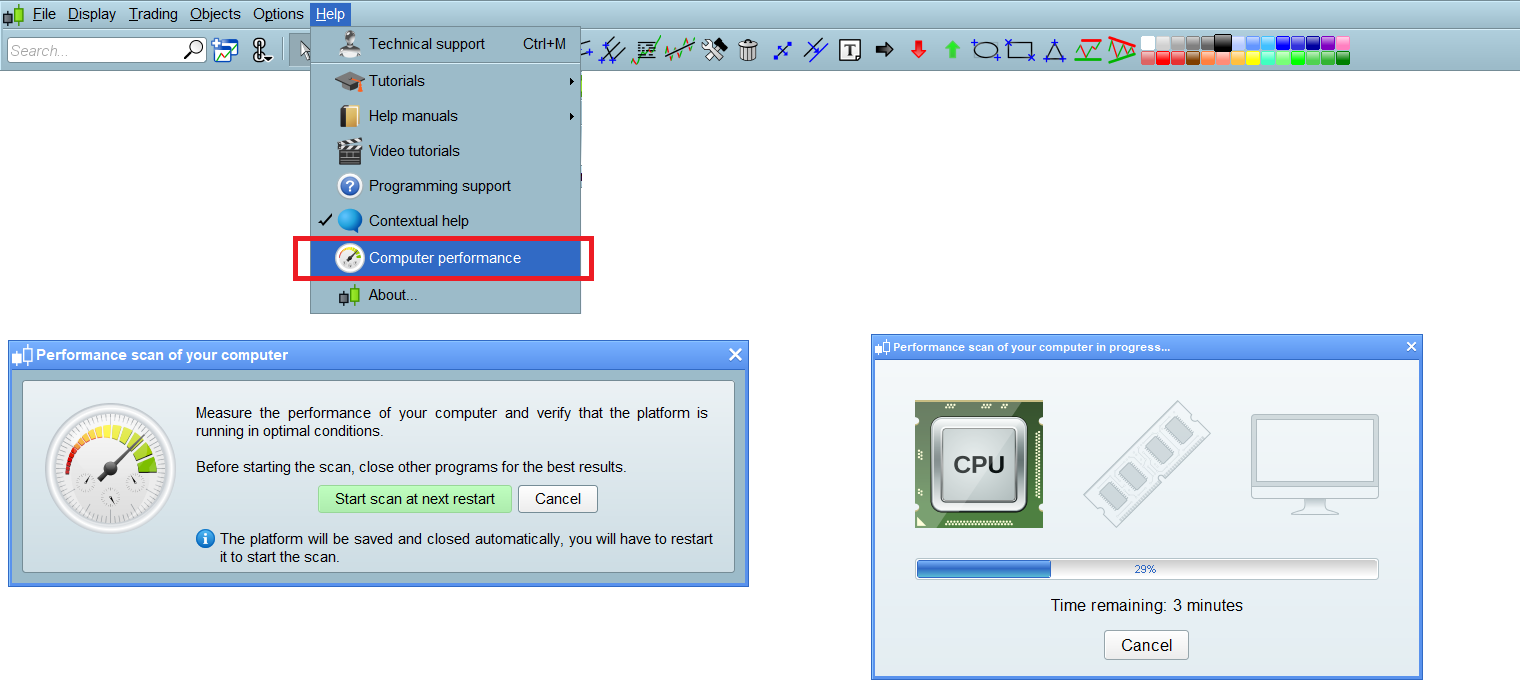
It is available under Help > Computer performance :
[attachment file=65198]
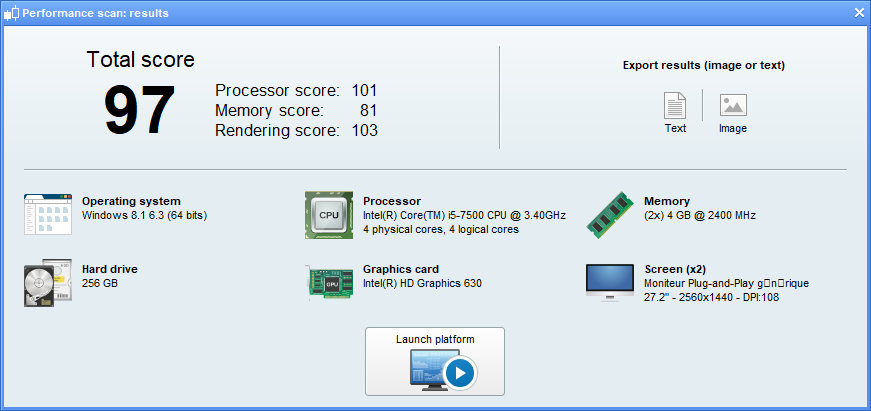
Results of a benchmark :
[attachment file=65199]
Regards,
Pierre
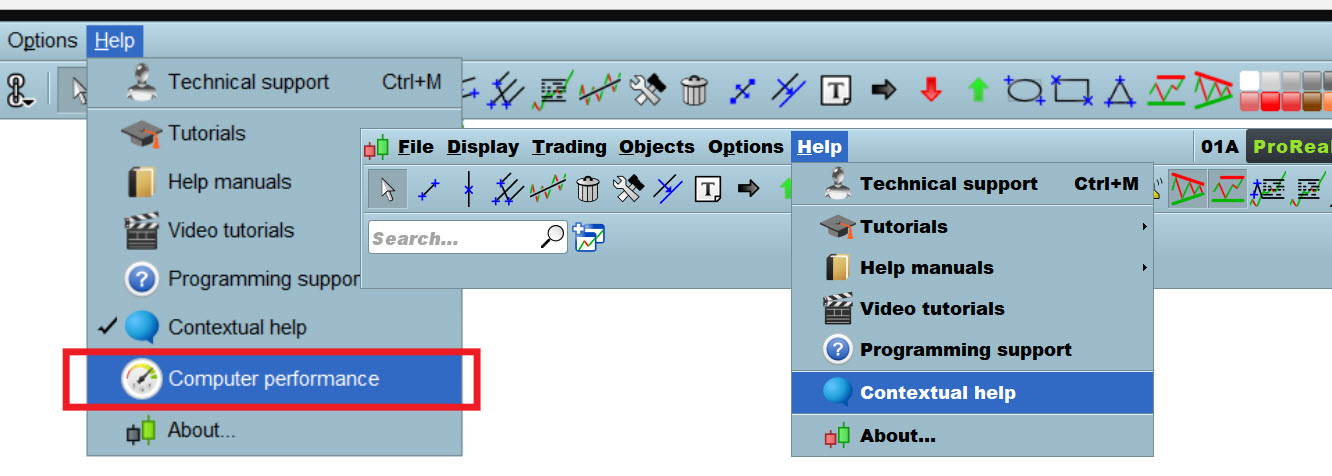
Aha we don’t all have that option. Maybe it is only on the Premium version??
My Help menu is on the right of the image.
EricParticipant
Master
GraHal
I have it only on demo account
Ah yes I have it on Demo also, thank you Eric.
So what is a good score?? I got overall score of 97.
I noted one of my 3 sub-scores was over 100 anyway so 100 cannot be the max score??
I just ran a check (admittedly I had tonnes of stuff running in the background and got a score of 33!
I also notice that it says I (and every other person who has posted an image on here) am using Windows 8 and I am most definitely on Windows 10.
I am in between @Vonasi 66…
We are not yet ready for the HTF then ah ah…
Pierre this is a nice idea and from what I can see it really only needs to be in a demo account.
It would be even more helpful if there was a clear guide or recommendation for a hardware system setup. Hopefully you will be able to provide this in the future.
Pierre.
Can you please make recommendations here which Java version and browser version was tested by PRT and is preferable to use by users.
This for all OS.
Thank you.
Hi Andre,
the java is directly included in the ProRealTime launcher file. If you use this launching mode you do not need to have java installed on your computer. If a more performing java version is available this will be implemented directly in a new version of the launcher which will update automatically on your account.
Best regards,
Ulrike
Hello my friend! Did you try using the cleaning tools to improve your performance? If yes – did it help you?
Who are you asking @nowuseeme and what are the cleaning tools … I am intrigued! 🙂