Hi there,
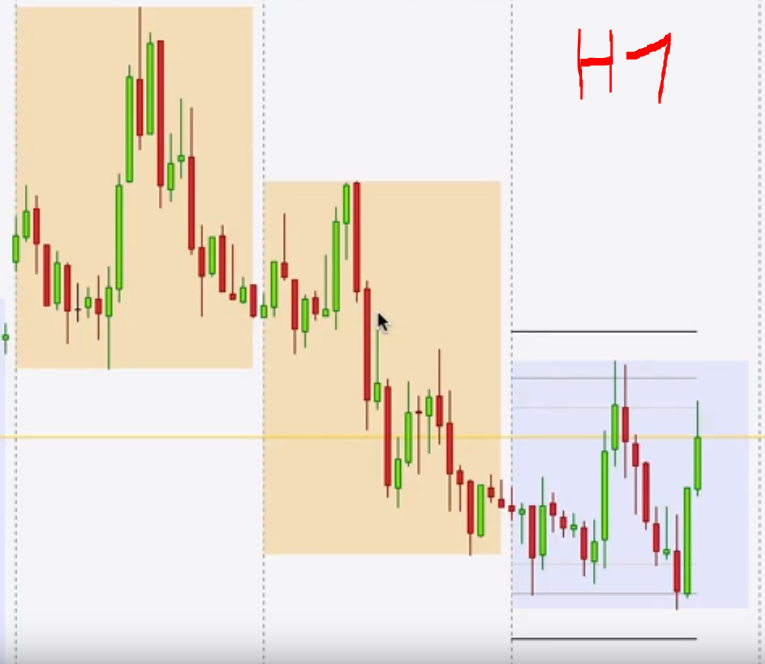
I would like to have the previous days colored in red or green, if they are bullish or bearish.
Before beginning to code the indicator, I would like to know if it is already existing somewhere 🙂
I think the process is : if the opening day price is higher than the closing day price, the box is red. And if the opening day price is lower than the closing day price, the box is green.
But I’m not sure to know how to create boxes and separate these boxes day by day, in H1 for exemple like the screenshot below
Thanks in advance for your help!
Gregg
That was drawn manually on the chart using PRT tools, right?
Because DRAWRECTANGLE doesn’t allow to change how its area is coloured, you can only change its border colour.
This is true up to v10.3.
If you are using v11 new instructions allow this (https://www.prorealcode.com/blog/learning/prorealtime-v11-new-instructions-and-improvements-in-calculation-speed/).
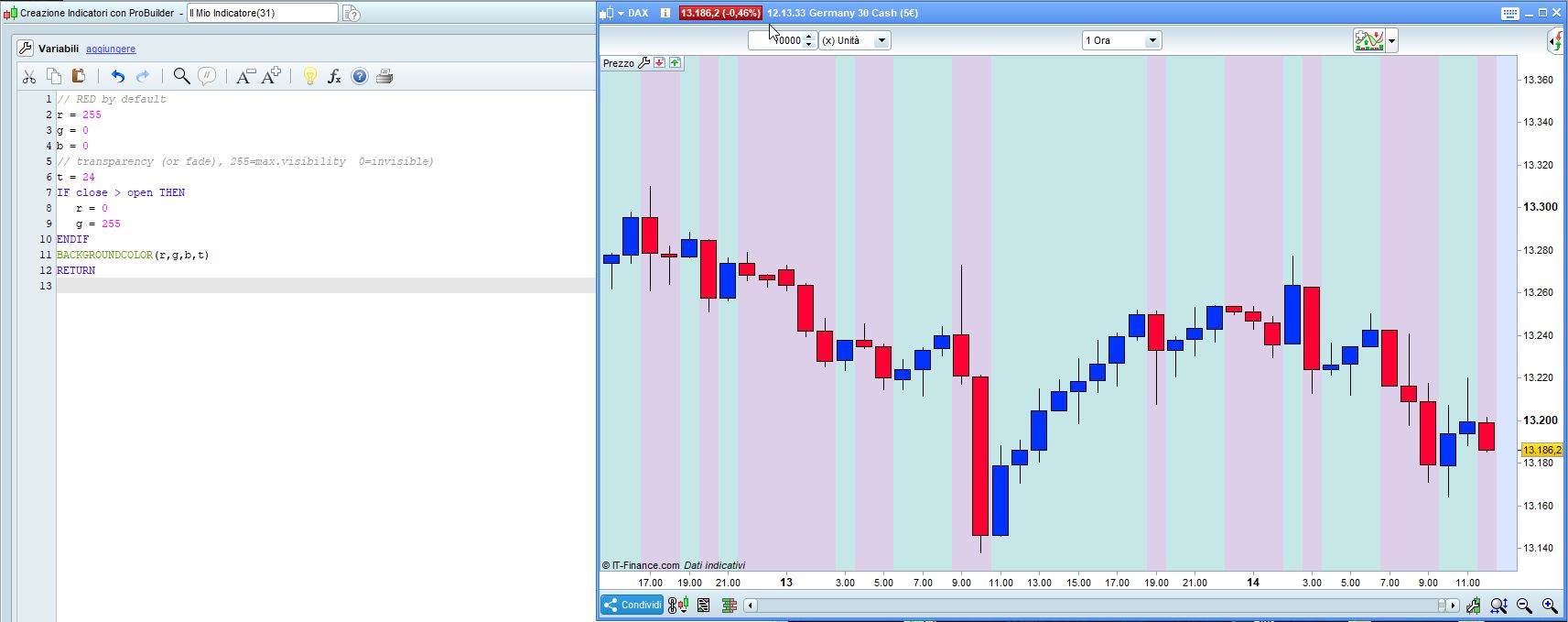
In v10.3 you can use BACKGROUNDCOLOR, but it’s a bit more ugly:
// RED by default (Bearish candlesticks)
r = 255
g = 0
b = 0
// transparency (or fade), 255=max.visibility 0=invisible)
t = 24
IF close > open THEN //change color to GREEN when it's Bullish
r = 0
g = 255
ENDIF
BACKGROUNDCOLOR(r,g,b,t)
RETURN
Thanks Roberto for your reactivity, as usual 🙂
I try to mix something with the documentation here: https://www.prorealcode.com/documentation/drawrectangle/
With your code, do you know if it’s possible to have the color of the day for all the 12 bars on H1 timeframe?
Sadly, we can’t use the function timeframe(daily,updateonclose) outside of ProOrder.
Yes, in line 7 replace CLOSE and OPEN with DCLOSE(0) and DOPEN(0).
Use (1) for the previous day.
I did not test it.