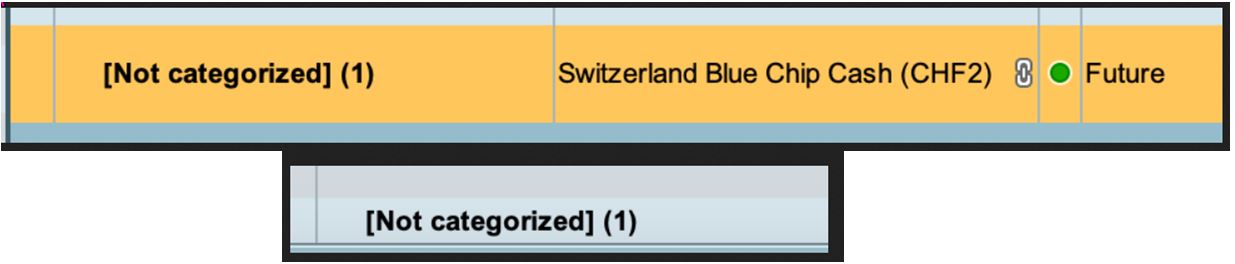
Hi, how do I change category i.e. “categorize” the position in RealTimePro?
In other words, where do I find the option in RTP to put the security into the custom category. This option seem to be missing / hard to find in the most recent PRT update.
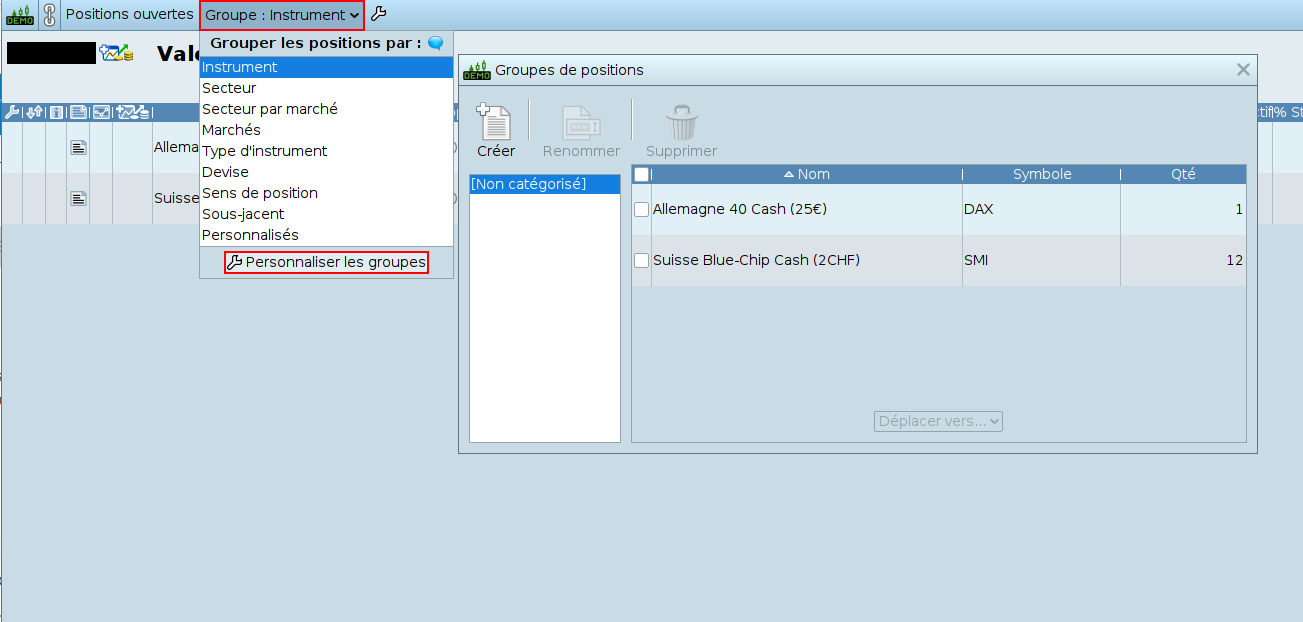
The options for grouping positions can be found at the top of the “Open positions” window in the IG ProRealTime platform, via the “Group:” button followed by the chosen property, as seen in the attached screenshot.
Options for creating your own groups can be found at the very bottom of the drop-down menu that appears after clicking on the “Group:” button followed by the chosen property, via the “Customize groups” button.
The information collected on this form is stored in a computer file by ProRealCode to create and access your ProRealCode profile. This data is kept in a secure database for the duration of the member's membership. They will be kept as long as you use our services and will be automatically deleted after 3 years of inactivity. Your personal data is used to create your private profile on ProRealCode. This data is maintained by SAS ProRealCode, 407 rue Freycinet, 59151 Arleux, France. If you subscribe to our newsletters, your email address is provided to our service provider "MailChimp" located in the United States, with whom we have signed a confidentiality agreement. This company is also compliant with the EU/Swiss Privacy Shield, and the GDPR.
For any request for correction or deletion concerning your data, you can directly contact the ProRealCode team by email at privacy@prorealcode.com
If you would like to lodge a complaint regarding the use of your personal data, you can contact your data protection supervisory authority.
Get Assistance
Assistance Type
Your Need
Proposed Solutions
Do you like cookies? 🍪 We use cookies to ensure you get the best experience on our website.
(Learn more)