Categorize instrument

Viewing 4 posts - 1 through 4 (of 4 total)
  • Author
    Posts
  • #229732 quote
    deleted11052026deleted11052026
    Blocked
    New
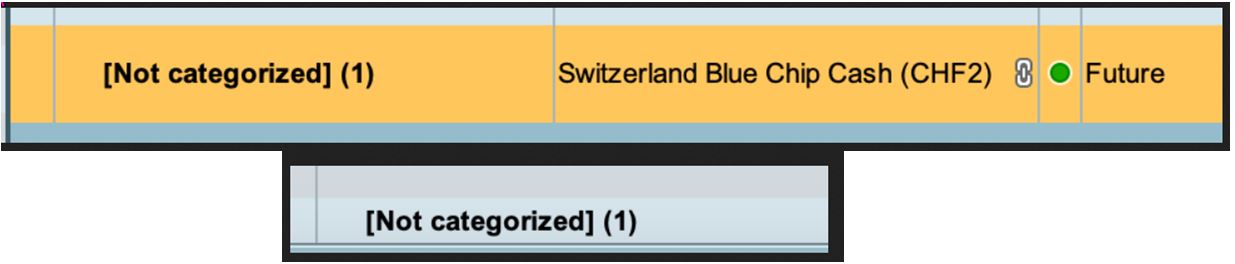
    Hi, how do I change category i.e. “categorize” the position in RealTimePro?
    In other words, where do I find the option in RTP to put the security into the custom category. This option seem to be missing / hard to find in the most recent PRT update.
    Thanks
    x-3.jpg x-3.jpg
    #230084 quote
    AlbericAlberic
    Moderator
    Average

    Hello,


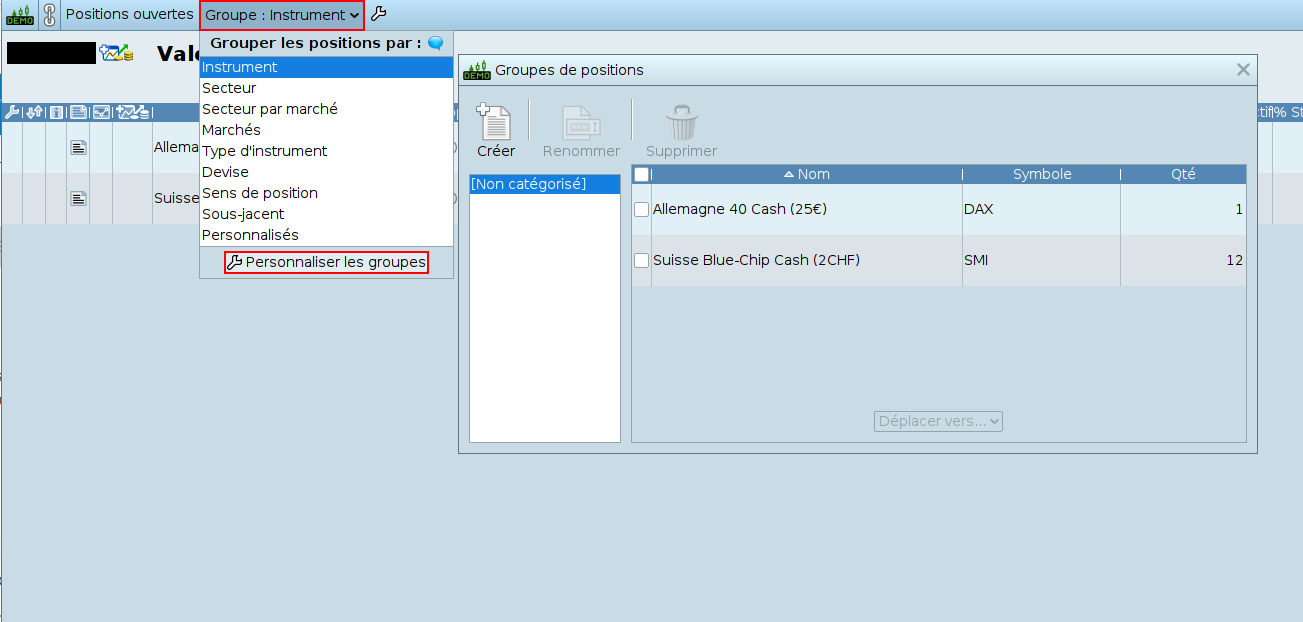
    The options for grouping positions can be found at the top of the “Open positions” window in the IG ProRealTime platform, via the “Group:” button followed by the chosen property, as seen in the attached screenshot.
    Options for creating your own groups can be found at the very bottom of the drop-down menu that appears after clicking on the “Group:” button followed by the chosen property, via the “Customize groups” button.


    I hope you find this answer helpful.

    Capture-decran-du-2024-03-20-09-10-07-1.png Capture-decran-du-2024-03-20-09-10-07-1.png
    #230087 quote
    deleted11052026deleted11052026
    Blocked
    New

    Perfect, thanks Alberic

    #230122 quote
    robertogozzirobertogozzi
    Moderator
    Legend

    @elg13

    do not embed files, such as pics etc…, in your posts, as this slows down the loading of the pages.

    Use the Select File button to attach them, insted.

    Thanks 🙂

Viewing 4 posts - 1 through 4 (of 4 total)

  • You must be logged in to reply to this topic.

ProRealAI ProRealAI New

From idea to ProBuilder code in seconds.

Your coding copilot for ProRealTime™. Ask in plain English — get clean, ready-to-paste indicators, screeners and systems.

Available in 7 languages
Try ProRealAI

Categorize instrument


Platform Support: Charts, Data & Broker Setup

New Reply
Summary

This topic contains 3 replies,
has 3 voices, and was last updated by robertogozzirobertogozzi
2 years, 6 months ago.

Topic Details
Forum: Platform Support: Charts, Data & Broker Setup
Language: English
Started: 03/13/2024
Status: Active
Attachments: 2 files
ProRealCode ProRealCode
Loading...