Candlestick Coding

Viewing 4 posts - 1 through 4 (of 4 total)

  • Author
    Posts
  • #104244 quote
    chrisk007
    Participant
    New

    Hi Guys,

    Relatively new to ProReal. Wanting to get direction on setting automated trading rules for candlesticks. Probuilder is based mainly on indicators, however I want to be testing an algorithm based on candlestick presentation. Its a simple formula that has been working well manually. Any assistance or direction will be appreciated.


    I note ProScanner can locate current or completed candlesticks, but does not provide me to place certain automated buy/sell rules


    Many thanks


    Chris

    #104249 quote
    GraHal
    Participant
    Master

    You are using the wrong tool and (therefore) you have also posted in the wrong Forum.

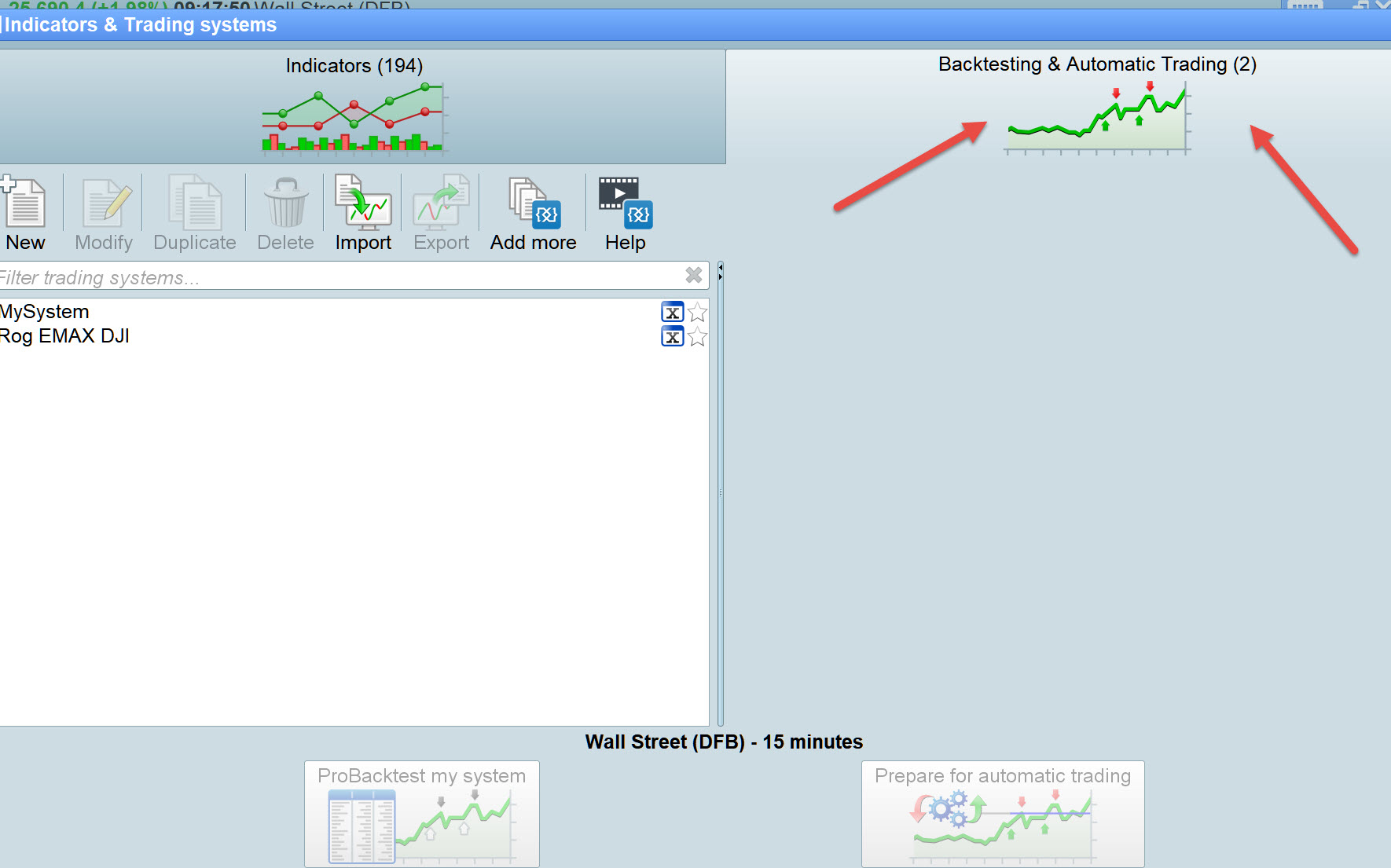
    The tool you need to develop Auto-Systems is as shown by the red arrowheads on attached.

    chris.jpg chris.jpg
    #104251 quote
    robertogozzi
    Moderator
    Master

    I moved your topic to ProOrder support.

    By using the search box that opens whenever you hover your avatar on the upper right corner of the blue ribbon and writing CANDLESTICK (case insensitive) you’ll find many examples, screeners, indicators and strategies, among these:

    https://www.prorealcode.com/prorealtime-indicators/candlestick-pattern-indicator-2-0/

    https://www.prorealcode.com/prorealtime-indicators/candlestick-patterns-recognition/

    ProBuilder is ONLY based on Indicators.

    ProScreener is ONLY based on screeners (market scanners).

    ProOrder is ONLY based on automated strategies.

    ProBackTest is ONLY based on backtesting.

    This is a very simple code to enter Long (only) whenever a bullish engulfing is met:

    Bullish    = close > open
    Bearish    = close < open
    Body       = abs(open- close)
    Opposite   = Bullish AND Bearish[1]
    BullEngulf = Opposite AND Body > Body[1] AND open <= close[1] AND close >= open[1]
    IF Not OnMarket AND BullEngulf THEN
       BUY 1 CONTRACT AT Market
       SET TARGET pPROFIT 50
       SET STOP   pLOSS   20
    ENDIF
    #104252 quote
    chrisk007
    Participant
    New

    GraHal

    Thank you for responding. I am well aware of the Backtesting and Automatic Trading section. I have experimented many times utilising indicators such as Moving Averages, MACD, RSI etc. in that area.

    My question was related to be able to use the same section you kindly pointed out to act on candlestick formations. When I go into Backtesting and Automatic trading section there are no options to select for instance, a doji candlestick and when it appears to implement my trading rules.


    Many thanks for your time.


    Regards

    Chris

    GraHal thanked this post
Viewing 4 posts - 1 through 4 (of 4 total)
  • You must be logged in to reply to this topic.

Candlestick Coding


ProOrder: Automated Strategies & Backtesting

New Reply
Author
author-avatar
chrisk007 @chrisk007 Participant
Summary

This topic contains 3 replies,
has 3 voices, and was last updated by chrisk007
6 years, 6 months ago.

Topic Details
Forum: ProOrder: Automated Strategies & Backtesting
Language: English
Started: 08/06/2019
Status: Active
Attachments: 1 files
Logo Logo
Loading...