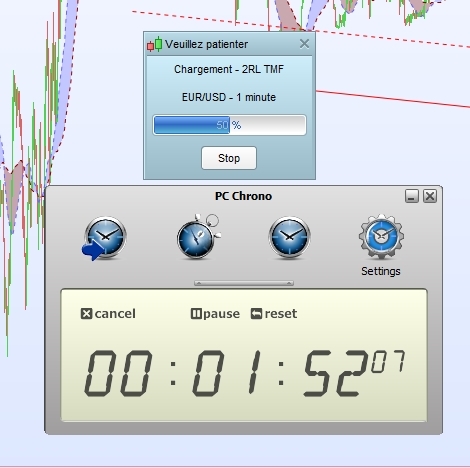
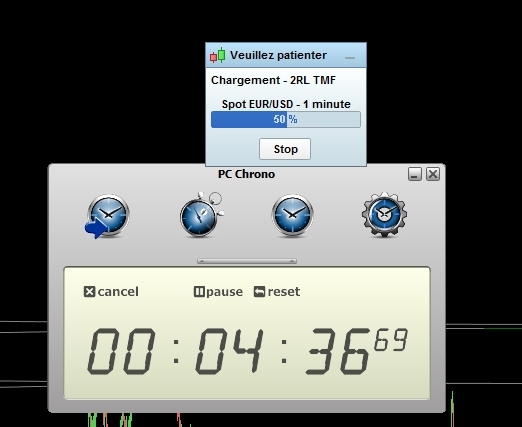
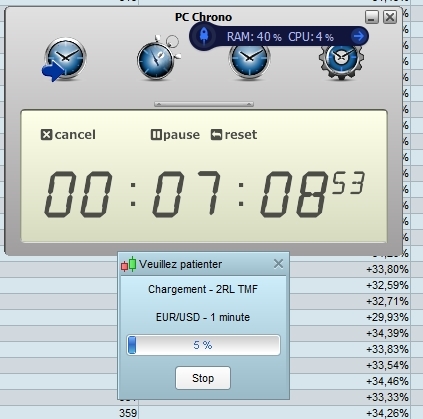
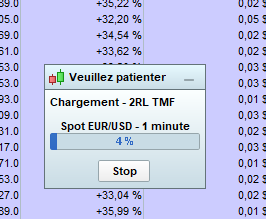
I have 254 systems @Graham and I prefer not to loose them 😉
But I stop half the auto-trading system and now it takes 4minutes36 to do 50 % of the MTF version
The problem seems to be there
Worry wrong conclusion it was only on 10 000 units only 🙁 I continue my tests…
I prefer not to loose them
I’ll put money on it that backtest be loads faster for you if did not have the 254 Systems stored.
All you need do is export from the backtest window to your PC and hey … you can even store them in Folders for each type of System.
Export takes a few seconds for 3 clicks for each System so 254 would only take 15 – 20 mins tops!
And just as quick to import again when you need them! It’s so liberating! 🙂
@Grahal
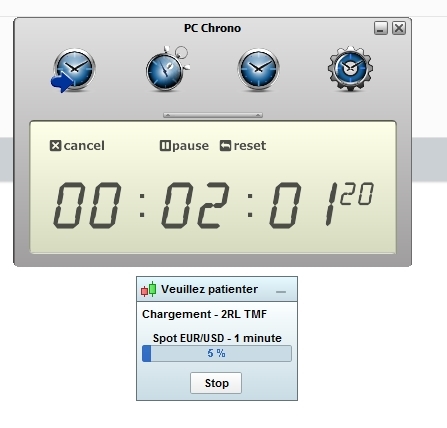
I retest (I’m a player) as this morning on PRT IG live account with nothing inside (no backtests, no auto-trading systems, nothing), and now with the same computer (and no problem of connexion) after 7 minutes PRT do only 5 % of the MTF version
I clearly don’t understand no more …
[attachment file=”137909″]
Ah but have you got the other PRT Platform open also at the same time … the one with the 254 Systems stored on it?? 🙂
So it’s really a “problem” with the PRT plateform.
No. ProOrder servers that handle the automated systems running in live are physically not the same than the ones that make the backtests. So having dozens of running strategies in ProOrder doesn’t affect in any way the backtests duration.
Since no one can replicate the same heavy duration times you have with backtests (here and at ITF), I think that for the moment, you should continue investigating on your side (network, firewall, connection, VPN, .. etc.).
Thanks Nicolas for the informations on differents servers
As I said, I test and have the same results on different computers, different systems (Win7 / Win 10), different connexions, on new Live account, demo account, so it seems not to be due on my side
I don’t understand why it takes 2 minutes wth some people and so many times with others…
@Grahal, no my PRT demo with 254 systems was closed, only the PRT live account
If someone else experience the same large duration of backtests, please reply to this thread. Thank you.
New test with the MTF version on PRT demo 11.1 10 % after 7 minutes …EUR/USD 1 mn 100 000 units 8000 combinations
New test : Always the same MTF test version PRT demo 11.1 EUr/USD & mn 100000 units 8000 comb, BUT on another computer, win10 (win7 previoux), different connexion (10 times faster) and…same results
7 mn 5 % only
So the problem is not my computers neither my connexions
The problem should be on PRT server I can’t explain differently ? and may be it could explain how we can have different results if we do tests at different times ?
It’s normal to get different duration during the day depending on the servers charge as you know. But not a so heavy duration that you have.
New test with your MTF code right now: 20% in less than 2 minutes.
Sorry but you are cursed 🙄
LOL Nicolas
I never had such problems since many many years I do optimizations
In 2 minutes EUR/USD 1 mn i’m only at 5%…
I just ran the MTF version on PRT demo 10.3 with EUR/USD, 1min TF, 100,000 units, 8,000 combos. It took 2min and 16sec.
Thanks @swedshare
Juste an idea
Can you repeat the test on Eur/usd 100 000 units 8000 comb and do a screen copy of the final results please
Just to confirm something
Thanks
zilliq, I have similar result as swedshare as well. But long time ago, I had some issues with my ISP, its connection were not stable, thus making back test keep resetting.
Would it be worth to do a ping with PRT server? @Nicolas, I assume even computation is done at server, but there is still constant exchange and if the latency is too long, it may slow the back test result as well?
Probably I will start to perform ping to the PRT server and see the ping statistic. Then if way too off chart, to perform tracert to see which route is causing the issue.
From my observation, there are few servers (I didn’t know what are each for and pretty sure live and demo has different servers DNS), I think PRT support could assist you on this, but maybe a first attempt can try to ping ejex.it-finance.com, see if you get better result than below (no loss packet as well):
Pinging ejex.it-finance.com [185.48.201.218] with 32 bytes of data:
Reply from 185.48.201.218: bytes=32 time=191ms TTL=53
Reply from 185.48.201.218: bytes=32 time=191ms TTL=53
Reply from 185.48.201.218: bytes=32 time=187ms TTL=53
Reply from 185.48.201.218: bytes=32 time=187ms TTL=53
Ping statistics for 185.48.201.218:
Packets: Sent = 4, Received = 4, Lost = 0 (0% loss),
Approximate round trip times in milli-seconds:
Minimum = 187ms, Maximum = 191ms, Average = 189ms