Buongiorno Roberto,
può aiutarmi a codificare all’interno di un indicatore come ad esempio Magic Trend Indicator il cambio del trend da verde a rosso.
Ho seguito le istruzione che riporto per facilitare la lettura ma il codice risulta in errore , sicuramente qualcosa mi sfugge , può aiutarmi ?
grazie in anticipo
If MagicTrend <> MagicTrend[1] then it’s Green or Red
Saluti
Raffaele
Ecco le righe che puoi usare:
Verde  = MagicTrend > MagicTrend[1]
Rosso  = MagicTrend < MagicTrend[1]
Cambio = (Verde AND Rosso[1]) OR (Verde[1] AND Rosso)
Grazie. Il Return come andrebbe codificato ?
Così scritto (è probabile che non sia corretto), non evidenza il cambio del trend
RETURN Cambio
grazie
Raffaele
È perfetto, Cambio segnala se c’è stato una variazione di colore oppure no.
allego il file per condividere il risultato per capire se è corretto che non ci sia il cambio colore
Salve Roberto, ho provato a caricare il grafico con estensione .jpg;.tif;.pdf con scarso successo. Esiste una regola per postare il grafico che vorrei condividere ?
grazie
Fai una foto (screenshot) e allegalo con il pulsante “select file”.
Posta anche il codice che hai usato.
//cciP = 20
//atrP = 14
//atrM = 1
//smaP = 5
cciP = max(1,min(999,cciP))
atrP = max(1,min(999,atrP))
atrM = max(0.0000001,min(999,atrM))
smaP = max(1,min(999,smaP))
//
IF BarIndex > max(cciP,atrP) THEN
lastCCI = thisCCI
thisCCI = CCI[cciP](typicalPrice)
myATR = AverageTrueRange[atrP](close)
//
temp1 = myATR * atrM
upT = low – temp1
downT = high + temp1
//
temp2 = Average[smaP,0](myATR) * atrM
buffDN = high + temp2
buffUP = low – temp2
//
IF (thisCCI >= 0) AND (lastCCI < 0) THEN
buffUP = buffDN[1]
ENDIF
IF (thisCCI <= 0) AND (lastCCI > 0) THEN
buffDN = buffUP[1]
ENDIF
IF (thisCCI >= 0) THEN
IF (buffUP < buffUP[1]) THEN
buffUP = buffUP[1]
ENDIF
ELSIF (thisCCI <= 0) THEN IF (buffDN > buffDN[1]) THEN
buffDN = buffDN[1]
ENDIF
ENDIF
IF thisCCI >= 0 THEN
MagicTrend = buffUP
ELSIF thisCCI <= 0 THEN MagicTrend = buffDN ENDIF ELSE thisCCI = 0 lastCCI = 0 myATR = 0 buffUP = 0 buffDN = 0 buffDN = 0 buffUP = 0 MagicTrend = 0 ENDIF Verde = MagicTrend > MagicTrend[1]
Rosso = MagicTrend < MagicTrend[1]
Cambio = (Verde AND Rosso[1]) OR (Verde[1] AND Rosso)
RETURN Cambio AS “MagicTrend”
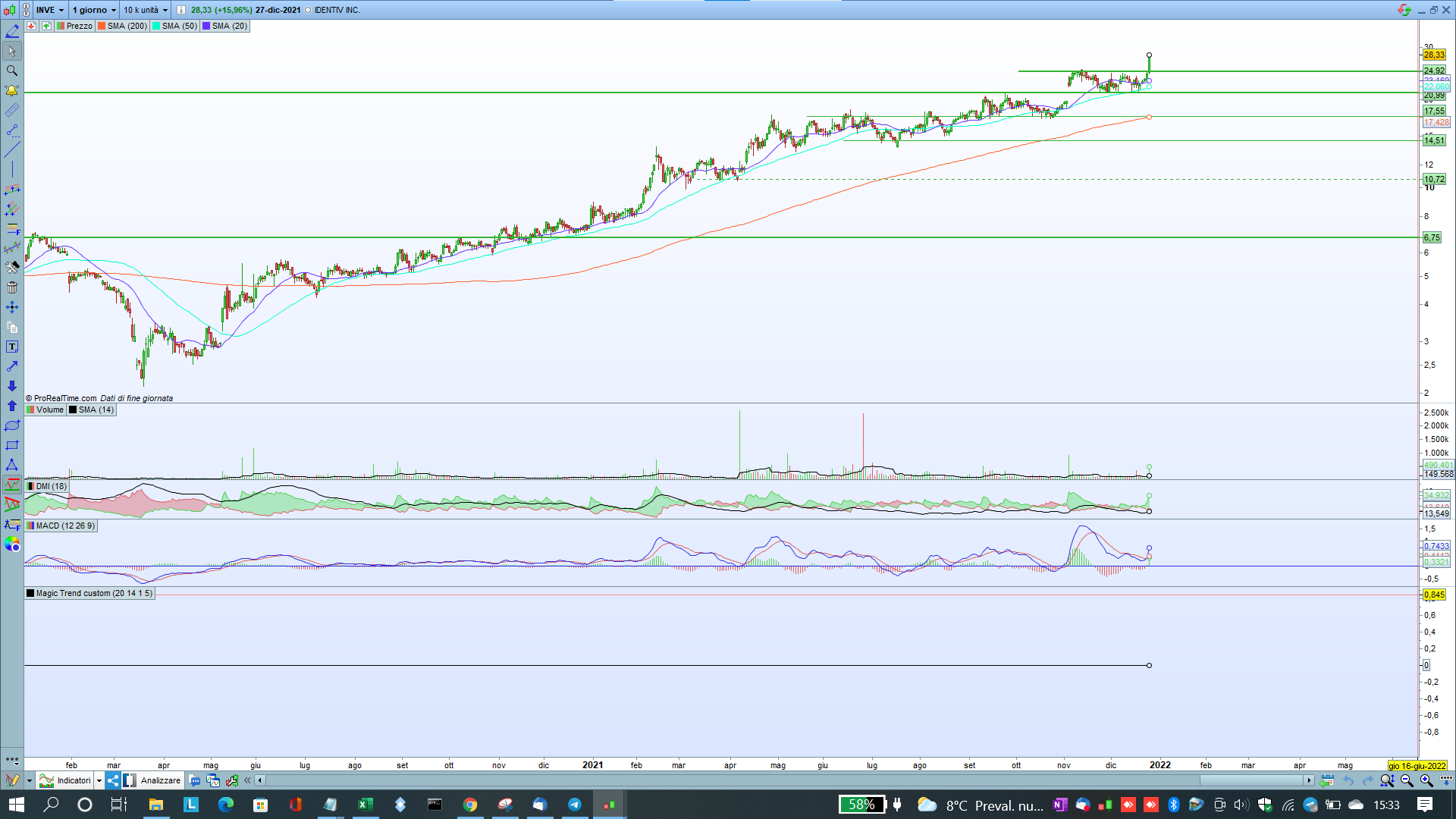
Non lo vedi perché il valore CAMBIO può essere solo 0 oppure 1, quindi è lontano dal prezzo, se scendi col mouse finoi a al prezzo 0 lo vedrai.
Mettilo sotto il grafico, poi settalo come linea o come istogramma, tramite le proprietà.
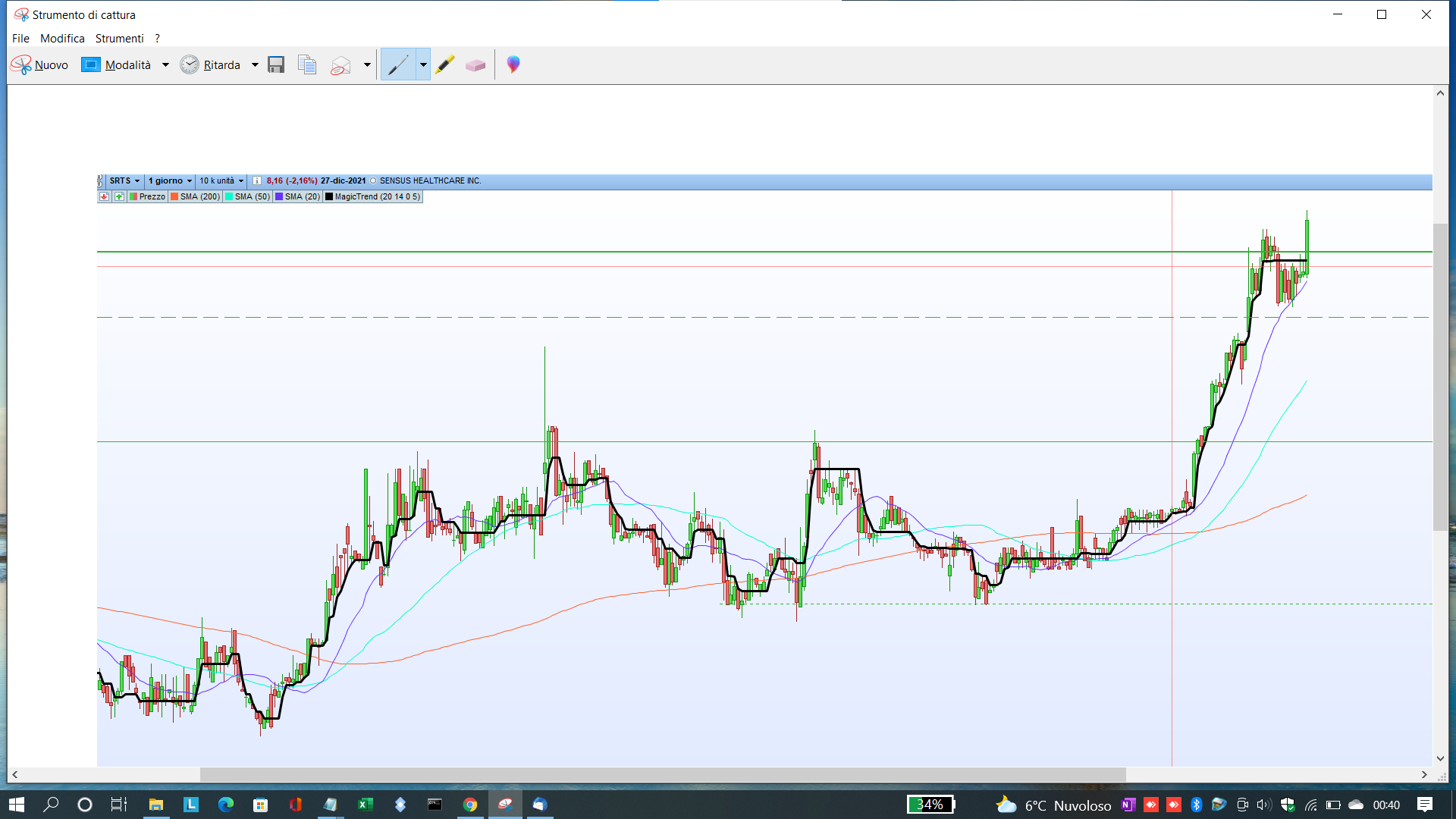
Comunque quello che hai postato non mi pare sia lo stesso che è sul grafico, perché questo NON ti fa vedere il Magic Trend, ma solo il cambio, mentre sul grafico c’è la linea nera dell’indicatore vero e proprio.
Salve Roberto non mi è chiaro su cosa fare, comunque provo a postare il grafico in base a quanto ho capito .
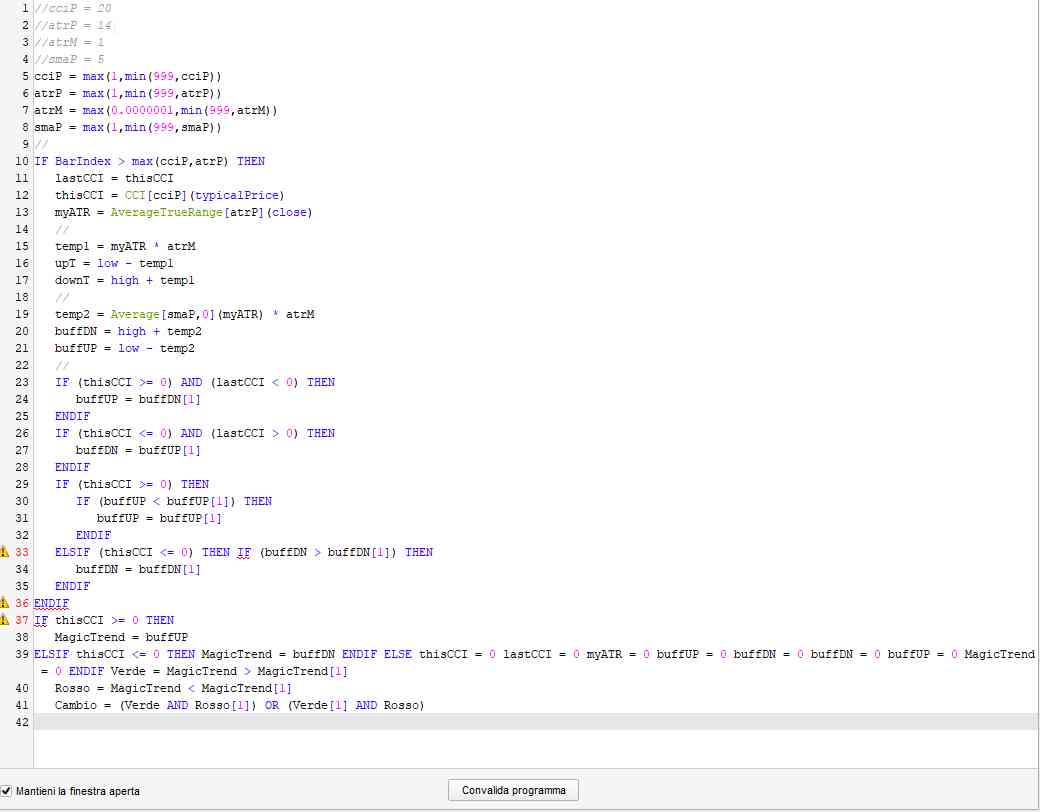
Ci sono alcuni errori nelle ultime righe e non funziona.
Fai un copia un incolla completo, oppure esporta il file ITF ed allegalo.
eccolo come allegato.
a titolo informativo è lo stesso riportato nel link:
Magic Trend Indicator
Buongiorno Roberto, ha avuto modo di verificare dove ho sbagliato per cui l’indicatore non evidenzia i risultati aspettati.
grazie in anticipo
Ho provato, ma non sono ancora riuscito ad risolvere il problema.
Abbi ancora un po’ di pazienza.
Ecco fatto:
ONCE cciP = 20
ONCE atrP = 14
ONCE atrM = 1
ONCE smaP = 5
ONCE cciP = max(1,min(999,cciP))
ONCE atrP = max(1,min(999,atrP))
ONCE atrM = max(0.0000001,min(999,atrM))
ONCE smaP = max(1,min(999,smaP))
//
ONCE Neutro = 0
ONCE Verde  = 0
ONCE Rosso  = 0
//
IF BarIndex > max(cciP,atrP) THEN
lastCCI = thisCCI
thisCCI = CCI[cciP](typicalPrice)
myATR   = AverageTrueRange[atrP](close)
//
temp1   = myATR * atrM
upT     = low  - temp1
downT   = high + temp1
//
temp2   = Average[smaP,0](myATR) * atrM
buffDN  = high + temp2
buffUP  = low  - temp2
//
IF (thisCCI >= 0) AND (lastCCI  < 0) THEN
buffUP = buffDN[1]
ENDIF
IF (thisCCI <= 0) AND (lastCCI  > 0) THEN
buffDN = buffUP[1]
ENDIF
IF (thisCCI >= 0) THEN
IF (buffUP < buffUP[1]) THEN
buffUP = buffUP[1]
ENDIF
ELSIF (thisCCI <= 0) THEN
IF (buffDN > buffDN[1]) THEN
buffDN = buffDN[1]
ENDIF
ENDIF
IF thisCCI >= 0 THEN
MagicTrend = buffUP
ELSIF thisCCI <= 0 THEN
MagicTrend = buffDN
ENDIF
//
Verde  = MagicTrend > MagicTrend[1]
Rosso  = MagicTrend < MagicTrend[1]
Neutro = MagicTrend = MagicTrend[1]
IF Neutro THEN
Verde = Verde[1]
Rosso = Rosso[1]
ENDIF
Cambio     = (Rosso AND Verde[1]) OR (Rosso[1] AND Verde)
//
ELSE
thisCCI    = 0
lastCCI    = 0
myATR      = 0
buffUP     = 0
buffDN     = 0
buffDN     = 0
buffUP     = 0
MagicTrend = 0
ENDIF
RETURN Cambio AS "Cambio"