Bollinger Band 3 Deviation Touch Screener – please test

Viewing 10 posts - 1 through 10 (of 10 total)
  • Author
    Posts
  • #21259 quote
    Dimi.A
    Participant
    Average

    Hi coders,

    I’m trying to create a ProScreener which alerts us in realtime and on the current candle of as soon as price touches the outer Bollinger Bands at a Standard Deviation of 3 on all 47 Spot FX Pairs.

    Is this correct? Please kindly test and edit it.

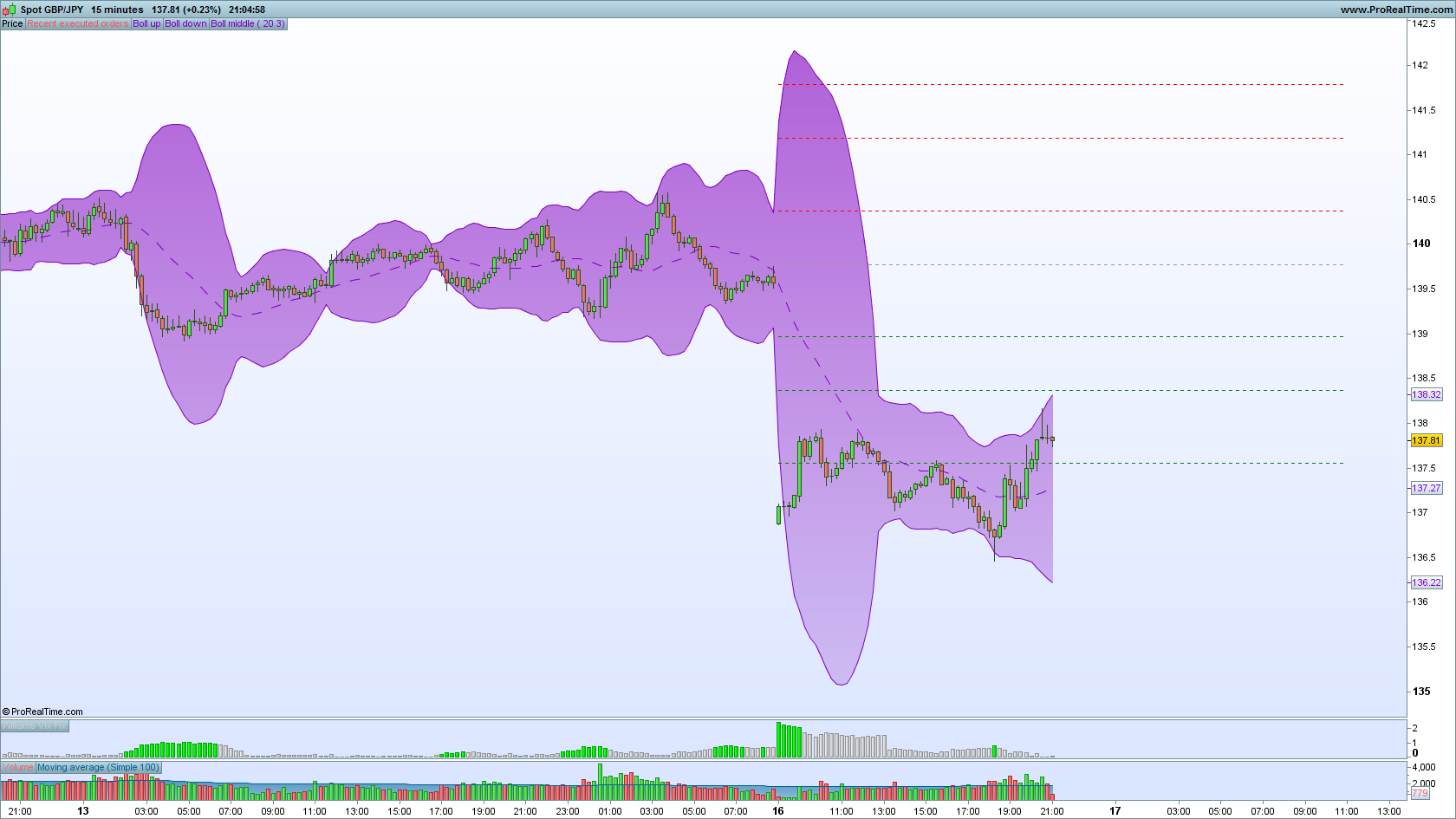
    JPY.png JPY.png Bollinger-Band-Deviation-3.itf
    #21302 quote
    Nicolas
    Keymaster
    Master

    Your code wasn’t good. In your case, you only want to test if the current high is superior to the upper band or if the current low is inferior of the lower bollinger band.

    Please find below the modified code that will give you the desired results:

    bbup = Average[20](close)+3*std[20]
    bbdown = Average[20](close)-3*std[20]
    
    c1 = high > bbup
    c2 = low < bbdown
    
    SCREENER[c1 OR c2] ((close/DClose(1)-1)*100 AS "%Chg yest.")
    Dimi.A thanked this post
    #21312 quote
    Dimi.A
    Participant
    Average

    Thanks bro it works perfectly. As soon as I used your code results appeared instantly 😀

    #21391 quote
    Dimi.A
    Participant
    Average

    Hi Nic,

    Here is your version of the BB Touch Screener (see attached).

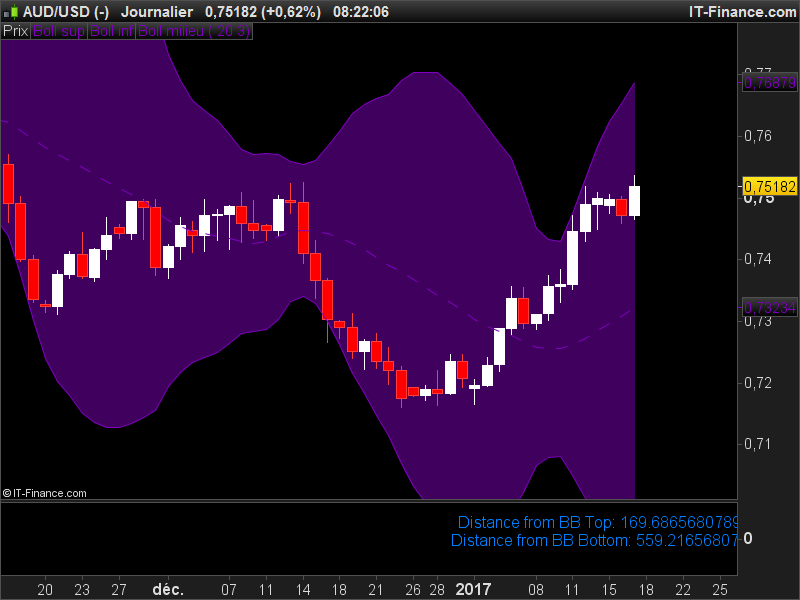
    Could you kindly assist by helping me with a small text dashboard which shows the distance of price from the Bollinger Bands Top and Bottom? Sort of just like your CCI dashboard example you posted for us a while ago.

    Please see attached example!

    Clipboard01-1.jpg Clipboard01-1.jpg Bollinger-Band-Deviation-Nic.itf
    #21404 quote
    Nicolas
    Keymaster
    Master

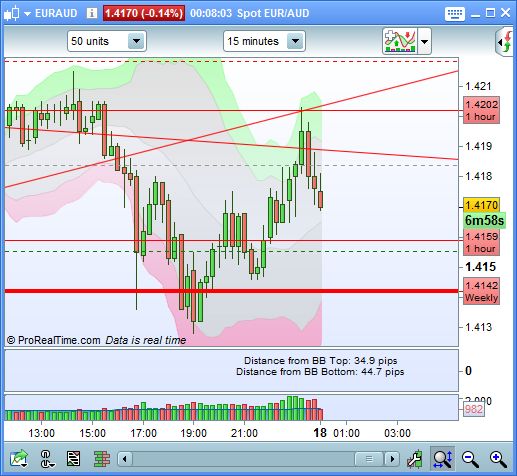
    Here is the small dashboard to show current Close distances from upper and lower Bollinger bands. To have it fixed on chart, it’s a better option to display it on a separate window like I did in my attached example.

    This is the dashboard code:

    defparam drawonlastbaronly=true
    
    bbup = Average[20](close)+3*std[20]
    bbdown = Average[20](close)-3*std[20]
    updist = (bbup-close)/pipsize
    dndist = (close-bbdown)/pipsize
    
    drawtext("Distance from BB Top: #updist#pips",barindex,0.5,Dialog,Standard,16) coloured(0,128,255)
    drawtext("Distance from BB Bottom: #dndist#pips",barindex,0,Dialog,Standard,16) coloured(0,128,255)
    
    RETURN
    Dimi.A thanked this post
    distance-from-bollinger-bands.png distance-from-bollinger-bands.png
    #21440 quote
    Dimi.A
    Participant
    Average

    You’re a genius mate. Your coding is awesome thank you.

    How to I shorten the pip amount in the code? Is it bar index? For example I just want to shorten it to “46.5” instead of “46.23446598564332”. Thanks chief.

    #21445 quote
    Nicolas
    Keymaster
    Master

    Rounding digits is not possible, the only way to do is to modify lines 5 and 6 with this code instead: (it will round the displayed pips text to the next round number).

    updist = round((bbup-close)/pipsize)
    dndist = round((close-bbdown)/pipsize)
    Dimi.A thanked this post
    #21446 quote
    Dimi.A
    Participant
    Average

    Bless you mate thank you.

    Is it possible to have dashboards like this one displayed on the main chart and not in a sub window? Or is that not possible with PRT yet?
    Also, you know when you “resize” the subwindow the dashboard text becomes overlapped onto each other. Can you teach me the code which will prevent this from happening sir?

    #21448 quote
    JC_Bywan
    Moderator
    Master

    How about this for just 2 digits after decimal point… should work (replace all the 100’s with 10 for just 1 digit, or with 1000 for 3 digits, etc…)

    updist = round((bbup-close)/pipsize*100)/100
    dndist = round((close-bbdown)/pipsize*100)/100
    Dimi.A and Nicolas thanked this post
    #21449 quote
    Dimi.A
    Participant
    Average

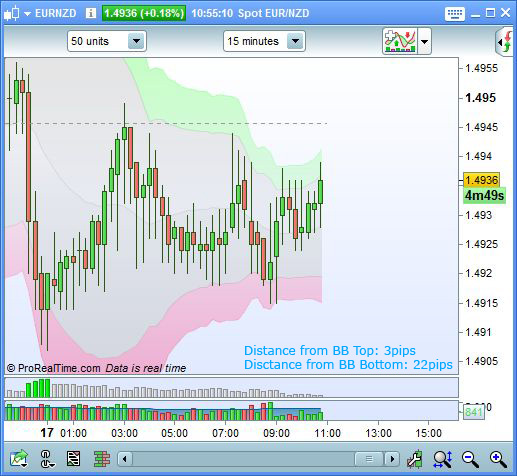
    Perfect! That worked like a charm. Check it out.

    Clipboard01-2.jpg Clipboard01-2.jpg Bollinger-Band-Distance-Pips.itf
Viewing 10 posts - 1 through 10 (of 10 total)

  • You must be logged in to reply to this topic.

Bollinger Band 3 Deviation Touch Screener – please test


ProScreener: Market Scanners & Detection

New Reply
Author
author-avatar
Dimi.A @dimi-a Participant
Summary

This topic contains 9 replies,
has 3 voices, and was last updated by Dimi.A

9 years, 1 month ago.

Topic Details
Forum: ProScreener: Market Scanners & Detection
Language: English
Started: 01/16/2017
Status: Active
Attachments: No files
Logo Logo
Loading...