bonjour,
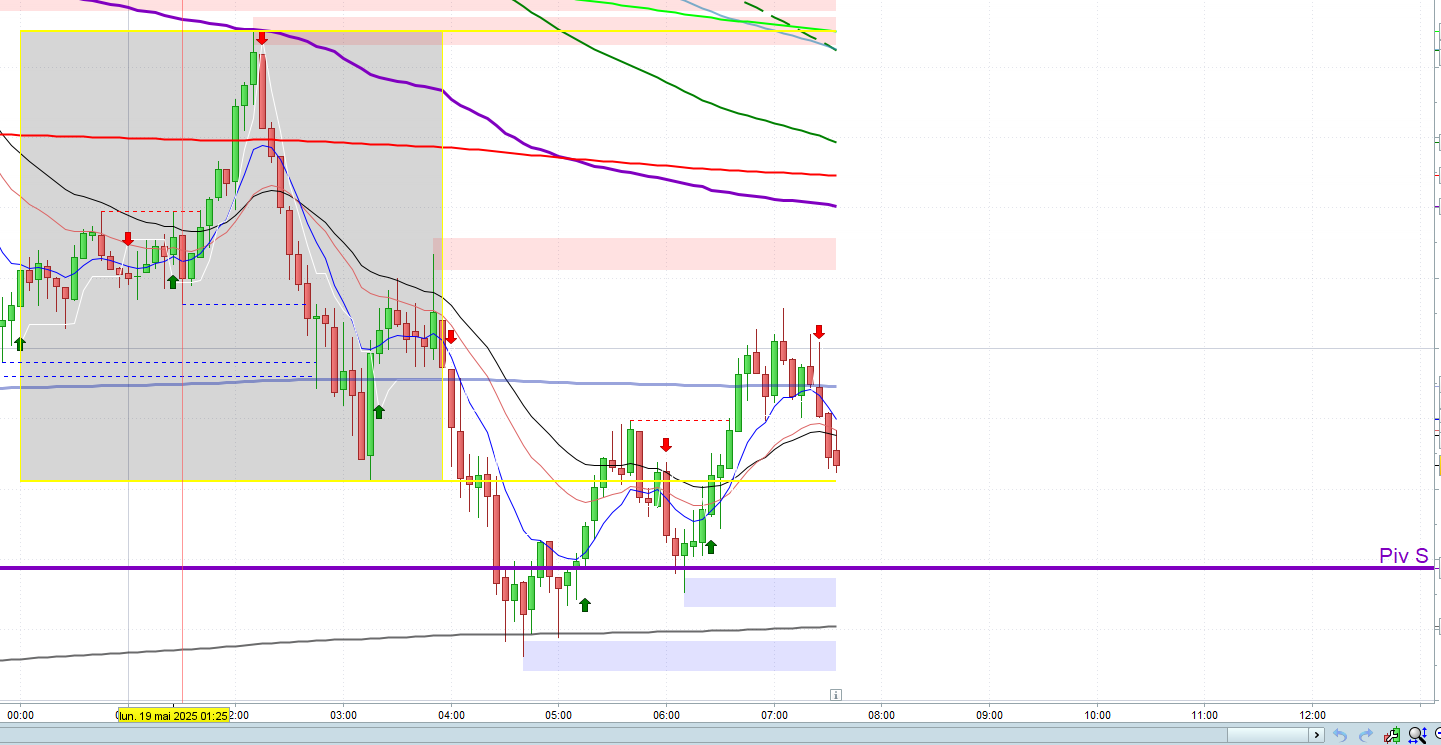
je chercher un indicateur qui me donne la session asiatique sur mon graphique
horaire : 01h du matin à 06h du matin
si possible , avoir un rectangle pour cette session asiatique
un grand merci d’avance
yann
Publiez uniquement dans la langue du forum dans laquelle vous publiez. Par exemple, l’anglais uniquement dans les forums anglophones et le français uniquement dans les forums francophones
Merci 🙂
Voilà:
defparam drawonlastbaronly = true
FromTime = 010000
ToTime   = 060000
IF (OpenTime >= FromTime) AND (OpenTime <= ToTime) THEN
   IF OpenTime = FromTime THEN
      Bar1 = BarIndex
      HH   = high
      LL   = low
   ENDIF
   Bar2 = BarIndex
   HH   = max(HH,high)
   LL   = min(LL,low)
ENDIF
IF (Bar2 - Bar1) < 3 THEN
   Bar2 = Bar1 + 3
ENDIF
DrawRectangle(Bar1,HH*1.001,bar2,LL*0.999) coloured("Cyan",30) bordercolor("Blue",255)
RETURN
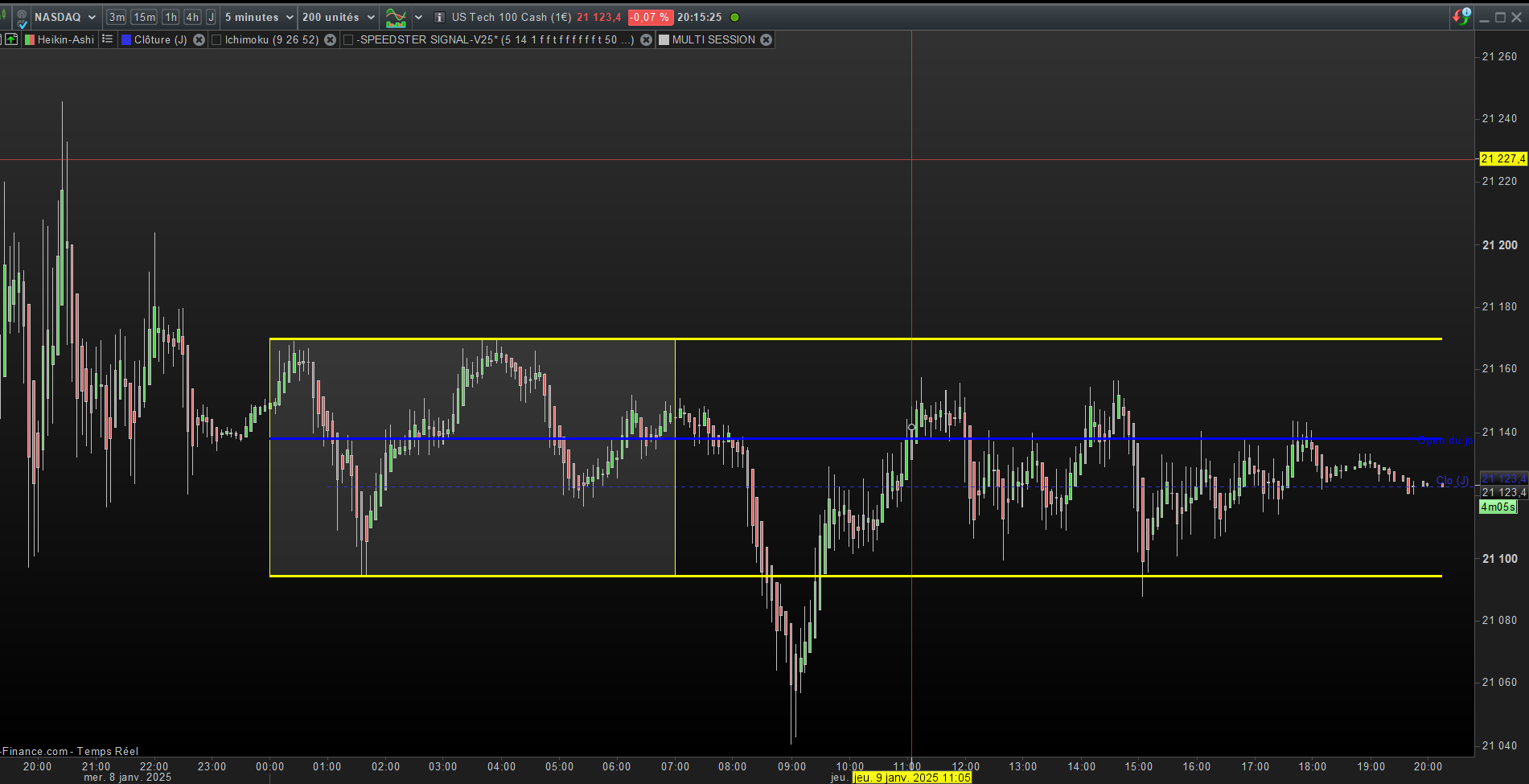
j’utilise celui ci joint
a ajuster les horaires
defparam drawonlastbaronly = true
//ZONE ASIATIQUE
if IntradayBarIndex =0 then
HTAsie=High
BSAsie=Low
bstart=barindex

endif
if opentime>230000 or opentime<=070000 THEN

htasie=max(htasie,High)


bsasie=min(bsasie,low)

bfin=barindex
endif


//asie
if opentime>070000 and opentime<230000 THEN
DRAWRECTANGLE(bstart, htasie, bfin, bsasie) BORDERCOLOR(255,255,0)
DRAWSEGMENT(barindex, htasie, bstart, htasie)COLOURED(255,255,0)STYLE (line,2)
DRAWSEGMENT(barindex,bsasie, bstart, bsasie)COLOURED(255,255,0)STYLE (line,2)
DRAWSEGMENT(barindex,dopen(0), bstart, dopen(0))COLOURED(0,0,255)STYLE (line,2)
DRAWTEXT("Open du jour", barindex+2, dopen(0)) COLOURED(0,0,255)
endif

return
 Med5
Med5Participant
Junior
Bonjour,
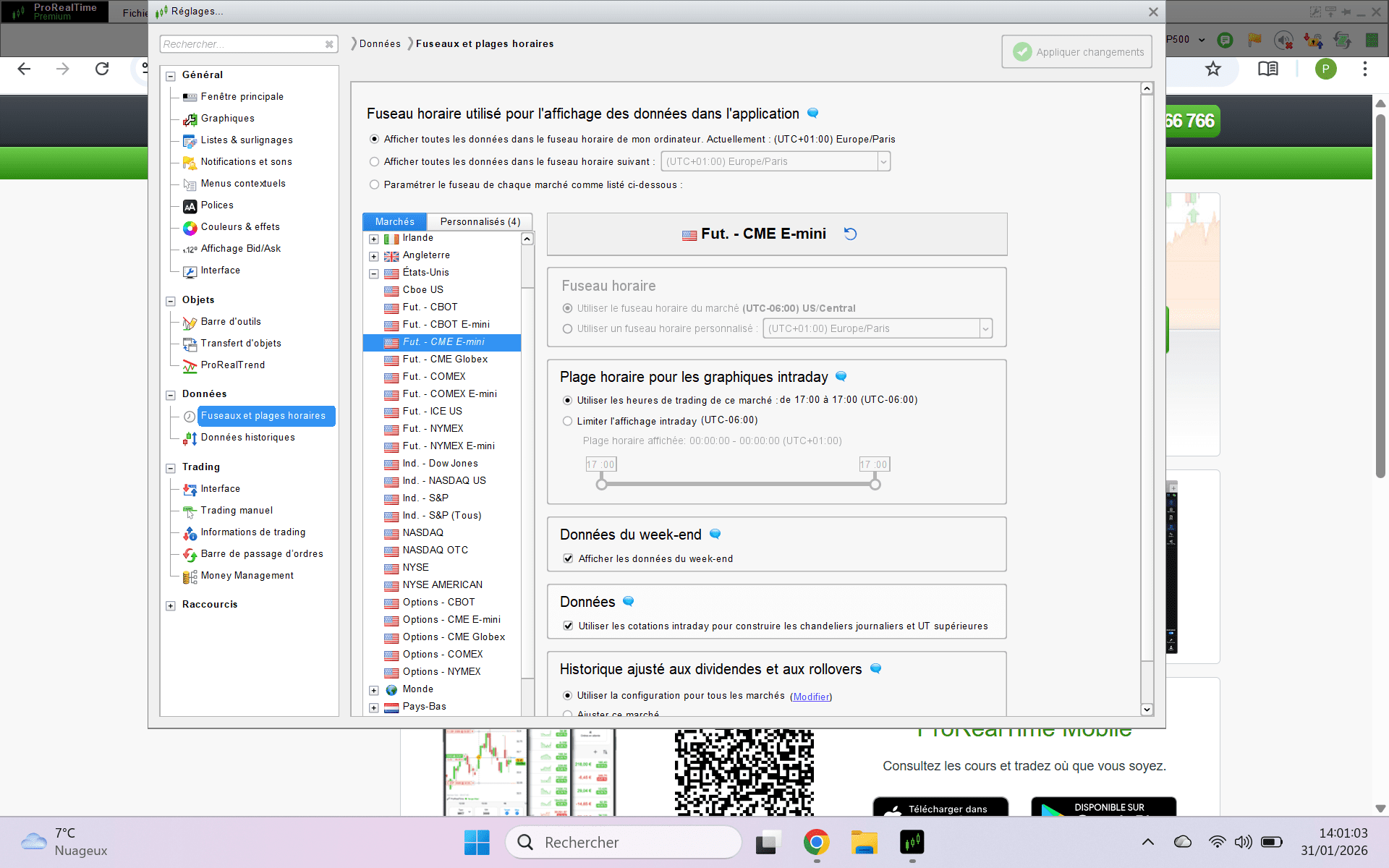
J’utilise ProRealTime avec mon fuseau horaire correctement réglé sur Eastern Time (New York),
mais la session asiatique avec cet indicateur commence toujours à 00:00 ET au lieu de 20:00 ET (jour précédent).
Pourriez-vous me confirmer s’il s’agit d’un comportement attendu pour des données intrajournalières ?
Existe-t-il un moyen d’afficher les sessions avec précision en fonction des heures d’ouverture du marché ?
Merci d’avance,
defparam drawonlastbaronly = true

// ZONE ASIATIQUE
if IntradayBarIndex = 0 then
HTAsie = High
BSAsie = Low
bstart = barindex
endif

// Session asiatique : 20h00 à 04h00 ET
if opentime >= 200000 or opentime < 040000 then
HTAsie = max(HTAsie, High)
BSAsie = min(BSAsie, Low)
bfin = barindex
endif

// AFFICHAGE DES NIVEAUX APRÈS 04h00 ET UNIQUEMENT
if opentime >= 040000 and opentime < 200000 then
drawrectangle(bstart, HTAsie, bfin, BSAsie) bordercolor(255,255,0)
drawsegment(barindex, HTAsie, bstart, HTAsie) coloured(255,255,0) style(line,2)
drawsegment(barindex, BSAsie, bstart, BSAsie) coloured(255,255,0) style(line,2)
drawsegment(barindex, dopen(0), bstart, dopen(0)) coloured(0,0,255) style(line,2)
drawtext("Open du jour", barindex+2, dopen(0)) coloured(0,0,255)
endif

return
Salut,
je pense que ton problème viens du fait que tu mais 0 dans ton IntradayBarIndex. si tu mais 20h ton rectangle devrais commencer au bon moment
// ZONE ASIATIQUE
if IntradayBarIndex = 200000 then
HTAsie = High
BSAsie = Low
bstart = barindex
endif
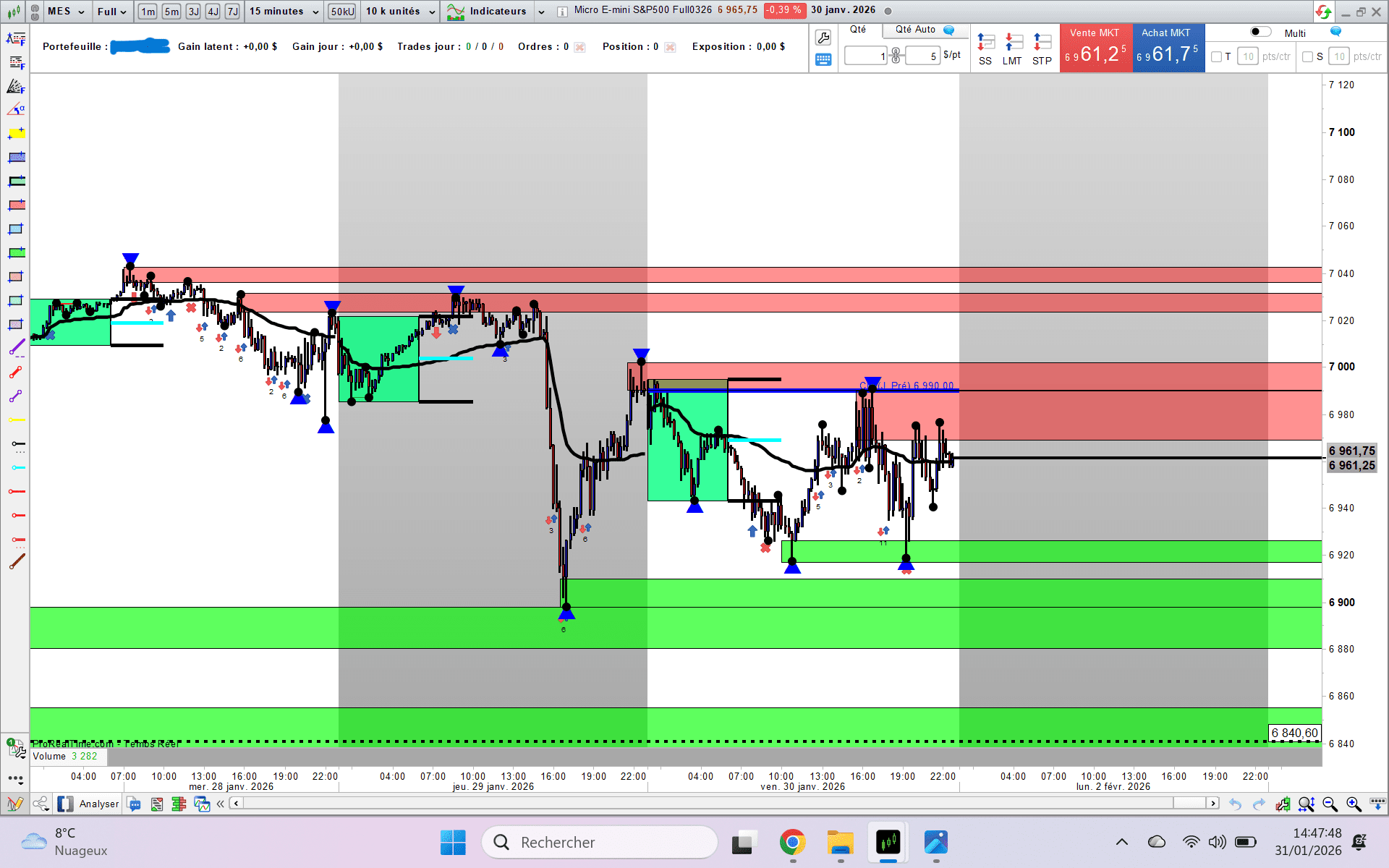
J’ai cela :
if intradaybarindex<intradaybarindex[1] then
barredebut=barindex
endif


IF opentime[1]<060000 and opentime>=060000 THEN
hh = highest[barindex-barredebut+1](high)
ll = lowest[barindex-barredebut+1](low)
mm = (hh+ll)/2
DRAWRECTANGLE(barredebut,hh,barindex,ll)coloured ("springgreen",200)bordercolor("128,64,0")
DRAWSEGMENT(barindex,hh,barindex+16,hh) coloured ("BLACK")STYLE(line,3)
DRAWSEGMENT(barindex,ll,barindex+16,ll) coloured ("BLACK")STYLE(line,3)
DRAWSEGMENT(barindex,mm,barindex+16,mm) coloured ("cyan")STYLE (line,3)
//DRAWTEXT("Haut asia",barindex+50,hh ,SansSerif,Bold,10)coloured(0,0,0)
//DRAWTEXT("Bas asia",barindex+50,ll,SansSerif,Bold,10)coloured(0,0,0)
//DRAWTEXT("Middle asia",barindex+50,mm,SansSerif,Bold,10)coloured(0,0,0)
ENDIF
RETURN
Horaire asian cession pour nous en France START 01h00 am END 10h00 am. Non?
Les marchés asiatiques ouvrent et ferment à des heures différentes selon les places boursières. Le Japan Exchange Group, dont est issu le Nikkei 225 (Japan 225), ouvre à 00 h 00 UTC et ferme à 6 h 00, tandis que la Bourse de Shanghai, qui couvre le SSE Composite (China A50), ouvre à 1 h 30 UTC et ferme à 7 h 00.
Sur le marché des futures :
le SNP500 ouvre à 00H00
le DAX ouvre à 01H00
Le BUND ouvre à 2H15
etc etc
Avec ce code plus besoin de s’occuper de l’heure d’ouverture. La question originale était un encadrement de 01H00
à 06H00