


Applying a screener to different TFs

Viewing 2 posts - 1 through 2 (of 2 total)
  • Author
    Posts
  • #65662 quote
    robertogozzirobertogozzi
    Moderator
    Legend

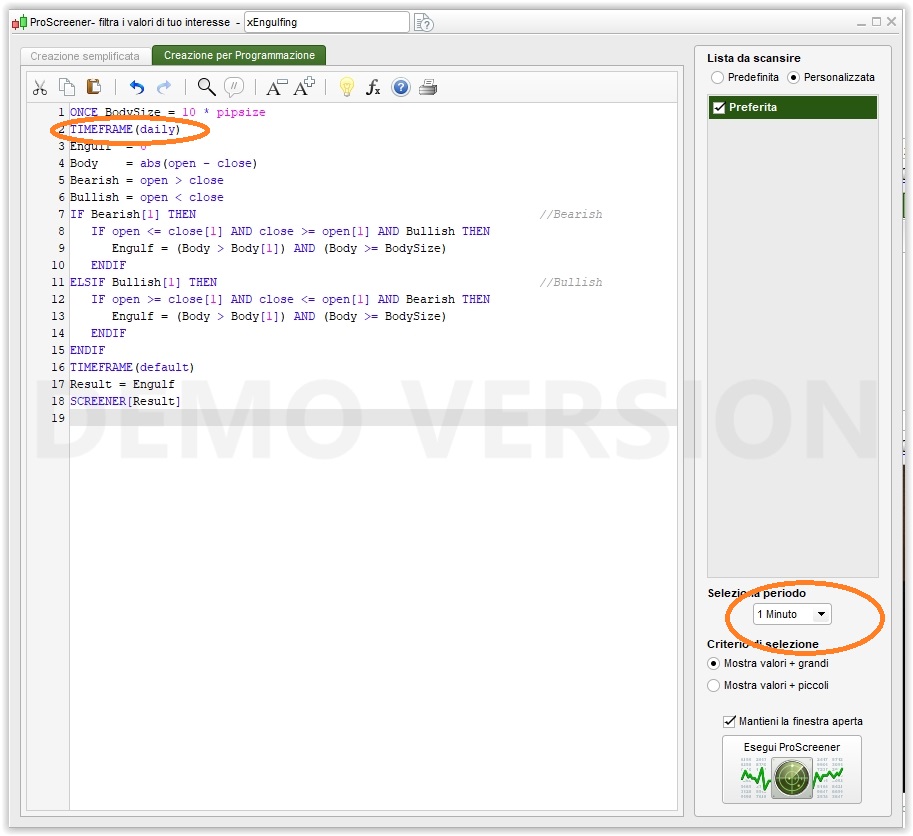
    I am running this screener to detect engulfing candlesticks > 10 pips on the Daily TF.

    What’s the difference between applying it on the Daily Chart or on the, say, 1-minute chart?

    ONCE BodySize = 10 * pipsize
    TIMEFRAME(daily)
    Engulf  = 0
    Body    = abs(open - close)
    Bearish = open > close
    Bullish = open < close
    IF Bearish[1] THEN                                                 //Bearish
       IF open <= close[1] AND close >= open[1] AND Bullish THEN
          Engulf = (Body > Body[1]) AND (Body >= BodySize)
       END IF
    ELSIF Bullish[1] THEN                                              //Bullish
       IF open >= close[1] AND close <= open[1] AND Bearish THEN
          Engulf = (Body > Body[1]) AND (Body >= BodySize)
       ENDIF
    ENDIF
    TIMEFRAME(default)
    Result = Engulf
    SCREENER[Result]
    xEngulfing.jpg xEngulfing.jpg
    #65704 quote
    NicolasNicolas
    Keymaster
    Legend

    Nothing. The selected timeframe in the dropdown list is the “default” one, the one you are mentioning at line 16 of your screener code.

    robertogozzi thanked this post
Viewing 2 posts - 1 through 2 (of 2 total)
  • You must be logged in to reply to this topic.

ProRealAI ProRealAI New

Stuck on this ProBuilder code?

Describe what this topic is trying to build, in plain English, and ProRealAI writes the ProRealTime™ indicator, screener or system for you.

Available in 7 languages
Try ProRealAI

Applying a screener to different TFs


ProScreener: Market Scanners & Detection

New Reply
Author
Summary

This topic contains 1 reply,
has 2 voices, and was last updated by NicolasNicolas

8 years, 6 months ago.

Topic Details
Forum: ProScreener: Market Scanners & Detection
Language: English
Started: 03/19/2018
Status: Active
Attachments: 1 files
ProRealCode ProRealCode
Loading...

