Yes, you are totally correct and I am wrong…..I see the error of my ways and it is because the { and the [ are on the same key, and with my poor eyesight, I did not notice !
In the 6th post to this thread, dated October 23rd at 4.35, you replied following my query concerning the possible flagging of any returning signal as a long ( ) or short (-)
This is the result of combining the two indicators, though you can only return ONE criteria and there’s no way to change the displayed data to tell between long and short.
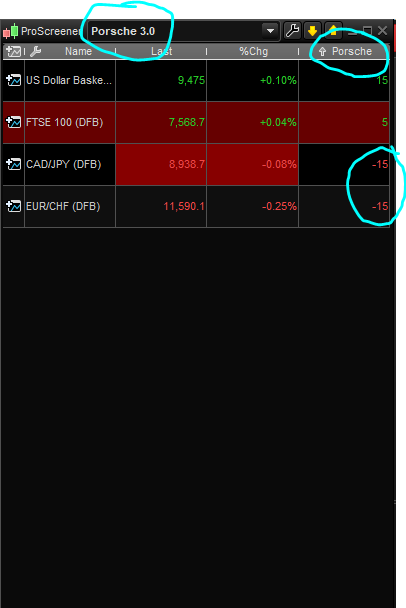
In the screenshot below is an example of a screener I already have, where it is proprietary and unfortunately entry to the code is prohibited, but in the Proscreener table, it does show the name of the screener (ie Porsche3.0), …I have also circled where it has returned 2 short signals by means of a – prefix, whereas the long signals have none.
Can you direct me to anywhere in an instruction manual where I could learn how to modify the screener which you joined together for me, so I could add its name in the area similar to the screenshot below, and also to prefix a minus sign to a short signal return?
Thanks again
David
You can make a new variable that will make the sorting criteria depending of the signal type (long=+1 or short=-1):
//to add into your own screener code:
if shortconditions then
 criteria = - 1
elsif longconditions then
 criteria = 1
endif

screener [shortconditions or longconditions] (criteria as "long or short?")
Brilliant, thank you so much…does this variable get added as it is to the area where I have circled after the last line?, ie at the end?
// SHORT
TIMEFRAME(15 minutes)
indicator1, ignored, ignored = CALL "Pro-OBS"
c1 = (indicator1 >= 80)
TIMEFRAME(1 hour)
indicator2 = MACDline[12,26,9](close)
c2 = (indicator2 <= 0)
TIMEFRAME(4 hours)
indicator3 = ExponentialAverage[9](MACDline[12,26,9](close))
indicator4 = MACDline[12,26,9](close)
c3 = (indicator3 >= indicator4)
//LONG
TIMEFRAME(15 minutes)
indicator1a, ignored, ignored = CALL "Pro-OBS"
c1a = (indicator1a <= 20)
TIMEFRAME(1 hour)
indicator2a = MACDline[12,26,9](close)
c2a = (indicator2a > 0)
TIMEFRAME(4 hours)
indicator3a = ExponentialAverage[9](MACDline[12,26,9](close))
indicator4a = MACDline[12,26,9](close)
c3a = (indicator3a <= indicator4a)
TIMEFRAME(default)
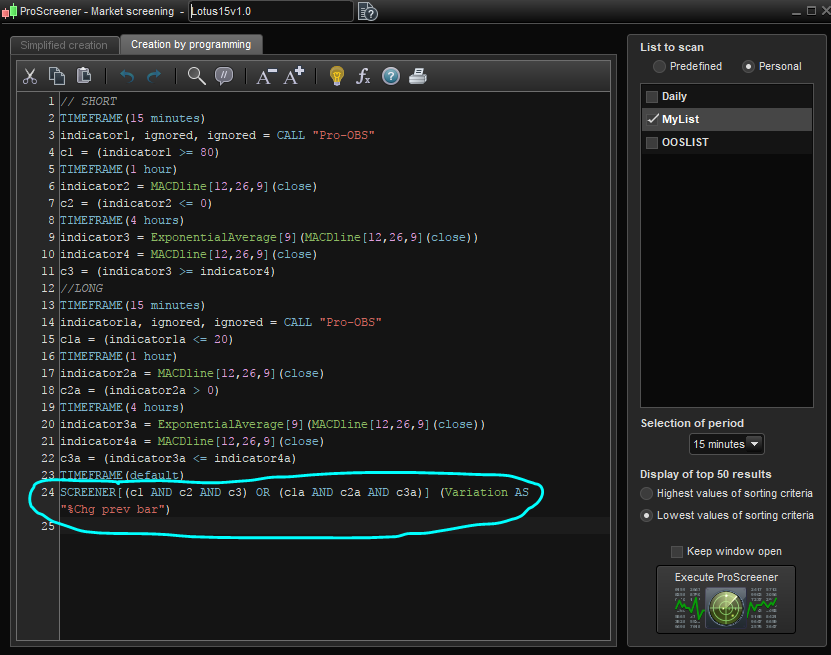
SCREENER[(c1 AND c2 AND c3) OR (c1a AND c2a AND c3a)] (Variation AS "%Chg prev bar")
As per my last post..here is the code to which I wish the new variable attached, to return a -1 for short and 1 for long signal. Thanks
Sorry to be complicated but is there a code for adding my name of the screener in the box at the top of the proscreener table as in my screenshot at 4.43 yesterday? I would like to add the name “Lotus15” if at all possible. Thanks yet again. David
You just have to name your screener the same as the text you want to be displayed.
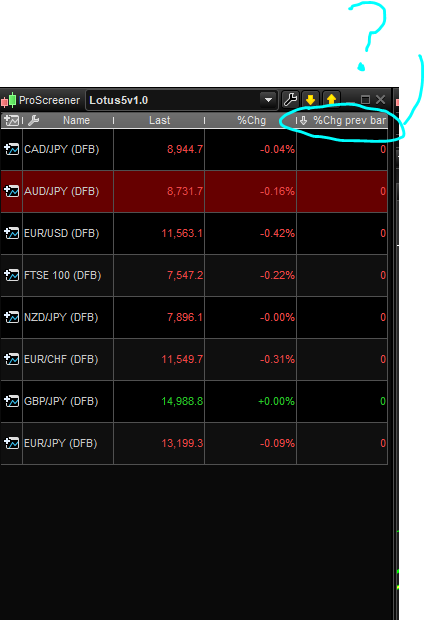
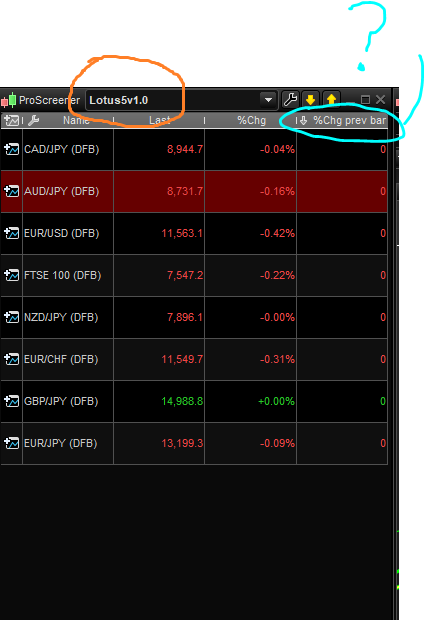
Sorry I dont understand that, I have named my screener as such but it does not appear in the proscreener table, for example in the bar as in the attached screenshot.
Compare that to the attachment P1 at 4.43 yesterday…that is what I am trying to acheive, as well as trying to figure out where to put the variable code to return -1 for short signals and 1 for longs as per the post at 5.53 yesterday.
Thanks again
I asked…S.orry I dont understand that, I have named my screener as such but it does not appear in the proscreener table, for example in the bar as in the attached screenshot.
I think I now see it……Does that mean the screener name goes into the last line between brackets, starting “Variation AS….”?
You can use that part if the name, if the name of thye screener box above is not what you want, as I hilightened in the attached pic.
Thanks Roberto….its not important I suppose…no need to have it there twice !
Any advice on the short/long variable?
I could not suggest more than Nicolas said and wrote!
Thank you, but you cannot tell me where to place the variable within the code? (see posts 5.07, 5.53 yesterday and 10.14 today)
Ok, that’s how it should go, please try and let me know:
criteria = 0
// SHORT
TIMEFRAME(15 minutes)
indicator1, ignored, ignored = CALL "Pro-OBS"
c1 = (indicator1 >= 80)
TIMEFRAME(1 hour)
indicator2 = MACDline[12,26,9](close)
c2 = (indicator2 <= 0)
TIMEFRAME(4 hours)
indicator3 = ExponentialAverage[9](MACDline[12,26,9](close))
indicator4 = MACDline[12,26,9](close)
c3 = (indicator3 >= indicator4)
IF c1 AND c2 AND c3 THEN
   criteria = -1
ENDIF
//LONG
TIMEFRAME(15 minutes)
indicator1a, ignored, ignored = CALL "Pro-OBS"
c1a = (indicator1a <= 20)
TIMEFRAME(1 hour)
indicator2a = MACDline[12,26,9](close)
c2a = (indicator2a > 0)
TIMEFRAME(4 hours)
indicator3a = ExponentialAverage[9](MACDline[12,26,9](close))
indicator4a = MACDline[12,26,9](close)
c3a = (indicator3a <= indicator4a)
TIMEFRAME(default)
IF c1a AND c2a AND c3a THEN
   criteria = 1
ENDIF
SCREENER[criteria](criteria as "long or short?")
Hi Roberto, I have tested it and it is not returning short signals only longs. Is line 15 in the correct place?