


Adding Buy and Sell signals to the charts using programming

Viewing 9 posts - 16 through 24 (of 24 total)
  • Author
    Posts
  • #175190 quote
    jkadda
    Participant
    Average

    Hello,

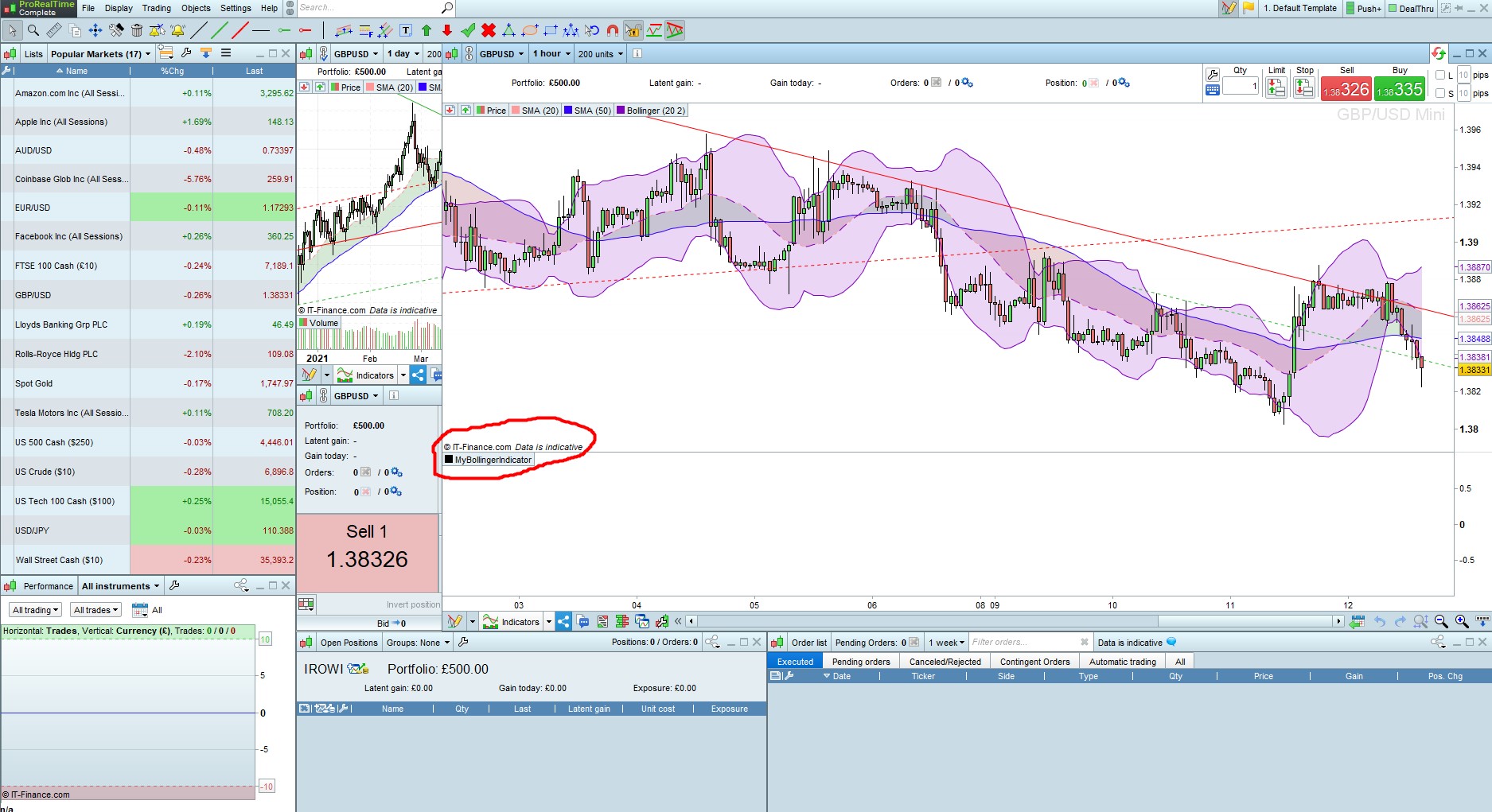
    The issue is both inability to save the indicator and also not displaying or not applying on the chart. please see attached screenshot.

    I have also funded my IG account thinking my issue was due to demo account, but am facing same issues even with the live account.

    MyBollingerIndicator_IG.jpg MyBollingerIndicator_IG.jpg
    #175200 quote
    robertogozzi
    Moderator
    Master

    To add it to your price chart you need to click the PRICE tag on gthde upper left corner of your , the select ADD INDICATOR and choose from the list (if you’ve been able to save it).

    #175239 quote
    jkadda
    Participant
    Average

    Hello, may i know your views in the thread in the link below as it is the same issues am facing:

    #175245 quote
    robertogozzi
    Moderator
    Master

    Please DO NOT post different questions here, to  avoid having some answers here and some in another topic.

    Scattering info ia not helpful.

    Thank you 🙂

    #175308 quote
    jkadda
    Participant
    Average

    Thanks very much,

    I used the link to the programming services you provided and stated the same issues there for the consultants and unfortunately their response show

    there is no solution for users to add/display their indicators to the price charts after creating them. very pathetic situation.

    Please follow the thread in the link below which they have given me:

    https://www.prorealcode.com/topic/how-to-add-indicator-directly-over-price/

    #175349 quote
    jkadda
    Participant
    Average

    Hello,

    I have contacted programming consultants in the link you provided,  and unfortunately their reply suggests inconsistencies and disappointments as they said there is no solution for user to add their indicators to the price charts after they have created them. See link below:

    How to add indicator DIRECTLY over price?


    I have also just noticed that screeners created by users cannot be displayed or does not work.

    Please if you have a contrary opinion kindly show me a detailed screenshots from when you created your personal indicator to screenshots showing adding same to the price charts  etc.

    Regards

    #175355 quote
    JC_Bywan
    Moderator
    Master

    The link you refer to was about specifically needing a keyboard shortcut to associate to his personal indicator, in order to add it to the price with keyboard rather than the normal route navigating through menus with the mouse.

    But if you are ok with the normal menu route with the mouse rather than wanting to create an extra-route with keyboard shortcut, then this is how to add an indicator in the price window (1mn):

    And if you are at the very beginning of your path with indicators and want to learn how to create one, you may find useful the first free video course in the top menu in “learning videos” : https://www.prorealcode.com/programming-with-prorealtime/

    #175360 quote
    jkadda
    Participant
    Average

    Hello JC_bywan,

    Many thanks for the clarifications.

    But unfortunately the issue under consideration is user creating New indicators and adding same to the price charts, and am not talking about adding existing indicators to the charts.

    So if you have a solution , videos etc that states or showing the steps from creating new personal indicators and continue from there to add it successfully to the price charts , that will be so much appreciated.

    Regards.

    #175421 quote
    jkadda
    Participant
    Average

    The issue has been resolved,  Thanks

Viewing 9 posts - 16 through 24 (of 24 total)
  • You must be logged in to reply to this topic.

Adding Buy and Sell signals to the charts using programming

ProBuilder: Indicators & Custom Tools

New Reply
Author
author-avatar
jkadda @jkadda Participant
Summary

This topic contains 23 replies,
has 3 voices, and was last updated by jkadda

4 years, 6 months ago.

Topic Details
Forum: ProBuilder: Indicators & Custom Tools
Language: English
Started: 08/01/2021
Status: Active
Attachments: 6 files
Logo Logo
Loading...

