 rama
ramaParticipant
Senior
x=close[1]
I want to buy when price cross over x+30, x+60, x+90 and so on only one contact at each price
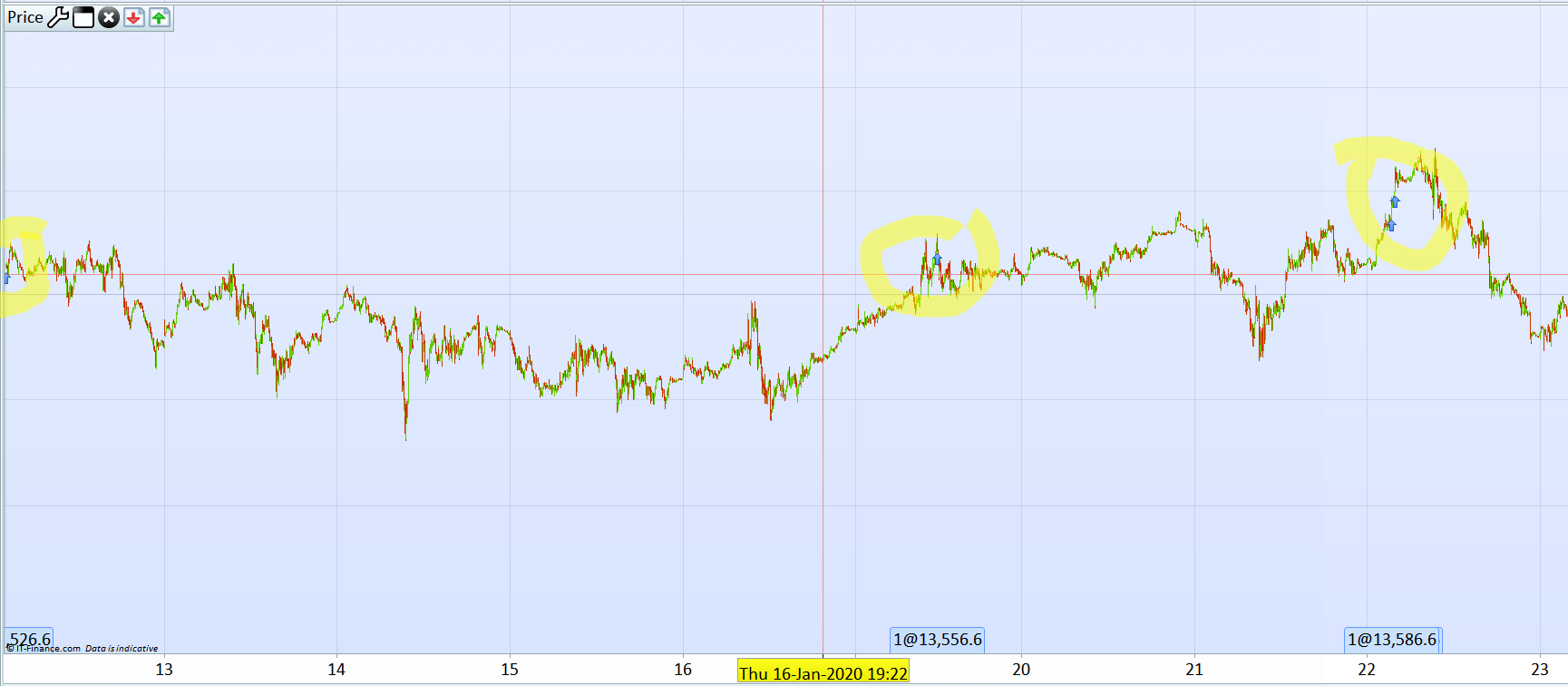
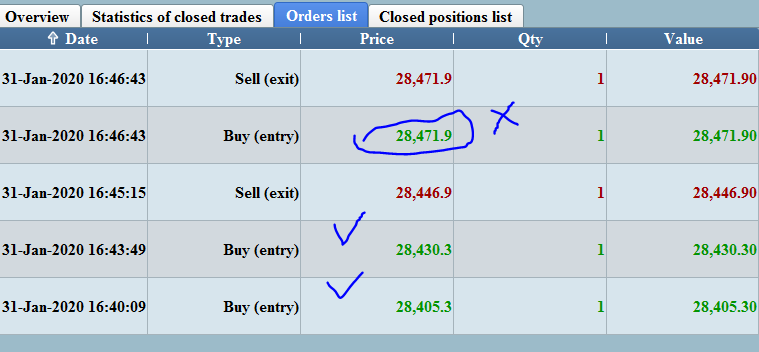
I tried this code, but this is buying more than one contract a each price(when price retracement happens)
if not onmarket then
buy  at close[1}+1 limit
endif

if onmarket then
buy at tradeprice+30 stop
endif
what is the correct code to buy only contact at tradeprice+30 when price moves in my favour
It continuously buy new order because if your are already above the price you ask, the order is triggering automatically, so you have to check first if you are below the next +30 points step and place your pending order:
if onmarket and close<tradeprice+30 then
 buy at tradeprice+30 stop
endif
rama – I tidied up your post. Please try to remember to use the Insert PRT Code button when posting code. 🙂
ramaParticipant
Senior
DEFPARAM CumulateOrders = true // Cumulating positions deactivated

// Conditions to enter long positions
c1 =  DHigh(0)-30

c2 =  DHigh(0)-60
c3 =  DHigh(0)-90
c4 =  DHigh(0)-120
c5 =  DHigh(0)-150
c6 =  DHigh(0)-180
c7 =  DHigh(0)-210
c8 =  DHigh(0)-240
c22 = (close crosses under c1) or (close crosses under c2) or (close crosses under c3) or (close crosses under c4)
c222 = (close crosses under c5) or (close crosses under c6) or (close crosses under c7) or (close crosses under c8)
if not onmarket and  c22 or c222 then
sellshort  at market
endif


if onmarket and PositionPerf>= 0.001 and close<tradeprice-30  then
sellshort  at tradeprice(0)-30 stop

endif
I am running the above code now, I will update the results, I expect it to place only 1 order at 30 points rise on the market
@Fran55
With percentage of price, you can try with this code snippet:
if onmarket and close<tradeprice*1.01 then
 buy at tradeprice*1.01 stop
endif
ramaParticipant
Senior
I want to try only on
initial order at price x=0
then on x+30, x+60 etc
the problem I am facing is system by first at x =0
next orders is placed when price is crossing over x=30, then price come below x+30 and crosses over x+30 another other is placed
if want to place 4 orders
one order is placed at x=0
then the remaining at x+30 when price is crossed over x+30 the bear in mind that I am trading in 2 seconds time frame
It should never trade the same level because it always uses the last trade open price to place the next order at +30 points. It works, I just made the test.
defparam cumulateorders=true

if not onmarket and close>close[1] then
buy at market
endif

if onmarket and close<tradeprice+30 then
buy at tradeprice+30 stop
endif
ramaParticipant
Senior
//-------------------------------------------------------------------------
// Main code : 111(4)
//-------------------------------------------------------------------------
c1 =  DHigh(0)-25

c2 =  DHigh(0)-50
c3 =  DHigh(0)-75
c4 =  DHigh(0)-100
c5 =  DHigh(0)-125
c6 =  DHigh(0)-150
c7 =  DHigh(0)-175
c8 =  DHigh(0)-200
c9 =  DHigh(0)-225
c10 =  DHigh(0)-250
c11 =  DHigh(0)-275
c12 =  DHigh(0)-300
c13 =  DHigh(0)-325
c14 =  DHigh(0)-350
c15 =  DHigh(0)-375
c16 =  DHigh(0)-400
c17 =  DHigh(0)-425
c18=  DHigh(0)-450
c19 =  DHigh(0)-475
c20 =  DHigh(0)-500
c21 =  DHigh(0)-525
c32 =  DHigh(0)-550
c33 =  DHigh(0)-575


c1000 = (close crosses over  c20) or (close crosses over  c21) or (close crosses over  c32) or (close crosses over  c33)or (close crosses over  c19)
c22 = (close crosses over  c1) or (close crosses over  c2) or (close crosses over  c3) or (close crosses over  c4)
c222 = (close crosses over  c5) or (close crosses over  c6) or (close crosses over  c7) or (close crosses over  c8)
c232 = (close crosses over  c9) or (close crosses over  c10) or (close crosses over  c11) or (close crosses over  c12)
c233 = (close crosses over  c13) or (close crosses over  c14) or (close crosses over  c15) or (close crosses over  c16) or (close crosses over  c17) or (close crosses over  c18)
if not onmarket  and  c22 or c222 or c232 or c233 or c1000 then
buy at market
endif

if onmarket and  (close<tradeprice+25) or close[1]<tradeprice+25 then
buy at tradeprice+25 stop
endif

set target  profit 41.6
code seems to be working partially, I have added the target profit 41.6 then it skipped some orders
You should check it visually on the price chart to understand why an order was not set at some steps.
I think that your condition is not correctly formatted, try with:
GRAPH onmarket and (close<tradeprice+25 OR close[1]<tradeprice+25)
ramaParticipant
Senior
code seems to be working fine, I want
if longonmarket and couontofpoistion=3 then
sellhort 2 contracts at tradeprice-n stop
endif

if shortonmarket  and couontofposition=-3 then
buy 2 contracts at tradeprice+n stop
endif