🤔 Range Bar countdown…

Viewing 5 posts - 1 through 5 (of 5 total)

  • Author
    Posts
  • #248129 quote
    Matt
    Participant
    Junior

    Hi,

    Is it possible to get the countdown to bar close for range bars, displayed on the vertical axis as per normal candlesticks?

    Thanks

    #248142 quote
    IvƔn GonzƔlez
    Moderator
    Master

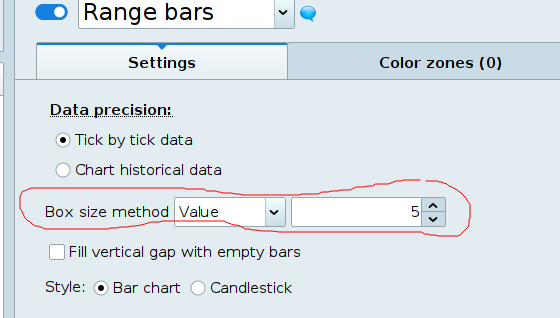
    Hi, here you have:

    defparam drawonlastbaronly=true
    box=5
    
    if islastbarupdate then
    
    rangeNow=high-low
    NextChange=box-rangeNow
    distUp=high-close
    distDn=close-low
    countUp=distUp+NextChange
    countDn=distDn+NextChange
    
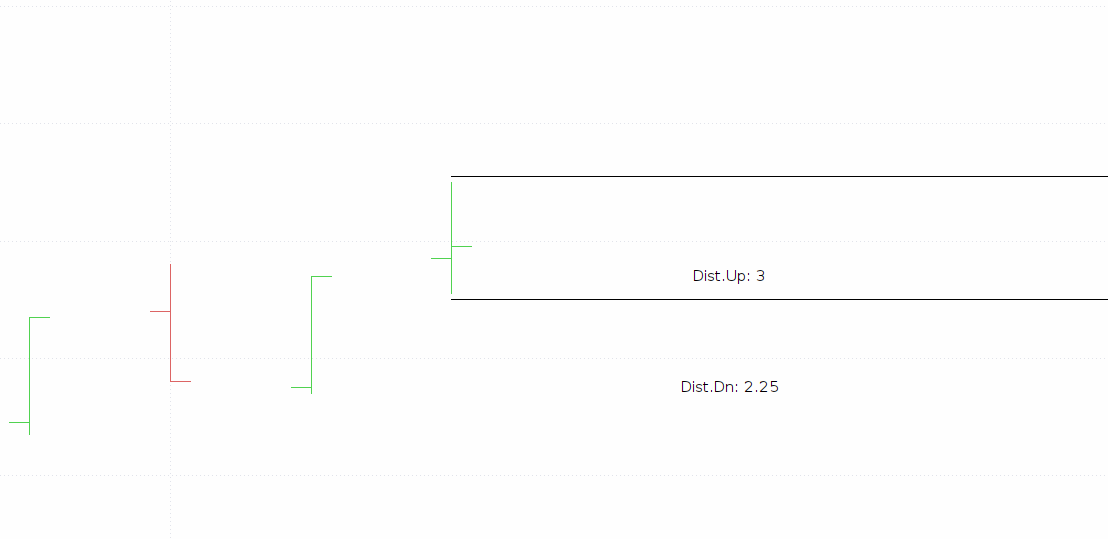
    drawtext("Dist.Up: #countUp#",barindex+2,max(open[1],close[1]))
    drawtext("Dist.Dn: #countDn#",barindex+2,min(open[1],close[1]))
    drawsegment(barindex,close+countUp,barindex+5,close+countUp)
    drawsegment(barindex,close-countDn,barindex+5,close-countDn)
    endif
    return 
    robertogozzi and Matt thanked this post
    #248158 quote
    Matt
    Participant
    Junior

    Thanks Ivan.

    That’s very clever. My mistake though, I wasn’t specific enough.

    I’m actually using range bars with:Ā  Box Size Method = Ticks (100)

    Is there any way to count the ticks and display it counting down from 100, 99, 98, etc?

    Btw, is it possible to display on the Y-axis or only the chart area?

    Thanks! 🙌

    #248169 quote
    IvƔn GonzƔlez
    Moderator
    Master

    Ok, so it will be like this:

    defparam drawonlastbaronly=true
    boxTicks=75
    box=boxTicks*ticksize
    
    if islastbarupdate then
       
       rangeNow=high-low
       NextChange=box-rangeNow
       distUp=high-close
       distDn=close-low
       countUp=distUp+NextChange
       countDn=distDn+NextChange
       ticksUp = countUp/ticksize
       ticksDn = countDn/ticksize
       
       drawtext("Dist.Up: #ticksUp#",barindex+2,max(open[1],close[1]))
       drawtext("Dist.Dn: #ticksDn#",barindex+2,min(open[1],close[1]))
       drawsegment(barindex,close+countUp,barindex+5,close+countUp)
       drawsegment(barindex,close-countDn,barindex+5,close-countDn)
    endif
    return
    
    Matt thanked this post
    #248177 quote
    JS
    Participant
    Senior

    Hi Matty,

    If you are already using the “Countdown to bar Close” setting, this counter will change to a “tick” counter when you use a “tick” graph…

    When using, for example, a 100 tick graph, the counter will count down the ticks from 100 to 0…

    (Right click on the Y-axis and check “Display countdown to bar close”…)

    Matt and IvƔn GonzƔlez thanked this post
Viewing 5 posts - 1 through 5 (of 5 total)

  • You must be logged in to reply to this topic.

🤔 Range Bar countdown…


ProBuilder: Indicators & Custom Tools

New Reply
Author
author-avatar
Matt @matty Participant
Summary

This topic contains 4 replies,
has 3 voices, and was last updated by JS

8 months ago.

Topic Details
Forum: ProBuilder: Indicators & Custom Tools
Language: English
Started: 06/10/2025
Status: Active
Attachments: 3 files
Logo Logo
Loading...