Hello Nicolas and others,
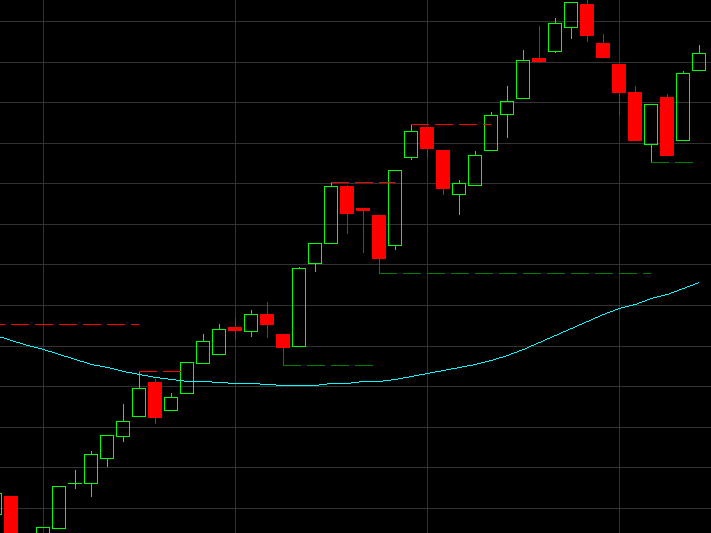
Is it possible to make an indicator that does the following on all timeframes.
At a price bar preceded by 4 higher lows and followed by 2 higher lows, then display a green support line. It starts at the lowest low and stops until the line is later crossed or when a new support is formed later.
The same for a red resistance line at a price bar with 4 lower Highs before and followed by 2 lower Highs.
The 4 or 2 lower/higher bars do not have to have an order, the only criterion is lower / higher
I hope you can help me, it turned out to be an excellent help in my previous software.
The lower highs or higher lows don’t have to be consecutive? If I understand well how they are plotted on your example.
Yes, Nicolas, that’s right. They don’t have to be consecutive lower or higher. Only higher or lower.
There you go:
DEFPARAM CalculateOnLastBars = 1000
//DEFPARAM DrawOnLastBarOnly   = true
PivotBAR     = 2                      //2  bars AFTER  pivot
LookBack     = 4                      //3  bars BEFORE pivot
BarLookBack  = PivotBAR + 1
IF low[PivotBAR] < lowest[LookBack](low)[BarLookBack] THEN
   IF low[PivotBAR] = lowest[BarLookBack](low) THEN
      MySupport     = BarIndex - PivotBAR
      SupportPrice  = low[PivotBAR]
   ENDIF
ENDIF
IF high[PivotBAR] > highest[LookBack](high)[BarLookBack] THEN
   IF high[PivotBAR]  = highest[BarLookBack](high) THEN
      MyResistance    = BarIndex - PivotBAR
      ResistancePrice = high[PivotBAR]//high[BarIndex - MyResistance]
   ENDIF
ENDIF
DRAWSEGMENT(MyResistance,ResistancePrice,BarIndex,ResistancePrice) COLOURED(255,0,0,255)
DRAWSEGMENT(MySupport,SupportPrice,BarIndex,SupportPrice) COLOURED(0,128,0,255)
RETURN
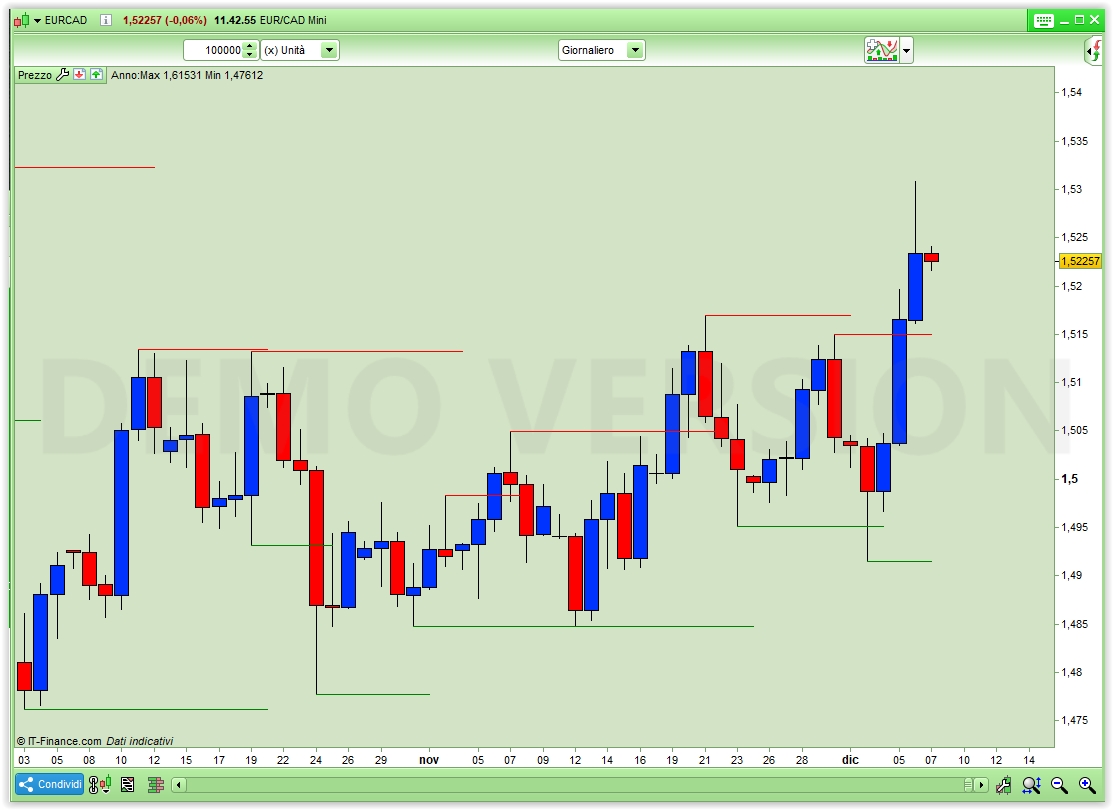
Pic X1 shows the outcome.
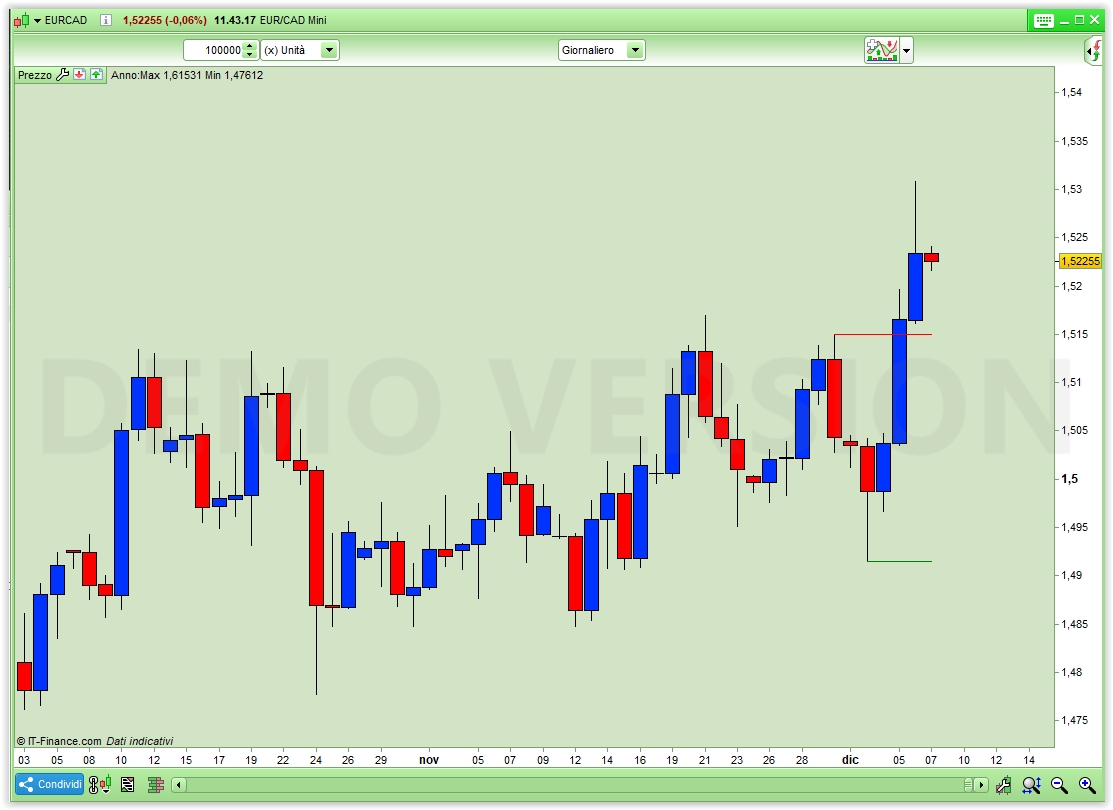
If you prefer pic X2 just uncomment line 2.
Thank you very much, Mr. Roberto Gozzi !!!
This looks great!
Very helpful for me, and maybe for others too.
Hi, would it be possible to extend the drawing of support/resistance lines not just until the next pivot but for a fixed length , like 100 bars or so ?
thanks
Uncommenting line 2 does a similar job easily, can this do?
Uncommenting line 2 does a similar job easily, can this do?
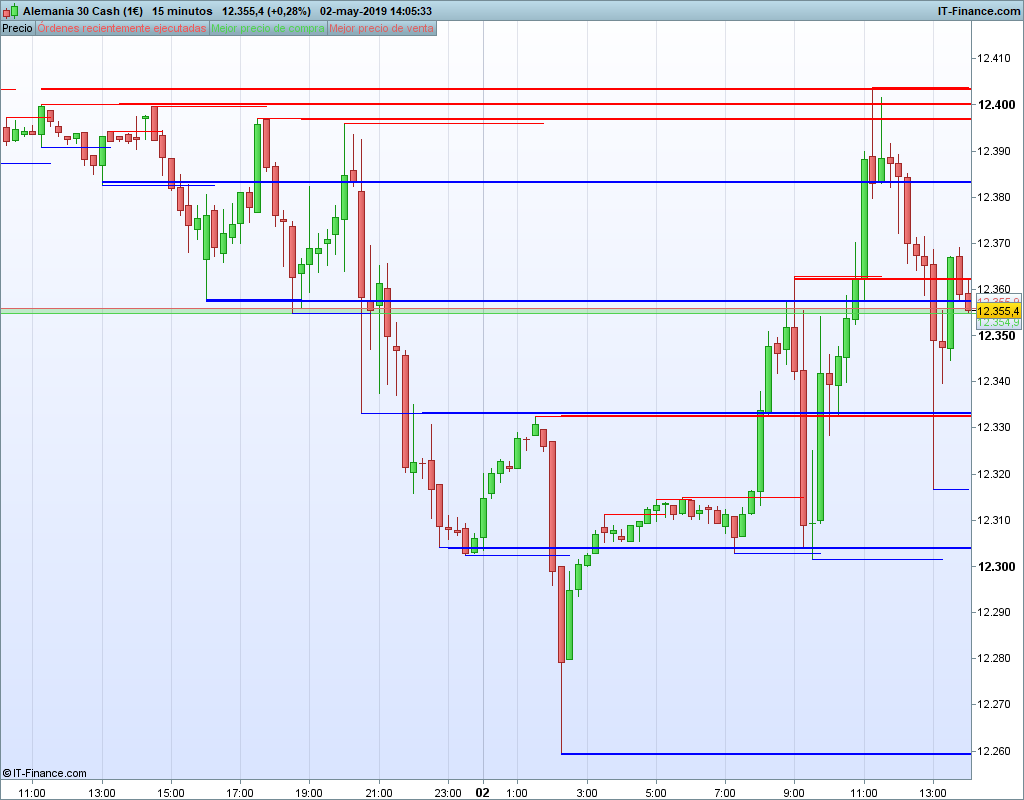
Well , not exactly…if uncommenting line 2 it will just draw the latest S/R. I mean I would like it to extend ALL the S/R lines for X bars . Why you may ask? I work on the 15 min TF and I found that the S/R are usually valid for 1 or 2 days, that its like 100/200 bars in a 15m TF. (pls check pic of the DAX today with hand drawn S/R)
Added the code to here Snippet Link Library
PRT does not support arrays so it’s difficult to draw many lines in the past.
I modified the above code to show, in addition to the most recent S & R lines, the previous ones too.
You can add more if you need, with some coding effort.
DEFPARAM CalculateOnLastBars = 1000
DEFPARAM DrawOnLastBarOnly   = true
PivotBAR    = 2                      //2   bars AFTER  pivot
LookBack    = 4                      //3   bars BEFORE pivot
BarLookBack = PivotBAR + 1
IF low[PivotBAR] < lowest[LookBack](low)[BarLookBack] THEN
IF low[PivotBAR] = lowest[BarLookBack](low) THEN
PrevSupp      = MySupport
PrevSuppPrice = SupportPrice
MySupport     = BarIndex - PivotBAR
SupportPrice  = low[PivotBAR]
ENDIF
ENDIF
IF high[PivotBAR] > highest[LookBack](high)[BarLookBack] THEN
IF high[PivotBAR]  = highest[BarLookBack](high) THEN
PrevRes         = MyResistance
PrevResPrice    = ResistancePrice
MyResistance    = BarIndex - PivotBAR
ResistancePrice = high[PivotBAR]
ENDIF
ENDIF
DRAWSEGMENT(PrevRes,PrevResPrice,BarIndex,PrevResPrice) COLOURED(255,0,0,255)
DRAWSEGMENT(PrevSupp,PrevSuppPrice,BarIndex,PrevSuppPrice) COLOURED(0,128,0,255)
DRAWSEGMENT(MyResistance,ResistancePrice,BarIndex,ResistancePrice) COLOURED(255,0,0,255)
DRAWSEGMENT(MySupport,SupportPrice,BarIndex,SupportPrice) COLOURED(0,128,0,255)
RETURN
Ok, I get your idea, thanks Roberto!
Hallo,
wenn ich diesen Code als meinen SL verwenden möchte, wo genau füge ich diese Bedingungen in meinen Code ein?
Hi, if I want to use this code as my SL, where exactly do I put these conditions in my code?
Only post in the language of the forumthat you are posting in. For example English only in the English speaking forums and French only in the French speaking forums.
Thank you 🙂
As a common rule, I’d say:
- If you go LONG below SupportPrice
- If you go SHORT above ResistancePrice.
How many pips is just a matter of personal choices and and risk aversion attitude.