 CA
CAParticipant
New
Hello!
I have been working on a new strategy for catching trends and I have come up with a code. What I have been doing is optimizing the code for having a specific set of parameters for each currency pair.
So far in the BT I have gotten good results with some pairs E.G. AUD/JPY.
After I get the best variables for the pair I improve the strategy with an optimzed trainling stop.
I will just leave the code here for the AUD/JPY example. Please just let me know what you think:
SHORT = 10
LONG = 38
PERIODOADX = 16
PERIODOSDECRUCE =20
PERIODODECRUCE2 = 50

// Longs

Condition1 = ADX[PERIODOADX] CROSSES OVER PERIODOSDECRUCE
Condition2 = ExponentialAverage[SHORT](Close) > ExponentialAverage[LONG](Close) AND LOW[1] > ExponentialAverage[SHORT](Close)
Condition3 = ExponentialAverage[SHORT](Close) < ExponentialAverage[LONG](Close) AND HIGH[1] < ExponentialAverage[SHORT](Close)

IF NOT LongOnMarket AND Condition1 AND Condition2 THEN
BUY 1 CONTRACTS AT MARKET
ENDIF

// Exit longs
If LongOnMarket AND ADX[PERIODOADX] >= PERIODODECRUCE2 then
allowtrailing = 1
else
allowtrailing = 0
endif

if allowtrailing then
SET STOP pTRAILING TRAILINGn
endif


If LongOnMarket AND (ExponentialAverage[SHORT](Close) CROSSES UNDER ExponentialAverage[LONG](Close)OR ADX[PERIODOADX] < PERIODOSDECRUCE) THEN
SELL AT MARKET
ENDIF

// Shorts
IF NOT ShortOnMarket AND Condition1 AND Condition3 THEN
SELLSHORT 1 CONTRACTS AT MARKET
ENDIF

// Exit shorts
IF ShortOnMarket AND ADX[PERIODOADX] >= PERIODODECRUCE2 then
allowtrailing = 1
else
allowtrailing = 0
endif

if allowtrailing then
SET STOP pTRAILING TRAILINGn
endif

IF ShortOnMarket AND (ExponentialAverage[SHORT](Close) CROSSES OVER ExponentialAverage[LONG](Close) OR ADX[PERIODOADX] < PERIODOSDECRUCE) THEN
EXITSHORT AT MARKET
ENDIF

SET STOP LOSS 150// Stops
What Timeframe is above code optimised for please?
What value are you using for TRAILINGn ?
Please can you post your equity curve and Performance results?
I’ve optimised TRAILINGn on every TF from 1 Min to 1 Day (on AUD/JPY).
CAParticipant
New
Oh right! Sorry misses that “detail” . Only for 4H. It attempt to be a swing system.
CAParticipant
New
And for the rest of the questions I am replying from my phone so when I get to my pc I’ll pos the rest
CAParticipant
New
So here is what you asked for GraHal.
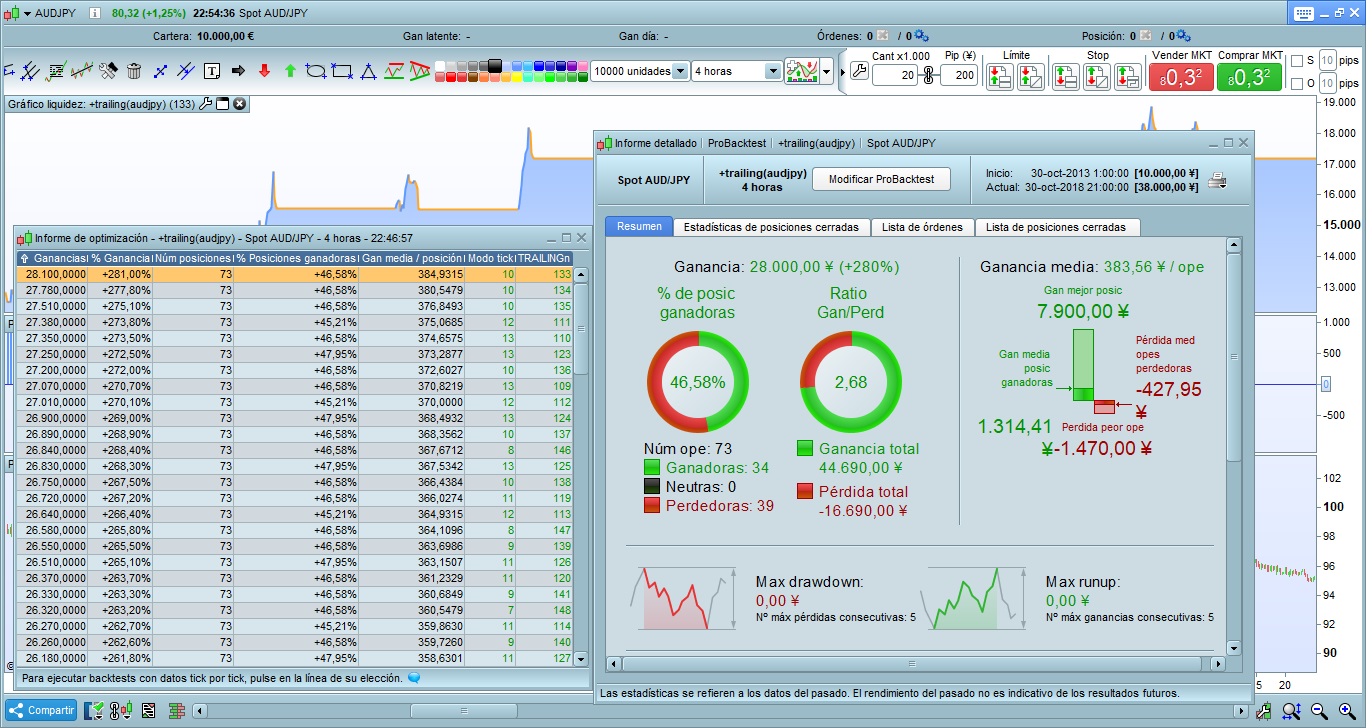
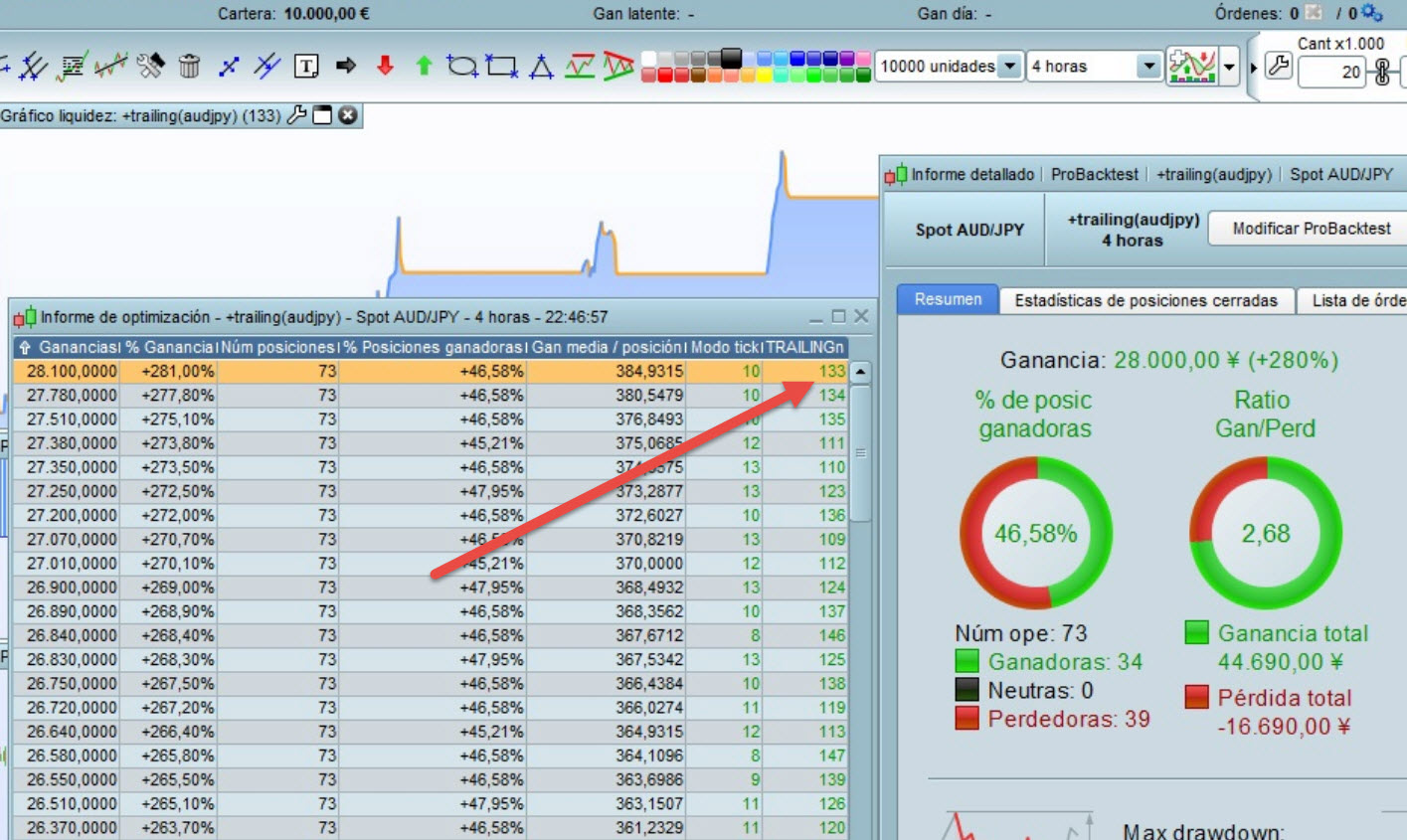
I used 4H time frame. 10000 units for optimization of the initial code (without the trailing stop – if you want I can post it too) and for the optimization of the trailing stop.
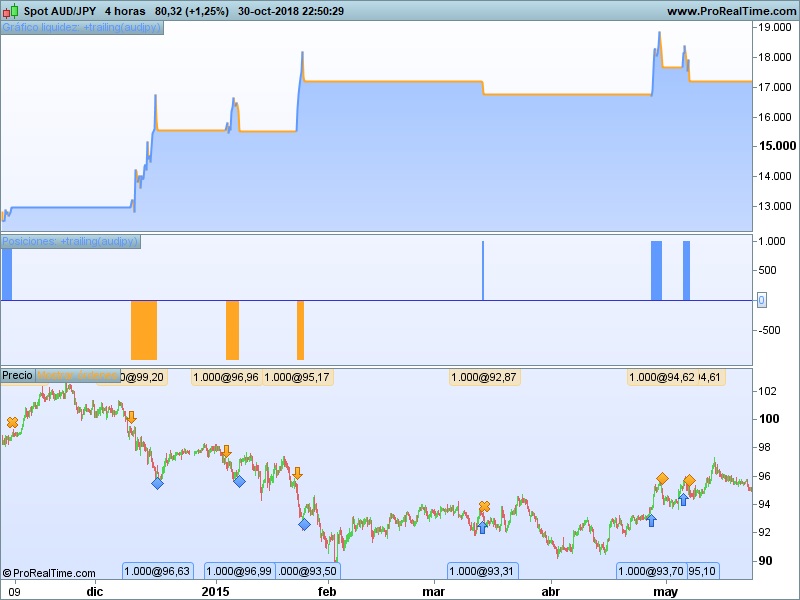
Something odd here? Attached is what I get! 🙂
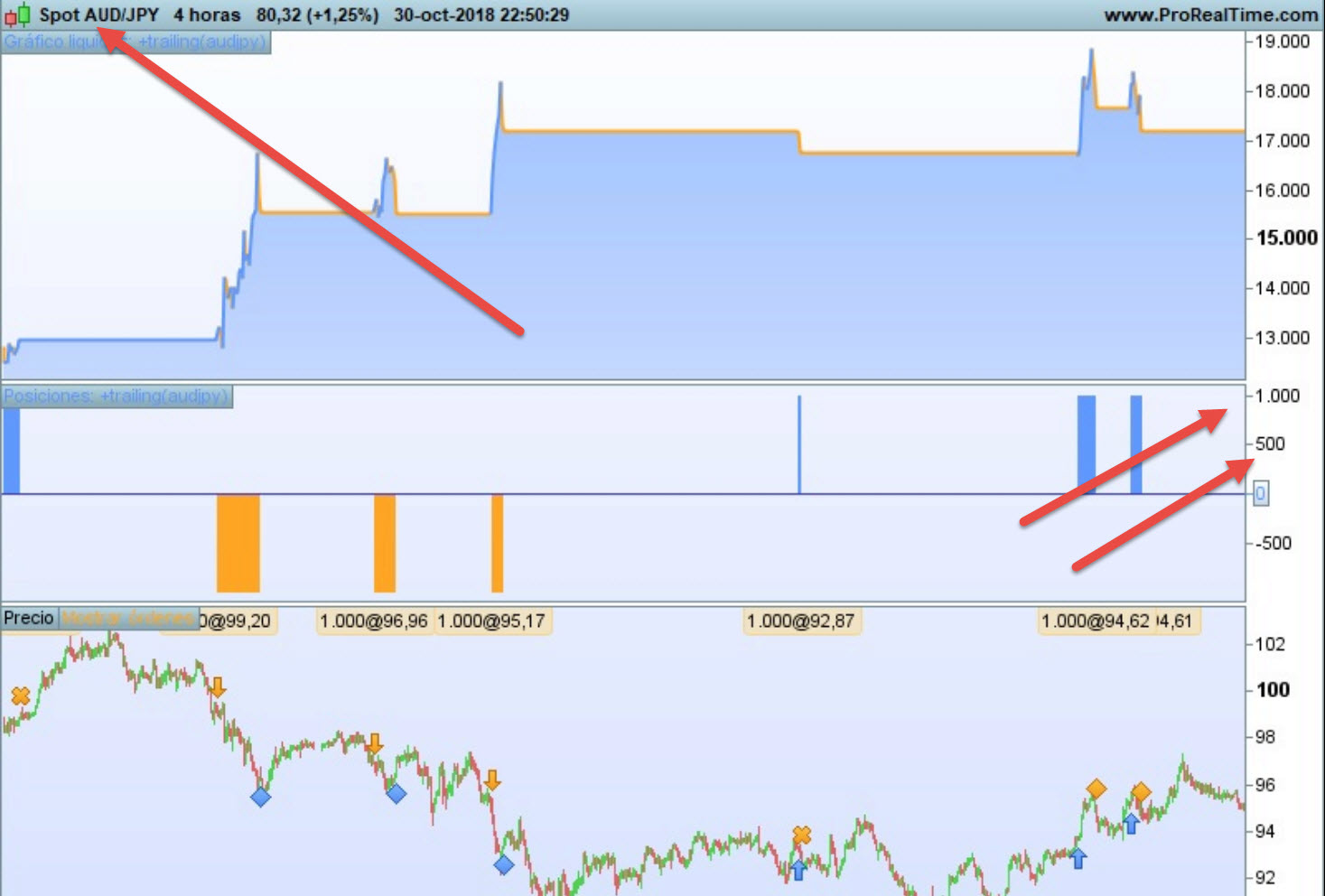
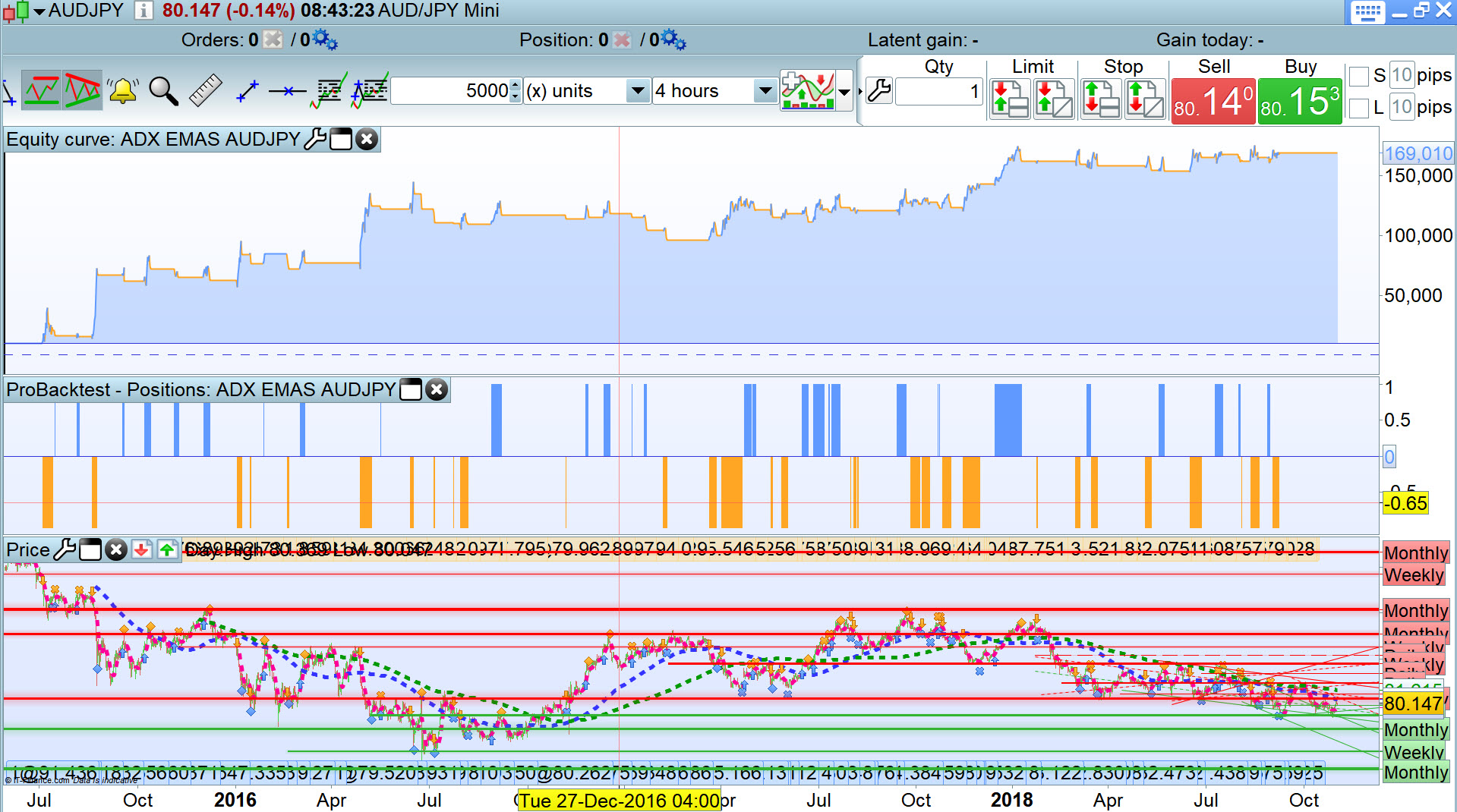
Am I reading that correct … you are buying 1,000 Contracts on AUDJPY??
I’ll have to collect my thoughts as I see you show performance results for Spot AUD/JPY??
Anybody reading this got any comments??
CAParticipant
New
I only buy 1 contact per operation. Could you show me the code you are using. It is quite wierd!!
 Leo
LeoParticipant
Veteran
Hi CA,
What I think is that you start your journey of automatic trading like me ( or most of us)
first: to much variables means overfitting which means the code only works in the past but not in the future
second: test it 100000 bars (it means at much data as possible)
third: walk forward test, if it works in the walk forward test, then you have a nice code.
Kind Regards
I only buy 1 contact per operation.
So why does this say 1000 as the Lot size then (see red arrow on attached)?
Or has sleep done me no good or even my coffee is not working this morning?? 🙂
Could you show me the code you are using. It is quite wierd!!
I am using testing your code with TRAILINGn at value 133 as you show in your screen shot of optimised results.
Are you sure you have the tick by tick box selected??
We need to get to the bottom of this, I hate oddities like this, but I am driven to investigate!!!! hahahha
This is the code / your code I am using
SHORT = 10
LONG = 38
PERIODOADX = 16
PERIODOSDECRUCE =20
PERIODODECRUCE2 = 50

// Longs

Condition1 = ADX[PERIODOADX] CROSSES OVER PERIODOSDECRUCE
Condition2 = ExponentialAverage[SHORT](Close) > ExponentialAverage[LONG](Close) AND LOW[1] > ExponentialAverage[SHORT](Close)
Condition3 = ExponentialAverage[SHORT](Close) < ExponentialAverage[LONG](Close) AND HIGH[1] < ExponentialAverage[SHORT](Close)

IF NOT LongOnMarket AND Condition1 AND Condition2 THEN
BUY 1 CONTRACTS AT MARKET
ENDIF

// Exit longs
If LongOnMarket AND ADX[PERIODOADX] >= PERIODODECRUCE2 then
allowtrailing = 1
else
allowtrailing = 0
endif

if allowtrailing then
SET STOP pTRAILING 133
endif


If LongOnMarket AND (ExponentialAverage[SHORT](Close) CROSSES UNDER ExponentialAverage[LONG](Close)OR ADX[PERIODOADX] < PERIODOSDECRUCE) THEN
SELL AT MARKET
ENDIF

// Shorts
IF NOT ShortOnMarket AND Condition1 AND Condition3 THEN
SELLSHORT 1 CONTRACTS AT MARKET
ENDIF

// Exit shorts
IF ShortOnMarket AND ADX[PERIODOADX] >= PERIODODECRUCE2 then
allowtrailing = 1
else
allowtrailing = 0
endif

if allowtrailing then
SET STOP pTRAILING 133
endif

IF ShortOnMarket AND (ExponentialAverage[SHORT](Close) CROSSES OVER ExponentialAverage[LONG](Close) OR ADX[PERIODOADX] < PERIODOSDECRUCE) THEN
EXITSHORT AT MARKET
ENDIF

SET STOP LOSS 150// Stops
HAHAHA … I can get positive results if I backtest only over 5,000 bars!
As Leo says I think your variables are over-optimised over too short a backtest period?
HAHAHAHHAHAHAHAHHAHAHAHAHAH
It’s all my error!!!!!!!!!!! I’m glad I am driven to investigate!!!!!!!!!!!!!
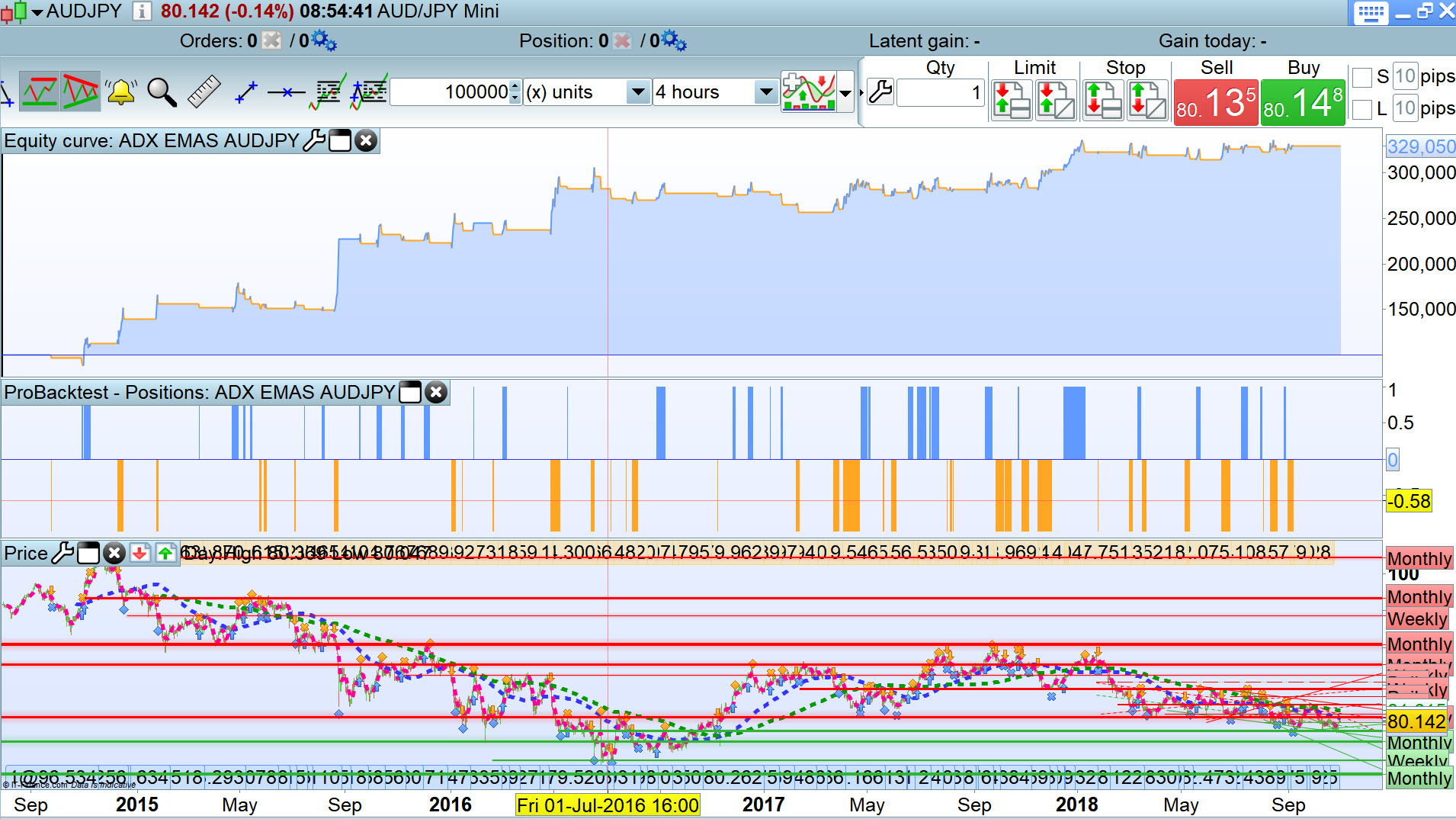
I had my capital set at 10,000 (as always) but for this test, starting capital needs increasing by at least a factor of 10 to account for GBP to Yen exchange rate!
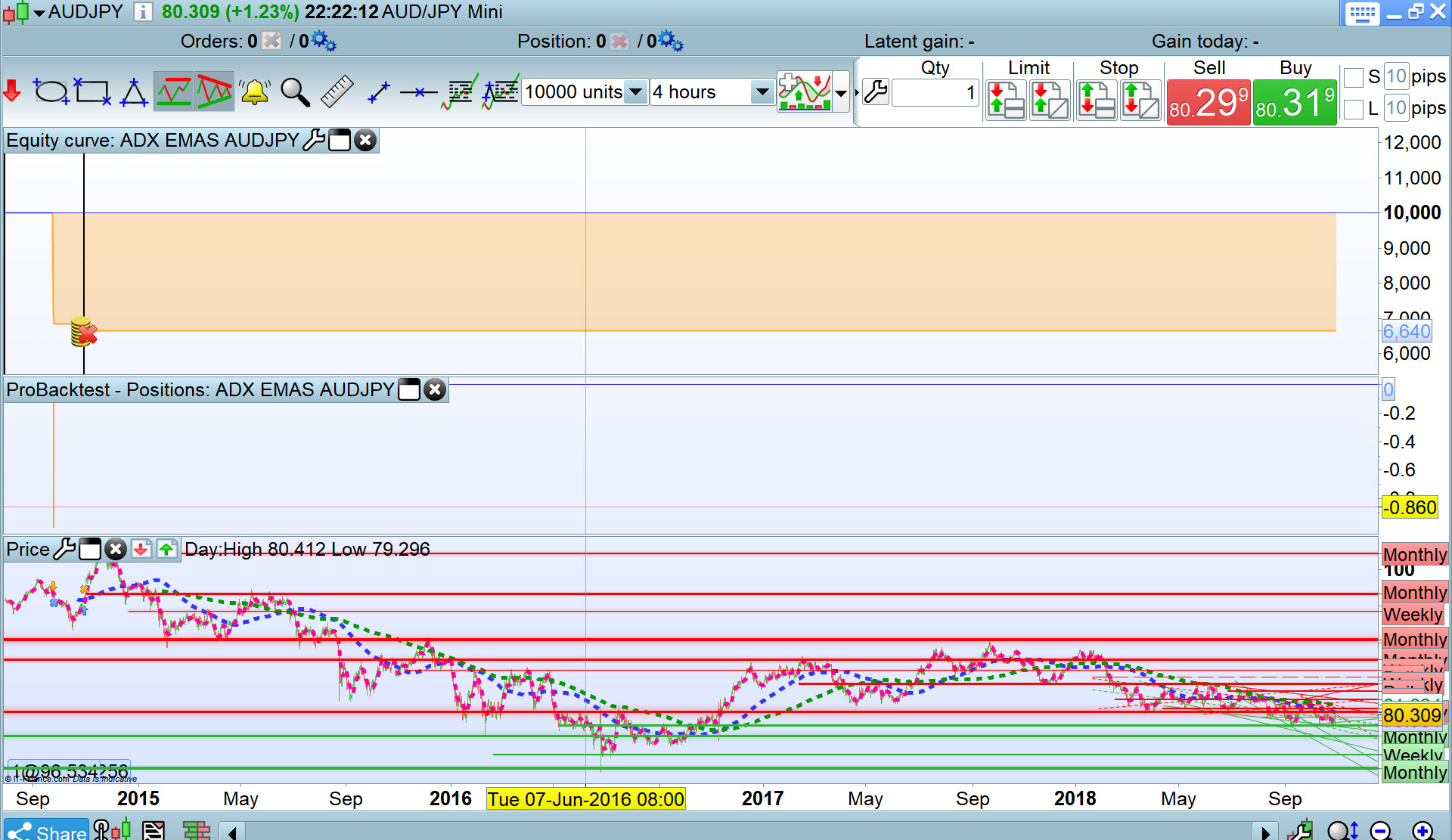
I get same / similar to you now you!!!!!!!!!!
A useful lesson learnt (for me!!!!!!!)
Results attached over 100k bars
Well done @CA
(Apologies for my doubts!)
CAParticipant
New
Thank you Leo. I have actually tested it in walk forward an it still work! I’ll upload late the results.
CAParticipant
New
Thank you GraHal! So for you it worked! So your opinion is that (at last in theory) it is a good code? I’ll start FT next week as I am still woking out on which par it work and optimizing vales. Later I will post the inicial code from where I start optimiza tío, which, as I said to Leo, have even worked under walk forward optimization.
Any way happy you get to solve what was affecting the code! 🙂
Be aware that SET STOP PTRAILING will certainly not act the same way in live as in backtest, due to the minimal stop level that it is used as the step of stoploss moving. You should use one of the trailing code you’ll find around in the website.