If someone is testing the code… Grahal maybe… do not hesite to let me know how it works.
Of course there are many ways to improve it and to optimize some values.
Only just noticed this Topic again, sorry.
I got it to run after making lots of changes to overcome error messages (most were – you can’t use same variable name under two Timeframes) … use this site to compare your code version to mine.
https://www.diffchecker.com/
But the code still doesn’t execute any trades. I reckon you may have too many conditions that are not coincident so no Trades??
I’ll let you know if I get it going later.
Edit / PS
Yeah, I GRAPH Signal and it doesn’t occur at all, more in a few mins! 🙂
// Définition
DEFPARAM CumulateOrders = False
DEFPARAM FLATBEFORE = 090000
DEFPARAM FLATAFTER = 120000

TIMEFRAME(default)
haclose=(open+close+low+high)/4
haopen=(haopen[1]+haclose[1])/2
sto = Stochastic[5,3](close)
myAverage=Average[3]
Signal= (haclose>haopen) and (sto>sto[1]) and (sto<80) and sto CROSSES OVER myaverage

TIMEFRAME(5 minutes)
haclose5=(open+close+low+high)/4
haopen5=(haopen[1]+haclose[1])/2
sto5 = Stochastic[5,3](close)
bull5=(haclose5>haopen5) and (sto5>sto[1]) and (sto<80)

TIMEFRAME(15 minutes)
haclose15=(open+close+low+high)/4
haopen15=(haopen[1]+haclose[1])/2
sto15 = Stochastic[5,3](close)
bull15=(haclose15>haopen15) and (sto15>sto[1]) and (sto<80)


if bull5 and bull15 and signal then
buy at market
endif

// Closedafault
TIMEFRAME(default)
sto = Stochastic[5,3](close)
IF sto CROSSES OVER 80 THEN
SELL AT MARKET
ENDIF

// Stops
SET STOP pLOSS 15
Spent a while on it, got it trading now, but overall a losing Strategy (does not get above 0 at any point over 100k bars).
I made loads changes to Signal criteria, even rem’d it out altogether … still no good!
I even reversed Buys to SellShort and Sells to Exitshort but still overall a losing Strategy.
You need to get Multi-TF on your Platform and rethink the Strategy overall or certain parts anyway?
Maybe I am missing a trick somewhere, so please post the code on this Topic if you do it get it profitable and then it closes the loop? 🙂
as i do not have access to MTF with IG now.
@Sofitech … why do you think you do not have access to MTF … we all have it now surely on our Demo accounts??
ProOrder should be by tomorrow if updates are going well.. (and still for DEMO ACCOUNTS ONLY).
@Nicolas apols for disturbing your hols 🙂
but do you know if MultiTF is activated on Demo ProOrder / Demo Forward Test yet please?
MTF testing seems to be working fine for me at the moment. I have only had one issue so far:
Unable to use variable across time frames
I think it would be good if we could change the value of a variable in any timeframe. If an event occurs on a weekly chart then you might want to set a flag and then if another event happens in a different time frame change the value of that flag. As can be seen in the topic above it is possible to find workarounds but it would give us more coding options if we could alter variable values in any time frame.
you can’t use same variable name under two Timeframes)
Can you / we not get around the restriction by doing what I did in the post quoted … give the variable a unique name for each TF then have a condition (using the unique named variable in that TF) and then use that condition along with other conditions from other TFs in the default TF that the System / Platform is running on?
Hope that makes sense?? 🙂
Hope that makes sense??
Yes it makes sense but wouldn’t it be a whole lot easier if we could just modify any variable in any time frame? Not sure how possible this is for PRT to achieve but it would make coding a lot simpler.
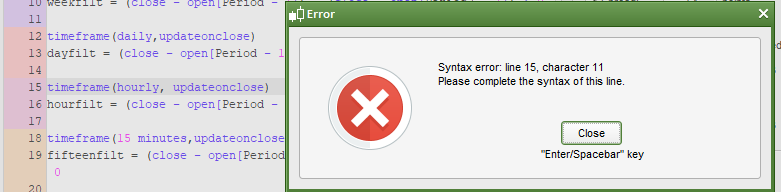
I just had this error message:
[attachment file=76728]
If I change ‘hourly’ to ‘1 hour’ then the error disappears.
On here:
https://www.prorealcode.com/blog/learning/approach-multi-timeframe-trading-prorealtime/
Nicolas says that ‘hourly’ is OK to use. The code does not flag it up as an error and ‘hourly’ is shown in blue lettering but the strategy won’t run with it.
Hi guys, I’m just passing by to let you know about this short video just released by ProRealTime:
[youtube]https://www.youtube.com/watch?v=3ed-WFGG1mA[/youtube]
Enjoy the hot summer! 🙂
No I’m not, I hate the heat! my brain switches off and I feel like a zombie! 🙂
I have read Nicolas blog on MTF, but I’m still not sure I understand the difference between using update on close and not using it.
If anybody has an analogy it might help? Vonasi, you’ve done a few good analogies in the past … got any pearls of wisdom for me on this one? 🙂
The superior TF cannot be making any changes to an Indicator except at the close of the superior TF surely? So what is the need for update on close??
Maybe I’ll reread the MTF blog just before bed and let my brain work on it! 🙂
I know I’ll run one of my MTF systems with update on close and without it and check the differences!
Edit / PS
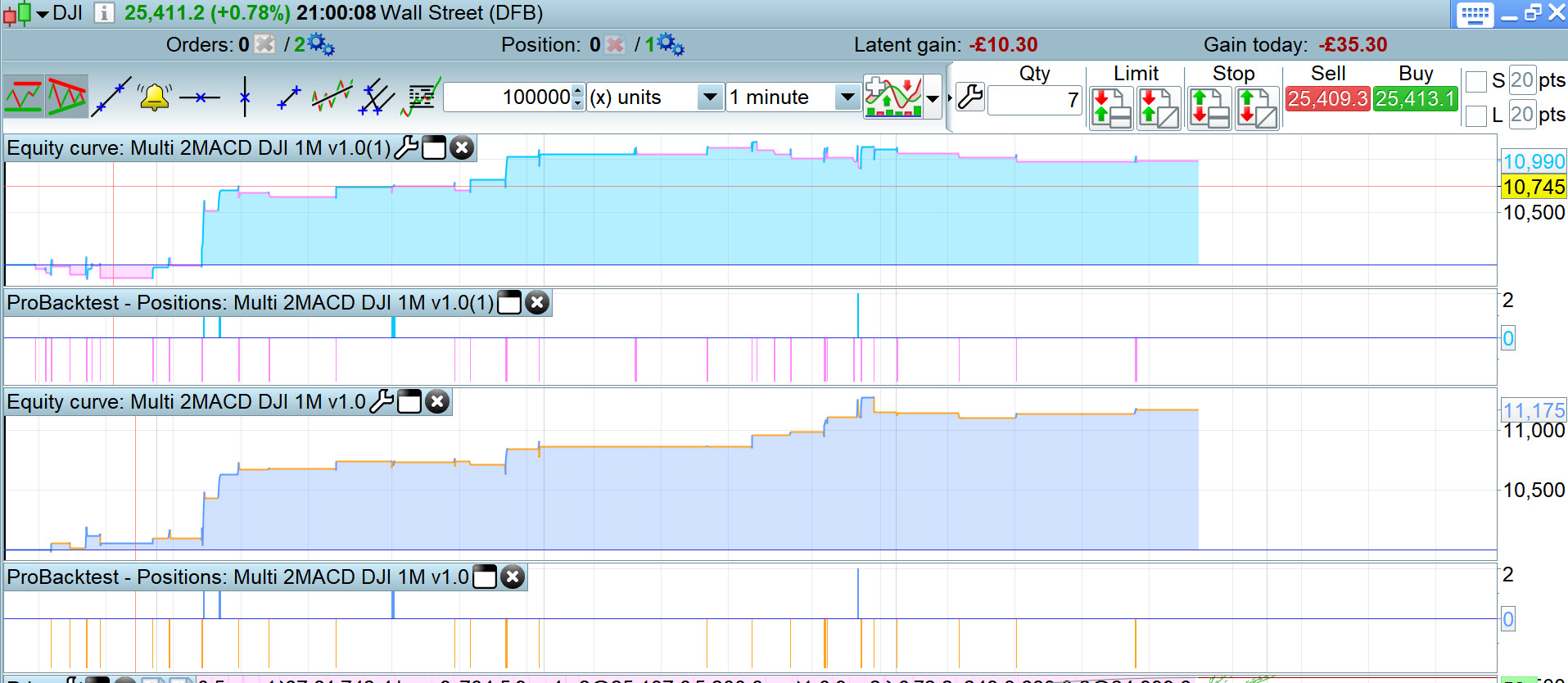
Ha worse results, – £200 with update on close included … see the top equity curve below.
Ha worse results, – £200 with update on close included … see the top equity curve below.
Mmm the System with updateonclose included stays in trades longer while profit decreases … see attached. The left is with and the right is without.
Anybody any comment / thoughts please?
You have to think of it as making a decision once a candle has closed or on the fly while a candle is still forming.
If you have a 1 hour strategy that also looks at a daily candle then with ‘updateonclose’ it will only consider the values of the last closed daily candle and any indicator values etc of that last closed daily candle when it closed. With ‘default’ at the close of every hourly candle it will look and see what the current values are of the currently forming daily candle and use those values.
With ‘default’ at the close of every hourly candle it will look and see what the current values are of the currently forming daily candle and use those values.
I can see that a price candle is continually forming throughout the day, but if an Indicator is running on a Daily TF then how does that (Daily) Indicator form any intraday value if the Indicator code only runs at the close of the Daily candle??
Maybe I’m confusing myself now … doesn’t take much! 🙂
Edit / PS
It’s only since MTF that the Daily Indicator code would run other than at close of the daily bar?? With MTF the Daily Indicator code (or whatever superior TF code?) now runs at the default TF and computes an intra-day Indicator value??