Simple test seems to run on wrong period

Viewing 9 posts - 1 through 9 (of 9 total)

  • Author
    Posts
  • #57661 quote
    David R
    Participant
    New

    Hi all,


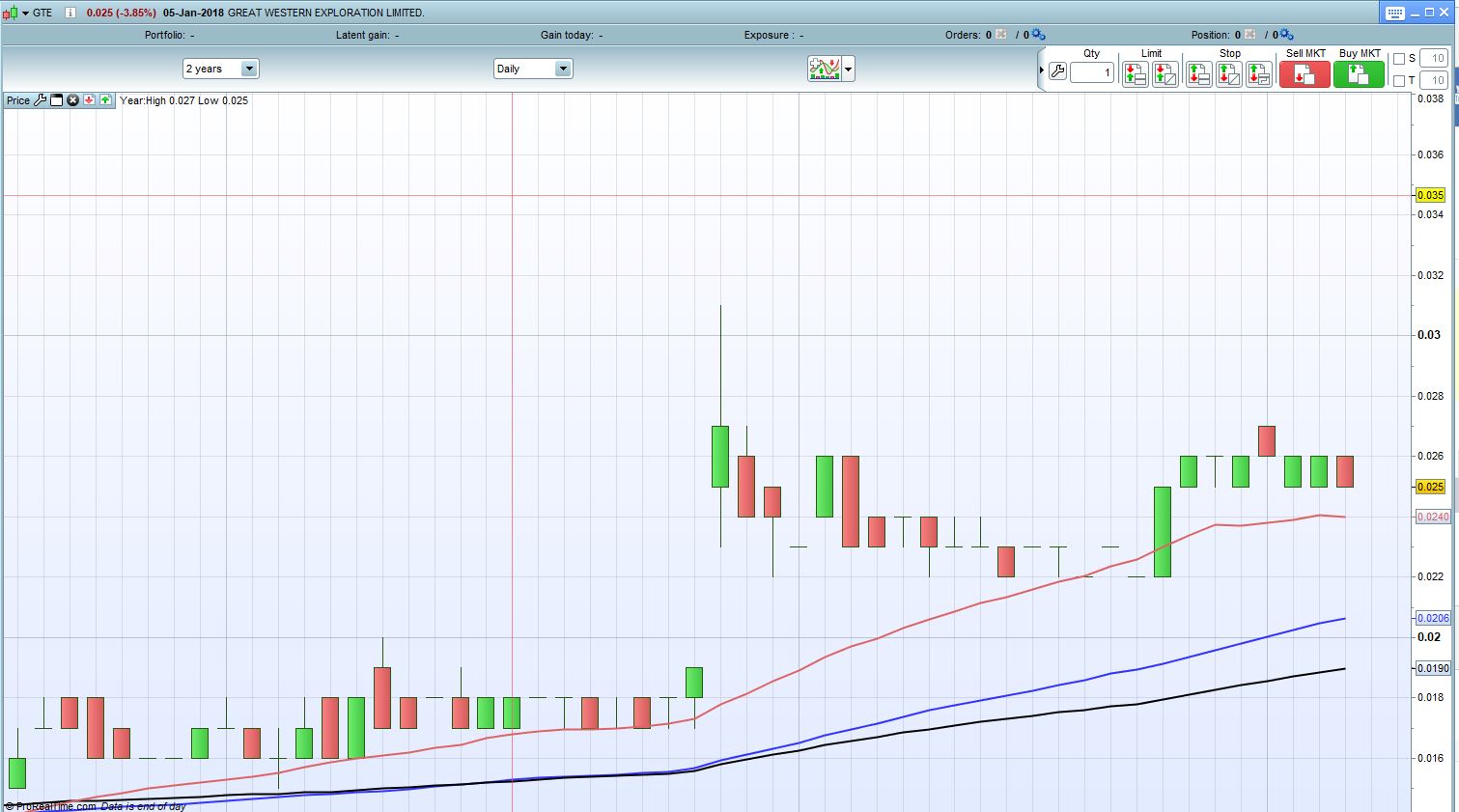
    I’ve got another problem I can’t seem to solve.  I have searched the forums, the PRT screener manual and Google but haven’t found an answer.   I have written the most simple of codes, but am not getting what I expect.  As a part of a larger screener, I am wanting to confirm that the most recent day was an up day, i.e. that the price rose.  I like to test each element of my screener as I build it, so wrote and ran the following on the “Australian Market” list in PRT.

    c1 = close > open
    
    screener [c1]


    When I run this, I get shares that were up and shares that were down on the last candle (Friday last week) but all results seem to have an up candle on Thursday last week.  Is there a reason this would be running like this?  Is it to do with using the free version with end of day data or is there something wrong with the code?


    Apologies if it is a dumb question and thanks in advance to anybody who can explain what I’m doing wrong.


    Thanks,

    David

    #57663 quote
    Nobody
    Participant
    Veteran

    to be clear are you looking for stocks that closed green  or stocks that just closed above open for there is a difference ?  A stock can close above open and still be a down day

    Possibly this is what you require

    c1 = (close > close[1])
    
    
    SCREENER[c1] (Variation AS "%Chg prev bar")
    #57664 quote
    David R
    Participant
    New

    Hi Brisvegas, I was just looking for a green candle.  I would guess that I’d need to do something like


    c1 = close > close[1]
    
    screener [c1]

    to have an “up day” compared to yesterday.   I just ran that code and it didn’t seem to work either.    Anyway, I’ve attached an example of a chart that I get from the code in my first post if that helps.

    example-of-screener-result.jpg example-of-screener-result.jpg
    #57674 quote
    Vonasi
    Moderator
    Master

    Have you tried using DCLOSE and DOPOEN rather than CLOSE?

    David R thanked this post
    #57679 quote
    David R
    Participant
    New

    Thanks Vonasi,


    DOpen(0) and DClose(0) worked.


    I’d still like to know why Open and Close didn’t work as I’m on daily charts.  Maybe one of those features of coding you need to know to get things working in PRT 🙂


    I guess I’ll use DOpen, DHigh, DLow and DClose in all of my screener coding from now on.

    #57686 quote
    Nicolas
    Keymaster
    Master

    I’d still like to know why Open and Close didn’t work as I’m on daily charts

    Because you are scanning with an ‘End Of Day’ account?

    David R thanked this post
    #57688 quote
    Vonasi
    Moderator
    Master

    Are you interested in whether yesterday was a green day or whether today is currently a green day? I think ProScreener looks at the current still forming candle to make decisions which is why

    close > open

    does not work if you are interested in yesterday’s candle.

    close(1) > open(1)

    does work for that or you can get the same result with

    DClose(1) > DOpen(1)

    I’m not big on ProScreener coding so someone else correct me if I’m wrong please.

    David R thanked this post
    #57693 quote
    David R
    Participant
    New

    Thanks Nicolas and Vonasi,


    It may be because I am using an EOD account.  I would have thought close > open would deliver nothing if it needs to work on the current day data and I’m on EOD.  I ran a test on 20 stocks and it seemed to be looking at the day before yesterday but that could be a coincidence I guess if the program is somehow looking at current day data on an EOD acount.  Anyway, the use of DOpen, DClose etc seems to have at least given me a workaround.  I appreciate your time in considering my problem 🙂

    #57716 quote
    Nicolas
    Keymaster
    Master

    With an EOD account, the screener will always use the bar before the current one, so that is not a coincidence, but the normal behavior of this account type.

    David R thanked this post
Viewing 9 posts - 1 through 9 (of 9 total)

  • You must be logged in to reply to this topic.

Simple test seems to run on wrong period


ProScreener: Market Scanners & Detection

New Reply
Author
author-avatar
David R @tiggz0r Participant
Summary

This topic contains 8 replies,
has 4 voices, and was last updated by Nicolas

8 years, 2 months ago.

Topic Details
Forum: ProScreener: Market Scanners & Detection
Language: English
Started: 01/08/2018
Status: Active
Attachments: 1 files
Logo Logo
Loading...