Hello
I’m having trouble figuring how to write code or use the simple creation method for these scans..
I wanted to make the following simple scans, and would be very appreciative if someone could help me:
- Stocks up >10% in the past week
- Stocks up >20% in the past month
- Stocks up> 30% in the past quarter
- Stocks up >40% in the past 6 months
I want to use these scans to get a feel for trending industries.
Thanks for any help in advance
To be clear do you want a scan for stocks 10% above the 5 day lows or stocks 10% above 5ma or stocks 10% above the close 5 days ago . If you get more specific i might be able to help you otherwise id just be guessing .
Hi Brisvegas
Cheers for the reply, and sorry for not being specific!
I think the closing price would be the most appropriate, so the scans would be:
- stocks =>10% up from the close 5 days ago
- stocks =>20% up from the close 1 month ago
- stocks =>30% up from the close 1 quarter ago
- stocks =>40% up from the close 6 months ago
It would be awesome if you could help me out with these scans, thanks in advance!
Kind Regards
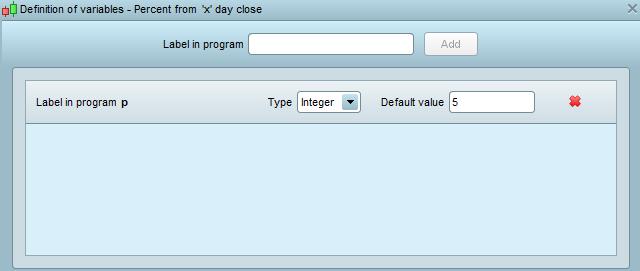
OK pretty simple , firstly ive written an indicator which is fairly handy in itself to base scan on , you will need to add a variable labelled ‘p’ . ive set the default value to 5
// percent from 'x' day close by Brisvegaxe

a = CLOSE[p]

b = CLOSE

c = b-a

d = c/b*100

return d as " Percent from 'x' day close "
Now we do the scanner using indicator above
// Scan for y % from x close by Brisvegaxe

// Change this variable to adust days look back period

x = 5

// Change this variable to adjust the percentage from

y = 10

indicator1 = CALL "Percent from  'x' day close"[x]
c1 = (indicator1 >= y)

criteria = CALL "Percent from  'x' day close"[x]

SCREENER[c1] (criteria AS " Percent above 'x' day close ")
change the ‘x’ = to the days lookback you require … 5 ,10 etcetc and ive used ‘y’ to give some flexibility to the percentage numbers you scan Enjoy
Hey Brisvegas I’m having a little trouble making the scanner work.
Firstly I added the indicator in to my PRT, and changed the p value to 5.
Then I added the screener and left everything as is (x = 5, y = 10)
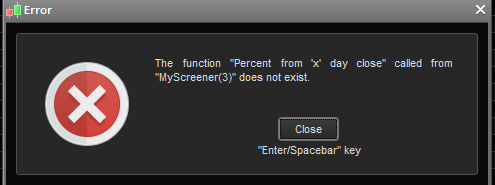
and then i got an error message (I have attached it).
the error message doesnt help , post your codes for both Oh and dont bother saying thanks for the work i just did for you and no-one but you
delete ‘ your ‘ version of indicator and install this
Hey Brisvegas,
I managed to figure it out!
Thanks a bunch for taking the time to create the scanner for me, it is much appreciated.
Happy Trading
Kind Regards
Hey Brisvegas
Cheers again, the screener has been working a treat!
Is there any possible way to add additional code to weed out stocks that are priced under a dollar or any amount I specify?
Kind Regards
Hey Brisvegas Cheers again, the screener has been working a treat! Is there any possible way to add additional code to weed out stocks that are priced under a dollar or any amount I specify? Kind Regards
Sure is just to insert a condition close > (insert price here )
Have any issues working that out and i will write it for you . Would do it now but otherwise occupied ..
Hey Bris Vegas
I’m not too sure how to use the simplified creation option to existing code?
Hello Aduro. I don’t normally do screeners so it was a nice little exercise for me. It does not use a separate indicator like Brisvegas’s. Hopefully it works and does what you want. Just set the Period, Percentage and Minprice needed in the code. ITF file attached that you can import. Let me know if it is wrong in anyway!
// Percentage Rise in Period and Above Minimum Price
//Created by Vonasi

Period = 5
Percentage = 10
MinPrice = 100

PercentageRise = ((close - close[Period])/close)*100
a = PercentageRise > Percentage and close > MinPrice

SCREENER [a](PercentageRise as "%Rise")
ITF file also attached.
Cheers Vonasi!
Works perfectly, your a champion