Software doesn't start

Viewing 15 posts - 1 through 15 (of 25 total)
  • Author
    Posts
  • #127671 quote
    gkozma
    Participant
    New

    Hi All,


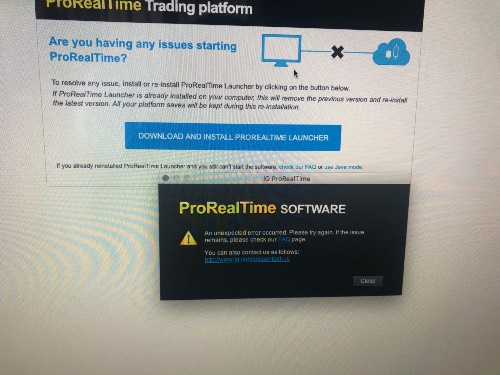
    I have started using ProRealTime via IG demo and live accounts a couple of weeks ago and thoroughly enjoying all the features.  This morning as i tried to log in the attached error message greeted me.  Does anyone know why this is, nothing had been changed and I had been using the software previously.  Even IG’s IT support was clueless so waiting for it to be escalated to PRT but thought would ask the question here as well.


    Thanks

    #127672 quote
    gkozma
    Participant
    New

    Apologies, the image doesn’t seem to upload.  It says ‘An unexpected error occurred.  Please try again.  If the issue remain, please check our FAQ page.’

    #127725 quote
    Nicolas
    Keymaster
    Master

    What is your operating system please?

    The picture you tried to upload was too large, try to reduce its size!

    #127770 quote
    gkozma
    Participant
    New

    I am using a Mac.  Support referred me to a link, but it didn’t help as most of the specs are for Windows


    https://www.prorealcode.com/blog/prorealtime-help/launch-prorealtime-complete-guide/

    PRT-error-msg-copy.jpg PRT-error-msg-copy.jpg
    #127795 quote
    GraHal
    Participant
    Master

    Did you download the new Launcher as it says in the screen shot?

    There has been a new version issued for Mac’s in the last week or so.

    #127800 quote
    gkozma
    Participant
    New

    Yes. I did the following:

    • uninstalled and installed the software pkg
    • restarted the computer
    • tried to launch it using Java mode
    • the security settings as follows:
      • firewall off
      • accessibility has been given to Java

    Not sure what else to change.

    #127808 quote
    GraHal
    Participant
    Master

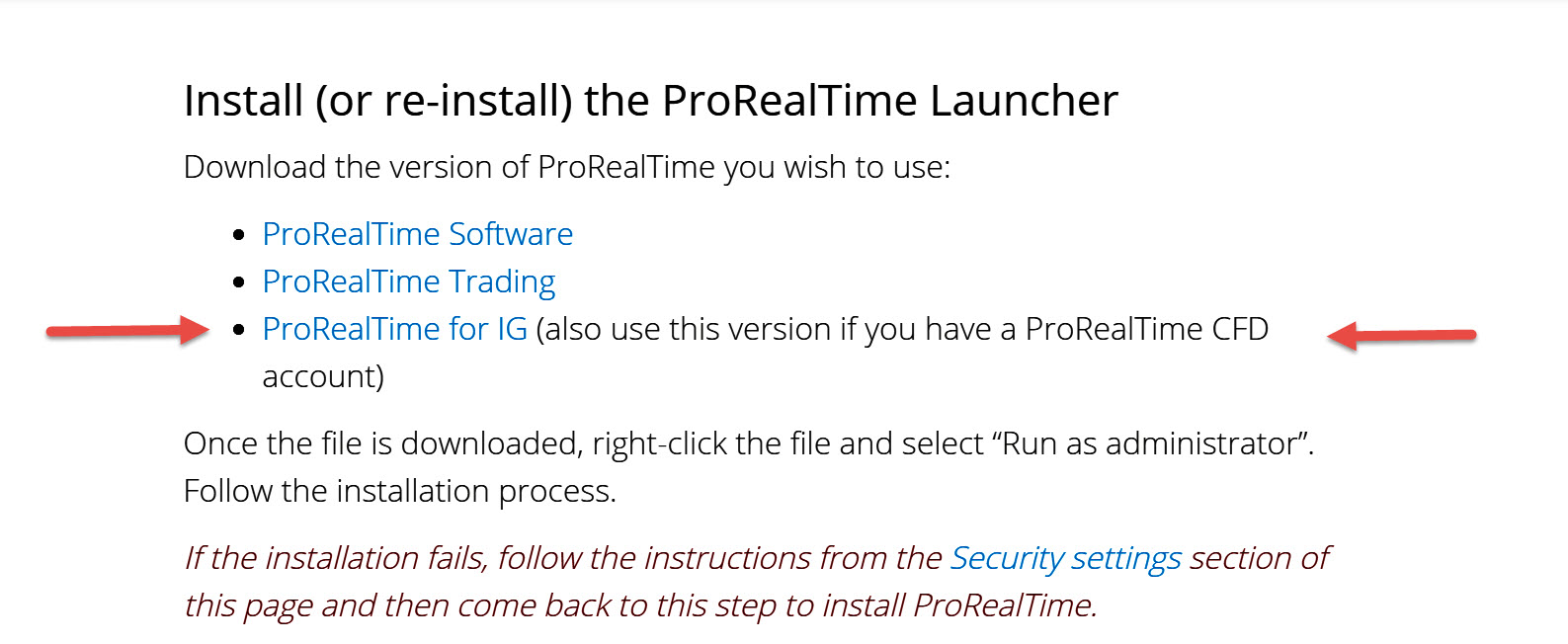
    If you are with IG  … did you install the ‘PRT for IG’ Launcher … see attached?

    gk.jpg gk.jpg
    #127813 quote
    gkozma
    Participant
    New

    I am with IG and I downloaded the software through their platform.  Not seen the attached screen before but I assume i have the right file.

    #127823 quote
    GraHal
    Participant
    Master

    Not seen the attached screen before

    The screen was part of the LInk that PRT referred you to  … you included the link above in your post.

    You need to repeat the Launcher install using the IG Link … you’ve got nothing to lose?

    #127906 quote
    gkozma
    Participant
    New

    Tried all the links but getting the same message in all (albeit the contact details are different).  I have now signed up for a demo account directly with PRT as they may know better how to solve this issue than IG.

    GraHal thanked this post
    #127981 quote
    GraHal
    Participant
    Master

    Did you manage to open a Demo Account direct with PRT … is it any better??

    Did you see the Topic below re latest version PRT on Mac’s??

    I just downloaded the update this morning but now I can no longer 2 finger scroll down the code window within the trading system creation window.

    #128175 quote
    SuperMike
    Participant
    Senior

    I opened exactly the same topic in French, same issue… what’s going on ?

    I’ve tried everything possible, even uninstall Java on my Mac cause there was a new version. But the problem is not there, and it worked when they the new package.

    So it’s clearly from PRT side.

    #128176 quote
    SuperMike
    Participant
    Senior

    And for information, I’ve tried with Safari and Chrome… fail.

    #128335 quote
    SuperMike
    Participant
    Senior

    Is there someone who takes the problem ??

    (it’s still there)

    #128347 quote
    Nicolas
    Keymaster
    Master

    I’m trying to know more about this issue for some Mac users. Will give news once I get ones.

Viewing 15 posts - 1 through 15 (of 25 total)
  • You must be logged in to reply to this topic.

Software doesn't start


Platform Support: Charts, Data & Broker Setup

New Reply
Author
author-avatar
gkozma @gkozma Participant
Summary

This topic contains 24 replies,
has 6 voices, and was last updated by RafaelN

5 years, 8 months ago.

Topic Details
Forum: Platform Support: Charts, Data & Broker Setup
Language: English
Started: 04/23/2020
Status: Active
Attachments: 2 files
Logo Logo
Loading...