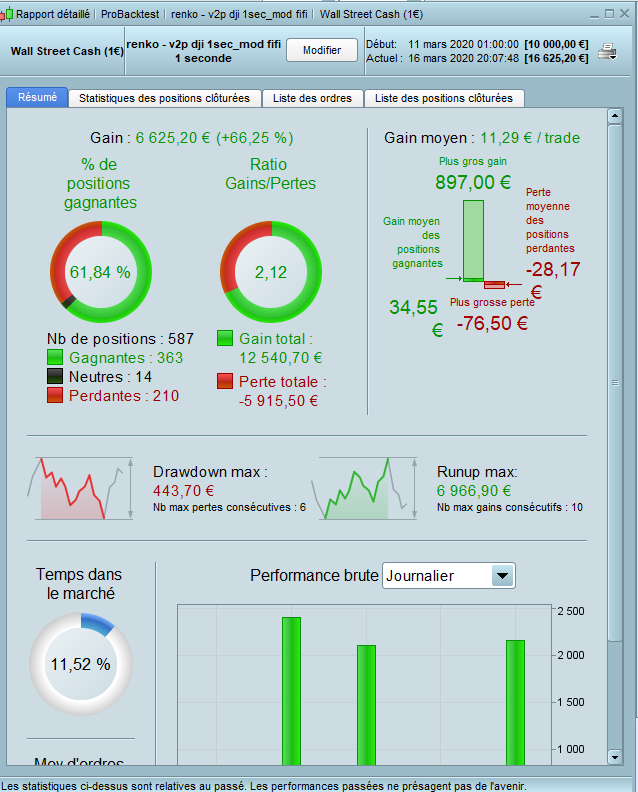
No one is working trying to convert the strategy on higher timeframes? Maybe we can share ideas i would like to support it, it seems very interesting but i think will never put on live a strategy with 1 sec
 Paul
PaulParticipant
Master
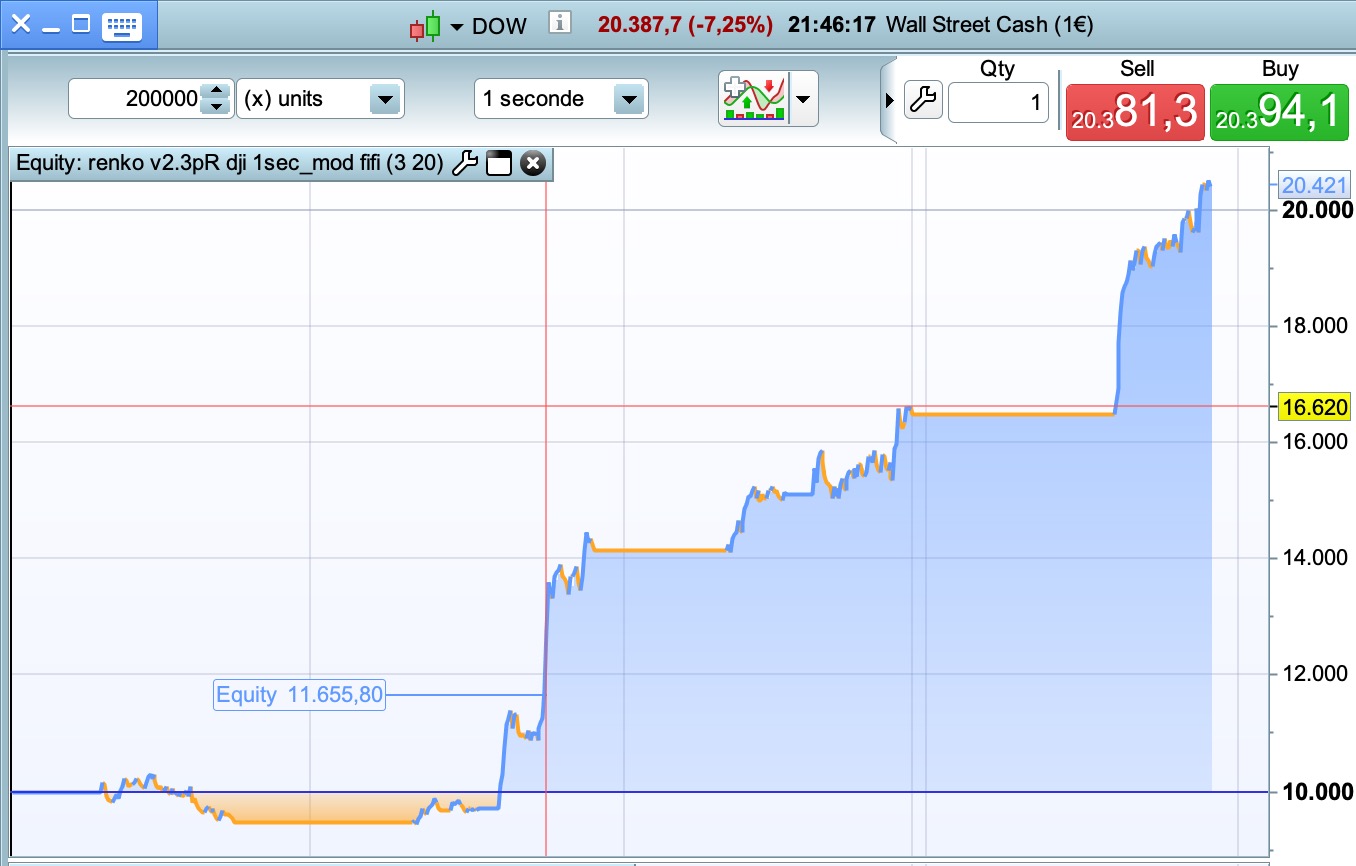
maybe what can be tested is trading the equity curve
if performance falls, stop live trading, but keep counting fake trade results.
If the fake results pick up, start trading live again.
@Francesco second timeframe appears to be excellent to iron out the shortcomings and fix those. Later on I go back to a slower timeframe.
Today anyway was a great day, but I’am not so sure if the results hold, when trading a much smaller range.
f performance falls, stop live trading, but keep counting fake trade results. If the fake results pick up, start trading live again.
Good idea as I have a few times today thought … I’ll put this live on Lot size 0.2 as it is doing so well then it goes through a losing phase! 🙂 But still in profit overall!
If it wasn’t for the “broker does not know the status of your last order” System Stop then I would have 5 or 6 versions running at the same time and pick the best!
PaulParticipant
Master
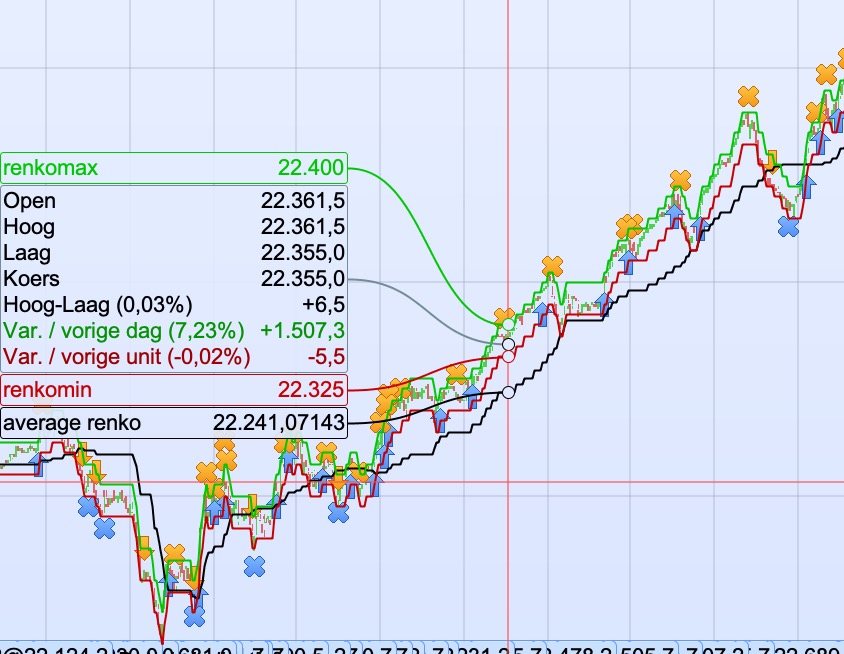
Found a code from Nicolas and adopted it slightly to fit this strategy. It slows it down on 200k bars though.
i.e. Can be used to trade only in the trend
//moving average
once usema=1
if usema then
once priceMAperiod=14
count=0
sum=0
lastbox=0
for i = 0 to barindex do
if renkomax[i]<>lastbox then
lastbox=renkomax[i]
count=count+1
median=((renkomax[i]+renkomin[i])/2)
sum=sum+median
if count=priceMAperiod+1 then
sum=sum-last
last=median
break
//
endif
endif
next
once avg=undefined
if last<>last[1] then
avg = sum/priceMAperiod
endif
graphonprice avg as "average renko"
endif
there was always something off with the “dynamic box”. Removed the +/- 1.
boxsize=25 // 5 to 35
boxdiff=0  // -5 to 5

if dynamicbox then
if close>close[1] and close[1]>close[2] then
boxsize=boxsize+boxdiff
elsif close<close[1] and close[1]<close[2] then
boxsize=boxsize-boxdiff
endif
endif
PaulParticipant
Master
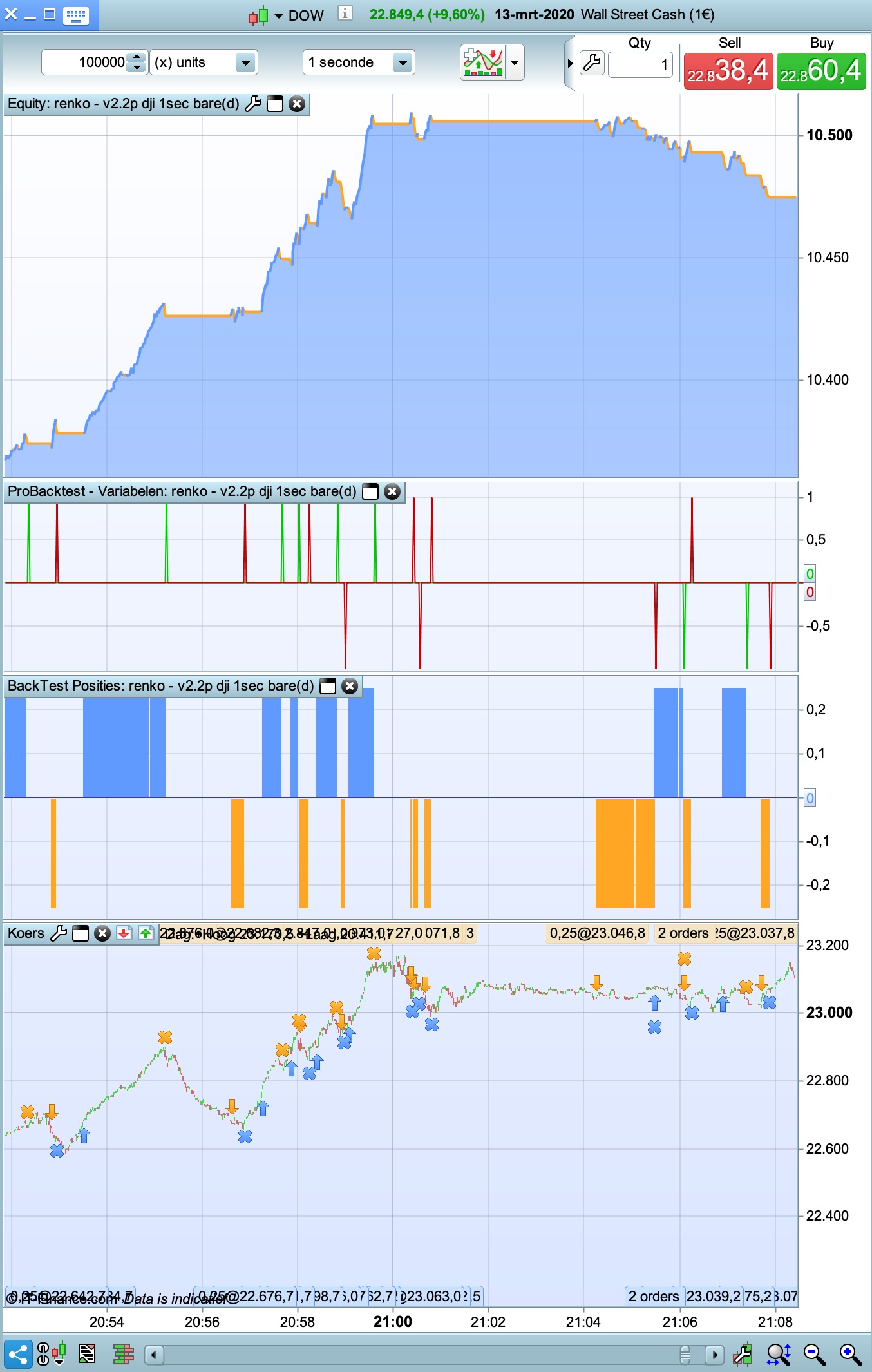
it’s based on code what’s already used to determine performance.
Takes the last completed trade result from a long (green) or short (red) and plot’s it as 1 for a win and -1 for a loss.
Not sure yet if it could be usefull.
if (longperf>longperf[2]) then
previouslong=1
elsif (longperf<longperf[2]) then
previouslong=-1
else
previouslong=0
endif
if (shortperf>shortperf[2]) then
previousshort=1
elsif (shortperf<shortperf[2]) then
previousshort=-1
else
previousshort=0
endif

graph previouslong coloured(0,200,0) as  "long result  (1=win;-1=loss)"
graph previousshort coloured(200,0,0) as "short result (1=win;-1=loss)"
Not sure yet if it could be usefull.
If anybody can … you can Paul!
I’m sold on these 1 second Systems …. loved it last week, so interesting due to loads trades!
And with the DJi up and down by 1oo points and more in 1 min the 1 Sec TF could be the way to go!?
Btw I found Hour > 3 and Hour < 23 giving consistent good results re times to trade.
PaulParticipant
Master
If it wasn’t for the “broker does not know the status of your last order” System Stop then I would have 5 or 6 versions running at the same time and pick the best!
When trying different positionsizes. like 1 contract, 1,01 etc I’am testing currently. Doesn’t seem to work though?
Interesting is the south african 40 to test too, in the timezone with the lowest spread.
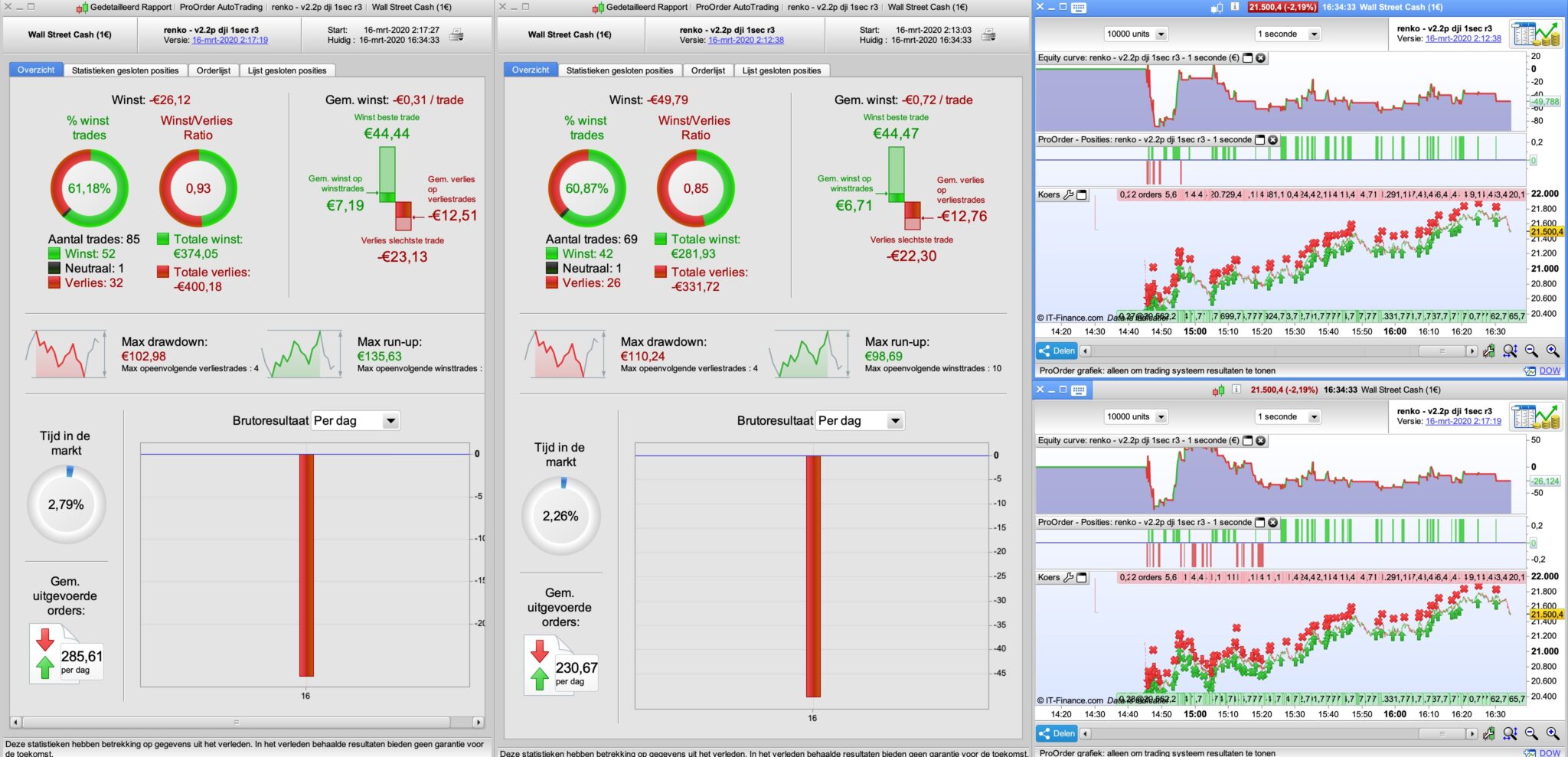
Still backtest difference from the forward demo test, even with the fixes I tried.
PaulParticipant
Master
same strategy in forward demo test
one 0.27 positionsize, other 0.28. Rest is the same.
Hi .
I don’t understand this
It is not a comparison.
myindex + nbbarlimit
if rule1 and myindex + nbbarlimit and mylimitshort > 0  and not shortonmarket then
sellshort positionsize contract at market
endif
PaulParticipant
Master
Good evening Fifi,
The code comes from the prorealtime manual on page 11.
You can set the validity length of limit and stop orders.
The following example shows how it is possible to create a limit order with a validity set to a specific number of bars by using variables. The code places a buy limit order at the close price of the bar on which a moving- average crossover occurred. This limit is valid for 10 bars after the bar of the crossing. If it is not executed during these 10 bars, it is cancelled.
// Definition of the validity length of the order
ONCE NbBarLimit = 10
MM20 = Average[20](close) MM50 = Average[50](close)
// If MM20 crosses over MM50, we define 2 variables "MyLimitBuy" and "MyIndex" containing the close price at that time and the index of the bar of the cross.
IF MM20 CROSSES OVER MM50 THEN MyLimitBuy = close
MyIndex = Barindex
ENDIF
IF BarIndex >= MyIndex + NbBarLimit THEN MyLimitBuy = 0
ENDIF
// Place an order at the price MyLimitBuy valid as long as this variable is greater than 0 and we are not in a long position.
// Remember: MyLimitBuy is greater than 0 for the 10 bars after the bar of the crossing.
IF MyLimitBuy > 0 AND NOT LongOnMarket THEN
   BUY 1 SHARES AT MyLimitBuy LIMIT
ENDIF
In case the order was not executed, it is possible to replace the expired buy limit order with a buy at market price order. This could be done by adding the following code to the previous one:
IF MyIndex + NbBarLimit AND MyLimitBuy > 0 AND NOT LongOnMarket THEN
   BUY 1 SHARES AT MARKET
ENDIF
I do not know where you are in the updates.
here’s mine
Link to Paul’s post above added as Log 200 here …
Snippet Link Library
Right above the trailling stop, I put this code.
if longonmarket and barindex<=myindex + nbbarlimit and strategyprofit>strategyprofit+(close-positionprice)*round(COUNTOFLONGSHARES/positionsize) then
trailingstoptype=0
else
trailingstoptype=1
endif
if shortonmarket and barindex>=myindex + nbbarlimit and strategyprofit>strategyprofit+(positionprice-close)*round(COUNTOFSHORTSHARES/positionsize) then
trailingstoptype=0
else
trailingstoptype=1
endif
PaulParticipant
Master
Thanks I will included it! Working on last part.
I’ve 2 different versions, one with the code in the manual above, other normal approach.
If using nnbarlimit=1 then both systems have the same result, as it should be.
Also 3 ways to calculate the boxes. pfff and an attempted fix to run correctly.
PaulParticipant
Master
Renkoboxes default uses close, I experimented with totalprice & Heiken Ashi.
Removed dynamic box. It added nothing good enough.
results are with spread 2.4 between 8am and 22pm.
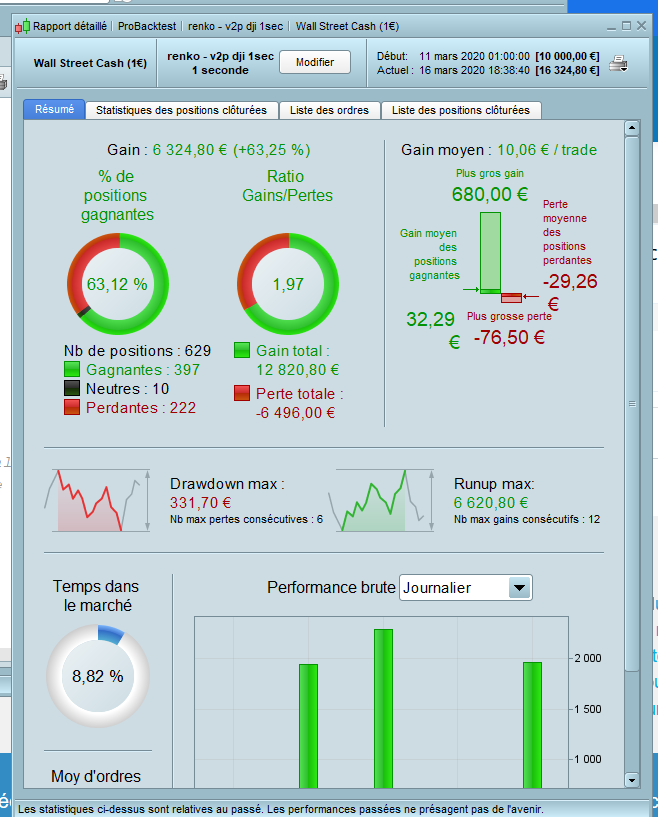
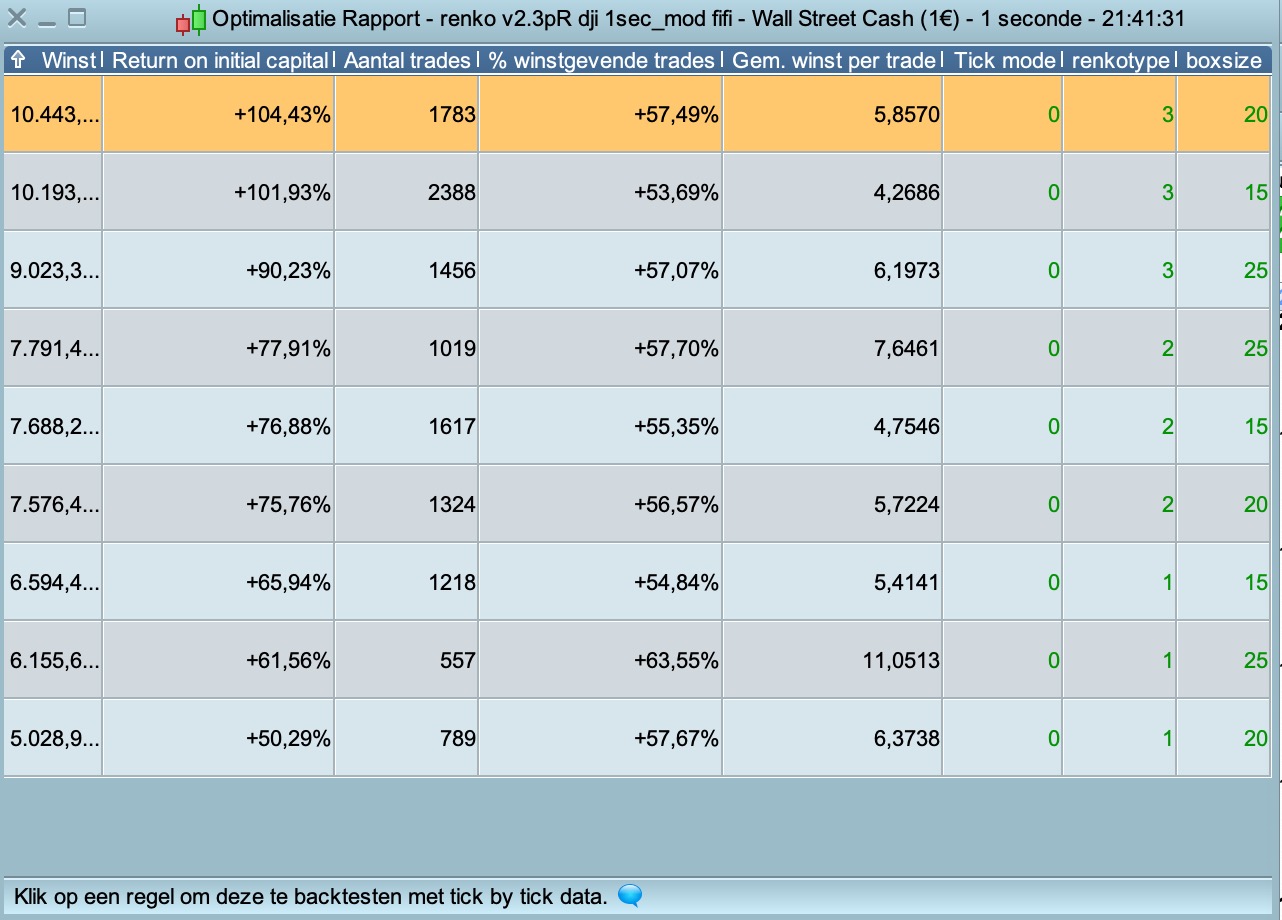
Original renko based on “close” with boxsize_25, 6k
renko based on “Heiken Ashi” with boxsize__ 20, 10k
more important I still see differences between live & active orders from the backtest. Maybe because I’am running different versions. Tomorrow I will stick to one.