Hello
I need help with Walk forward.
I know there is a video about wf but it is in French and I do not understand a word French.
Then there is an instruction in English that I do not fully master either so I ask a question or two here if it goes well.
I have been told sometimes that my algos are over optimized because I only do a regular back test.
Walk forward is apparently much better.
Trying to put me in mind you do a wf in the simplest way.
I chose 5 repetitions on my wf.
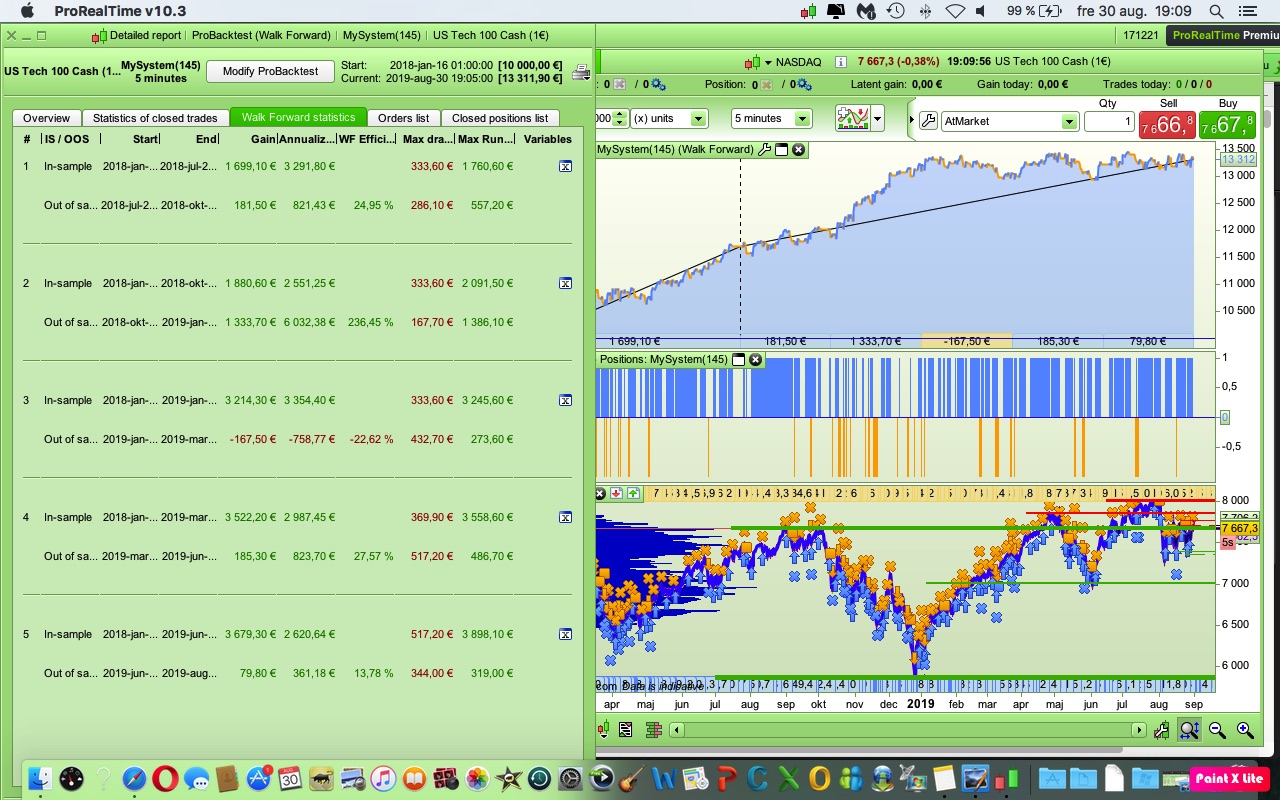
I then get 5 different results on my wf test.
Which one should I choose.
A result of over 50% should be obtained for a robust algo.
The reason I chose 5 reps was because I saw a video here on the forum where you just chose 5 reps.
It’s not easy to be a beginner 🙂
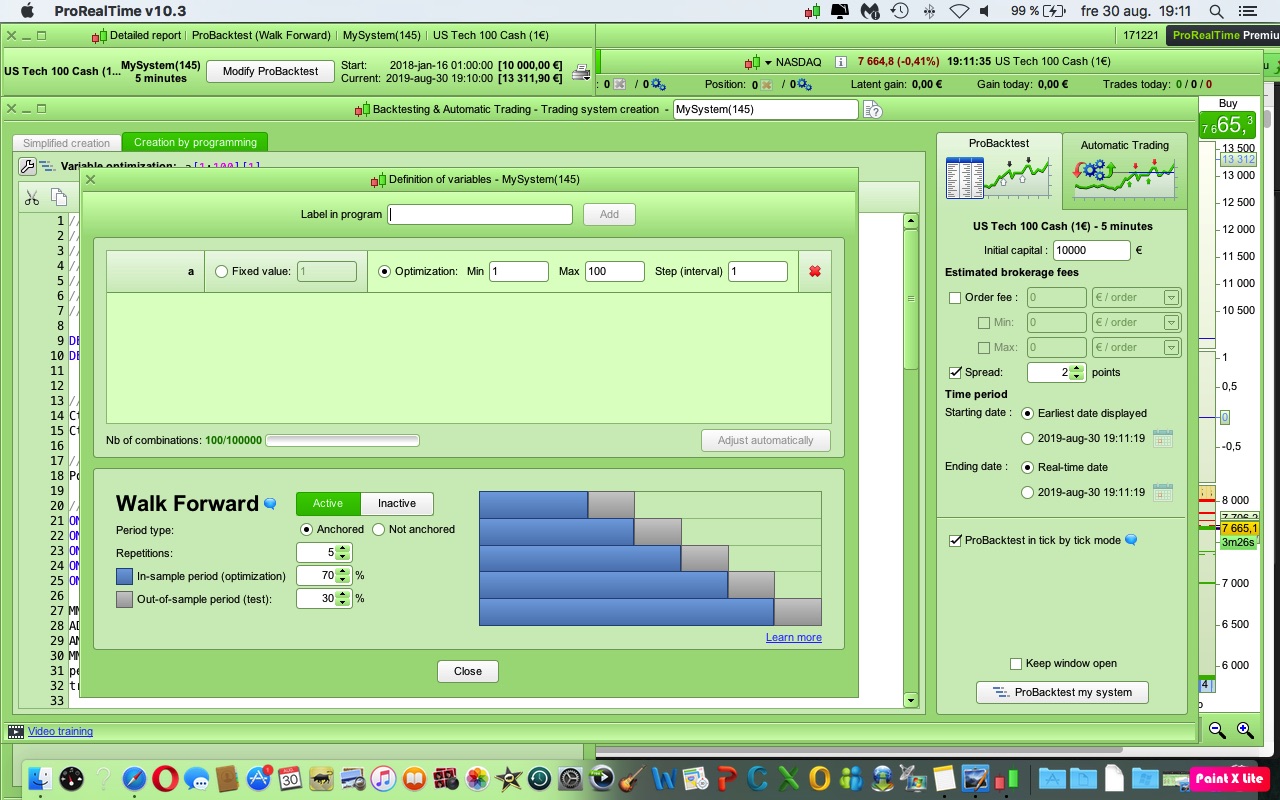
First question … is a an actual variable in your coded strategy?
OR
Is a a dummy variable just to make the Walk Forward work??
This code is not mine.
Balmora made this code and bullbear modify it.
I would like to see if I can make the code work better without it being over op.
“a” is a parameter in short condition
DEFPARAM CumulateOrders = false
DEFPARAM Preloadbars = 50000


//TRADING TIME
CtimeA = time >= 150000 and time <= 220000
CtimeB = time >= 150000 and time <= 220000

//POSITION SIZE
PositionSize = 1

//STRATEGY
ONCE PeriodeA = 5
ONCE nbChandelierA= 17
ONCE PeriodeB = 19
ONCE nbChandelierB= 34
ONCE lag = 1.5

MMA = Exponentialaverage[PeriodeA](close)
ADJASUROPPO = (MMA-MMA[nbchandelierA]*pipsize) / nbChandelierA
ANGLE = (ATAN(ADJASUROPPO))
MMB = Exponentialaverage[PeriodeB](close)
pente = (MMB-MMB[nbchandelierB]*pipsize) / nbchandelierB
trigger = Exponentialaverage[PeriodeB+lag](pente)

//BUY CONDITIONS
CondBuy1 = ANGLE >= 8
CondBuy2 = (pente > trigger) AND (pente < 0)
CondBuy3 = average[100](close) > average[100](close)[1]
CONDBUY = CondBuy1 and CondBuy2 and CondBuy3 and CTimeA

//SHORT CONDITIONS
CondSell1 = ANGLE <= - a
CondSell2 = (pente CROSSES UNDER trigger) AND (pente > -1)
CondSell3 = average[20](close) < average[20](close)[1]
CONDSELL = CondSell1 and CondSell2 and CondSell3 and CtimeB


//POSITION LONGUE
IF CONDBUY THEN
buy PositionSize contract at market
SET STOP %LOSS 2
ENDIF

//POSITION COURTE
IF CONDSELL THEN
Sellshort PositionSize contract at market
SET STOP %LOSS 2
ENDIF


//TRAILING STOP
ONCE trailingStopType     = 1    // Trailing Stop - 0 OFF, 1 ON
ONCE trailingstoplong     = 8    // Trailing Stop Atr Relative Distance
ONCE trailingstopshort    = 5    // Trailing Stop Atr Relative Distance

ONCE atrtrailingperiod    = 30  // Atr parameter Value
ONCE minstop              = 0    // Minimum Trailing Stop Distance


// TRAILINGSTOP
//----------------------------------------------
atrtrail = AverageTrueRange[atrtrailingperiod]((close/10)*pipsize)/1000
trailingstartl = round(atrtrail*trailingstoplong)
trailingstartS = round(atrtrail*trailingstopshort)
if trailingStopType = 1 THEN
TGL =trailingstartl
TGS=trailingstarts
if not onmarket then

MAXPRICE = 0
MINPRICE = close
PREZZOUSCITA = 0
ENDIF
if longonmarket then
MAXPRICE = MAX(MAXPRICE,close)
if MAXPRICE-tradeprice(1)>=TGL*pointsize then
if MAXPRICE-tradeprice(1)>=MINSTOP then
PREZZOUSCITA = MAXPRICE-TGL*pointsize
ELSE
PREZZOUSCITA = MAXPRICE - MINSTOP*pointsize
ENDIF
ENDIF
ENDIF
if shortonmarket then
MINPRICE = MIN(MINPRICE,close)
if tradeprice(1)-MINPRICE>=TGS*pointsize then
if tradeprice(1)-MINPRICE>=MINSTOP then
PREZZOUSCITA = MINPRICE+TGS*pointsize
ELSE
PREZZOUSCITA = MINPRICE + MINSTOP*pointsize
ENDIF
ENDIF
ENDIF
if onmarket and PREZZOUSCITA>0 then
EXITSHORT AT PREZZOUSCITA STOP
SELL AT PREZZOUSCITA STOP
ENDIF
ENDIF
From my Walk Forward my conclusion are that the optimal value for a is very different during a downtrend (a = – 5) than during an uptrend (a = – 75)?
You could monitor trends and adjust value of a accordingly, for example do a WF each weekend.
OR
Use a value a = – 35 as a compromise (midway between 5 and 75) and never re-optimise.
Be great if others came in on the discussion with their views / conclusions?
Also in an optimise range from 0 to 100 then a step interval of 10 would be more normal (you show a step of 1).
You could then use a step of 5 during a re-optimise across a narrower range.
Stefanb have you tried selecting Swedish as the displayed language (top left of each page when reading English or French Topics on Forums … might be easier / quicker for you to understand? Some words and phrases inevitably will get a bit screwed up.
I have to say though that your comments read like English is your native tongue!
Thanks Grahal for your helpful comments.
This with over-optimization is probably the biggest problem as to why most of the codes in the library do not work.
Have tested a lot of codes, some of which are old and most of them end up working after are made.
It would be very good if someone who is proficient at WF could make as simple an instruction as possible.
Then the quality of the codes here on the forum would be much better and that is what we want.
Still mean a really simple variant.
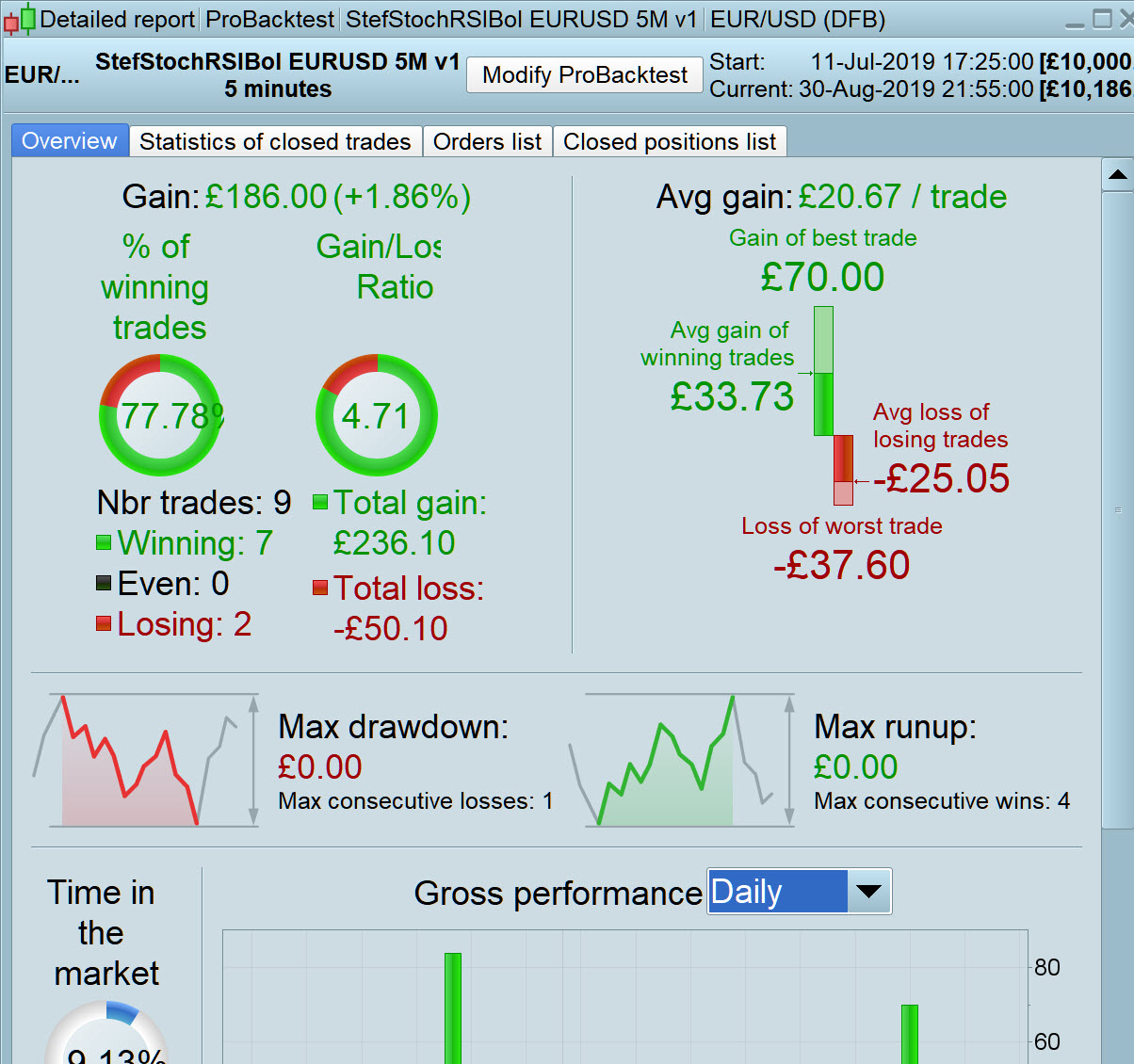
Attaches a code that is very simple that probably won’t work.
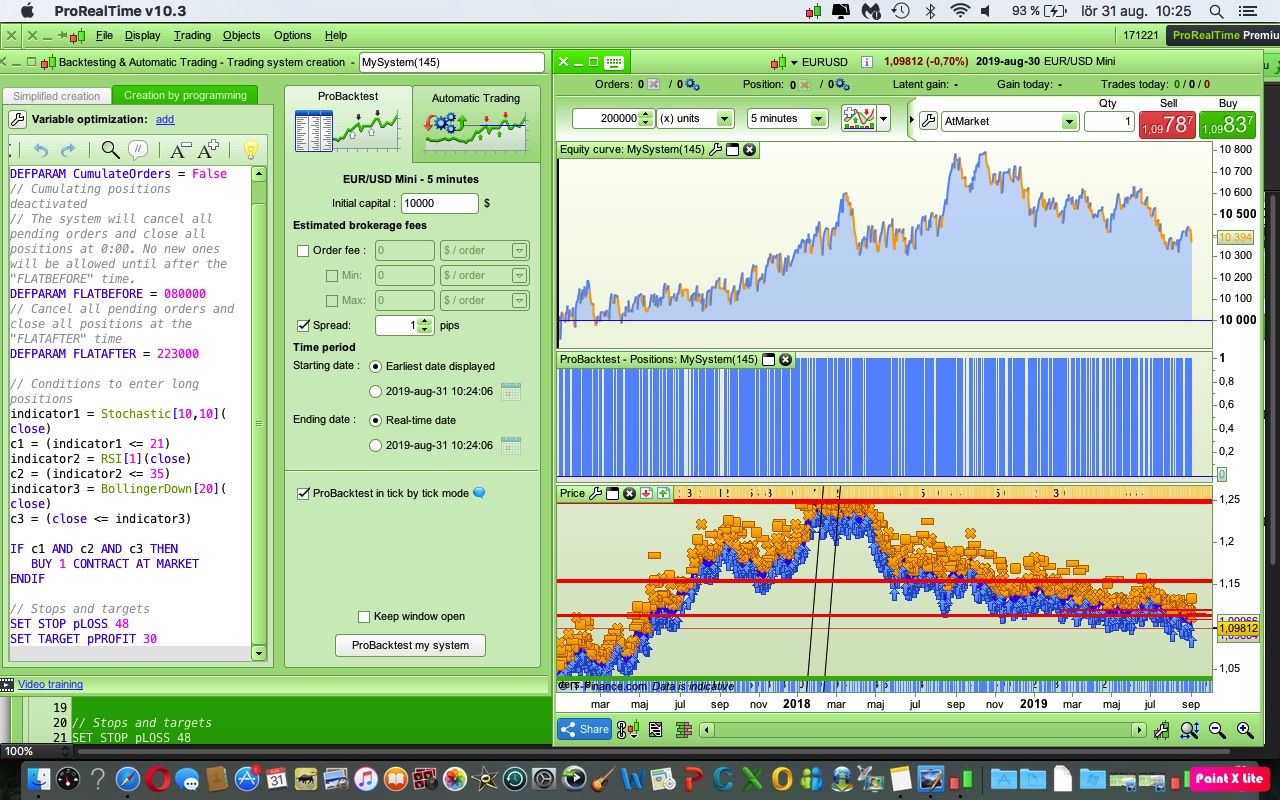
I think it’s a EURUSD 5 min code
How would you who are capable optimize it with WF.
What needs to be optimized in this case can be Stochastic, RSI, SL and TP.
// Definition of code parameters
DEFPARAM CumulateOrders = False // Cumulating positions deactivated
// The system will cancel all pending orders and close all positions at 0:00. No new ones will be allowed until after the "FLATBEFORE" time.
DEFPARAM FLATBEFORE = 080000
// Cancel all pending orders and close all positions at the "FLATAFTER" time
DEFPARAM FLATAFTER = 223000

// Conditions to enter long positions
indicator1 = Stochastic[14,3](close)
c1 = (indicator1 <= 19)
indicator2 = RSI[14](close)
c2 = (indicator2 <= 35)
indicator3 = BollingerDown[20](close)
c3 = (close <= indicator3)

IF c1 AND c2 AND c3 THEN
BUY 1 CONTRACT AT MARKET
ENDIF

// Stops and targets
SET STOP pLOSS 40
SET TARGET pPROFIT 40
Optimized with backtest.
Has optimized from 2016 December 26 to 2018 September.
Would be nice to see if anyone wanted to optimize the same date with WF so you can see the difference.
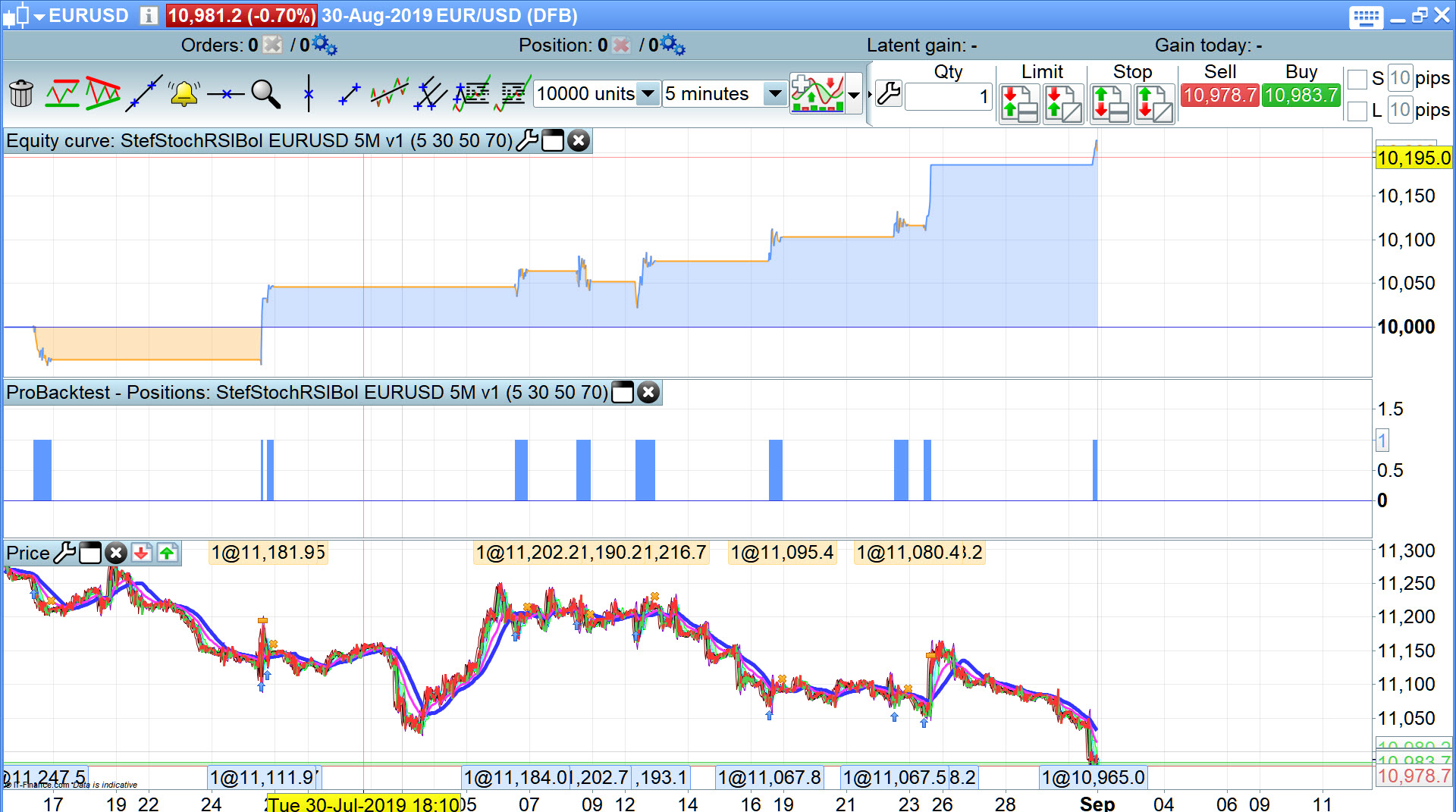
Attached is best I can do! Spread = 2 … which may be excessive for eurusd with flatafter 22:30?
No hope for a parameter set to give even half decent results over 100k bars! I tried opti over full 100k bars and also un-anchored wf with 5 x os and is periods, result … no parameter set worth keeping! 🙁
I tried 3 different exit strategies (using stoch, RSI and < MA etc) but in the end the TP and SL gave best results!
So what I am going to do is set attached going on Demo Forward Test and try and remember to re-optimise at least monthly, maybe even every 2 weeks.
Be good for you to go through the same process @Stefanb on a separate SellShort version then combine the two version (Long only and Short only) and see if the combined is better than each separate or at least equal to both added? This is a procedure I do now and again.
Let us know how you get on please?
Info Note:
My view is that just because a strategy cannot perform over 100k bars + does not mean that it is shite! Markets change … what punters see as trigger levels last week they did not use those levels as triggers last year etc, but they may even go back to the old trigger levels next year!
Having done loads of manual trading then we use what worked on the last few trades and this can result in a cadence shift over time in successful trigger values across a particular Market … due to loads of big traders doing the same gig??
Above could be why Library strategies drop off in performance as they move further away from date of entry into the Library?
The values I chose for TP and SL over 10K bars, I do not consider as over optimised due to values over several steps either side of optimal also showing good profit levels and performance stats etc.
The best way to think of WF testing is that you are just breaking your strategy down into small sections of data and testing on that data and then comparing the results of each test. If they are similar then your strategy might be quite robust. If you optimize variables in a WF then you are also looking for similarity between each bit of data tested. If all the variables come out close or the same for each section tested then it is far more robust than if they vary wildly.
All WF is really doing is comparing smaller back tests to see how similar to each other they are. Similar = good and very different = bad!
Thanks for all the answers 🙂
So if I want to test how robust a code is, I can do the following.
First, I optimize my algo in a regular back test 70% of the time.
Then I run a WF test with 5 periods and select “active and” Achored.
Also selects 70% in-sample.
If it turns out that the 5 periods have fairly similar results and that all periods have a result above 50%, I have a robust system.
Does this sound ok to you or you have to do the whole optimization in WF.
Should now pour a large cup of coffee and read through the links Nicolas attached:)
What you have described is one way to use WF. Remember that their are various settings that you can change such as number of repetitions and ratio of IS to OS so you might want to try other tests as well as the 70/30 x 5 test. Setting a dummy variable value to test from 1 to 1 or just testing one of your strategies variables with a range x to x and then testing various combinations of %/% x repetitions can give you a good idea of overall robustness.
The 50% level for WF efficiency is also not set in stone. 50% basically means that your strategy was half as good in the OOS periods as it was in the IS period. You might decide that this is not robust enough and strive for greater than 90%. On the other side of the coin a WF efficiency of 150% indicates that your strategy performed a lot worse in the 70% IS periods than it did in the 30% OOS periods which might be of concern.
If you have a strategy that seems to be quite robust in various WF tests and seems to come up with an optimised variable setting within a close range for all repetitions then you will want to use the last chosen variable if you go live as that is the one that has performed the best most recently. Then you will want to re-WF optimise occasionally to decide if you need to tweak the value occasionally.
There is no fixed in stone right or wrong way to use WF and no set of rules as to how it should be used. It is simply a tool that allows us to analyse our strategies and get a ‘feeling’ for how robust they are.