 Mert
MertParticipant
Average
Hello,
I look at a 5 minute chart and want to build an indicator. One part of the indicator is based on the HULL MA direction. I can code for example: average [20] < average [20] [1] or close< average [20], etc.
I cannot do this with the HULL MA. Can someone help me? The code I need is: hullma [100] > hullma [100] [1]
Thanks in advance.
Mert
You need to use below for the Hull MA
Average[20,8](close)
With upcoming v11 you’ll have it as number 7 at https://www.prorealcode.com/documentation/average
and there could be also predefined instructions to refer it.
As for now you can use existing code https://www.prorealcode.com/topic/hull-average-uptrend-downtrend-alert/
I suggest that you use extensively the native search box to find any possible reference to whatever concerns trading, provided it has already been discussed on the forum.
MertParticipant
Average
Hello Grahal,
Thanks but when I add it to the code it gives the following error: define the type of moving average.
Do I do something wrong?
Do I do something wrong?
Sounds like yeah as I have been using Hull MA in lots of my own coded Systems lately and I don’t get that error.
You sure you have below … with the square brackets and parenthesis correct and the (close) included??
Average[100,8](close) > Average[100,8](close)[1]
Of course you could just post you code on here and somebody would spot the error in a jiffy (maybe even me! 🙂 )
EDIT / PS
Or is that (Close[1]) … I still cannot remember these simple rules! 🙁 and not got Platform open, sorry.
Good job PRT tells us when we are wrong! 🙂
Below is the correct syntax
Average[100,8](close) > Average[100,8](close[1])
MertParticipant
Average
Hi Grahal,
Thanks again but I still get the message to define the moving average. In any case, i will try to work around it.
regards
I still get the message to define the moving average.
What version PRT are you using?
I am using v 10.3
MertParticipant
Average
I seem to use v11.1? Beta.
 reb
rebParticipant
Master
Hello GraHal, Mert
Same issue for me and I use V10.3
Ah right well that will be why you are getting the define average message then as if you look at what Roberto said in his post above then in v11 the Hull average is 7 and there is no 8.
EDIT /PS
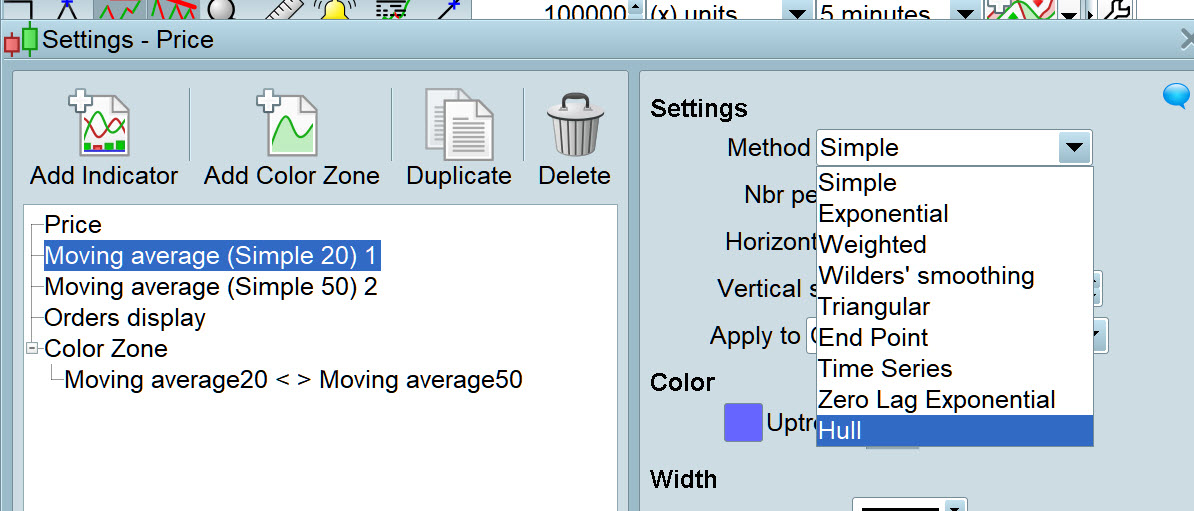
IN v 10.3 attached shows the averages options and they start at 0 for Simple so 8 is Hull
rebParticipant
Master
in 10.3, neither 8 nor 7 works on my side
Edit
I use the function you describe to show a Hull Average on my charts, but how to code it in Proorder??
Well here’s an example, looks like I used the Simplified Creation tool to try out the idea and it worked as it has made £205 in the last 4 weeks over 13 trades on Forward Test.
Looks like the Line 20 Sell condition C2 is redundant!? 🙂
If you improve below or fancy posting your code then I look forward to seeing what you got!? 🙂
//-------------------------------------------------------------------------
// Main code : HullMA DJI 30M v1.0
//-------------------------------------------------------------------------
//-------------------------------------------------------------------------
// Main code : Triangle MA DJI 30M v1.1
//-------------------------------------------------------------------------
// Definition of code parameters
DEFPARAM CumulateOrders = False // Cumulating positions deactivated
DEFPARAM PRELOADBARS = 1000

// Conditions to enter long positions
indicator1 = Average[200,8](close)
c1 = (close CROSSES OVER indicator1)

IF c1 THEN
BUY 1 PERPOINT AT MARKET
ENDIF

// Conditions to exit long positions
indicator2 = Average[500, 8](close)
c2 = (close CROSSES UNDER indicator2)

IF c2 THEN
SELL AT MARKET
ENDIF

// Conditions to enter short positions
indicator3 = Average[300,8](close)
c3 = (close CROSSES UNDER indicator3)

IF c3 THEN
SELLSHORT 1 PERPOINT AT MARKET
ENDIF

// Conditions to exit short positions
indicator4 = Average[200, 8](close)
c4 = (close CROSSES OVER indicator4)

IF c4 THEN
EXITSHORT AT MARKET
ENDIF
EDIT / PS
Maybe it was not so good as I just looked again and I had it stopped for 2 weeks. I made most of that £205 in one trade on Friday 7 June!
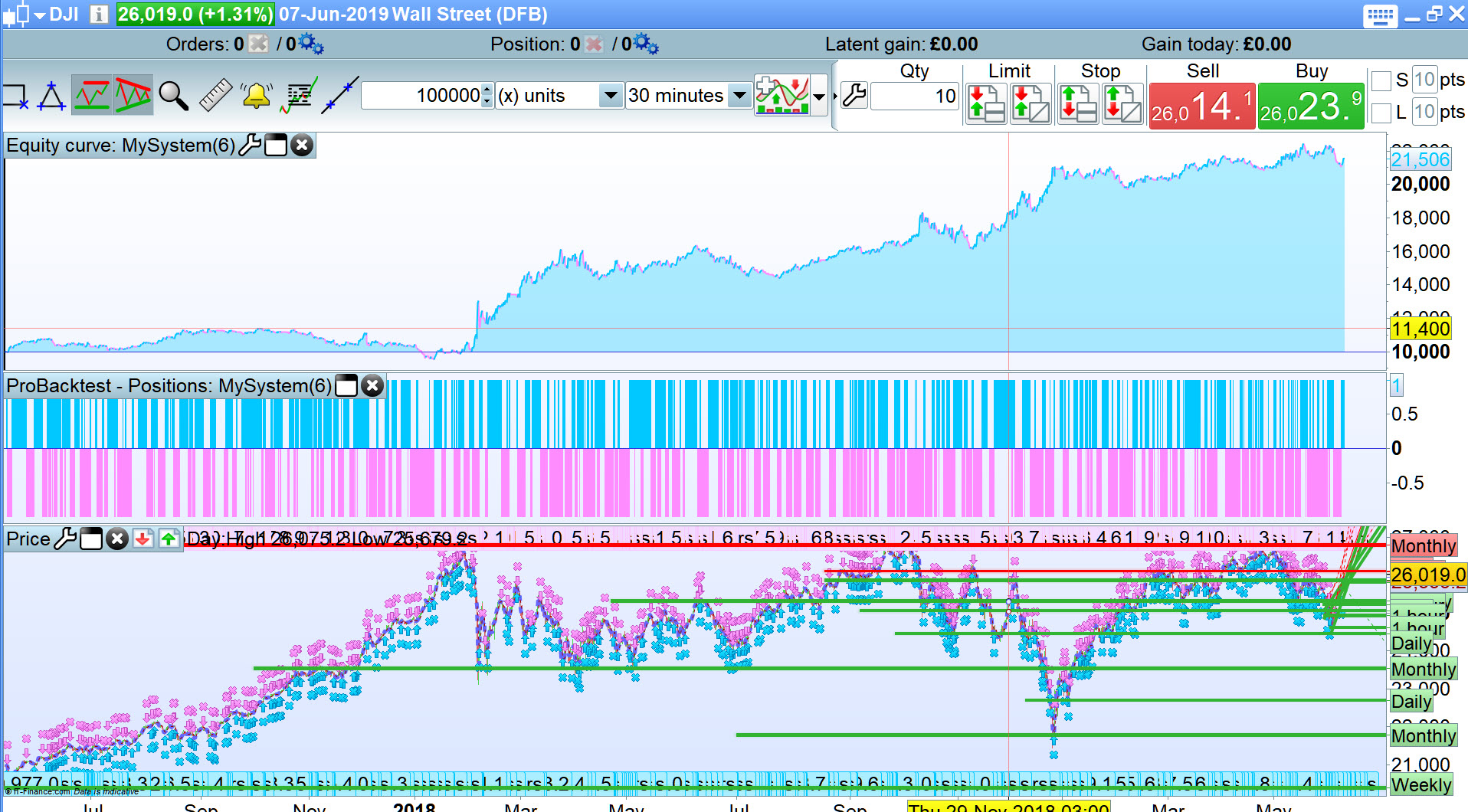
I just backtested it and attached is the curve over 100k bars with a spread = 4
rebParticipant
Master
interesting code
On my side I coded smt with the simplified Creation I select a Hull Average as a condition
here is the code created
Average[30](close)
no difference with a “normal ” average
Thks tough, I ll wait the v11