







Markov Chain Trend Probability
Introduction
Most trend indicators answer the question “is the market trending?” with a binary or a smoothed signal. The Markov Chain Trend Probability indicator, by Henrique Centieiro (inspired by the work of Russian mathematician Andrey Markov), takes a different angle: it answers “given the recent history of regimes, what is the probability the market stays in its current state?” — and then quantifies how well its own probability estimates have been calibrated using a metric borrowed from weather forecasting: the Brier Score.
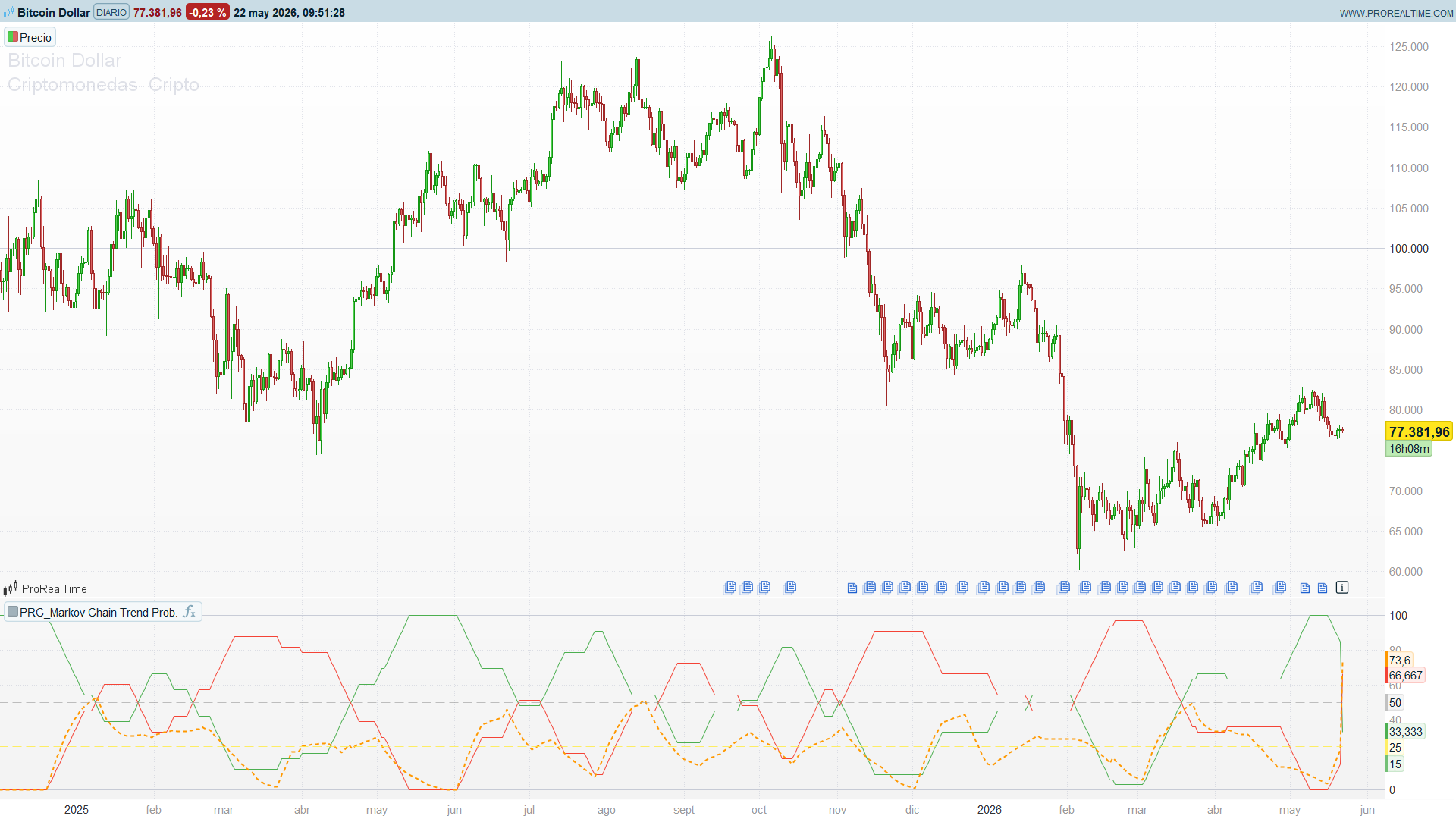
The result is an oscillator panel that displays three time series: the stationary probability of being in an uptrend, the stationary probability of being in a downtrend, and the running Brier Score of the model’s recent predictions. It is, in spirit, a self-aware trend filter — it tells you both what it thinks and how trustworthy that thinking has been lately.
Theory Behind the Indicator
Markov Chains in One Paragraph
A Markov chain is a memoryless stochastic process: the next state depends only on the current state, not on the full history. For a two-state market regime (uptrend / downtrend), the chain is fully described by four transition probabilities arranged in a 2×2 matrix:
            to=Up    to=Down
from=Up    [ P↑↑     P↑↓   ]
from=Down  [ P↓↑     P↓↓   ]
Each row sums to 1. The diagonal entries (P↑↑, P↓↓) measure regime persistence: high values mean the market tends to stay where it is; low values mean it flips often. The stationary distribution (the long-run probability of being in each state) is the eigenvector of the transition matrix associated with eigenvalue 1.
In this indicator, both the transition probabilities and the stationary probabilities are estimated empirically by counting frequencies over the last historyLength bars.
Classifying the Current Regime
Each bar is labelled UPTREND or DOWNTREND based on a single normalised statistic:
priceChange       = close − close[lookbackPeriod]
atrNormChange     = priceChange / ATR(atrLength)
The decision rule has a deliberate dead zone:
atrNormChange > +atrThreshold→ UPTRENDatrNormChange < −atrThreshold→ DOWNTREND- otherwise → keep previous state
The hysteresis (carry-over) is what gives the model its memory. Without it, the state would flip on every minor wiggle inside the dead zone and the transition probabilities would converge to noise.
Estimating the Probabilities
The indicator keeps the last historyLength states in a FIFO buffer. From this buffer it computes:
- Stationary probabilities:
P(Up) = #(Up states) / historyLength,P(Down) = 1 − P(Up) - Transition probabilities: for each consecutive pair (anterior → posterior) in the buffer, count how often
Upis followed byUpand how oftenDownis followed byDown. Divide by the number of times each origin state appeared.
The displayed P(Up→Up) reads as: “of the bars where the previous state was UPTREND, what fraction transitioned to UPTREND on the next bar?” — pure first-order regime persistence.
The Brier Score — Measuring Self-Calibration
A probability that the market will be UP is an honest forecast only if, when you say “70% chance of UP”, you are actually right about 70% of the time. The Brier Score measures exactly this:
Brier = average over N predictions of (prediction − outcome)²
where outcome is 1 if the realised state was UPTREND and 0 otherwise. The indicator stores the previous bar’s P(Up) as the prediction, and pairs it with the actual state observed on the current bar. The running mean squared error over the last brierLB pairs is the Brier Score.
Reference thresholds:
| Brier | Interpretation |
|-------|----------------|
| 0.00 | Perfect forecasts |
| 0.10 | Exceptional |
| 0.15 | Excellent |
| 0.25 | Random baseline (50/50 forecasts) |
| > 0.30 | Poorly calibrated |
The indicator displays Brier × 100 alongside the probability lines so the visual scale matches.
Key Features at a Glance
| Feature | Output |
|---------|--------|
| Stationary probabilities | `P(Up) %`, `P(Down) %` (0..100) |
| Brier Score | Calibration metric × 100 (lower = better) |
| State classification | UPTREND / DOWNTREND with ATR-normalised dead zone |
| Memory window | `historyLength = 33` bars (configurable) |
| Calibration window | `brierLB = 20` predictions (configurable) |
| Reference levels | 50% (neutral), 25% (random baseline), 15% (excellent threshold) |
How to Read the Indicator
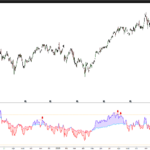
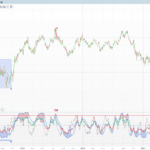
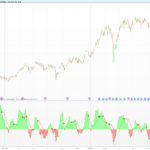
- Green line — P(Up) %: empirical probability of UPTREND over the rolling window. When it sits above 70%, the recent regime has been dominantly bullish; when below 30%, dominantly bearish; around 50%, no clear regime bias.
- Red line — P(Down) %: mirror of the green line (
P(Down) = 100 − P(Up)by construction). Plotted explicitly because it makes regime balance visually obvious. - Orange dotted line — Brier Score %: calibration of the recent predictions. Below 15 (green reference line) the model is calibrated as “excellent”. Around 25 (yellow reference line) it is no better than random. Above 30 the predictions are unreliable — discount everything else on the panel until calibration recovers.
- Reference lines: 50 (neutral split), 25 (random baseline for Brier), 15 (excellence threshold for Brier).
The most useful read is the gap between green and red combined with Brier below 15: a wide gap (e.g. P(Up) = 80%, P(Down) = 20%) with low Brier means the regime is both clear and the model has been tracking it accurately.
Practical Applications
- Regime filter for trend-following systems. Only take long signals when
P(Up) > 60%and Brier < 20%. The Brier gate keeps you out during transitional periods where the probability is high but unreliable. - Mean-reversion gate. Conversely, mean-reversion systems benefit from
P(Up) ≈ P(Down) ≈ 50%(no regime) — the indicator can be used as a not-trending filter. - Confidence-weighted position sizing. The probability of the dominant state can scale position size: a 75% UPTREND probability with low Brier justifies a larger long exposure than a 55% probability with high Brier.
- Diagnostic for the underlying chain. If
P(Up→Up)andP(Down→Down)(computed internally) are both high, the market is in a strongly autocorrelated regime — favourable for trend-following. If they are both low, the market is fast-flipping — favourable for short-term mean reversion.
Indicator Configuration
| Parameter | Default | Description |
|-----------|---------|-------------|
| `lookbackPeriod` | 14 | Window in bars for price change |
| `atrThreshold` | 0.5 | Multiplier of ATR for the dead zone; higher = stickier regime |
| `historyLength` | 33 | Number of recent states kept for probability estimation |
| `atrLength` | 14 | ATR period |
| `brierLB` | 20 | Window of (prediction, outcome) pairs for Brier Score |
A higher atrThreshold produces fewer state changes, more regime persistence, and a higher P(Up→Up) / P(Down→Down). A larger historyLength makes the probabilities slower to adapt but more statistically reliable.
Implementation Notes
Translating this indicator to ProBuilder required several design choices worth documenting, as the Pine version makes heavy use of TradingView’s dynamic arrays and visual primitives that have no direct ProBuilder counterpart.
1. Dynamic arrays as fixed-slot FIFOs with shift. Pine’s array.unshift / array.pop pair (insert at the front, drop from the back) is replaced by a fixed-size ProBuilder array with a manual shift on each bar:
for k = historyLength - 1 downto 1 do
    $stateHist[k] = $stateHist[k - 1]
next
$stateHist[0] = currentState
The loop runs historyLength - 1 operations per bar. With historyLength = 33 this is trivial (~30 ops). A parallel stateCount counter tracks how many slots are valid during the warm-up period.
2. State machine with carry-over. ProBuilder’s IF/ELSIF chains do not implicitly retain a variable’s previous value. The “keep previous state” branch must be written explicitly:
if barindex < warmup then
    currentState = UPTREND
elsif atrNormChange > atrThreshold then
    currentState = UPTREND
elsif atrNormChange < 0 - atrThreshold then
    currentState = DOWNTREND
else
    currentState = currentState[1]
endif
Without the final else, the state would silently become undefined whenever the dead zone is hit, and the whole state machine would collapse.
3. Brier predictions stored one bar late to avoid data leakage. The prediction stored at bar t is probUp[1] — the value computed at the close of bar t-1, before the outcome of bar t was known. Pairing it with currentState of bar t gives an honest prediction/outcome pair.
$predHist[0] = probUp[1]
if currentState = UPTREND then
    $actHist[0] = 1
else
    $actHist[0] = 0
endif
4. Transition direction. The transition counter iterates pairs (slot[i+1], slot[i]) and interprets the older slot as the “from” state and the newer slot as the “to” state. This matches the standard chronological reading of a Markov transition: “given the state at time t, what is the probability of state at time t+1?”. The original Pine code computed the reverse direction; the ProBuilder port restores the chronological order so P(Up→Up) measures the canonical first-order transition probability.
5. What was lost from the original. Five elements of the Pine version have no clean ProBuilder equivalent and were dropped:
- The dashboard table (Current State, ATR Change, P(Up), P(Down), P(Up→Up) | P(Down→Down), Model Accuracy text). ProBuilder has no native tables. The information is still computed and visible in the panel as numeric series.
- The background colour based on the current state. ProBuilder indicators do not support
bgcolor(). The panel uses three coloured series instead. - The six predefined alerts. In ProRealTime, alerts are created from the UI directly on the returned series (right-click on the indicator line). No JSON payloads or alert messages are bundled with the indicator code.
- The colour and line-style inputs. ProBuilder requires literal arguments to
style()(the line type and width cannot be variables). Colours are hardcoded for a sober, theme-neutral look. Edit thecoloured(...)arguments directly if you want to recolour. - The seven horizontal reference lines are reduced to three (50, 25, 15) — the most informative ones. The visual panel stays readable with three series and three guides; seven additional lines would have been noise.
Code
//----------------------------------------------
//PRC_Markov Chain Trend Probability
//version = 0
//22.05.26
//Iván González @ www.prorealcode.com
//Traducido de "Markov Chain Trend Probability" (PineScript v5)
//Autor original: Henrique Centieiro
//Sharing ProRealTime knowledge
//----------------------------------------------
// === Inputs ===
lookbackPeriod = 14    // n: ventana de cambio de precio
atrThreshold = 0.5     // X: umbral en multiplos de ATR
historyLength = 33     // historico de estados para probabilidades
atrLength = 14         // periodo del ATR
brierLB = 20           // ventana para Brier Score

// Constantes de estado
UPTREND = 1
DOWNTREND = -1
//----------------------------------------------
// === ATR y cambio normalizado ===
//----------------------------------------------
atrValue = averagetruerange[atrLength]
priceChange = close - close[lookbackPeriod]

if atrValue > 0 then
   atrNormChange = priceChange / atrValue
else
   atrNormChange = 0
endif
//----------------------------------------------
// === State machine UPTREND / DOWNTREND con carry-over ===
//----------------------------------------------
warmup = max(lookbackPeriod, atrLength)

if barindex < warmup then
   currentState = UPTREND
elsif atrNormChange > atrThreshold then
   currentState = UPTREND
elsif atrNormChange < 0 - atrThreshold then
   currentState = DOWNTREND
else
   currentState = currentState[1]
endif
//----------------------------------------------
// === Buffer FIFO de estados (slot[0] = mas reciente) ===
//----------------------------------------------
once stateCount = 0

for k = historyLength - 1 downto 1 do
   $stateHist[k] = $stateHist[k - 1]
next
$stateHist[0] = currentState

if stateCount < historyLength then
   stateCount = stateCount + 1
endif
//----------------------------------------------
// === Probabilidades de transicion ===
// (cronologicas: slot[i+1] = anterior, slot[i] = siguiente)
//----------------------------------------------
upToUp = 0
upTotal = 0
downToDown = 0
downTotal = 0

if stateCount >= 2 then
   for i = 0 to stateCount - 2 do
      fromState = $stateHist[i + 1]
      toState = $stateHist[i]

      if fromState = UPTREND then
         upTotal = upTotal + 1
         if toState = UPTREND then
            upToUp = upToUp + 1
         endif
      elsif fromState = DOWNTREND then
         downTotal = downTotal + 1
         if toState = DOWNTREND then
            downToDown = downToDown + 1
         endif
      endif
   next
endif

if upTotal > 0 then
   pUpToUp = upToUp / upTotal
else
   pUpToUp = 0
endif

if downTotal > 0 then
   pDownToDown = downToDown / downTotal
else
   pDownToDown = 0
endif
//----------------------------------------------
// === Probabilidades estacionarias ===
//----------------------------------------------
upCount = 0
if stateCount > 0 then
   for i = 0 to stateCount - 1 do
      if $stateHist[i] = UPTREND then
         upCount = upCount + 1
      endif
   next
   probUp = upCount / stateCount
   probDown = 1 - probUp
else
   probUp = 0
   probDown = 0
endif
//----------------------------------------------
// === Brier Score ===
// Prediccion en t-1 vs outcome observado en t
//----------------------------------------------
once brierCount = 0

if stateCount >= 2 then
   for k = brierLB - 1 downto 1 do
      $predHist[k] = $predHist[k - 1]
      $actHist[k] = $actHist[k - 1]
   next
   $predHist[0] = probUp[1]
   if currentState = UPTREND then
      $actHist[0] = 1
   else
      $actHist[0] = 0
   endif

   if brierCount < brierLB then
      brierCount = brierCount + 1
   endif
endif

if brierCount > 0 then
   sumSq = 0
   for i = 0 to brierCount - 1 do
      diff = $predHist[i] - $actHist[i]
      sumSq = sumSq + diff * diff
   next
   brierPct = sumSq / brierCount * 100
else
   brierPct = undefined
endif
//----------------------------------------------
// === Salidas (escala 0..100) ===
//----------------------------------------------
pUpPct = probUp * 100
pDnPct = probDown * 100

// Lineas horizontales de referencia
linMid = 50
linBaseline = 25
linExcel = 15

return pUpPct coloured(76, 175, 80, 255) as "P(Up) %", pDnPct coloured(244, 67, 54, 255) as "P(Down) %", brierPct coloured(255, 152, 0, 255) style(dottedline, 2) as "Brier Score %", linMid coloured(150, 150, 150, 150) style(dottedline2, 1) as "Neutral 50%", linBaseline coloured(255, 235, 59, 200) style(dottedline2, 1) as "Random Baseline 25%", linExcel coloured(76, 175, 80, 200) style(dottedline, 1) as "Excellent 15%"
Comments
You must be logged in to post a comment.

I have tried to create another indicator based on the ‘Markov chain’ theory using CLOUDE, but I think it needs some tweaking or modification to make it useful.
I would like someone with the relevant expertise to take a look at it to see if, with a few tweaks or adjustments, it could be useful.
I have attached the .itf file and the indicator text.

// ============================================================
// INDICADOR: Cadena de Markov — Dirección del Precio
// Estados: 0 = Bajista | 1 = Lateral | 2 = Alcista
// Lookback: 100 barras
// ============================================================
// --- PARÁMETROS ---
//DEFPARAM CumulateOrders = False
// Umbral para definir movimiento lateral (% del precio)
// Si el rango barra/precio < umbral → lateral
//UmbralPct = 0.3 // 0.3% por defecto, ajustable
// Ventana de lookback para calcular la matriz de transición
Lookback = LOOKB
// ============================================================
// PASO 1: CLASIFICAR EL ESTADO DE CADA BARRA
// Estado actual: 0=bajista, 1=lateral, 2=alcista
// ============================================================
Movimiento = (Close - Open) / Open * 100
Umbral = UmbralPct
IF Movimiento > Umbral THEN
EstadoActual = 2 // Alcista
ELSIF Movimiento < -Umbral THEN
EstadoActual = 0 // Bajista
ELSE
EstadoActual = 1 // Lateral
ENDIF
// ============================================================
// PASO 2: CONSTRUIR MATRIZ DE TRANSICIÓN (3x3)
// Contamos cuántas veces ocurre cada transición i→j
// en las últimas Lookback barras
// ============================================================
// Contadores de transiciones desde estado Alcista (2)
AA = 0 // Alcista → Alcista
AL = 0 // Alcista → Lateral
AB = 0 // Alcista → Bajista
// Contadores desde estado Lateral (1)
LA = 0
LL = 0
LB = 0
// Contadores desde estado Bajista (0)
BA = 0
BL = 0
BB = 0
// Totales por estado origen
TotalA = 0
TotalL = 0
TotalB = 0
FOR i = 1 TO Lookback
EstPrev = 0
EstSig = 0
MovPrev = (Close[i] - Open[i]) / Open[i] * 100
MovSig = (Close[i-1] - Open[i-1]) / Open[i-1] * 100
IF MovPrev > Umbral THEN
EstPrev = 2
ELSIF MovPrev < -Umbral THEN
EstPrev = 0
ELSE
EstPrev = 1
ENDIF
IF MovSig > Umbral THEN
EstSig = 2
ELSIF MovSig < -Umbral THEN
EstSig = 0
ELSE
EstSig = 1
ENDIF
// Acumular contadores según estado previo
IF EstPrev = 2 THEN
TotalA = TotalA + 1
IF EstSig = 2 THEN
AA = AA + 1
ELSIF EstSig = 1 THEN
AL = AL + 1
ELSE
AB = AB + 1
ENDIF
ELSIF EstPrev = 1 THEN
TotalL = TotalL + 1
IF EstSig = 2 THEN
LA = LA + 1
ELSIF EstSig = 1 THEN
LL = LL + 1
ELSE
LB = LB + 1
ENDIF
ELSE
TotalB = TotalB + 1
IF EstSig = 2 THEN
BA = BA + 1
ELSIF EstSig = 1 THEN
BL = BL + 1
ELSE
BB = BB + 1
ENDIF
ENDIF
NEXT
// ============================================================
// PASO 3: CALCULAR PROBABILIDADES DE TRANSICIÓN
// Dividir cada contador entre el total de su fila
// ============================================================
// Evitar división por cero
IF TotalA = 0 THEN
TotalA = 1
ENDIF
IF TotalL = 0 THEN
TotalL = 1
ENDIF
IF TotalB = 0 THEN
TotalB = 1
ENDIF
// Probabilidades desde estado Alcista
PAA = AA / TotalA * 100
PAL = AL / TotalA * 100
PAB = AB / TotalA * 100
// Probabilidades desde estado Lateral
PLA = LA / TotalL * 100
PLL = LL / TotalL * 100
PLB = LB / TotalL * 100
// Probabilidades desde estado Bajista
PBA = BA / TotalB * 100
PBL = BL / TotalB * 100
PBB = BB / TotalB * 100
// ============================================================
// PASO 4: PROBABILIDAD DEL PRÓXIMO ESTADO
// Según el estado actual → fila correspondiente de la matriz
// ============================================================
IF EstadoActual = 2 THEN
ProbSiguienteAlcista = PAA
ProbSiguienteLateral = PAL
ProbSiguienteBajista = PAB
ELSIF EstadoActual = 1 THEN
ProbSiguienteAlcista = PLA
ProbSiguienteLateral = PLL
ProbSiguienteBajista = PLB
ELSE
ProbSiguienteAlcista = PBA
ProbSiguienteLateral = PBL
ProbSiguienteBajista = PBB
ENDIF
// ============================================================
// PASO 5: SEÑAL SINTÉTICA
// Diferencia probabilidad alcista vs bajista (-100 a +100)
// ============================================================
Signal = ProbSiguienteAlcista - ProbSiguienteBajista
// ===========================================================
// RETORNO: Se grafican 4 series
// ============================================================
RETURN Signal AS "Señal Markov" STYLE(Line, 2),ProbSiguienteAlcista AS "P(Alcista %)" ,ProbSiguienteLateral AS "P(Lateral %)",ProbSiguienteBajista AS "P(Bajista %)"