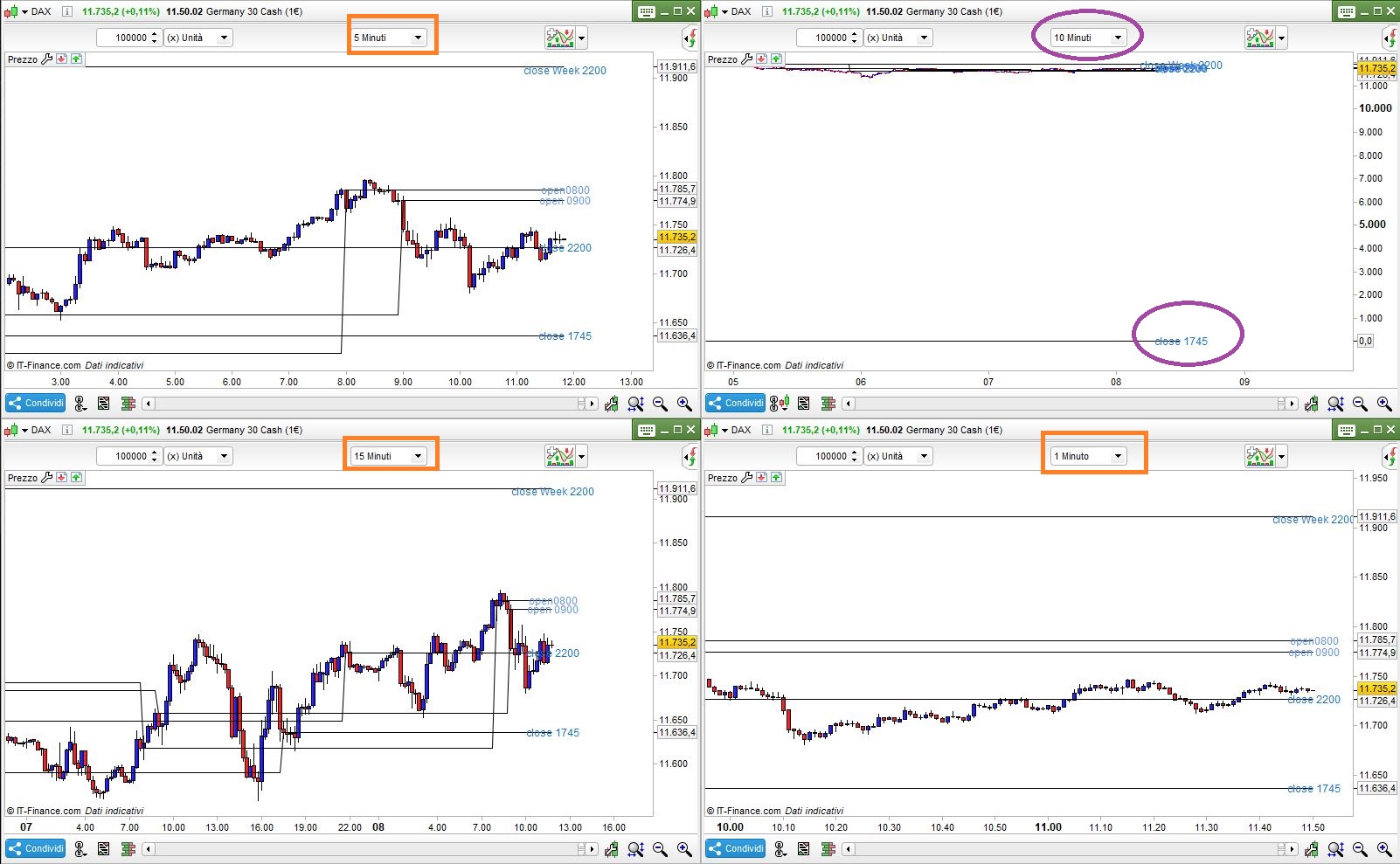
Wrong representation in the 5 minute chart

Viewing 11 posts - 1 through 11 (of 11 total)
  • Author
    Posts
  • #104382 quote
    Razz
    Participant
    Master

    Good day

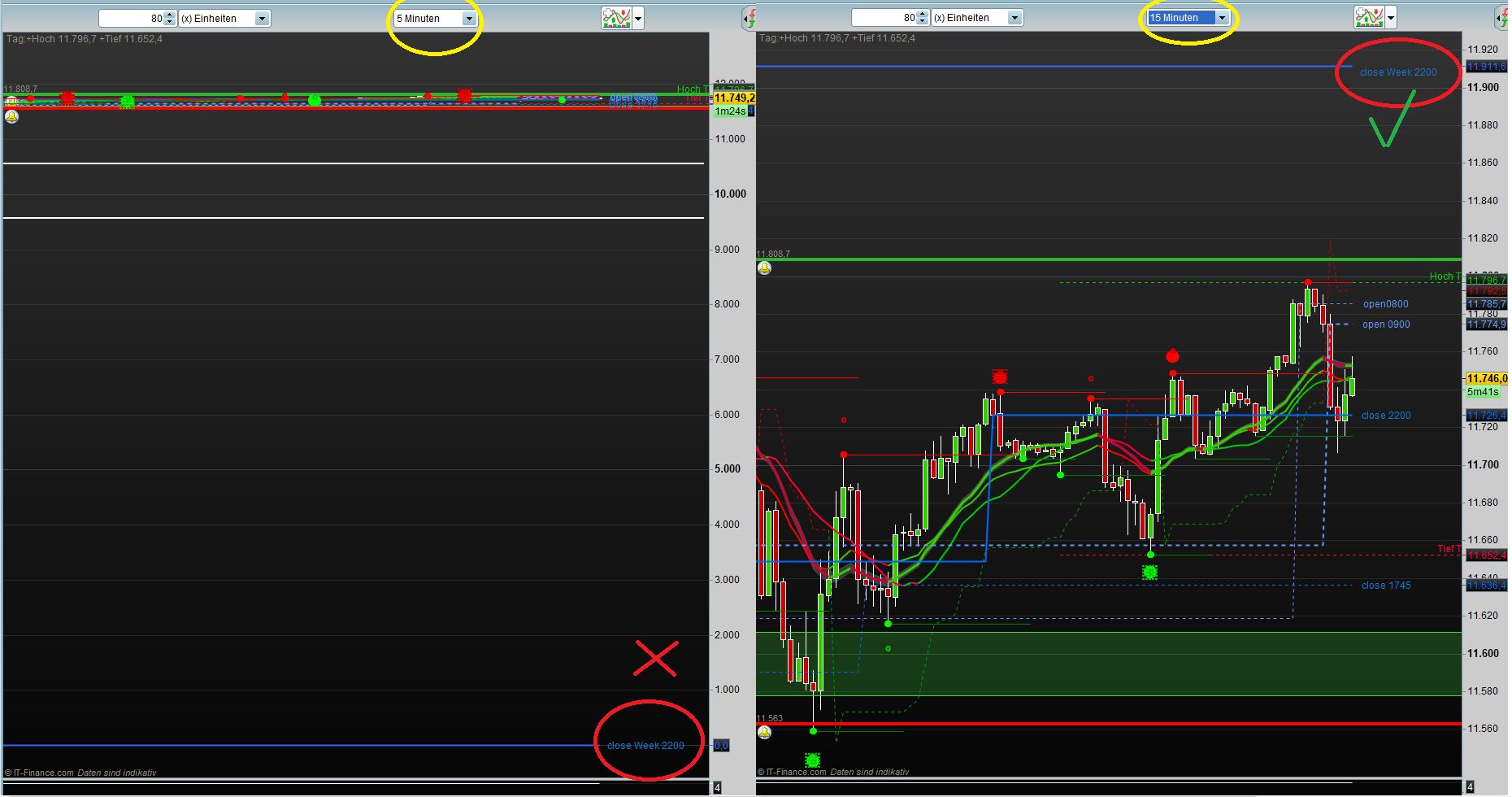
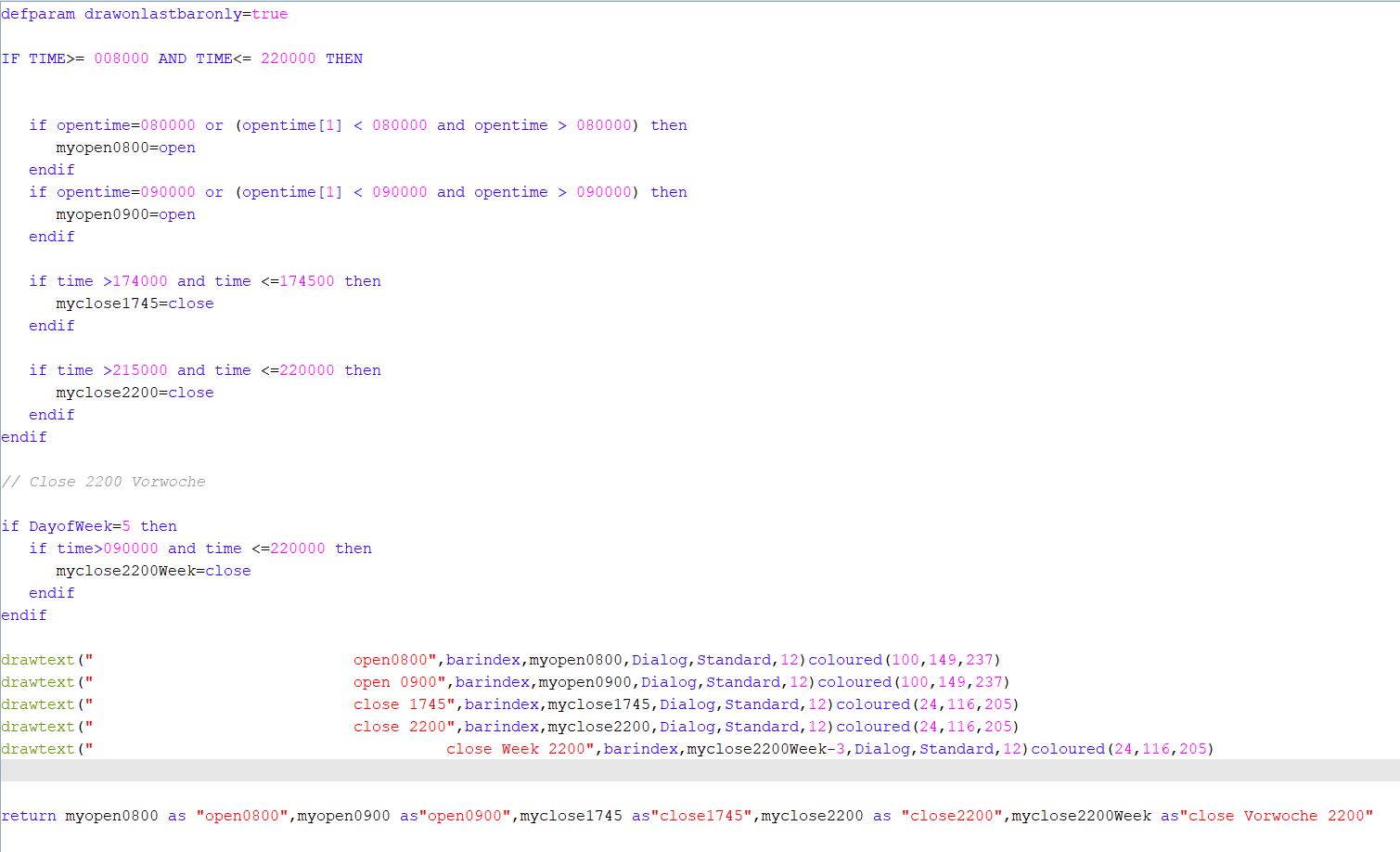
    Can someone please help me, I have created this indicator which draws various Open and Close courses in the chart. Unfortunately, it does not work today with the closing price of the previous week on 5 minutes basis at 15 minutes, everything is displayed correctly. But I need the indicator in the 5 and 10 minute chart windows.

    Many thanks in advance

    defparam drawonlastbaronly=true
    
    IF TIME>= 008000 AND TIME<= 220000 THEN
    if opentime=080000 or (opentime[1] < 080000 and opentime > 080000) then
    myopen0800=open
    endif
    
    if opentime=090000 or (opentime[1] < 090000 and opentime > 090000) then
    myopen0900=open
    endif
    
    if time >174000 and time <=174500 then
    myclose1745=close
    endif
    
    if time >215000 and time <=220000 then
    myclose2200=close
    endif
    endif
    
    // Close 2200 Vorwoche
    
    if DayofWeek=5 then
    if time>090000 and time <=220000 then
    myclose2200Week=close
    endif
    endif
    
    drawtext(” open0800″,barindex,myopen0800,Dialog,Standard,12)coloured(100,149,237)
    drawtext(” open 0900″,barindex,myopen0900,Dialog,Standard,12)coloured(100,149,237)
    drawtext(” close 1745″,barindex,myclose1745,Dialog,Standard,12)coloured(24,116,205)
    drawtext(” close 2200″,barindex,myclose2200,Dialog,Standard,12)coloured(24,116,205)
    drawtext(” close Week 2200″,barindex,myclose2200Week-3,Dialog,Standard,12)coloured(24,116,205)
    
    return myopen0800 as “open0800″,myopen0900 as”open0900″,myclose1745 as”close1745”,myclose2200 as “close2200″,myclose2200Week as”close Vorwoche 2200”
    Anzeige-Falsch.jpg Anzeige-Falsch.jpg Indikator.jpg Indikator.jpg
    #104387 quote
    robertogozzi
    Moderator
    Master

    For clarity of messages on ProRealCode’s forums, please use the “insert code PRT” button to separate the text from the code part. I tidied it up for you.

    Thank you!

    #104388 quote
    Razz
    Participant
    Master

    @ robertogozzi

    Sorry

    #104391 quote
    robertogozzi
    Moderator
    Master

    At lines 12 and 16, only a 5-minute (or lower) TF can be used!

    #104394 quote
    Razz
    Participant
    Master

    yes ok is logical, but my main problem is the presentation Close last week 22:00 see line 23 to 26. This shows at once in the 5 minute chart the value 0 in the 15 minute chart, but it is displayed correctly. Can you say something?

    #104400 quote
    robertogozzi
    Moderator
    Master

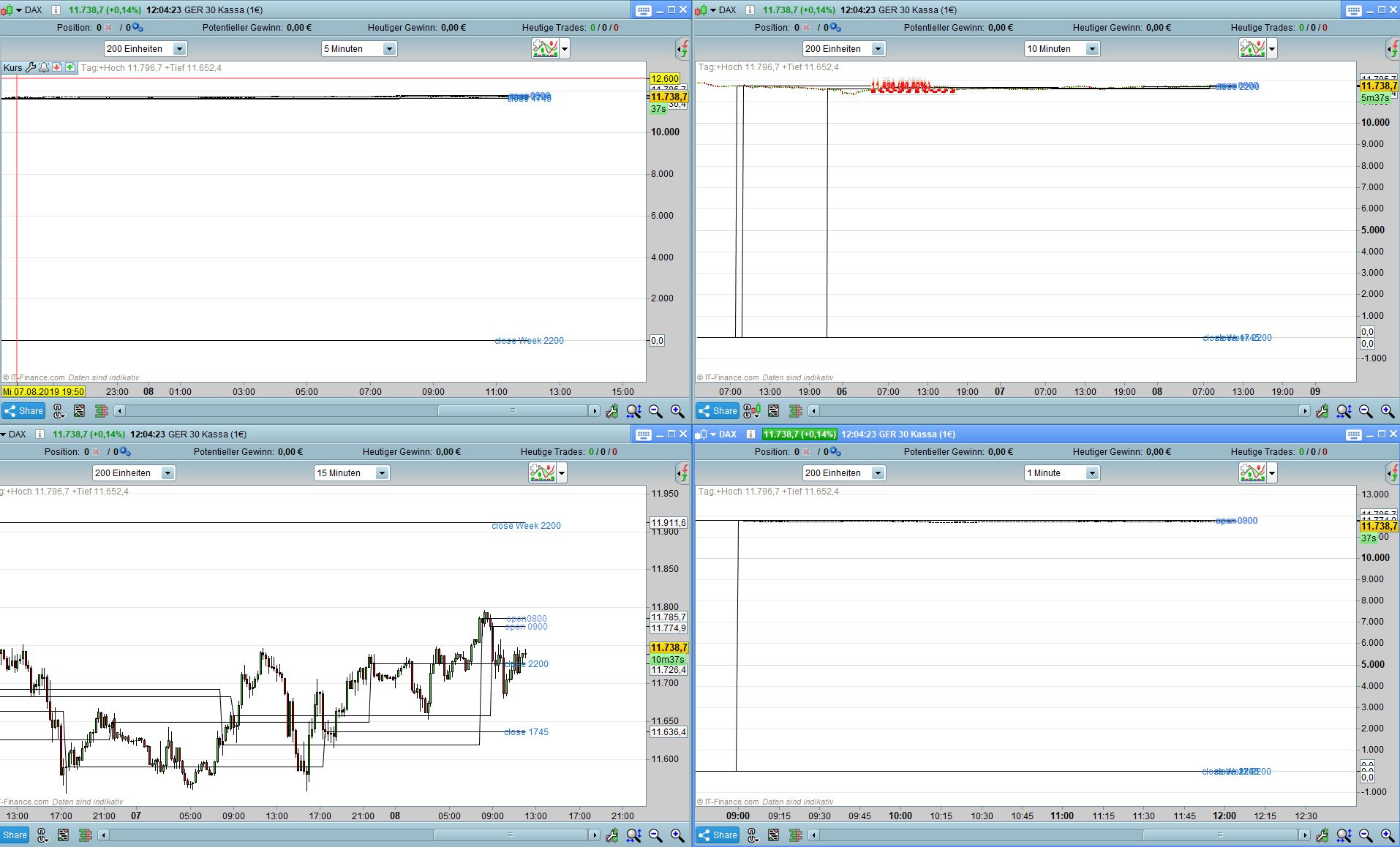
    This is the code I tested, it looks good on 1-minute, 5-minute and 15-minute TF’s, while it reports 0 at 1745 on a 10-minute TF:

    defparam drawonlastbaronly=true
     
    IF TIME>= 008000 AND TIME<= 220000 THEN
    if opentime=080000 or (opentime[1] < 080000 and opentime > 080000) then
    myopen0800=open
    endif
     
    if opentime=090000 or (opentime[1] < 090000 and opentime > 090000) then
    myopen0900=open
    endif
     
    if time >174000 and time <=174500 then
    myclose1745=close
    endif
     
    if time >215000 and time <=220000 then
    myclose2200=close
    endif
    endif
     
    // Close 2200 Vorwoche
     
    if DayofWeek=5 then
    if time>090000 and time <=220000 then
    myclose2200Week=close
    endif
    endif
    
    drawtext(" open0800",barindex,myopen0800,Dialog,Standard,12)coloured(100,149,237)
    drawtext(" open 0900",barindex,myopen0900,Dialog,Standard,12)coloured(100,149,237)
    drawtext(" close 1745",barindex,myclose1745,Dialog,Standard,12)coloured(24,116,205)
    drawtext(" close 2200",barindex,myclose2200,Dialog,Standard,12)coloured(24,116,205)
    drawtext(" close Week 2200",barindex,myclose2200Week-3,Dialog,Standard,12)coloured(24,116,205)
    return myopen0800 as "open0800",myopen0900 as"open0900",myclose1745 as"close1745",myclose2200 as "close2200",myclose2200Week as"close Vorwoche 2200"
    x-6.jpg x-6.jpg
    #104402 quote
    robertogozzi
    Moderator
    Master

    I think you are displaying too little units, try increasing them, a week is made of many 5-minute bars!

    #104405 quote
    Razz
    Participant
    Master

    Strange with me he only looks good on 15 minutes TF at the other, the closing price 22:00 last week is set to 0. The indicator ran with me until Tuesday on 1-5 minutes well. Have no explanation for why it is displayed correctly and not with me?

    Indikator-01.jpg Indikator-01.jpg
    #104407 quote
    Razz
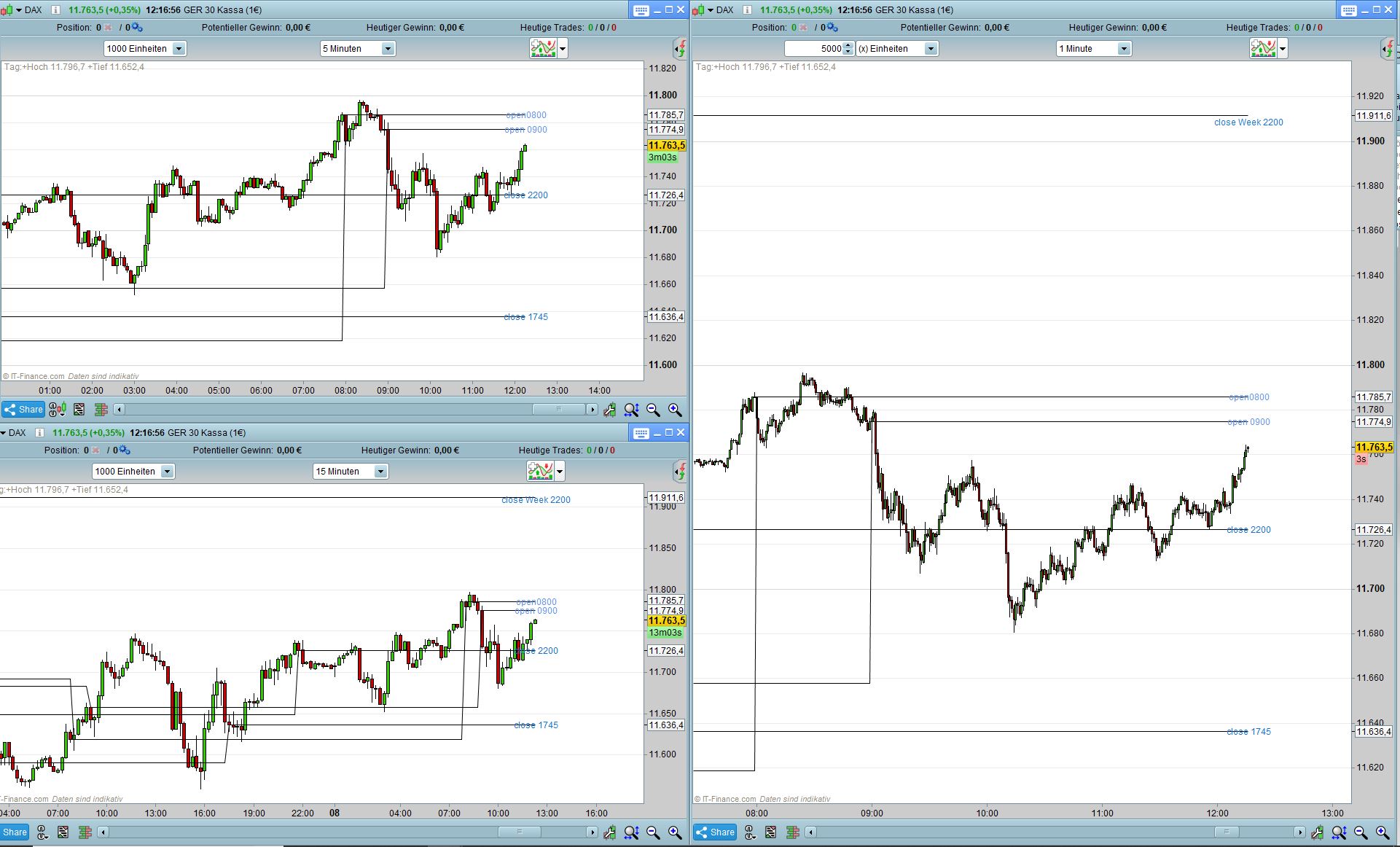
    Participant
    Master

    Ok Thanks now it looks better again, I can change something in the indicator so that it is displayed correctly or is it only about the increase of the display values?

    Indikator-02.jpg Indikator-02.jpg
    #104409 quote
    robertogozzi
    Moderator
    Master

    It looks good, of course the offset (-3) is a greater distance on a 1 -minute chart rather than on a 15-minute chart.

    Instead of a fixed value you could use a percentage of ATR to make it variable.

    #104415 quote
    Razz
    Participant
    Master

    The offset -3 was only used because Monday would otherwise be written on the previous day and last week’s close because the value is the same. Thanks for your help ! My initial problem was solved by increasing the units, now use 2500 units in the 5 minute chart and zoom into the chart with the magnifying glass function.
    Have a nice day.
    Peter

Viewing 11 posts - 1 through 11 (of 11 total)
  • You must be logged in to reply to this topic.

Wrong representation in the 5 minute chart


ProBuilder: Indicators & Custom Tools

New Reply
Author
author-avatar
Razz @razz Participant
Summary

This topic contains 10 replies,
has 2 voices, and was last updated by Razz

6 years, 6 months ago.

Topic Details
Forum: ProBuilder: Indicators & Custom Tools
Language: English
Started: 08/08/2019
Status: Active
Attachments: 5 files
Logo Logo
Loading...