Wierd optimizing bug

Viewing 5 posts - 1 through 5 (of 5 total)
  • Author
    Posts
  • #227276 quote
    T-rader
    Participant
    Average

    Hey guys.

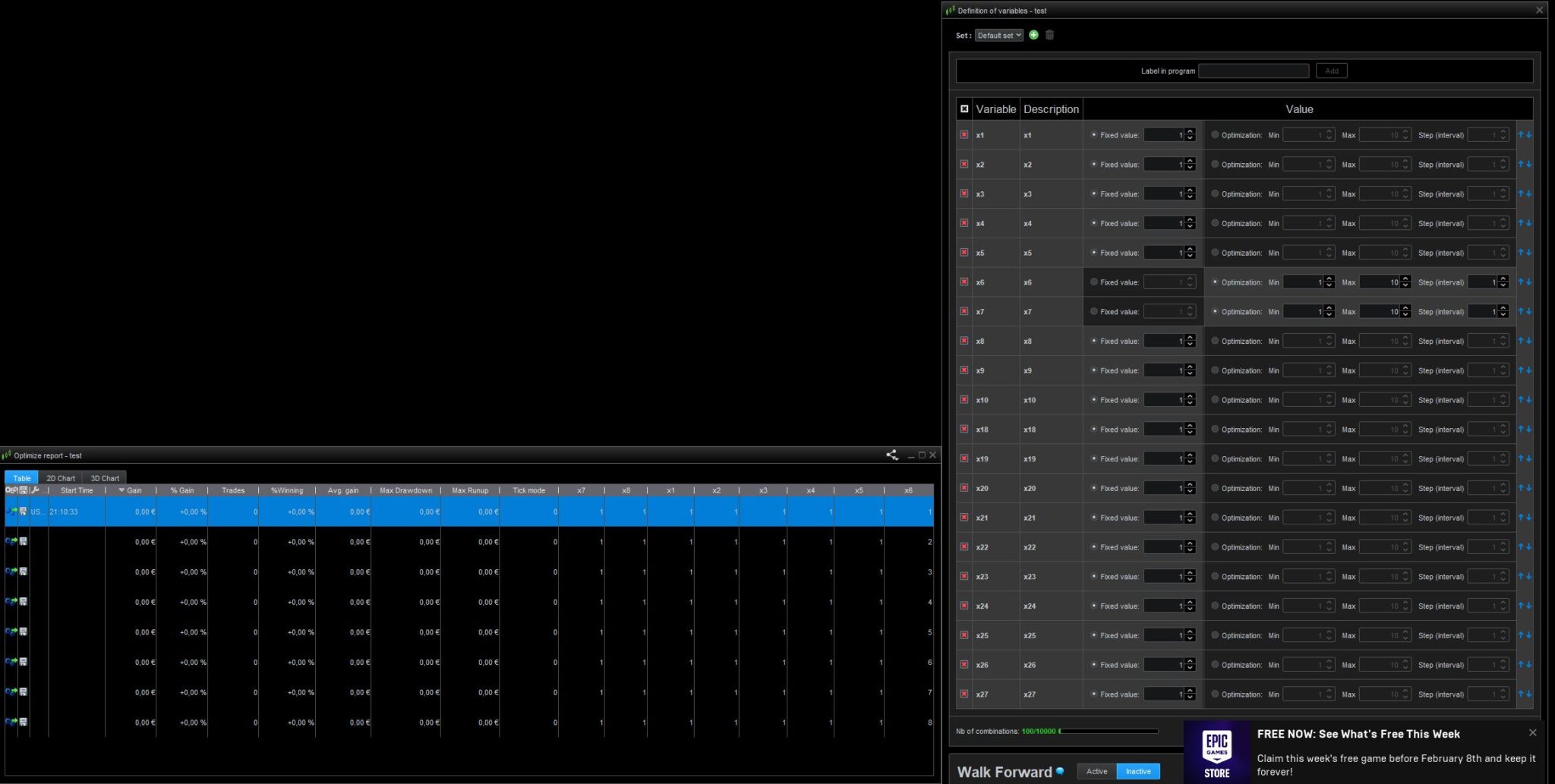
    I have expierienced a wierd bug or maybe I have mis-clicked something. Dosent matter how many optimizing variables I have the optimize report only show a couple of them and not even the ones I´m trying to optimize. I have restarted PRT on two different computers och two different days. I have made a new code from scratch but it does the same thing every time. Does anyone know whats wrong?

    test.jpg test.jpg
    #227278 quote
    GraHal
    Participant
    Master

    I have the optimize report only show a couple of them

    The Report looks like it shows way more than two? Maybe I’m not thinking straight?

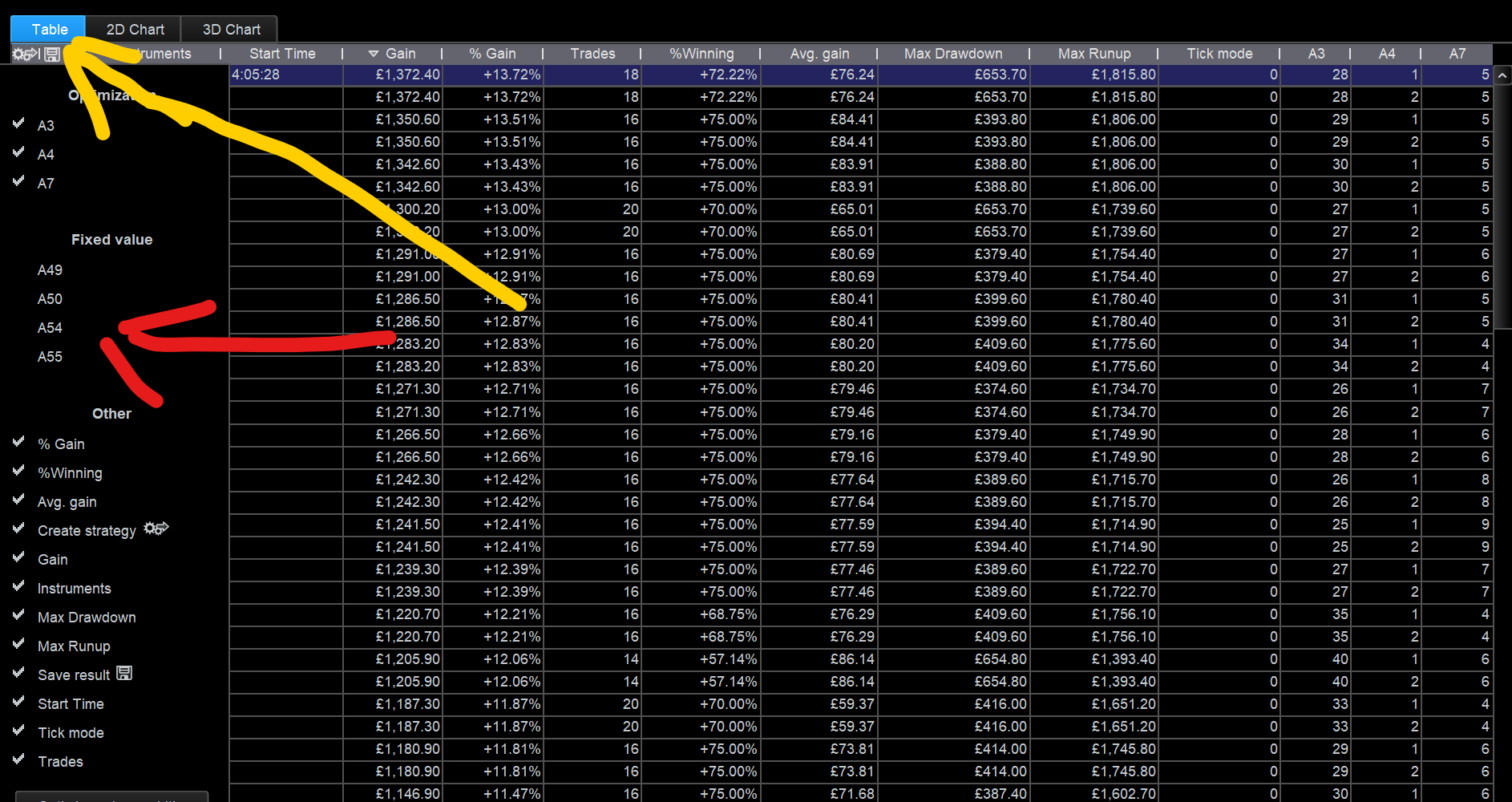
    Anyway click on the wrench and you will see all your variables listed and only some (2?) are ticked … tick all of them and you should see all of them in your Report?

    Just say if above does not make sense and I’ll add a screenshot in the morning … I’m off to bed now.

    #227315 quote
    T-rader
    Participant
    Average

    I´m not really sure how you mean? Only a few of my optimizing variables are showing up in the top row of the . If I´m optimizing for example x20 theres not row for x20 in the optimize report, only x1 to x8

    #227325 quote
    GraHal
    Participant
    Master

    click on the wrench and you will see all your variables listed

    Did you find and click on the wrench?

    See attached … under the orange arowhead for the wrench and at the red arrowhead for (my) unticked variables which do not show in  (my) Opti Table of Results.

    Above is the key / solution to your Issue … tick ALL your variables and you will see ALL your variables (fixed and not fixed) in your Opti table of results.

    Screenshot-2024-02-02-140707.png Screenshot-2024-02-02-140707.png
    #227329 quote
    T-rader
    Participant
    Average

    Thank you for taking time to help me. I haven´t seen that wrench before but now I know 🙂

    GraHal thanked this post
Viewing 5 posts - 1 through 5 (of 5 total)

  • You must be logged in to reply to this topic.

Wierd optimizing bug


ProOrder: Automated Strategies & Backtesting

New Reply
Author
author-avatar
T-rader @t-rader Participant
Summary

This topic contains 4 replies,
has 2 voices, and was last updated by T-rader

2 years ago.

Topic Details
Forum: ProOrder: Automated Strategies & Backtesting
Language: English
Started: 02/01/2024
Status: Active
Attachments: 2 files
Logo Logo
Loading...