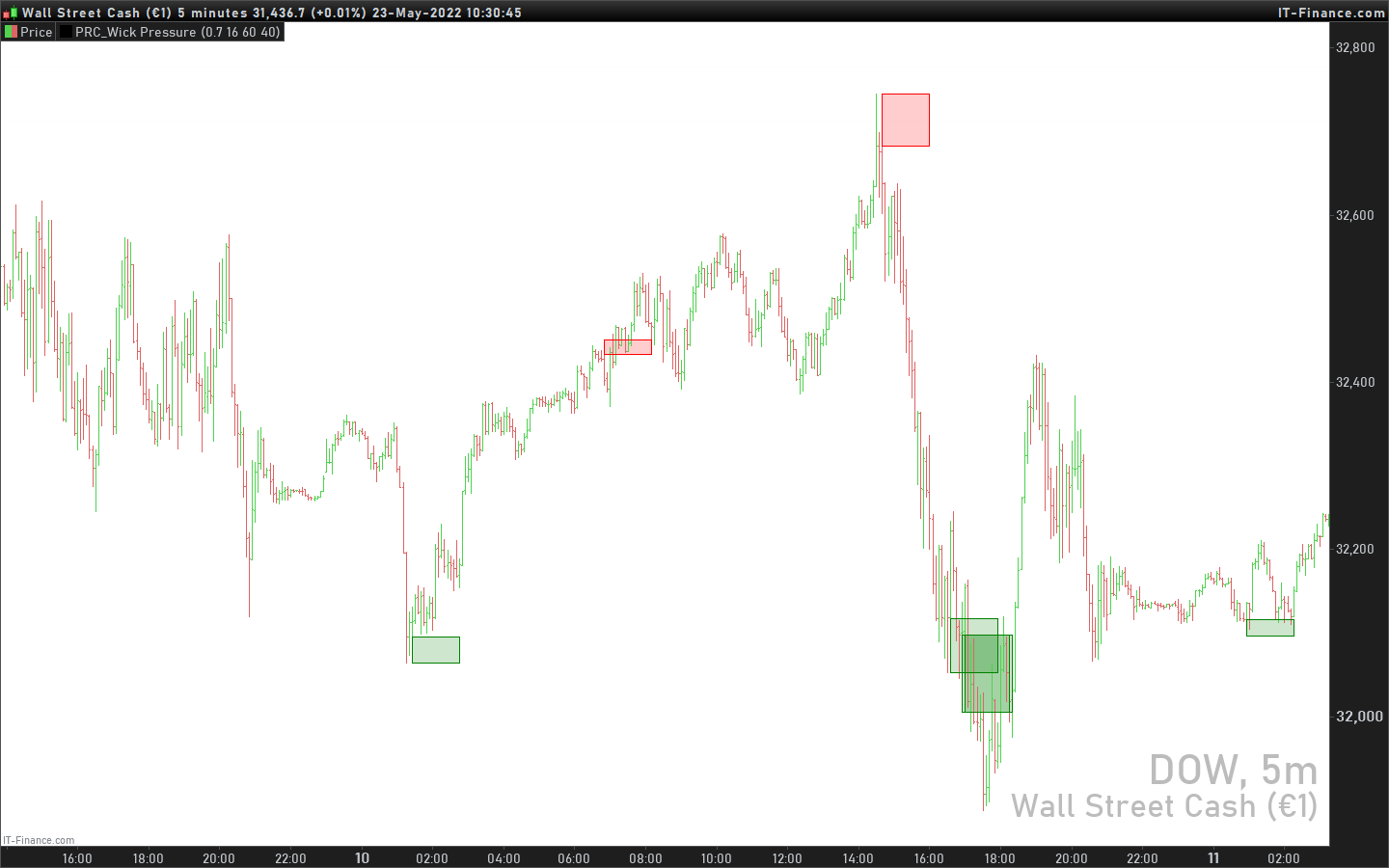
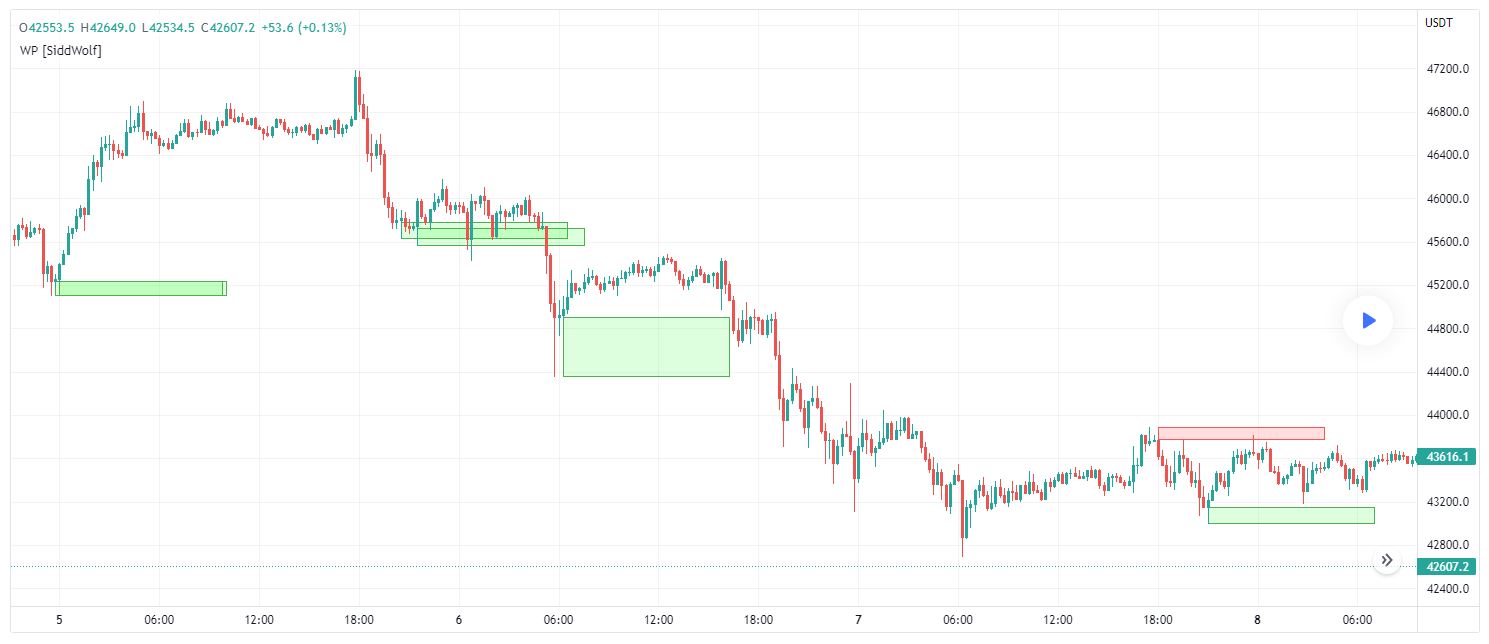
Wick Pressure (Reversal Zone Indicator), from Tradingview open source

Viewing 4 posts - 1 through 4 (of 4 total)
  • Author
    Posts
  • #193496 quote
    Jeroen1234
    Participant
    Senior

    Hello, This indicator is from open source of Tradingview, it shows realtime reversal zones. I came across it when I was surges for Momentum Reversal Zones.

    I hope you can convert it?

    as descripted on the page;

    https://www.tradingview.com/script/w2sPsVff-Wick-Pressure-by-SiddWolf/

    Multiple Wicks forming at OverSold & OverBought levels create Buying and Selling Pressure. This Script tries to capture the essence of the buy and sell pressure created by those wicks. Wick pressure shows that the trend is Exhausted.

    How it works:
    This Wick Pressure Indicator checks for three candles forming the wicks in overbought and oversold zones. The zones are set by RSI and can be changed in settings. Those three candles should form a bit long wick and length of the wick is determined by ATR. The ATR multiple can be changed from settings. And then the script draws a box in the area formed by three candle wicks.

    the code;

    // This source code is subject to the terms of the Mozilla Public License 2.0 at https://mozilla.org/MPL/2.0/
    // © SiddWolf

    //@version=5
    indicator(title=”Wick Pressure by SiddWolf”, shorttitle=”WP [SiddWolf]”, overlay=true)

    mee_rsi = ta.rsi(close, 14)
    atr_mult = input.float(title=”ATR Multiplier”,defval=0.7, step=0.1, minval=0.4, maxval=2.0, tooltip=”The Wick area is filtered on the basis of atr and this is multiplier to that ATR. The more the multiplier value, the less the signals and vice versa”)
    box_length = input.int(title=”Box Length”,defval=16, step=2, minval=4, maxval=100, tooltip=”Length of Wick Pressure Box”)
    rsi_ob = input.int(title=”RSI OverBought”,defval=60, step=5, minval=50, maxval=90, inline=”rsi_settings”, tooltip=”RSI based on which signnals are filtered”)
    rsi_os = input.int(title=”RSI OverSold”,defval=40, step=5, minval=10, maxval=50, inline=”rsi_settings”)
    bull_color = input(defval=#00FF0021, title=”Bullish Pressure”, inline=”box_color”)
    bear_color = input(defval=#FF000021, title=”Bearish Pressure”, inline=”box_color”)

    //bullish wick pressure
    rsi_bullish_cond = mee_rsi < rsi_os or mee_rsi[1] < rsi_os or mee_rsi[2] < rsi_os
    ll3 = ta.lowest(low, 3)
    lc3 = math.min(ta.lowest(close, 3), ta.lowest(open, 3))
    if low<=lc3 and low[1]<=lc3 and low[2]<=lc3 and open>=lc3 and open[1]>=lc3 and open[2]>=lc3 and lc3-ll3>(atr_mult*ta.atr(14)) and rsi_bullish_cond and close>open
    box.new(bar_index, lc3, bar_index+box_length, ll3, bgcolor=bull_color, border_color=color.green)


    //bearish wick pressure
    rsi_bearish_cond = mee_rsi > rsi_ob or mee_rsi[1] > rsi_ob or mee_rsi[2] > rsi_ob
    hh3 = ta.highest(high, 3)
    hc3 = math.max(ta.highest(close, 3), ta.highest(open, 3))
    if high>=hc3 and high[1]>=hc3 and high[2]>=hc3 and open<=hc3 and open[1]<=hc3 and open[2]<=hc3 and hh3-hc3>(atr_mult*ta.atr(14)) and rsi_bearish_cond and close<open
    box.new(bar_index, hh3, bar_index+box_length, hc3, bgcolor=bear_color, border_color=color.red)

    Thanks,


    Jeroen

    #193694 quote
    Nicolas
    Keymaster
    Master

    The Wick Pressure indicator is converted, download it from our code library now: Wick Pressure

    GraHal thanked this post
    #193715 quote
    Jeroen1234
    Participant
    Senior

    Thank you Nicolas!

    best of regards, Jeroen

    #215989 quote
    ALE
    Moderator
    Master

    Hello
    The indicator  with output signal for the ProScreener/Probuilder/ProBacktest it is posted below

    //PRC_Wick Pressure | indicator
    //23.05.2022
    //Nicolas @ www.prorealcode.com
    //Sharing ProRealTime knowledge
    //converted from pinescript
    Signal=0
    // --- settings
    atrmult = 0.7 //ATR Multiplier (The Wick area is filtered on the basis of atr and this is multiplier to that ATR. The more the multiplier value, the less the signals and vice versa)
    boxlength = 8 //Length of Wick Pressure Box
    rsiob = 62 //RSI based on which signnals are filtered
    rsios = 38 //RSI based on which signnals are filtered
    // --- end of settings
    
    meersi = rsi[11](close)
    
    //bullish wick pressure
    rsibullishcond = meersi < rsios or meersi[1] < rsios or meersi[2] < rsios
    ll3 = lowest[3](low)
    lc3 = min(lowest[3](close),lowest[3](open))
    if low<=lc3 and low[1]<=lc3 and low[2]<=lc3 and open>=lc3 and open[1]>=lc3 and open[2]>=lc3 and lc3-ll3>(atrmult*AverageTrueRange[14](close)) and rsibullishcond and close>open then
    drawrectangle(barindex,lc3,barindex+boxlength, ll3) coloured("green",50) bordercolor("green")
    Signal=1
    endif
    
    //bearish wick pressure
    rsibearishcond = meersi > rsiob or meersi[1] > rsiob or meersi[2] > rsiob
    hh3 = highest[3](high)
    hc3 = max(highest[3](close), highest[3](open))
    if high>=hc3 and high[1]>=hc3 and high[2]>=hc3 and open<=hc3 and open[1]<=hc3 and open[2]<=hc3 and hh3-hc3>(atrmult*AverageTrueRange[14](close)) and rsibearishcond and close<open then
    drawrectangle(barindex,hh3,barindex+boxlength, hc3) coloured("red",50) bordercolor("red")
    Signal=-1
    endif
    
    return signal COLOURED(0,0,0,0)

    SCREENER:

    WickPressure = CALL "PRC_Wick Pressure"
    C1 = (WickPressure > 0)
    C2=(WickPressure < 0)
    TYPE=WickPressure
    SCREENER[C1 OR C2](TYPE)

    To use the screener, you need to name the indicator: “PRC_Wick Pressure”

Viewing 4 posts - 1 through 4 (of 4 total)

  • You must be logged in to reply to this topic.

Wick Pressure (Reversal Zone Indicator), from Tradingview open source


ProBuilder: Indicators & Custom Tools

New Reply
Author
author-avatar
Jeroen1234 @jeroen1234 Participant
Summary

This topic contains 3 replies,
has 3 voices, and was last updated by ALE

2 years, 8 months ago.

Topic Details
Forum: ProBuilder: Indicators & Custom Tools
Language: English
Started: 05/20/2022
Status: Active
Attachments: 2 files
Logo Logo
Loading...