Wick Colours change based on high and low

Viewing 4 posts - 1 through 4 (of 4 total)
  • Author
    Posts
  • #217448 quote
    amitoverseas40
    Participant
    Junior

    Dear Team,

    Need your help to configure Candle wick colours.

    I have explored the option to have candle colour different if met a criteria but unable to find if I can only change the colour of wicks only.

    If the close < HIGH then change upper wick colour to Red but leave lower wick colour, if there’s one, similar to candle colour as an example.

    If the close < LOW then change lower wick colour to Green but leave higher wick colour, if there’s one, similar to candle colour as an example.


    Can this be achieved within PRT?


    also, having problems with customized alerts if the conditions are met. Example is above ask, if we can do that, alert on screen and email if possible please.


    Thanks & Regards.

    #217449 quote
    robertogozzi
    Moderator
    Master

    If the close < HIGH then …  close is (almost) ALWAYS < high.

    If the close < LOW then … close CANNOT be < low.

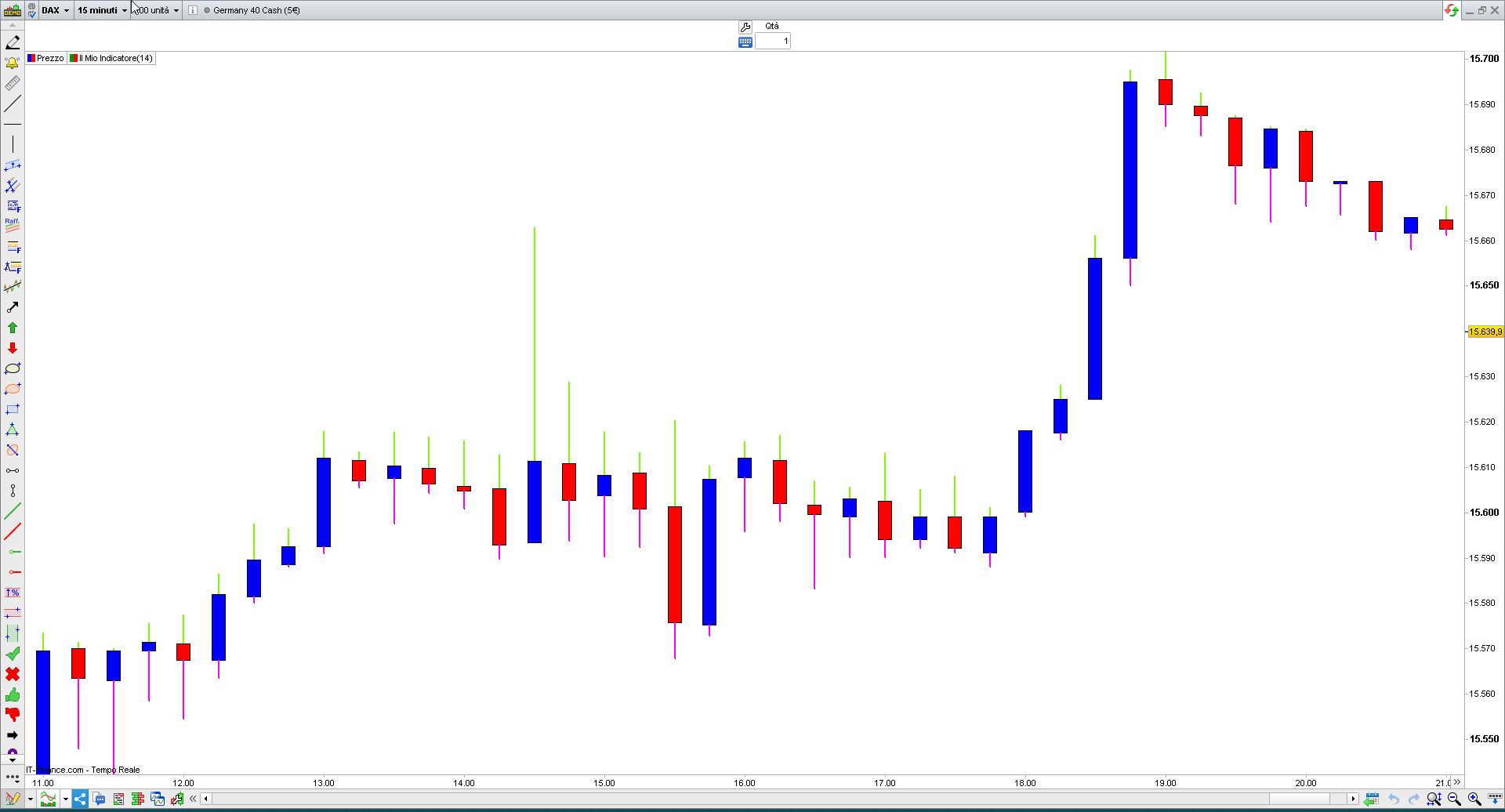
    Anyway, if you use DRAWCANDLE you can change the colour of the whole candle. To only change the colour of wicks you need to draw a segment form HIGH to max(open,close), and a segment from min(open,close) to LOW, eventually using different colours:

    DrawSegment(BarIndex,high,BarIndex,max(open,close)) coloured("LawnGreen",255) style(Line,2)
    DrawSegment(BarIndex,min(open,close),BarIndex,low)  coloured("Fuchsia",255) style(Line,2)
    RETURN

    As to alerts, you need to set a value to be RETURNed for each condition you want to evaluate (0, 1,2,…. or -1,-2,-3,… or any combination of them 7,3,-2,0,….).

    amitoverseas40 thanked this post
    #217453 quote
    amitoverseas40
    Participant
    Junior

    Hi Roberto,


    Much appreciate your prompt response. It works, thanks!

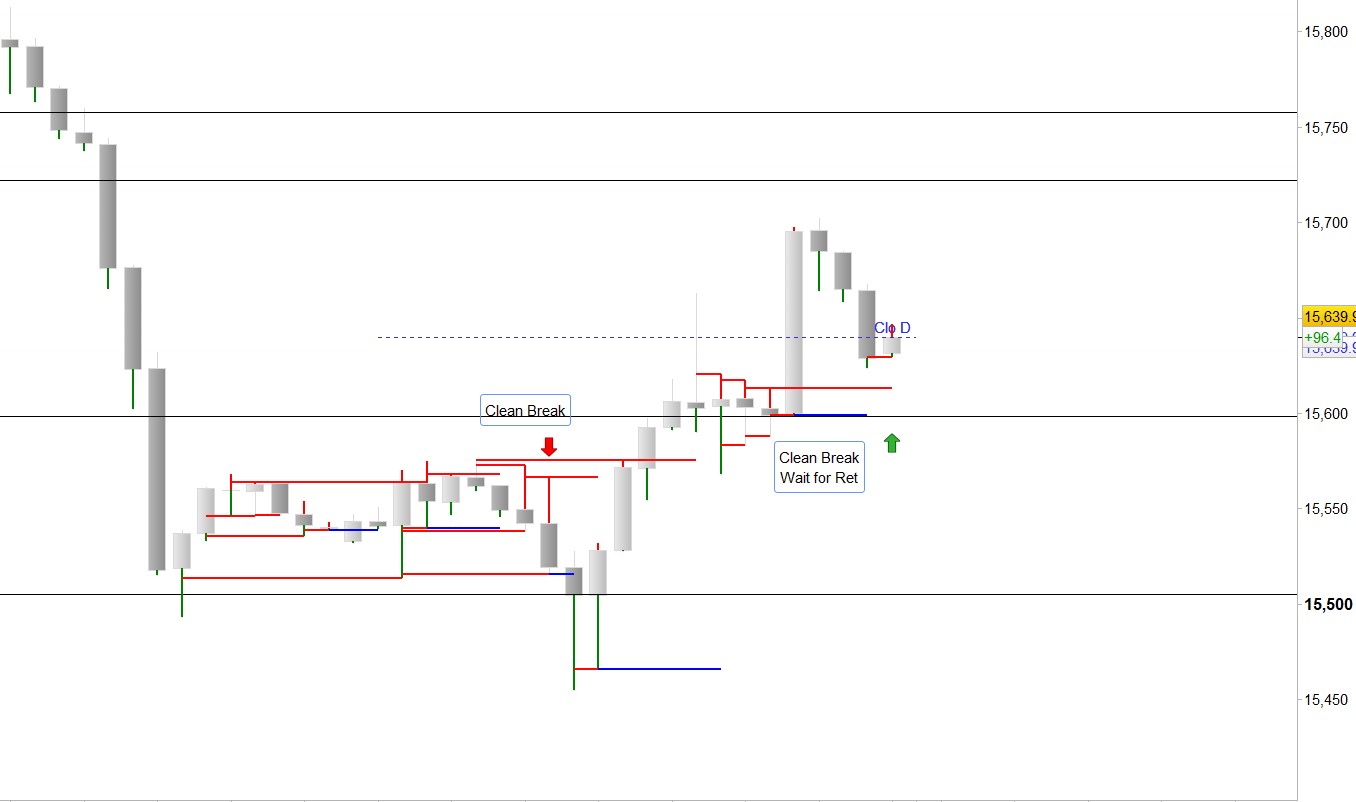
    General idea is to avoid the cluster or congestion area and trade only the clean break. Not smart enough to loop and find a way to alert when this condition is met. Dax Chart from Friday session attached for reference if that make any sense to you.

    #217524 quote
    robertogozzi
    Moderator
    Master

    Yes, that makes the chart much clearer!

Viewing 4 posts - 1 through 4 (of 4 total)
  • You must be logged in to reply to this topic.

Wick Colours change based on high and low


ProBuilder: Indicators & Custom Tools

New Reply
Author
Summary

This topic contains 3 replies,
has 2 voices, and was last updated by robertogozzi
2 years, 7 months ago.

Topic Details
Forum: ProBuilder: Indicators & Custom Tools
Language: English
Started: 07/09/2023
Status: Active
Attachments: 2 files
Logo Logo
Loading...