Hi Guys,
In the continuity of the discussion with @Vonassi I did different tests this morning
And I discover that we have some (rare) explanations on the 2D and 3D graphics in PRT but I did’nt find ANY explanations on who to use them (What do we need to loo for, what to see and so on..) and interpret the graphics
So I imagine some of you did their own interpretations ?
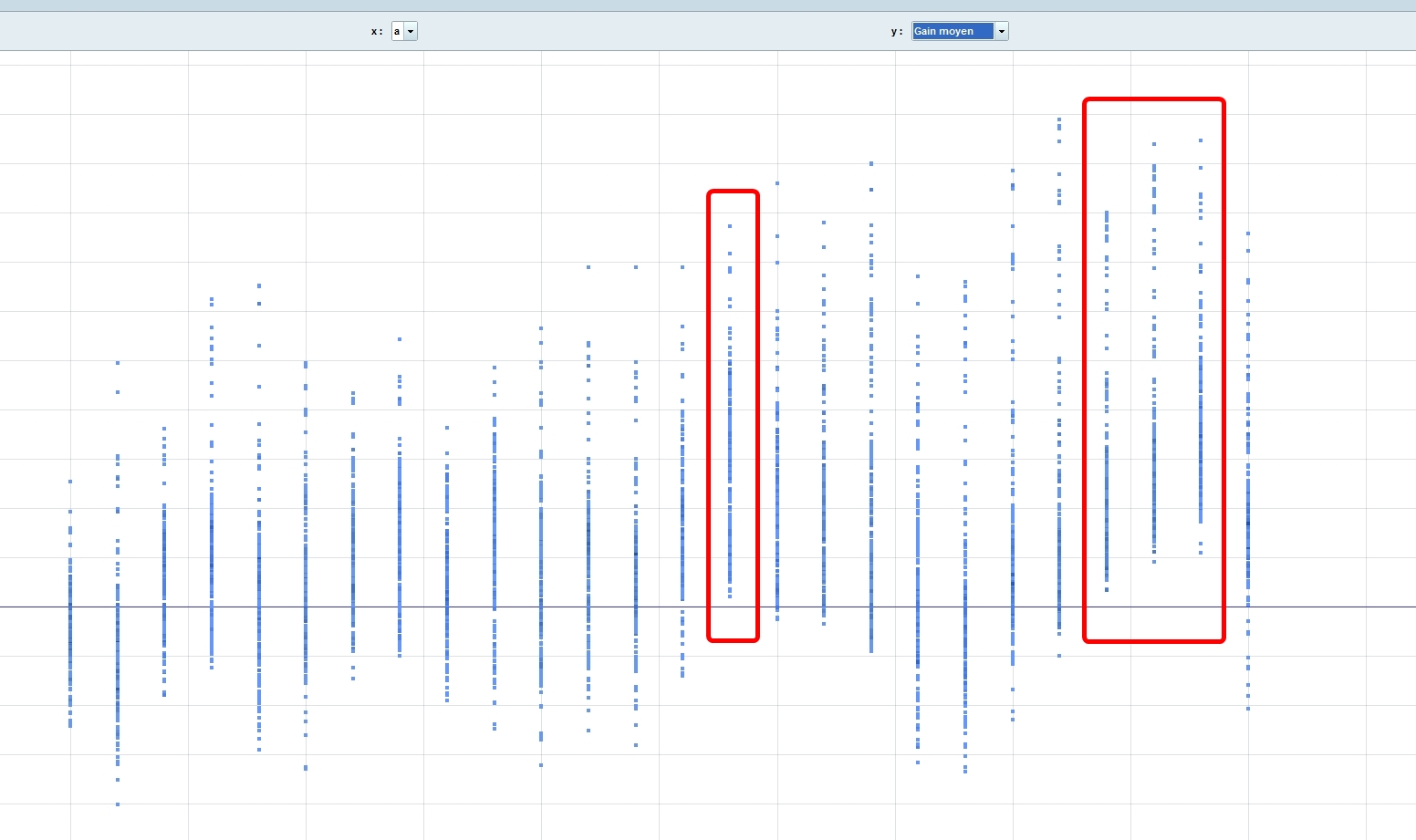
For example I think it could be interesting to look for parameters with Gain average >0 for example the A variable I indicate on my graphic, or may be should we see parameters with lower maximum drawdown ?
I think it’s a powerful tool but actually it’s like a cow who find a Iphone and know how to use it 🙂
So if you use them, please indicate who you interpret 2D/3D graphics
Thanks
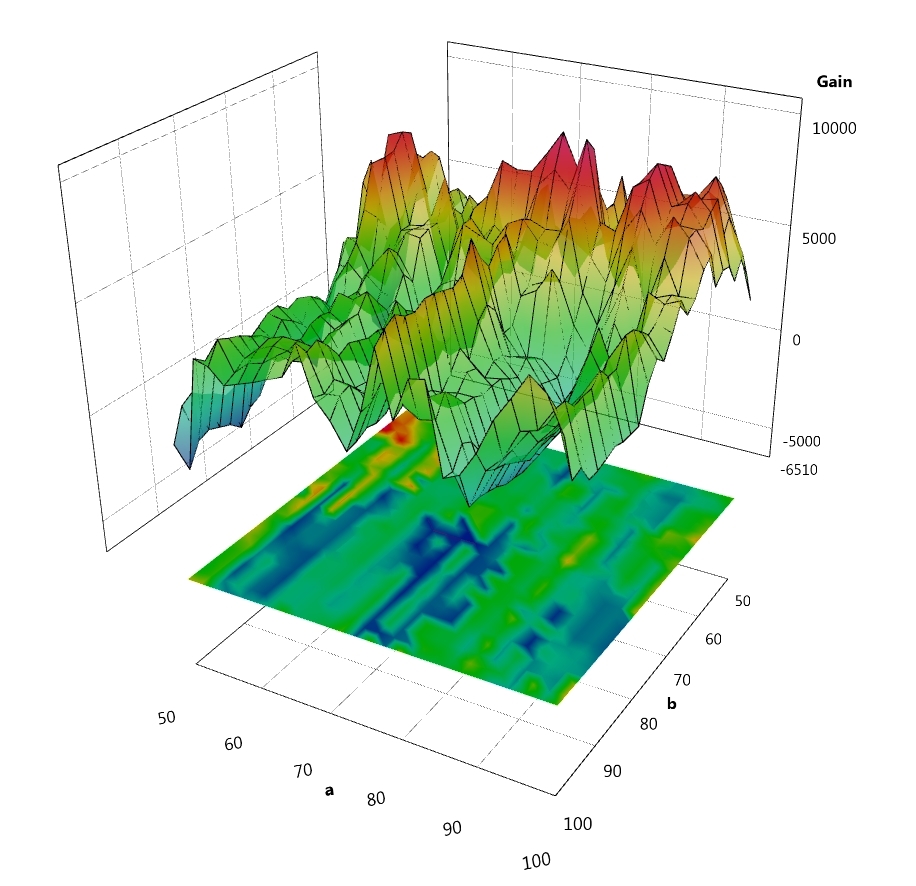
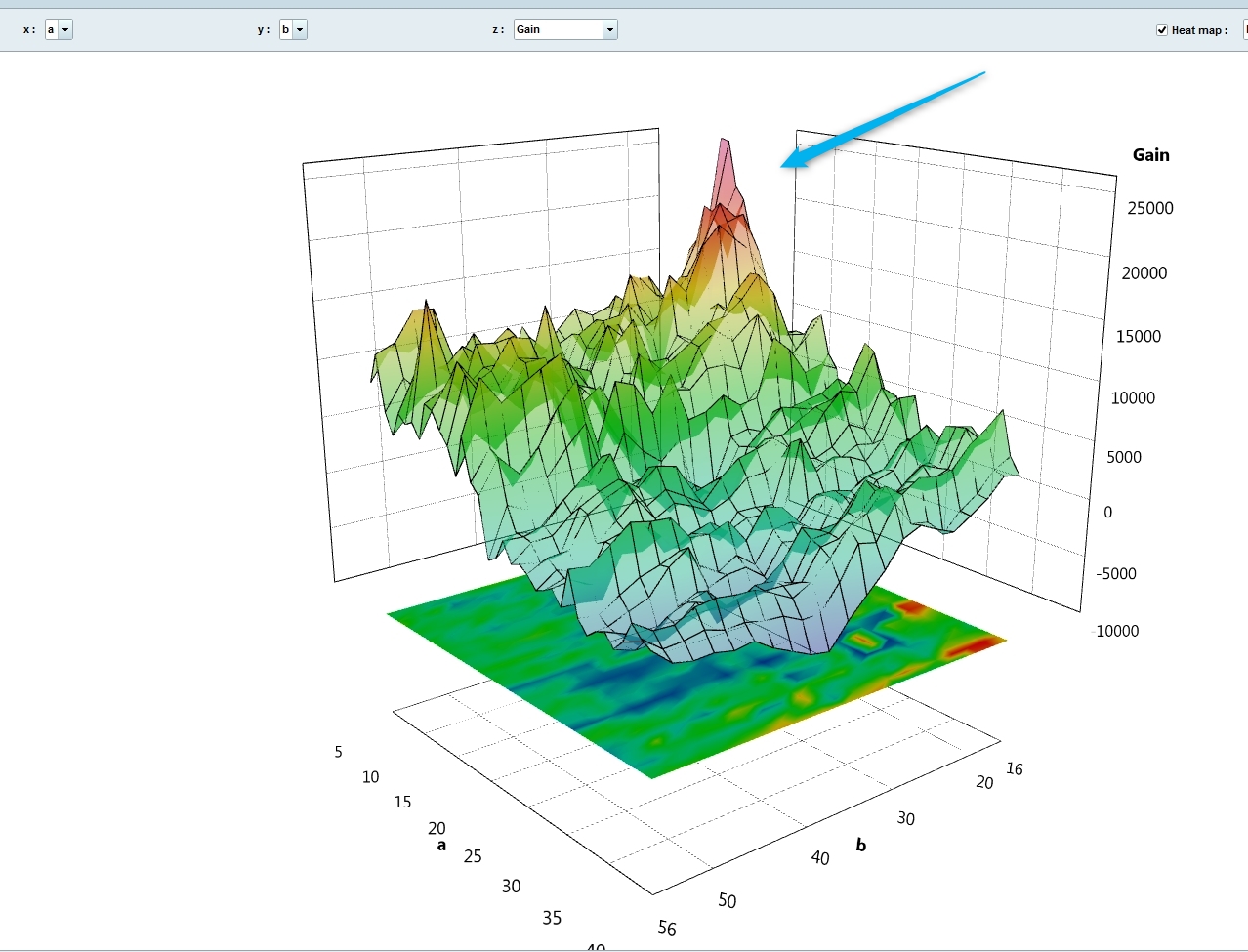
Flat area gives valuable information of variables not too much over-optimized. While comparing a set of optimized variables with gain, we should not consider the peaks (usually painted in red) that represent somehow the abnormal situations, which deviate from the ordinary distribution of variables that have given good results. Hope I’m clear 😉
Thanks @Nicolas
What do you call “Flat area” ? Flat zone in 3D graphic ?
Do you use them to select variables in your algo ? And if so, how ?, because as I said I did’nt find any document on them
(I test some ideas on how to well use 2D/3D and come back here if they were good)
Yes flat zone. It works the same as the 2D chart, but with a third dimension (3rd variable). A rough idea on how to use it: (sorry in french) https://youtu.be/t5rgPviqaog?t=2729
Flat area gives valuable information of variables not too much over-optimized. While comparing a set of optimized variables with gain, we should not consider the peaks (usually painted in red) that represent somehow the abnormal situations, which deviate from the ordinary distribution of variables that have given good results. Hope I’m clear 😉
And that’s why WF on gain are often wrong because we have often peak on backtest 😉
You can now make optimization on these criteria (version 11):
- Gain
- Number of positions
- % of winning trades
- Drawdown max
- Max runup
- Average gain per trade
But WF is still only uses gain, you are right.
Are you sur WF is only on gain, as you can choose Number of position, Max runup and so on…on the backtest window? Seems not to be limited for WF