Where is the code saved?

Viewing 7 posts - 16 through 22 (of 22 total)
  • Author
    Posts
  • #114868 quote
    GraHalGraHal
    Participant
    Master

    since all strategies written are saved, then those in autotrading are included, but you cannot tell which one

    I have 25 Running Systems (on Forward Test) and 15 different Systems in my Backtest window … only the 15 Backtest Systems are saved in .zip file.

    None of my my 25 Running Systems are saved / backed up in any of the 7 sub-folders forming part of the .zip file.

    So Running Systems are NOT backed up … seems weird? I wonder why not? Can’t be an oversight on the part of PRT surely??

    #114873 quote
    robertogozzirobertogozzi
    Moderator
    Legend

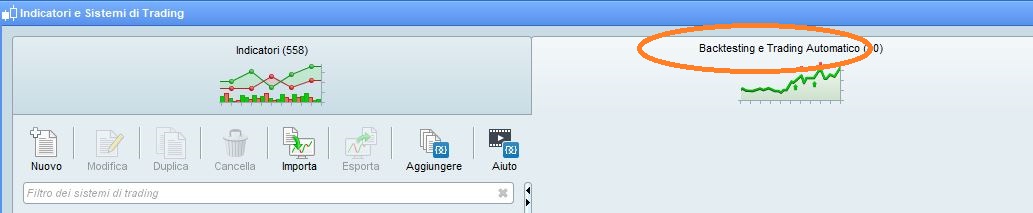
    For files to be saved they need to be visible in the Backtesting area.

    GraHal thanked this post
    x-6.jpg x-6.jpg
    #114877 quote
    GraHalGraHal
    Participant
    Master

    Yes I agree Roberto, thanks.

    I  hate having loads of Systems listed in the backtesting area.

    I would not mind if there were a file / folder hierarchy available as then I could have a folder named Running Systems.

    Is V11 the same as v10.3 in this respect (files only and no folders?) in the Backtest window … anybody??

    #114882 quote
    robertogozzirobertogozzi
    Moderator
    Legend

    No, there are no sublevels (tree hierarchy).

    It’s a pity, indeed!

    GraHal thanked this post
    #114975 quote
    NicolasNicolas
    Keymaster
    Legend

    In the help menu, the “export all personal data” will export all your codes at once.

    #114981 quote
    GraHalGraHal
    Participant
    Master

    It does NOT export codes for Systems Running (and non-Running) on Forward Test in the AutoTrading window.

    It would be loads better if it did and if it is supposed to then PRT need to be advised of this Issue.

    #114986 quote
    NicolasNicolas
    Keymaster
    Legend

    I understand, but the versioning management of codes is up to everyone. What you ask for is already done by the platform, because when a code is compiled, normally you can’t view the code anymore, but PRT save a cliché of what was the code when it was compiled..
    I know you want a button, instead of copy/pasting .. 🙄

Viewing 7 posts - 16 through 22 (of 22 total)
  • You must be logged in to reply to this topic.

ProRealAI ProRealAI New

Stuck on this ProBuilder code?

Describe what this topic is trying to build, in plain English, and ProRealAI writes the ProRealTime™ indicator, screener or system for you.

Available in 7 languages
Try ProRealAI

Where is the code saved?


ProBuilder: Indicators & Custom Tools

New Reply
Author
author-avatar
J. @j_slowly Participant
Summary

This topic contains 21 replies,
has 5 voices, and was last updated by NicolasNicolas

6 years, 9 months ago.

Topic Details
Forum: ProBuilder: Indicators & Custom Tools
Language: English
Started: 12/14/2019
Status: Active
Attachments: 2 files
ProRealCode ProRealCode
Loading...