Volume Separator (help needed)

Viewing 12 posts - 16 through 27 (of 27 total)
  • Author
    Posts
  • #121659 quote
    Vonasi
    Moderator
    Master

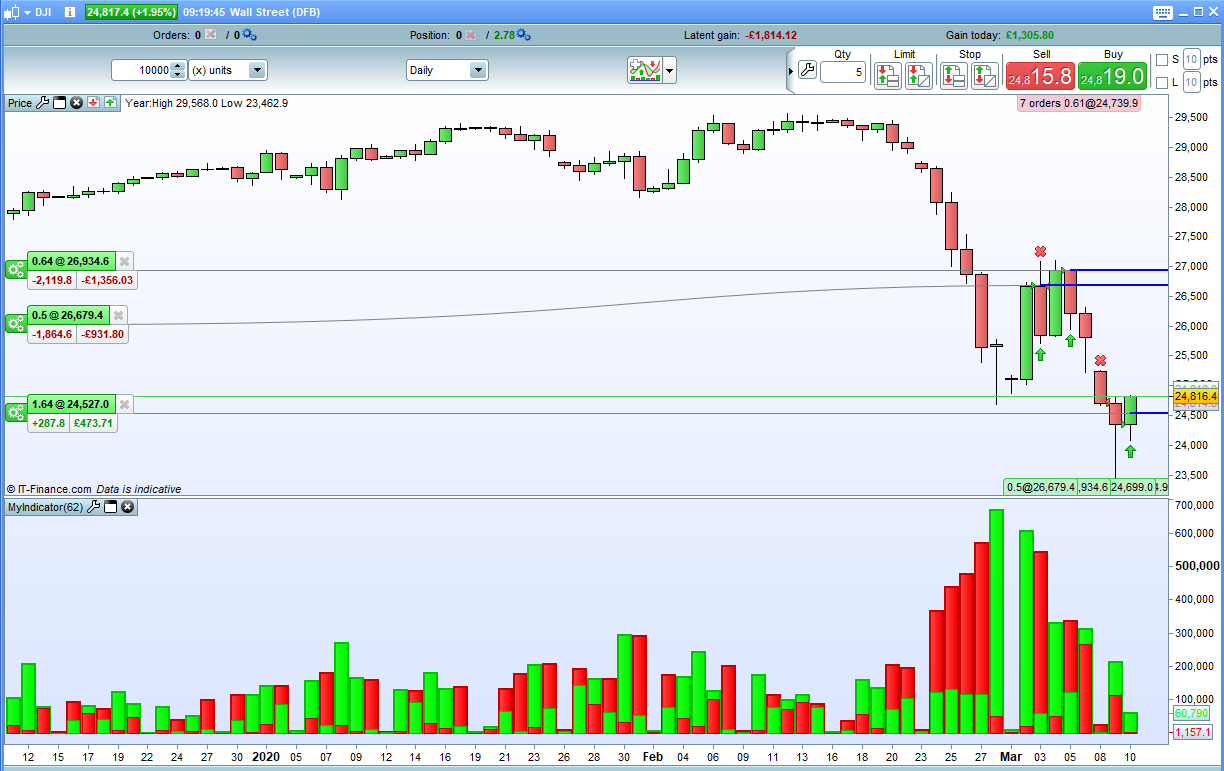
    Perhaps you mean that if the green bar is bigger than the red bar then the red bar is hidden. If so this version fixes that issue by changing the order they are drawn in.

    //o=open
    hi=high
    l=low
    c=close
    v=volume
    
    buying=v*(c-l)/(hi-l)
    selling=v*(hi-c)/(hi-l)
    
    if buying > selling then
    a = buying
    ra = 0
    ga = 255
    b = selling
    rb = 255
    gb = 0
    else
    a = selling
    ra = 255
    ga = 0
    b = buying
    rb = 0
    gb = 255
    endif
    
    return a coloured(ra,ga,0) style(histogram,2) ,b coloured(rb,gb,0) style(histogram,1)
    GraHal and Nicolas thanked this post
    Screenshot_4.png Screenshot_4.png
    #121663 quote
    GraHal
    Participant
    Master

    In any event, the summation [14] used with a moving average is useful.

    If you have improvements then please post the code here so others can use and analyse?

    #121668 quote
    mattmckoen
    Participant
    New

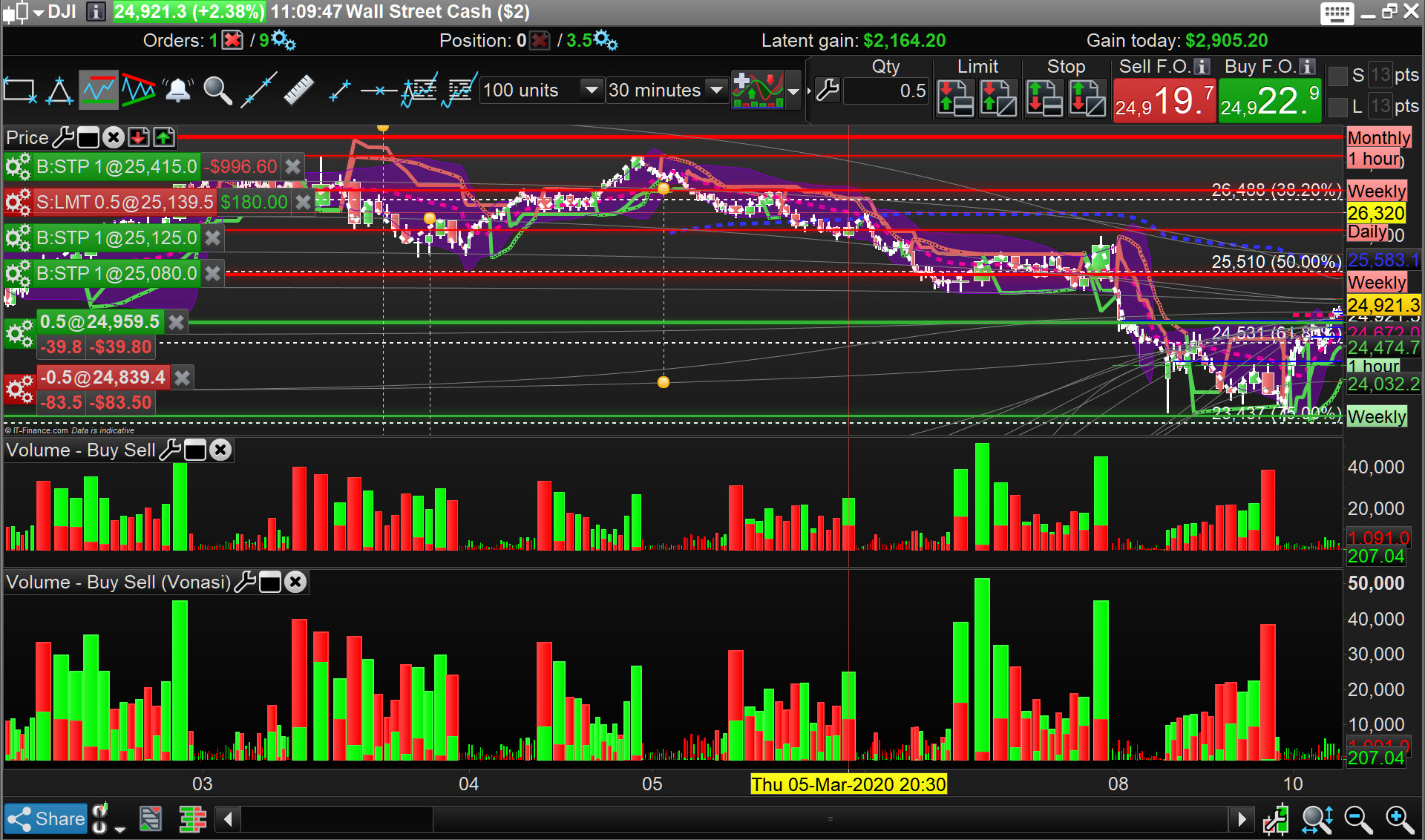
    @Vonasi – this is what i meant and thanks for posting the corrected code, the volume bars are distinguishable at a glance now- perfect!

    #121674 quote
    GraHal
    Participant
    Master

    this version fixes

    Yep … thanks Vonasi, green now showing on previously ‘all red’ bars … see attached lower histo compared to histo above.

    Buy-Sell.jpg Buy-Sell.jpg
    #121689 quote
    robert123
    Participant
    Master
    variables 14 and 72 or whatever floats your boat
    
    //o=open
    hi=high
    l=low
    c=close
    v=volume
    
    buying=v*(c-l)/(hi-l)
    selling=v*(hi-c)/(hi-l)
    
    sv=selling
    bv=buying
    //x
    //y
    return bv ,sv , summation[x](bv-sv),summation[y](bv-sv),summation[x](sv),summation[x](bv)

    Sry @GraHal figured you would be able to do that…..for some reason I am unable to post images else I would have.

    GraHal thanked this post
    #121692 quote
    GraHal
    Participant
    Master

    I am unable to post images

    What size are your images … max file size is 2MB?

    Are you posting .jpg or .png  … that’s what I post no problem.

    #121694 quote
    robert123
    Participant
    Master

    I have tried every which way but ….. and to no avail.

    #121700 quote
    GraHal
    Participant
    Master

    so can you attach an image to a post, but it will not send?

    OR

    You can’t attach an image to a post?

    #121705 quote
    robert123
    Participant
    Master

    I think the former Graham

    #121706 quote
    GraHal
    Participant
    Master

    Assuming file size is < 2MB then maybe it is your anti-virus or some setting on your browser?

    Have you tried on other browsers?

    #121708 quote
    robert123
    Participant
    Master

    Yes chrome and ffox , I think is more likely that my computer is rather old i.e wxp.

    #121726 quote
    robert123
    Participant
    Master


    To the hierarchy

    Do you think it would be possible to transfer the colouring to a candle/bar chart? I think it might be above my paygrade.?

    R

Viewing 12 posts - 16 through 27 (of 27 total)
  • You must be logged in to reply to this topic.

Volume Separator (help needed)


ProBuilder: Indicators & Custom Tools

New Reply
Author
author-avatar
mattmckoen @mattmckoen Participant
Summary

This topic contains 26 replies,
has 5 voices, and was last updated by robert123

5 years, 11 months ago.

Topic Details
Forum: ProBuilder: Indicators & Custom Tools
Language: English
Started: 03/06/2020
Status: Active
Attachments: 8 files
Logo Logo
Loading...