Hi,
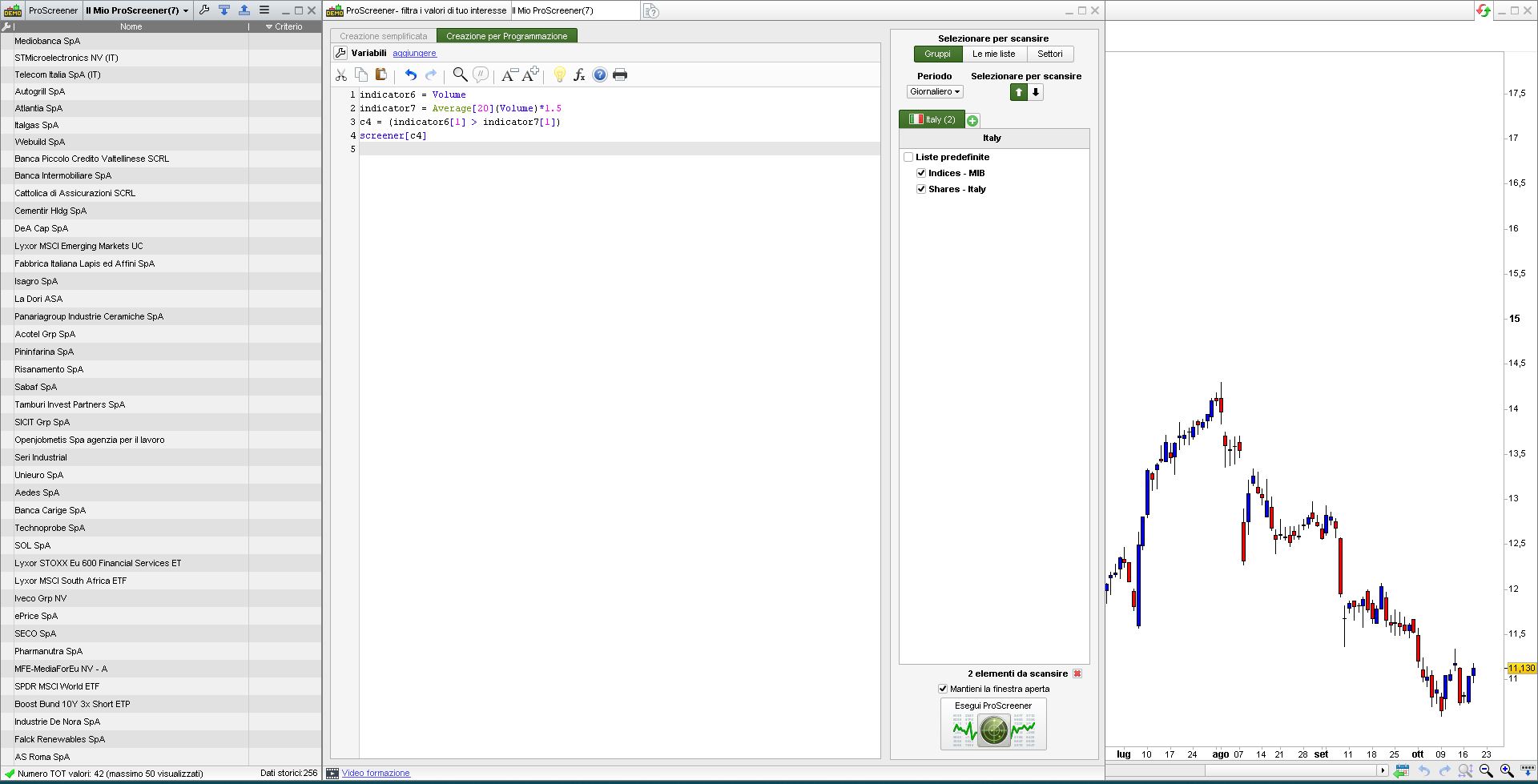
Can anyone tell me, please, what is wrong with this simple volume command?
indicator6 = Volume
indicator7 = Average[20](Volume)*1.5
c4 = (indicator6[1] > indicator7[1])
I just want to set the rule : “Volume is higher than the moving average”, but the screener always shows 0 results
Thanks for help
The pic shows the results I get from the Italy list.
In your code the last line is missing (the SCREENER line), is that the issue? In this it should have been reported as an error, though.
Thanks Roberto.
I have other lines with other rules and the screener works properly, as soon as I add the volume one I always get 0 as result, but not an error.
Without the lines regards the volume it works.
This is the full code, which now shows 0:
indicator1, ignored = CALL “Engulfing Istogramma”
c1 = (indicator1[1] > 0)
indicator2 = ExponentialAverage[10](close)
indicator3 = ExponentialAverage[20](close)
c2 = (indicator2[1] > indicator3[1])
indicator4 = ExponentialAverage[20](close)
indicator5 = ExponentialAverage[50](close)
c3 = (indicator4[1] > indicator5[1])
indicator6 = AverageTrueRange[20](close)
c4 = (indicator6[1] > indicator6[2])
indicator7 = Volume
indicator8 = Average[20](Volume)*1.5
c5 = (indicator7[1] > indicator8[1])
SCREENER[c1 AND c2 AND c3 AND c4 AND c5] (Variation AS “% Var barra prec”)
Using filters C2 and C3 and C4 and C5 I get 22 results from the NYSE. So those conditions are fine.
Obviously whatever C1 is filtering is conflicting with your volume filter C4. You need to work that out.
Using filters C2 and C3 and C4 and C5 I get 22 results from the NYSE. So those conditions are fine.
Obviously whatever C1 is filtering is conflicting with your volume filter C4. You need to work that out.
Correction: I meant “Obviously whatever C1 is filtering is conflicting with your volume filter C5. You need to work that out.”