VISUAL LEVELs INDICATOR with Donchian channel
Viewing 15 posts - 1 through 15 (of 28 total)
  • Author
    Posts
  • #153891 quote
    Soyouzzz1
    Participant
    Junior

    Hello,
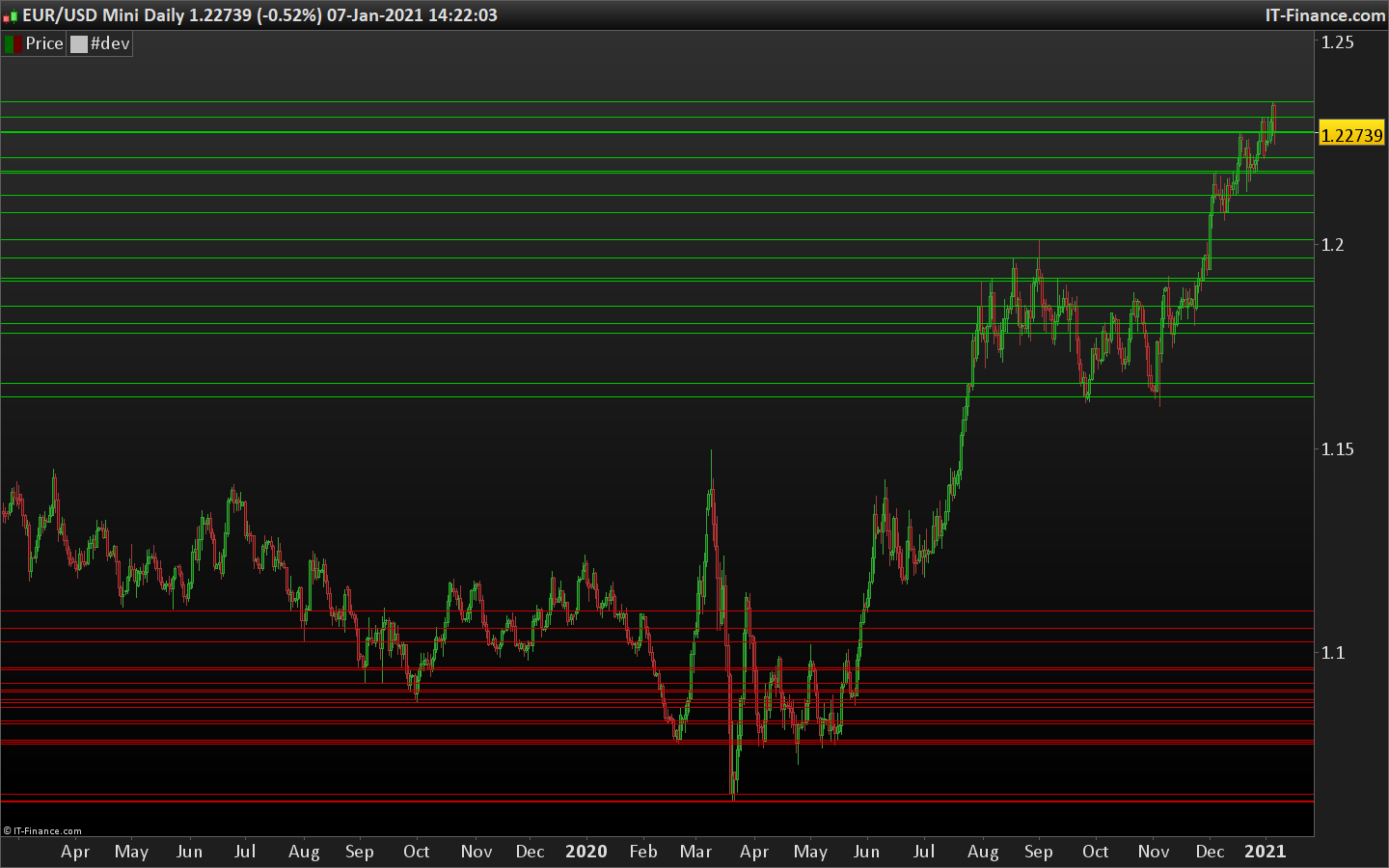
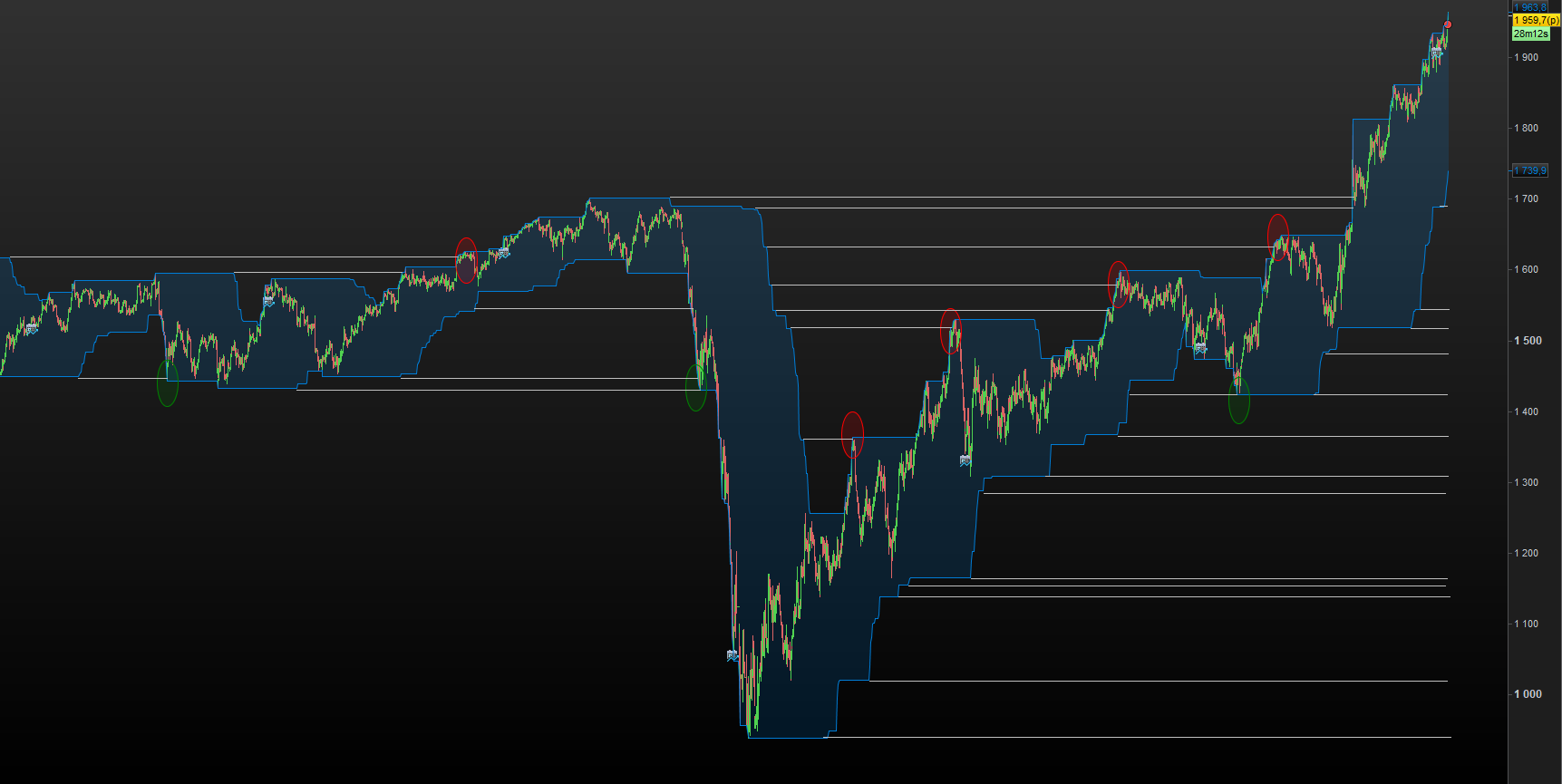
    I think that a level indicator based on Donchian channels helps to find more easily the levels of slowdowns/reversals.
    Can anyone code an indicator that draws lines that extend the high/low of the Donchian channels please ?
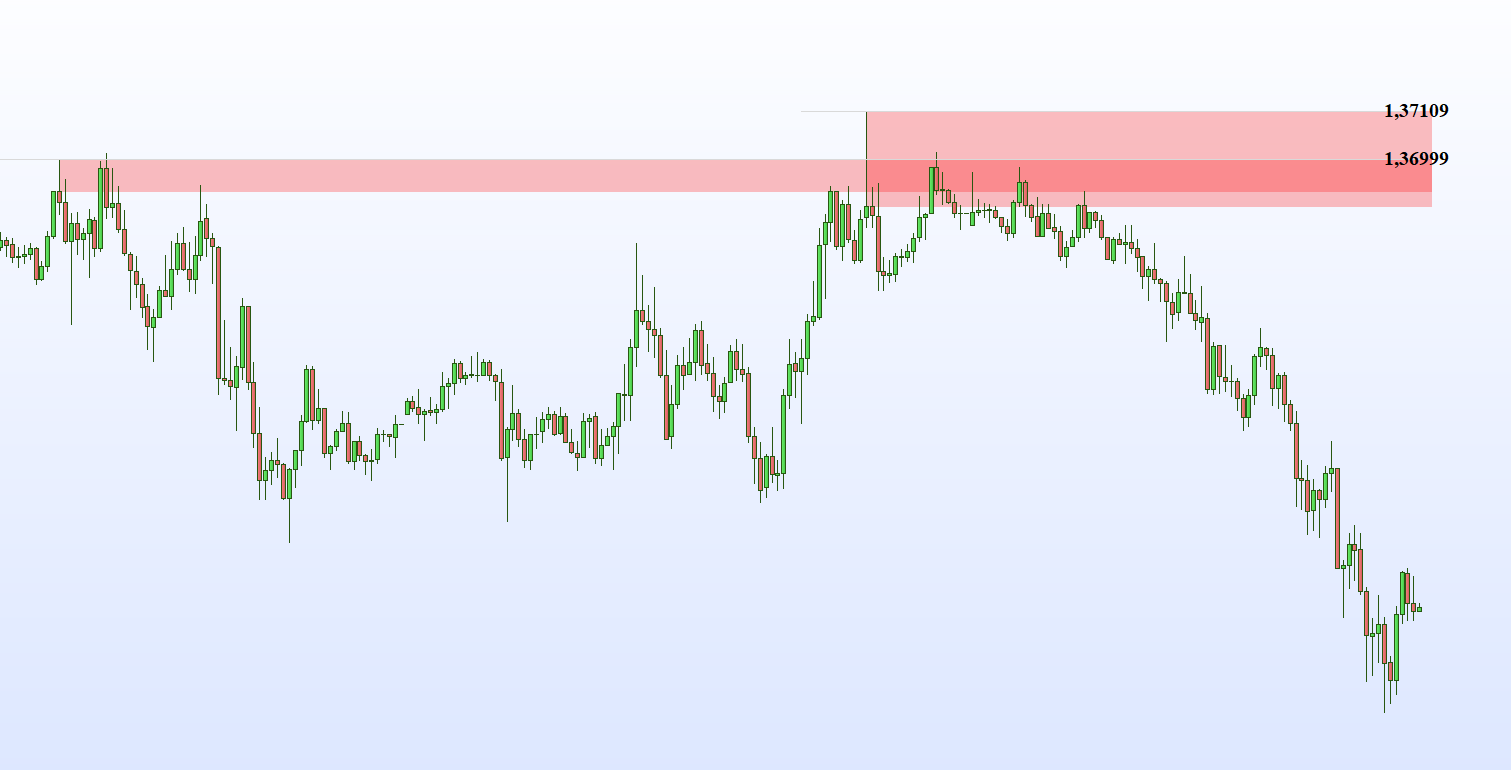
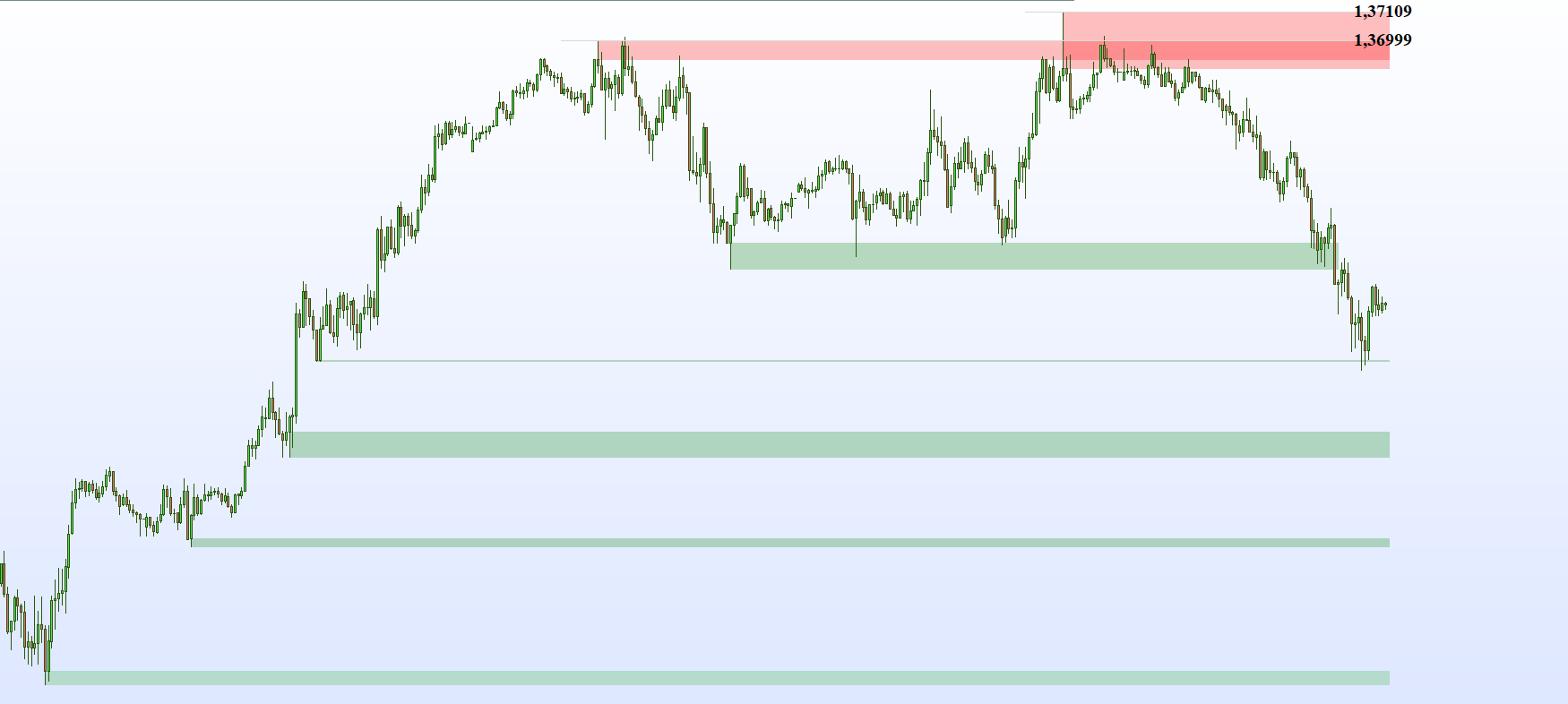
    In my example I have used the Donchian channels over 500 periods and you can see that it adds a very useful visual aid.

    Oliviertrader2020 thanked this post
    #156651 quote
    Oliviertrader2020
    Participant
    Average

    This indicator is a great idea @Soyouzzz1 !

    #156751 quote
    Nicolas
    Keymaster
    Master

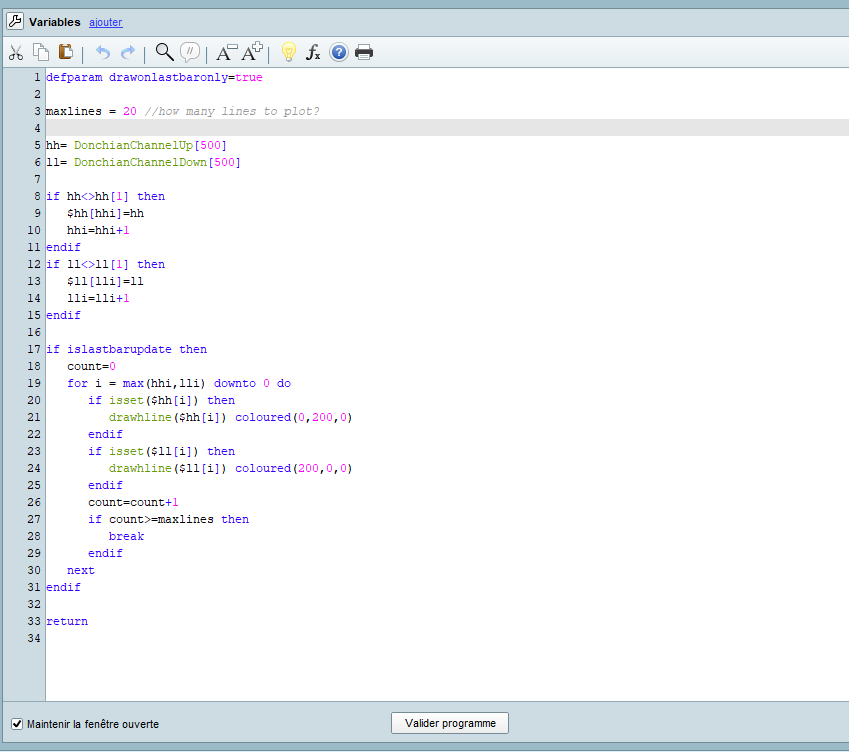
    The below code plots the last “maxlines” of the Donchian Channel 500 periods, the same way as described by @Soyouzzz1

    defparam drawonlastbaronly=true
    
    maxlines = 20 //how many lines to plot? 
    
    hh= DonchianChannelUp[500]
    ll= DonchianChannelDown[500]
    
    if hh<>hh[1] then 
    $hh[hhi]=hh
    hhi=hhi+1
    endif 
    if ll<>ll[1] then 
    $ll[lli]=ll
    lli=lli+1
    endif 
    
    if islastbarupdate then 
    count=0
    for i = max(hhi,lli) downto 0 do 
    if isset($hh[i]) then 
    drawhline($hh[i]) coloured(0,200,0)
    endif 
    if isset($ll[i]) then 
    drawhline($ll[i]) coloured(200,0,0)
    endif
    count=count+1
    if count>=maxlines then 
    break
    endif 
    next
    endif 
    
    return
    Oliviertrader2020, Nobody and Soyouzzz1 thanked this post
    #156810 quote
    Oliviertrader2020
    Participant
    Average

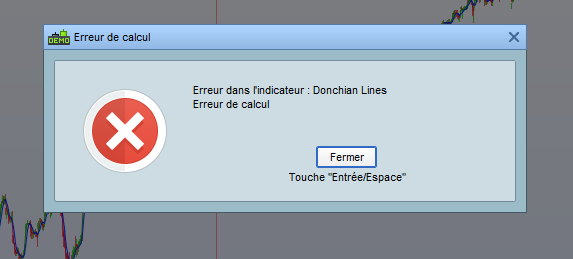
    Hello @Nicolas, can you send us the indicator in itf, because there is a calculation error when copying and pasting?

    #156853 quote
    Nicolas
    Keymaster
    Master

    I don't think it's related to your copy paste, which instrument and UT I'm going to attempt to reproduce, there are well over 500 units on your chart?

    #156872 quote
    Vonasi
    Moderator
    Master

    I think it must be some error in the Donchian calculation as I just coded this totally different version and it also has a ‘calculation error’

    defparam drawonlastbaronly=true
    defparam calculateonlastbars = 2000
    
    p = 100
    
    if barindex > p then
    if islastbarupdate then
    maxlines = 20 
    
    hh= DonchianChannelUp[p]
    ll= DonchianChannelDown[p]
    
    a = 1
    for b = 0 to barindex
    if hh[b]<>hh[b+1] then
    drawhline(hh[b]) coloured(0,128,0)
    a = a + 1
    if a > maxlines then 
    break
    endif
    endif
    next
    
    a = 1
    for b = 0 to barindex
    if ll[b]<>ll[b+1] then
    drawhline(ll[b]) coloured(128,0,0)
    a = a + 1
    if a > maxlines then
    break
    endif
    endif
    next
    endif
    endif
    
    return
    
    Soyouzzz1 thanked this post
    #156987 quote
    Soyouzzz1
    Participant
    Junior

    Thank you for your help @Nicolas and @Vonasi.
    I also had the same problem: the indicator returns an error message.

    According to Vonasi, the problem comes from the Donchian channel calculation performed by PRT.
    So I incorporated the calculation in your 2 indicators, replacing the lines :

    hh= DonchianChannelUp [500]
    ll= DonchianChannelDown [500]

    by

    hh= HIGHEST [DH](HIGH)
    ll=HIGHEST [DL](HIGH)


    DH(Donchian High) and DL(Donchian Low) are variables with default values of 500.

    In Nicholas’ indicator it effectively traces the lines, but in Vonasi’s indicator it did not allow to display them.


    To create an indicator with a high probability of reversal, can these 3 points be improved?

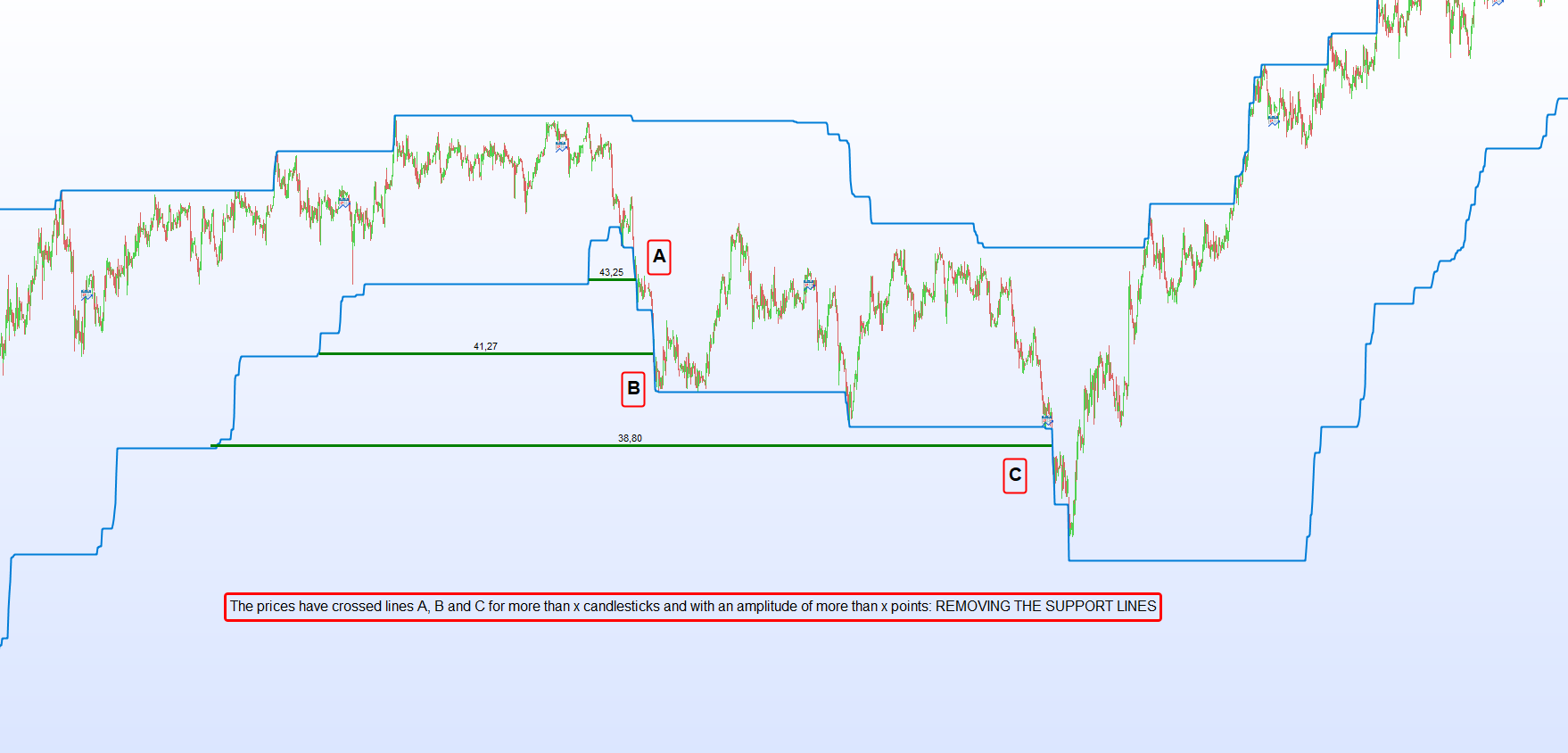
    1. Removal of levels when the price has crossed them

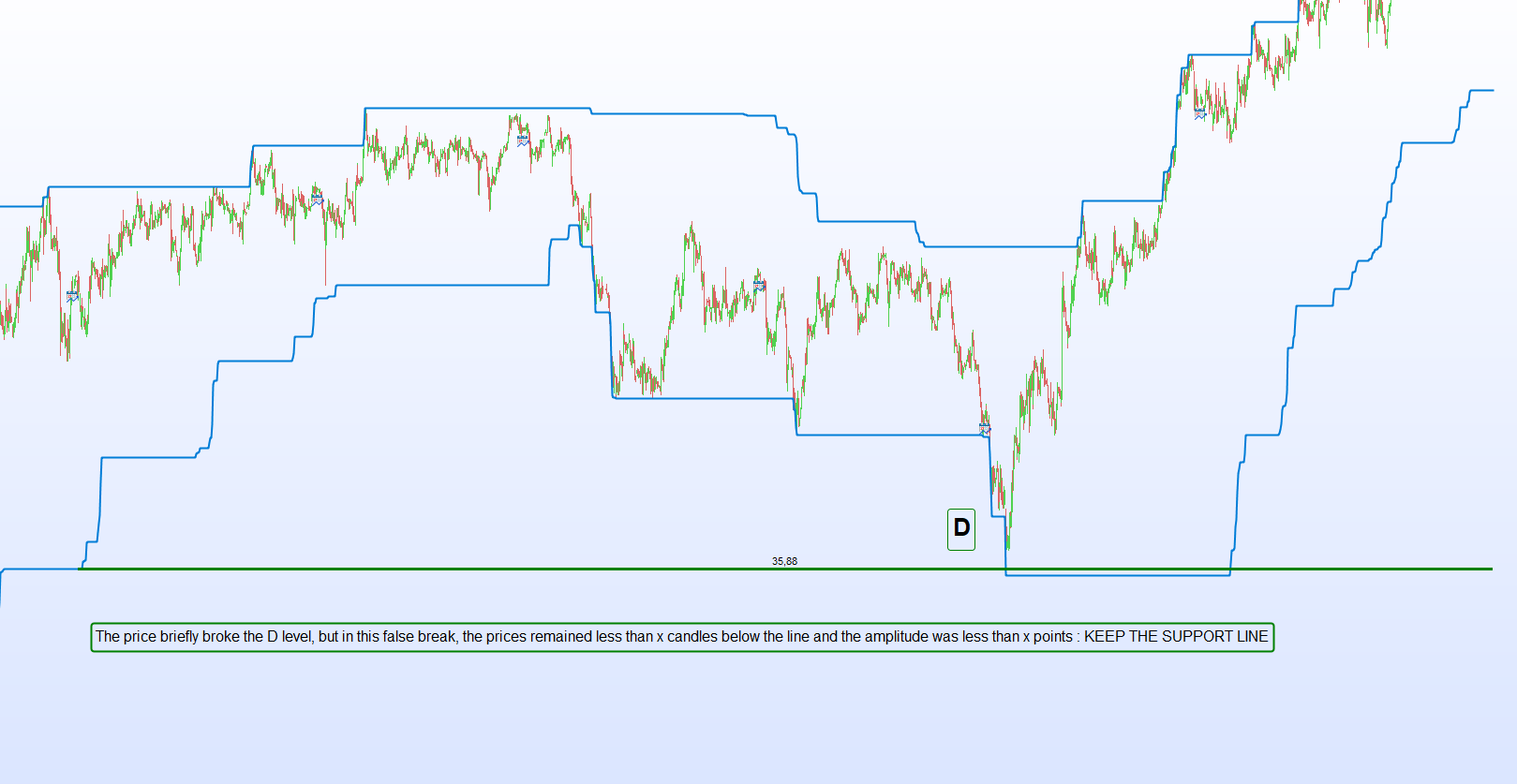
    In the picture posted in my first message, I make the lines continue until the prices go through them. Once crossed the levels are no longer relevant and pollute the image by sending lines whose probas of reversing the price are lower than lines that have not been crossed.
    Example in image 1.DL

    To avoid erasing levels that have been briefly crossed, if you can add two filters (modifiable by a variable) to choose to keep :
    -lines that have been crossed by less than 5/10/x points
    and
    -lines whose price remained less than 1/2/x candles beyond .
    Example in image 2.DL

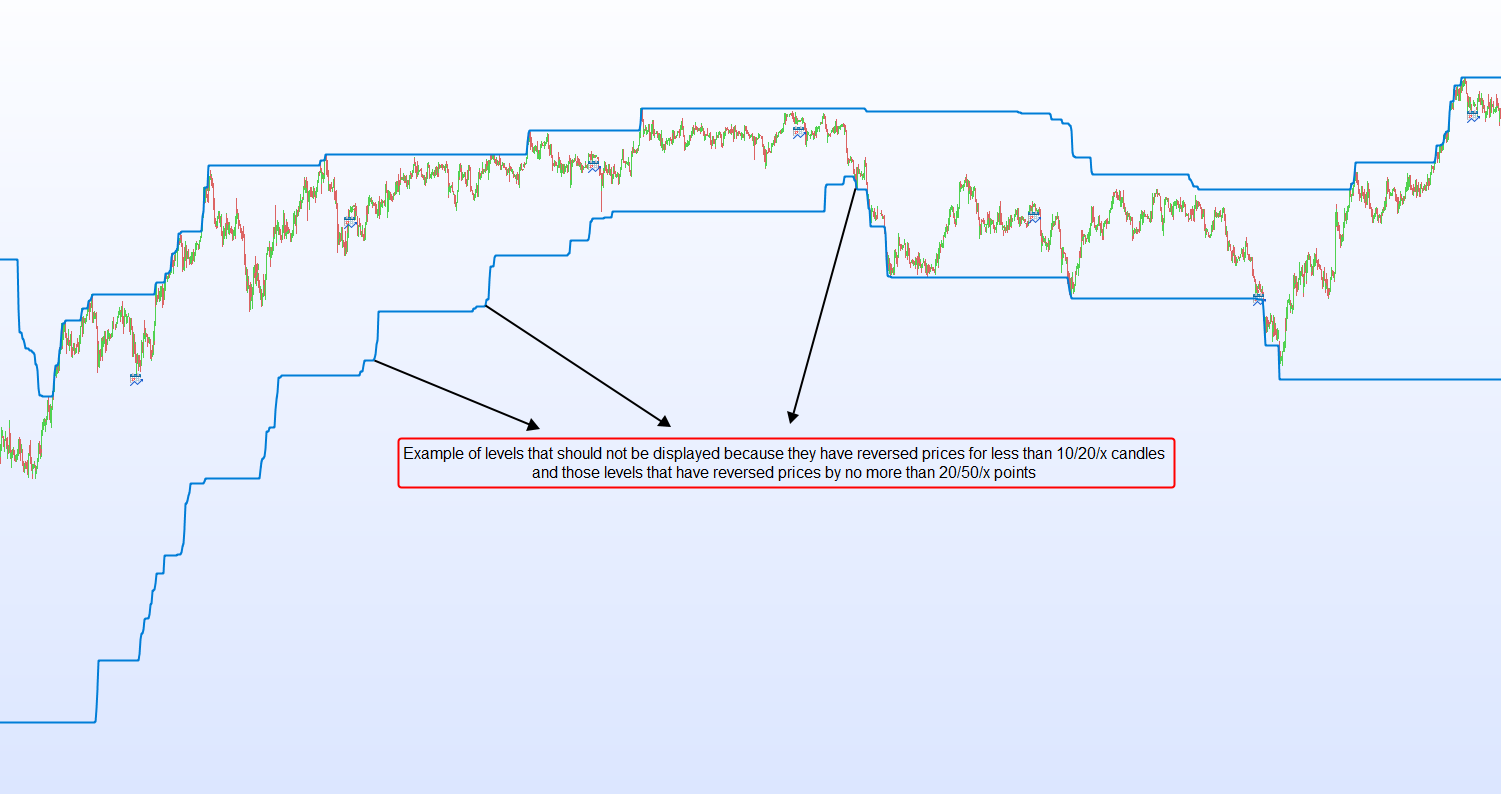
    2. Display of the most relevant levels

    The current indicator takes into account all levels of Donchian.
    But in a trend we can see that a Donchian level is often only a pause level of the trend and this level is quickly broken.

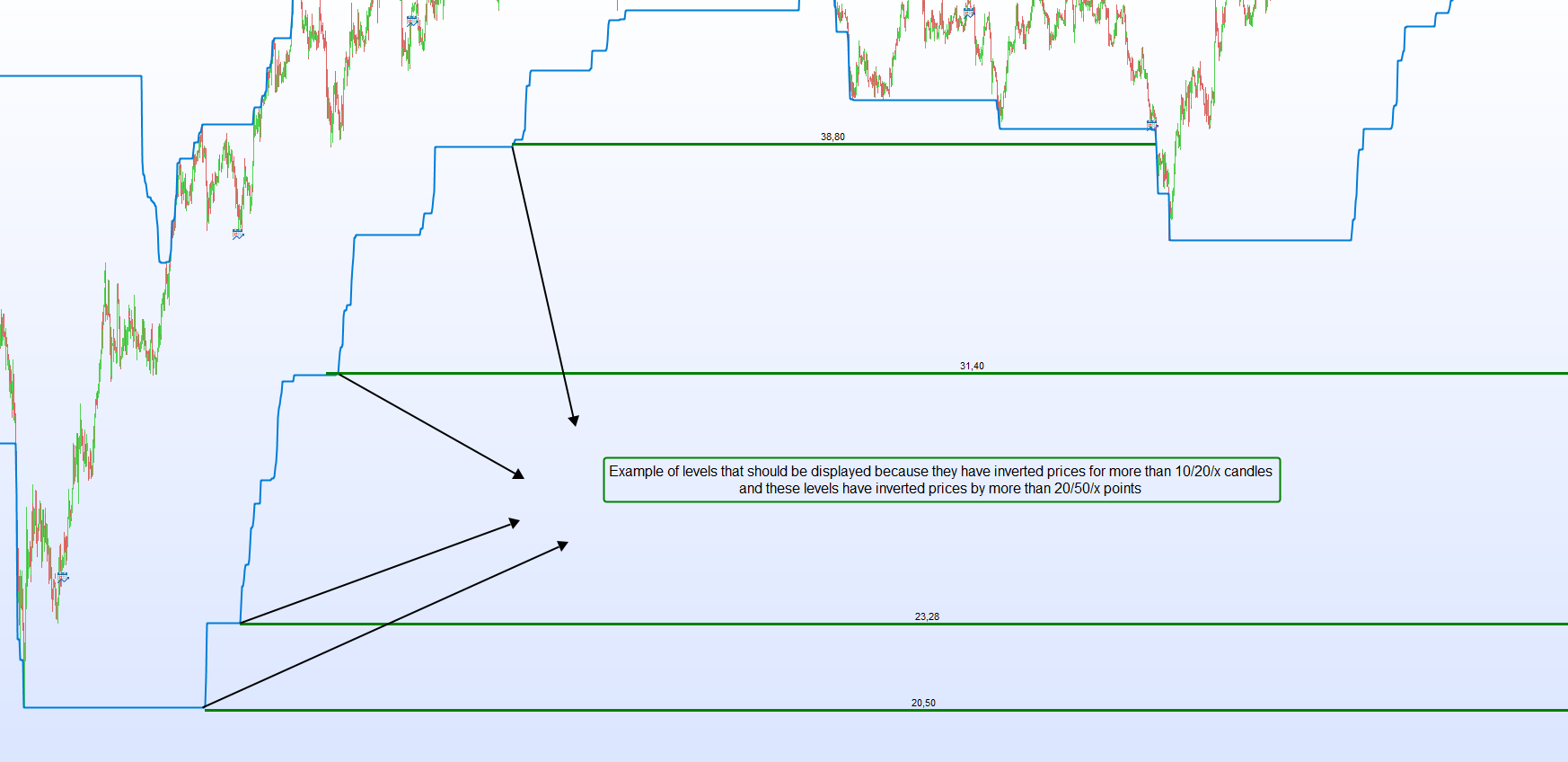
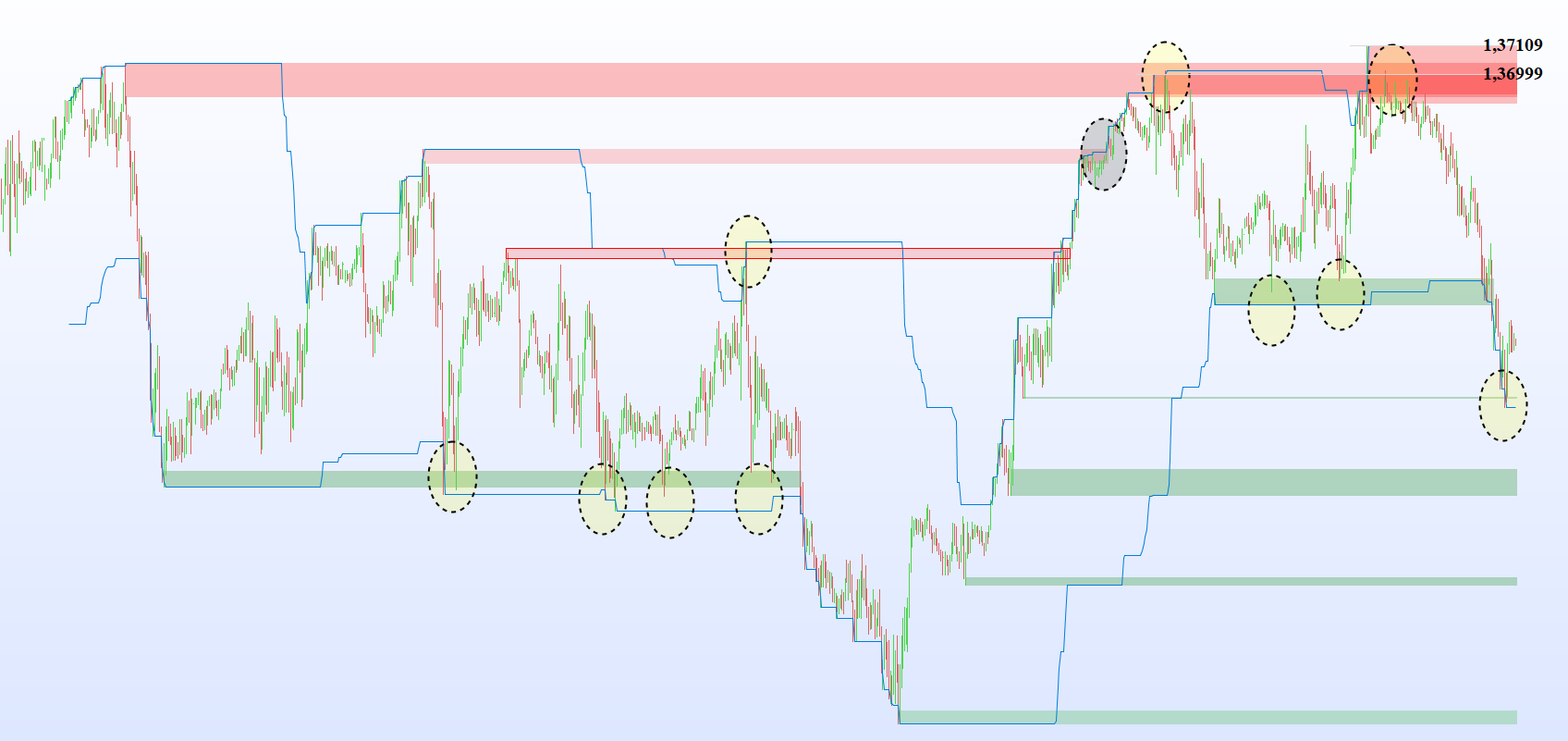
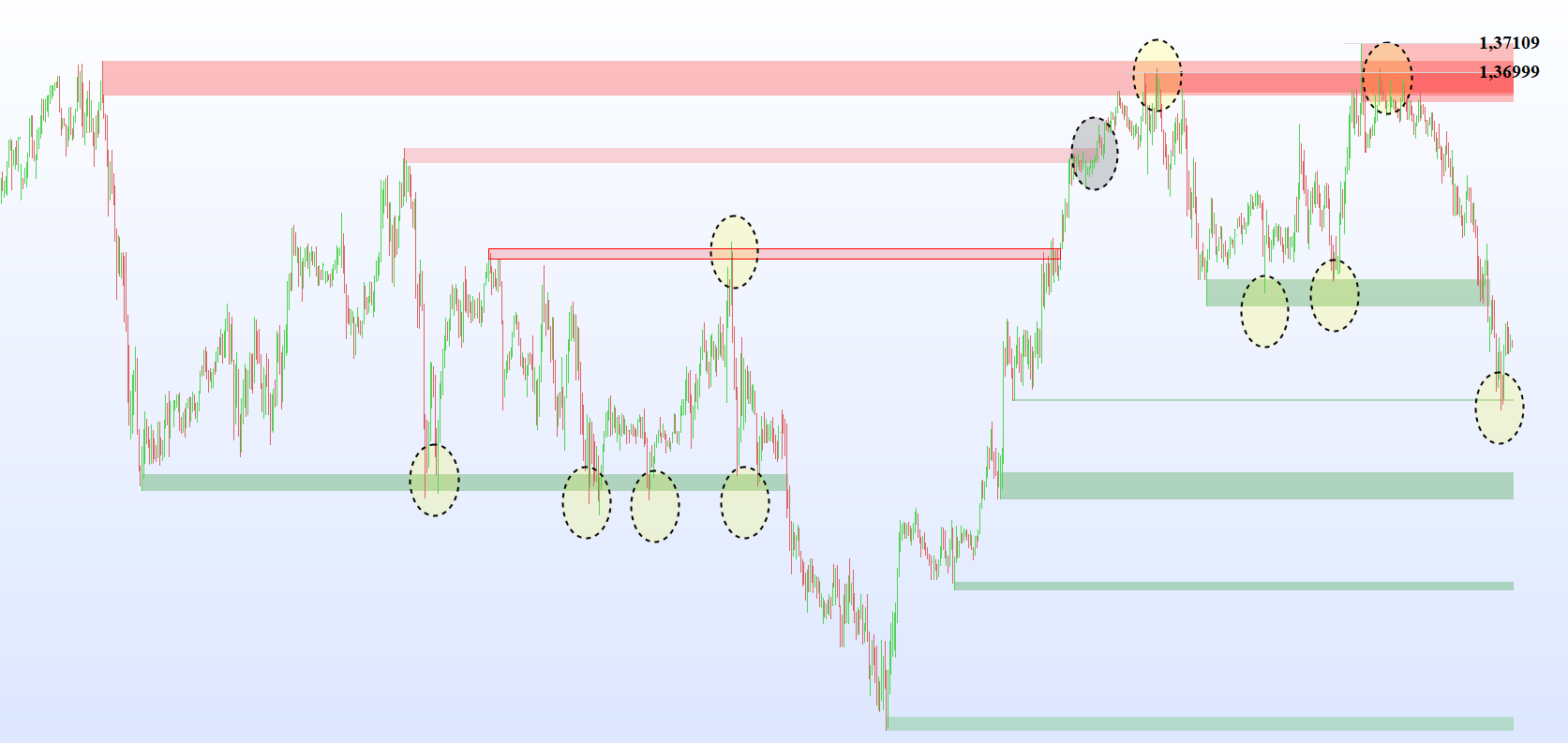
    To avoid displaying levels that are not solid, if you can add two filters (modifiable by a variable) to choose to keep only:
    – levels that have reversed prices for more than 20/50/x candles
    and
    – levels that have reversed prices by more than 20/50/x points (an SMA5 can be used to choose the timing of the beginning and end of the reversals)
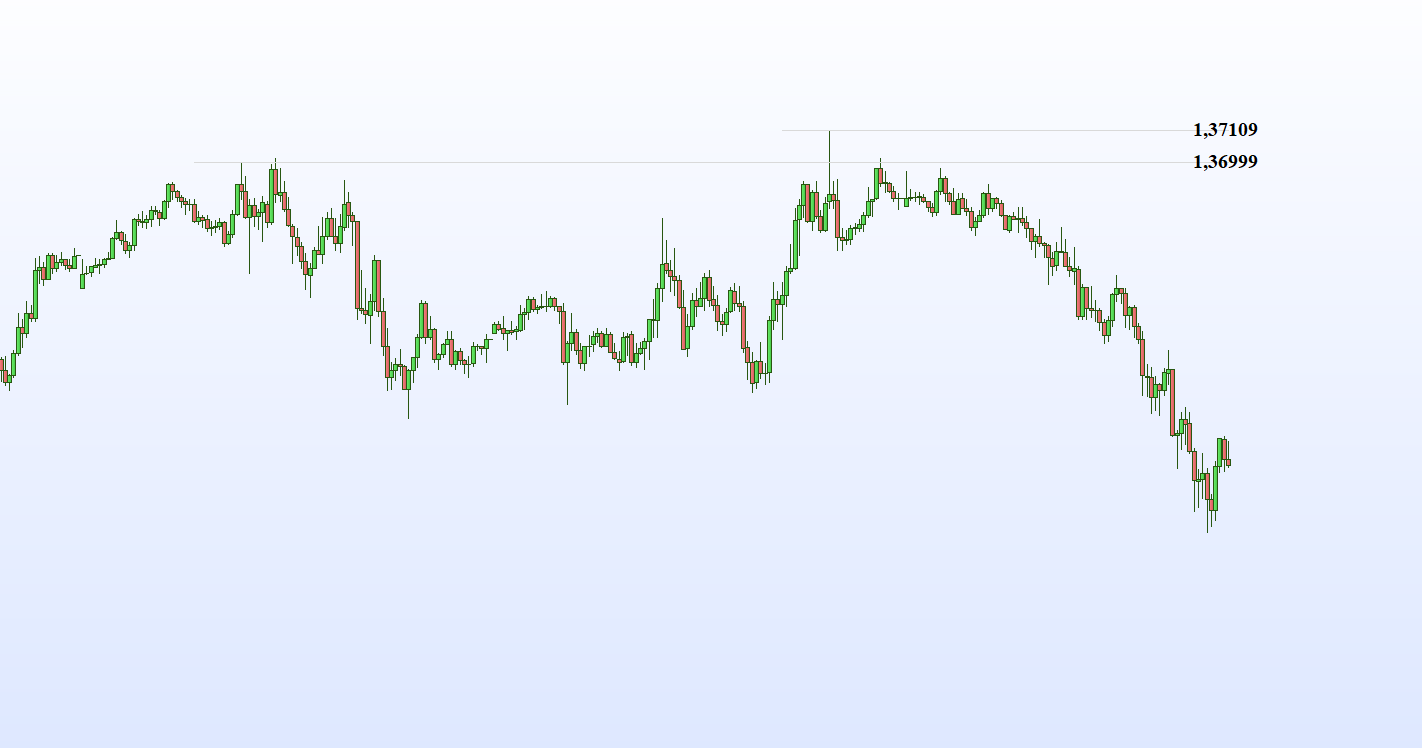
    Example in images 3.DL and 4.DL

    3. Display levels in smaller time units

    To trade reversals, traders look for levels/areas on large time units and use setups on small time units to take positions with good timing.

    For this it is important to be able to display the indicator levels on several time units, for example :
    – display the levels detected by the indicator in H4 on 5min.
    – display the levels detected by the indicator in H1 over 1min.

    Not only will this allow discretionary traders to display all important information on the same screen, but it will also allow them to program trading algorithms where everyone can use their own setups to enter and exit positions.

    If we can create this indicator, I will share in the library a reversal algorithm created from it.

    Thank you for your help. 😀

    #157609 quote
    Soyouzzz1
    Participant
    Junior

    Hello   @Nicolas and   @Vonasi ,someone can help me ?

    #157624 quote
    Nicolas
    Keymaster
    Master

    What you are requesting involves a lot of work. I will dig into it but not sure when it will be done.

    #157672 quote
    Nicolas
    Keymaster
    Master

    Here is a first draft that use the highest levels only.

    These are not tested and over complicate the calculation:

    To avoid erasing levels that have been briefly crossed, if you can add two filters (modifiable by a variable) to choose to keep :
    -lines that have been crossed by less than 5/10/x points
    and
    -lines whose price remained less than 1/2/x candles beyond .

    defparam drawonlastbaronly=true
    
    p = 20
    maxbars = 800 //how many bars in history?
    reversedCandles = 10 //levels have been the same during X bars
    reversedPoints = 2 //current level - previous level > Y points
    
    if barindex > p then
    
    hh= highest[p](high)
    ll= lowest[p](low)
    
    if hh<>hh[1] and hh[1]>0 and hh[1]=hh[1+reversedCandles] and abs(hh-hh[1])>=reversedPoints*pointsize then 
    $hhprice[hhi]=hh
    $hhbar[hhi]=barindex[1+reversedCandles]
    hhi=hhi+1
    endif  
    endif
    
    if islastbarupdate and hhi>0 then 
    //plot the hh lines 
    for i = 0 to hhi-1 do //loop through levels 
    elapsed = barindex-$hhbar[i]
    if elapsed>1 and elapsed<=maxbars then 
    
    offset = max(0,barindex-$hhbar[i])
    for j = 0 to offset do //testing price break of the current level 
    price = close[j]
    priceprev = close[j+1]
    level = $hhprice[i]
    broken = 0
    if (price>level and priceprev<level) or (price<level and priceprev>level) then 
    broken=1
    //drawarrow($hhbar[i],price) 
    break
    endif
    next
    
    if broken=0 then 
    drawsegment($hhbar[i],$hhprice[i],barindex,$hhprice[i])
    test=$hhprice[i]
    drawtext("#test#",barindex,$hhprice[i],serif,bold,20)
    //drawtext("#offset#",barindex,$hhprice[i],serif,bold,20)
    endif 
    
    endif
    next
    endif 
    
    return
    Soyouzzz1 thanked this post
    #158002 quote
    Soyouzzz1
    Participant
    Junior

    Hello @Nicolas, thanks for your help, this is a very good start !

    I tried to change the color of the segment because it almost doesn’t show, but it seems that this is not possible on Prorealtime?

    If the color of the segment is not changeable can we create zones that would start from the top and bottom of the candle wicks that were used to create the Donchian levels?

    #158006 quote
    Soyouzzz1
    Participant
    Junior

    As you can see in my screenshots, these zones often allow you to take trades with a high probability of winning on the first rebounds :

    #158025 quote
    Vonasi
    Moderator
    Master

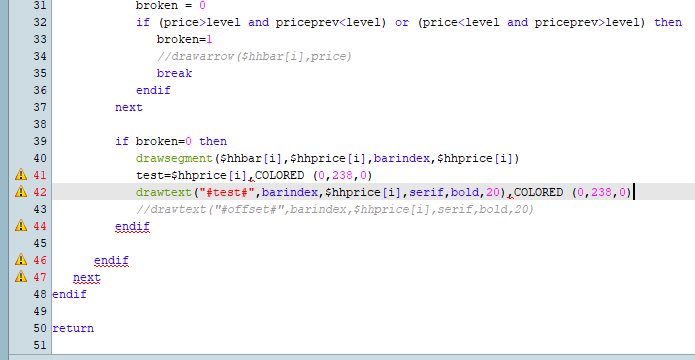
    Just add COLOURED(0,0,0) at the end of lines 40 and 42.

    Change the zero values to any combination found here to draw the lines and text in whatever colour you want.

    http://cloford.com/resources/colours/500col.htm

    #158032 quote
    Soyouzzz1
    Participant
    Junior

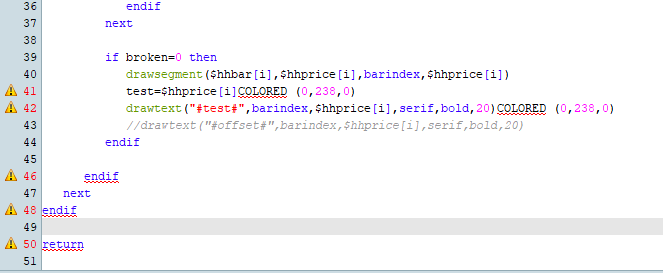
    Hello, it doesn’t work with or without the comma.

    #158037 quote
    Vonasi
    Moderator
    Master

    Because you didn’t spell COLOURED correctly.

    No comma is needed.

    Soyouzzz1 thanked this post
Viewing 15 posts - 1 through 15 (of 28 total)
  • You must be logged in to reply to this topic.

VISUAL LEVELs INDICATOR with Donchian channel


ProBuilder: Indicators & Custom Tools

New Reply
Author
author-avatar
Soyouzzz1 @soyouzzz1 Participant
Summary

This topic contains 27 replies,
has 6 voices, and was last updated by gregoire

2 years, 10 months ago.

Topic Details
Forum: ProBuilder: Indicators & Custom Tools
Language: English
Started: 12/15/2020
Status: Active
Attachments: 21 files
Logo Logo
Loading...