Hi there,
Very simple question; is there a specific syntax/command for automated trading regarding the set up of multiple stops?
I haven’t seen any information about this, anywhere..
Cheers,
You can’t set multiple stops automatically.
You will have to deal with each one yourself. Besides, you can’t use pending STOP/LIMIT orders to partially close positions.
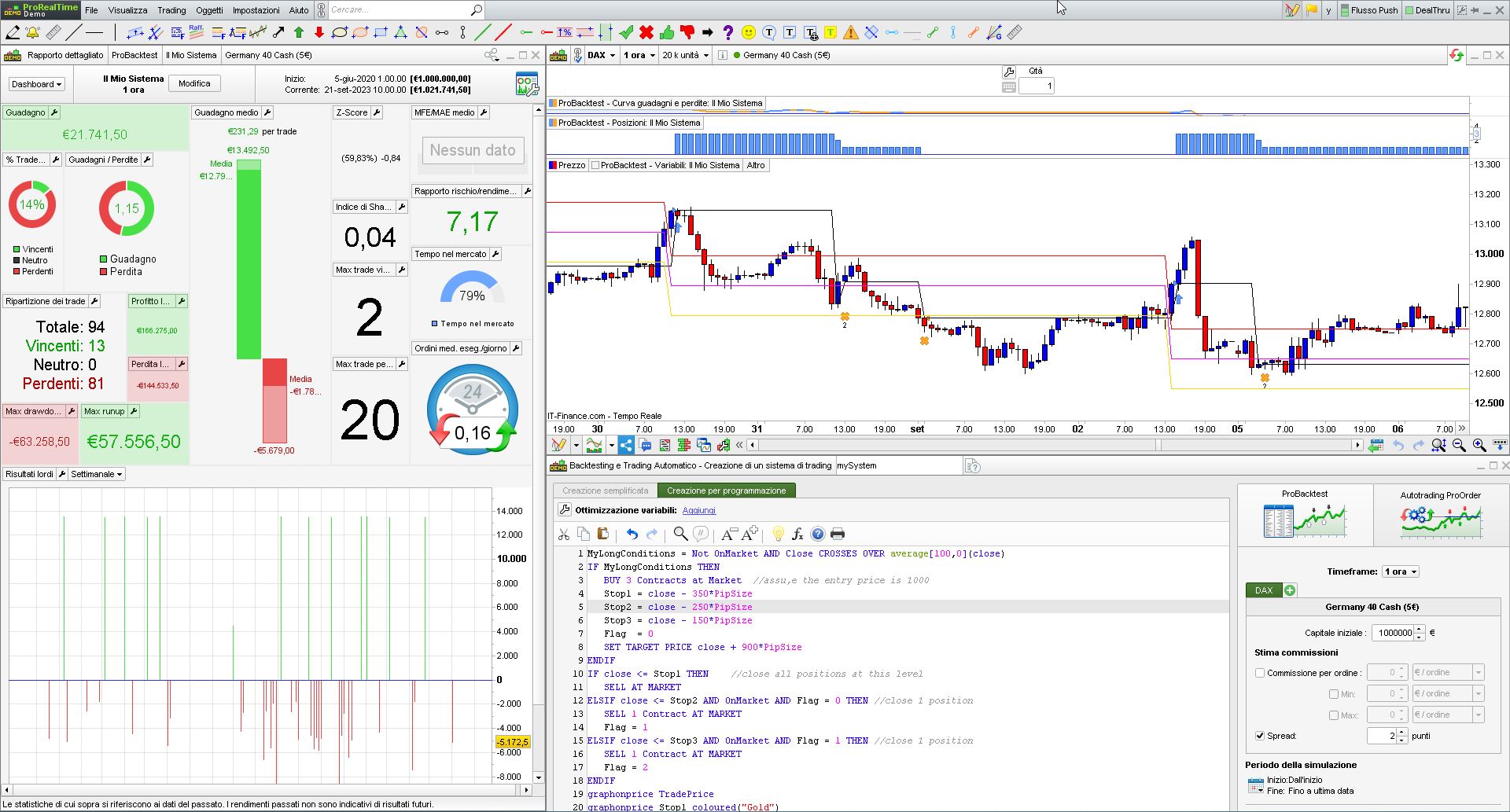
You will have to check when each candle closes if a price level has been hit, then exit AT MARKET:
MyLongConditions = Not OnMarket AND Close CROSSES OVER average[100,0](close)
IF MyLongConditions THEN
BUY 3 Contracts at Market //assu,e the entry price is 1000
Stop1 = close - 350*PipSize
Stop2 = close - 250*PipSize
Stop3 = close - 150*PipSize
Flag = 0
SET TARGET PRICE close + 900*PipSize
ENDIF
IF close <= Stop1 THEN //close all positions at this level
SELL AT MARKET
ELSIF close <= Stop2 AND OnMarket AND Flag = 0 THEN //close 1 position
SELL 1 Contract AT MARKET
Flag = 1
ELSIF close <= Stop3 AND OnMarket AND Flag = 1 THEN //close 1 position
SELL 1 Contract AT MARKET
Flag = 2
ENDIF
graphonprice TradePrice
graphonprice Stop1 coloured("Gold")
graphonprice Stop2 coloured("Fuchsia")
graphonprice Stop3 coloured("Red")
Tested on DAX, 1-hour TF.
Aah that is what I understood – that partial closure was possible – with the new feature of multiple stops and targets from V12!
My bad, but thanks anyways!
The max drawdown in Backtest is scary !!
This is not a real strategy, it’s just an example.