v11 historical mode : detailed report does not appear after right click

Viewing 4 posts - 1 through 4 (of 4 total)

  • Author
    Posts
  • #153015 quote
    XORANDNOT
    Participant
    Senior

    In the historical mode with 1.000.000 bars, the detailed report of a backtest does not reappear when I click with the right mouse button on the corresponding menu subject. Instead, an empty window appears in the list of all open windows, but without any content. The detailed report only appears right after the end of a new backtest, but I cannot reload it once again from the equity curve with a right click after the report has been closed. Any work-arounds available ?

    #153021 quote
    XORANDNOT
    Participant
    Senior

    I submitted an error report to PRT.

    GraHal thanked this post
    #153061 quote
    GraHal
    Participant
    Master

    Yes I get this also, but not always … sometimes it works as expected?

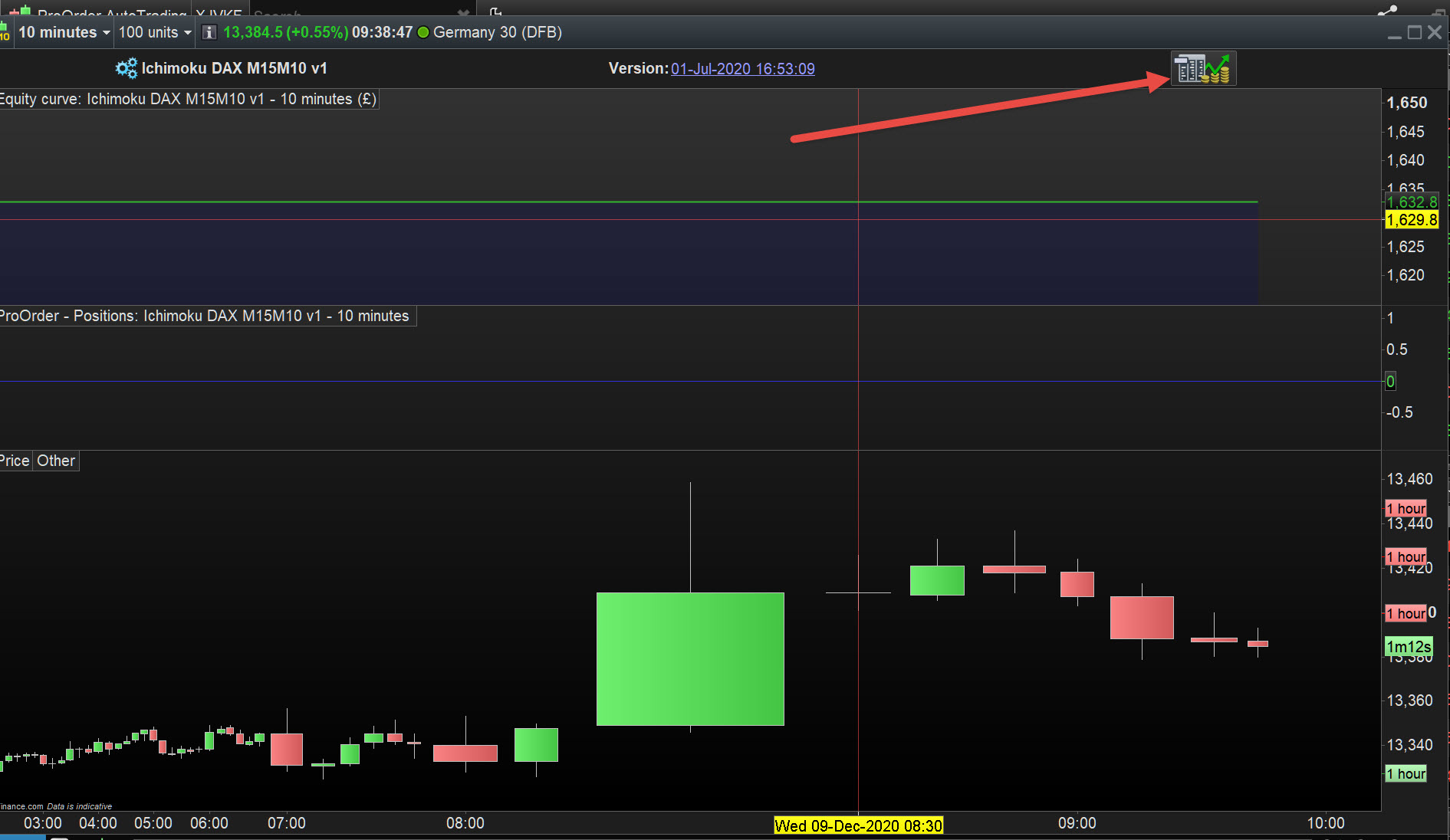
    Anyway, my work around is to click (sometimes 2 or 3 clicks are needed) the icon at red arrowhead on attached.

    X-2.jpg X-2.jpg
    #153078 quote
    XORANDNOT
    Participant
    Senior

    Here is another work-around : In the equity curve, I right click on “settings” (“Einstellungen” in German) and then in the following window, I check the box “detailed report”. This reloads the deleted report again.

    GraHal thanked this post
Viewing 4 posts - 1 through 4 (of 4 total)
  • You must be logged in to reply to this topic.

v11 historical mode : detailed report does not appear after right click


Platform Support: Charts, Data & Broker Setup

New Reply
Author
author-avatar
XORANDNOT @xorandnot Participant
Summary

This topic contains 3 replies,
has 2 voices, and was last updated by XORANDNOT
5 years, 2 months ago.

Topic Details
Forum: Platform Support: Charts, Data & Broker Setup
Language: English
Started: 12/09/2020
Status: Active
Attachments: 1 files
Logo Logo
Loading...