I use Prorealtime to trade with IG markets. For some reason IG only allows trailing stops on market orders or orders that have been executed. Not allowed on buy or sell orders. To circumvent this limitation I’m assuming it would be possible to write some Probuilder code that would modify an order that had just been executed to add a trailing stop. Perhaps such code already exists?
This is the only way I could think of to solve this issue. If anyone knows of an alternate workaround, I’m all ears.
First off … is your question about manual or autotrading?
If you want autotrading code for Trailing Stops, there are loads of links on tyhe link below …
Snippet Link Library
You can interact with orders that have been launched by code, not manual ones.
But you can also manage to open orders directly with a code and make them trailed by the same code.
Example here: https://www.prorealcode.com/topic/activer-stop-suiveur-apres-une-prise-de-position/#post-213522
Complete product (aka “trade manager”) here: https://market.prorealcode.com/product/trade-manager-intraday-prorealtime/
First off … is your question about manual or autotrading?
If you want autotrading code for Trailing Stops, there are loads of links on tyhe link below …
Snippet Link Library
Currently I’m not autotrading but am prepared to do so if it’s the only way to get trailing stops. If there is a way to do it without autotrading, then I’d like to know.
I right click on a (manual) open position and choose Trailing Stop.
As you say in OP … the position has to be open before choosing Trailing Stop.
Above seems to be another weirdness of IG? An ordinary Limit or Stop can be added to a Pending Order, just not a Trailing Stop.
I think there’s a misconception at hand ? All manually :
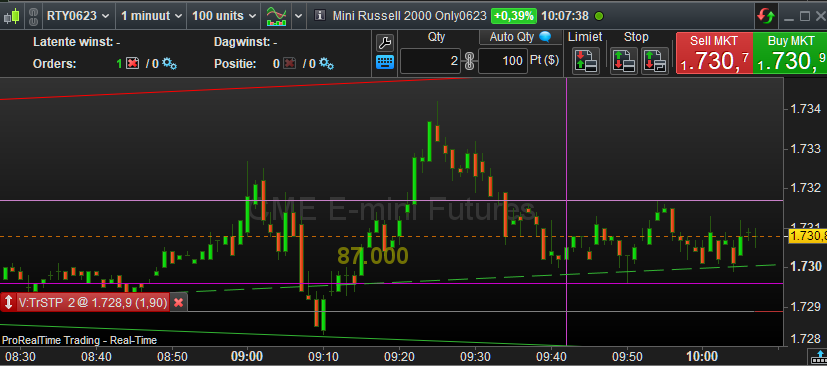
See 1st screenshot below for a Trailing Stop order. This acts within itself. This thus explicitly does not require an other order not executed. It acts upon the price.
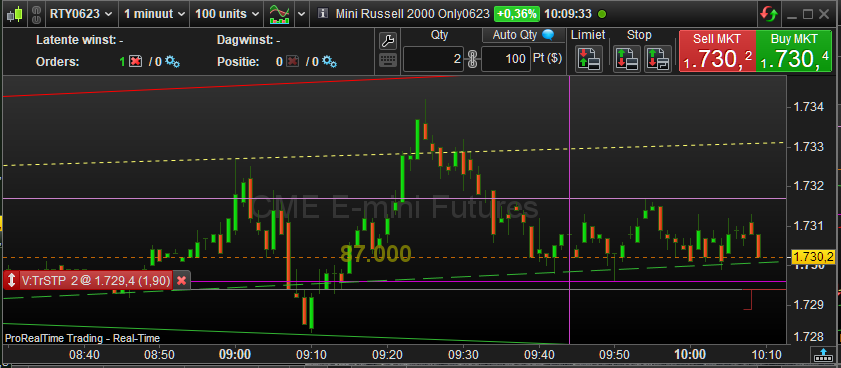
See 2nd screenshot and the thin red line for how it trailed up after two bars.
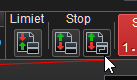
The fact that this type of order is not available for PRT-IG (see 3rd screenshot) is something else.
What you would want with this is again something else because I suspect that my description will not fit yours. So mind you, the Trailing Stop order will SELL (Short) at the highest price after trailing up;
It is something I apply all the time, while it is not possible in PRT-IG. Anyway, from PRT-IB I showed how it works from within PRT, if available.
PS: Trailing Buy orders (for going Long) work just the same; they follow the price to a lowest point and then Buy when touched.
PPS: With AutoTrading you can do what you want – also with PRT-IG.
Discussions up to Peter’s post have been about Trailing Stop Loss. We would like to add a Trailing Stop Loss at the time of adding (manual) a Pending Buy Order, but we can’t.
Peter’s post is about a Trailing SellShort (or Buy) Order.
GraHal, both are the very same. 🙂
And you can’t really know because the order type is not available all together within PRT-IG.
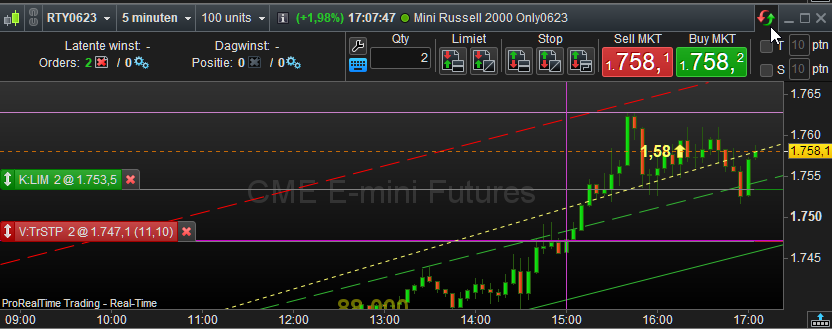
Below is a trailing stop for an existing position. What you like to see if that is that it is in a losing position. OK, so I will move it. See 2nd screenshot. Now it is a trailing stop LOSS. Until it passes the zero line of course, because then it won’t be losing any more. 🙂
Whether you may call the first situation a Stop Profit is up to you.
Both are Under the price and both trail the price in upward direction.
It is too bad that these order types don’t exist in PRT-IG.
If I am wrong someone will tell me.
🙂
We would like to add a Trailing Stop Loss at the time of adding (manual) a Pending Buy Order, but we can’t.
There you go.
But go to PRT-IB first.