Hello,
It seems that you are trying to create a condition for your trading system which depends on both the price and an indicator displayed under the price (in a separate panel).
However, through the simplified creation, you may only create conditions based on elements which are in the same panel.
Note that some indicators can only be drawn in a separate panel because they have their own scale (different from the instrument price scale): these indicators take values that are not directly comparable to the price.
That is why it is not possible to create conditions that link the price to such indicators in the simplified creation.
Best regards,
Sébastien from ProRealTime
BardParticipant
Master
Hi Sebast,
Thanks for your reply but you are mistaken. The following was created in simplified creation. I don’t have the skills to write this kind of code. In fact a lot of times I will use simplified creation just to recreate a system/indicator piece of code that I want for use in a new idea and then delete the simplified system that I made with the simplified creation widow.
// Definition of code parameters
DEFPARAM CumulateOrders = False // Cumulating positions deactivated
// Conditions to enter long positions
indicator1, indicator2 = CALL "Damiani Volameter"(close)
c1 = (indicator1 > indicator2)
indicator3, ignored = CALL "Ehler's Univ Osc SuperSmoother"[25]
c2 = (indicator3 CROSSES OVER -0.8)
IF c1 AND c2 THEN
BUY 10 PERPOINT AT MARKET
ENDIF
// Conditions to exit long positions
indicator4, ignored = CALL "Ehler's Univ Osc SuperSmoother"[25]
c3 = (indicator4 CROSSES OVER 0.0)
IF c3 THEN
SELL AT MARKET
ENDIF
// Conditions to enter short positions
indicator5, indicator6 = CALL "Damiani Volameter"(close)
c4 = (indicator5 > indicator6)
indicator7, ignored = CALL "Ehler's Univ Osc SuperSmoother"[25]
c5 = (indicator7 CROSSES UNDER 0.8)
IF c4 AND c5 THEN
SELLSHORT 10 PERPOINT AT MARKET
ENDIF
// Conditions to exit short positions
indicator8, ignored = CALL "Ehler's Univ Osc SuperSmoother"[25]
c6 = (indicator8 CROSSES UNDER -0.0)
IF c6 THEN
EXITSHORT AT MARKET
ENDIF
// Stops and targets
//SET STOP pTRAILING 350
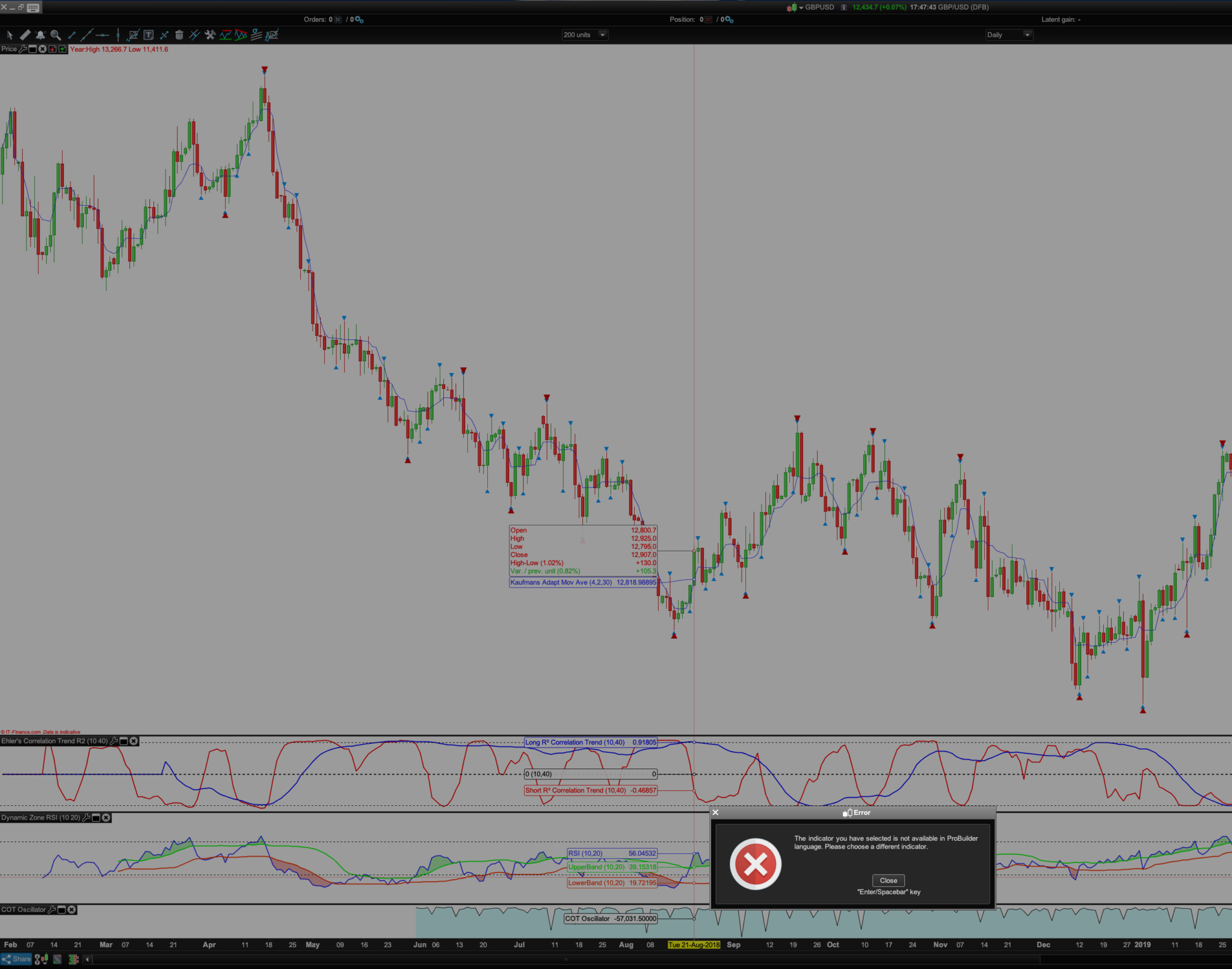
Today, my second attempt at using the simplified creation tool since this very problematic update (202, where I can also no longer scroll in charts or creations windows either as a Mac user), I cannot create a strategy because it tells me that “the indicator you have selected is not available in ProBuilder Language.”?
The image below and warning came about because I simply tried to use 2 indicators below the price chart. Something I’ve done many, many times before without a problem. For years I have used yours or my indicators and simplified creation without any of these issues... until 202 update.
I am telling you I cannot code and the systems I have created that I can now not recreate are due to the update.
Can you please tell me if there is any way I can get the older PRT version back?
Thanks.
BardParticipant
Master
Sorry Sebast! Right, I misunderstood what you were saying about the indiator panel and the price / closing price chart panel.
Thing is, with those two indicators in that screenshot of mine above, the RSI and the Ehlers Trend, I couldn’t create a simplified system using both. Pls see image of waring. Now when I go back to it and use the exact same conditions (long trend crosses over short trend = buy) for Ehlers Trned, it works but not when I add the RSI to the conditions to buy? So why did I get that warning with the RSI indicator, what’s different about the RSI that it won’t work in simplified creation? Cheers, apologies again for the misunderstanding.