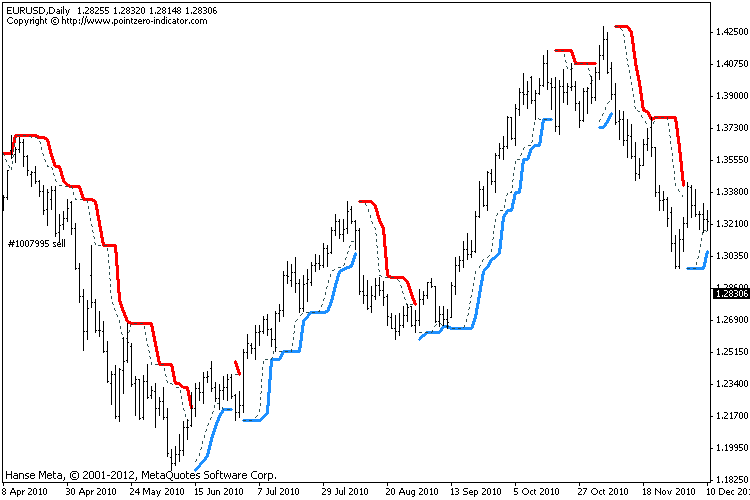
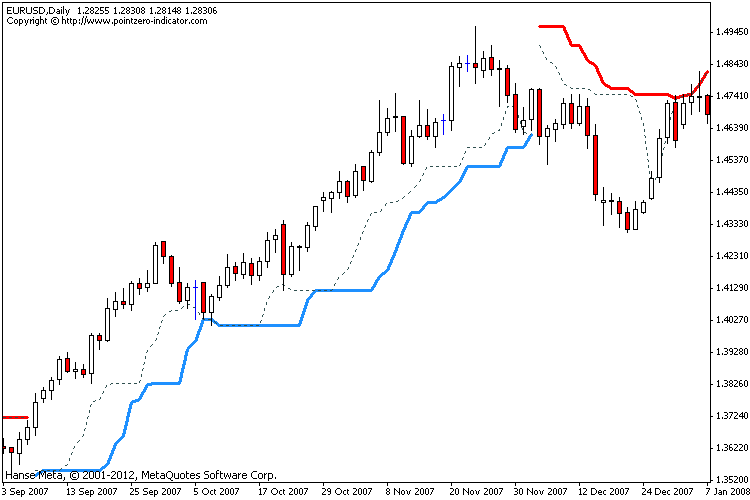
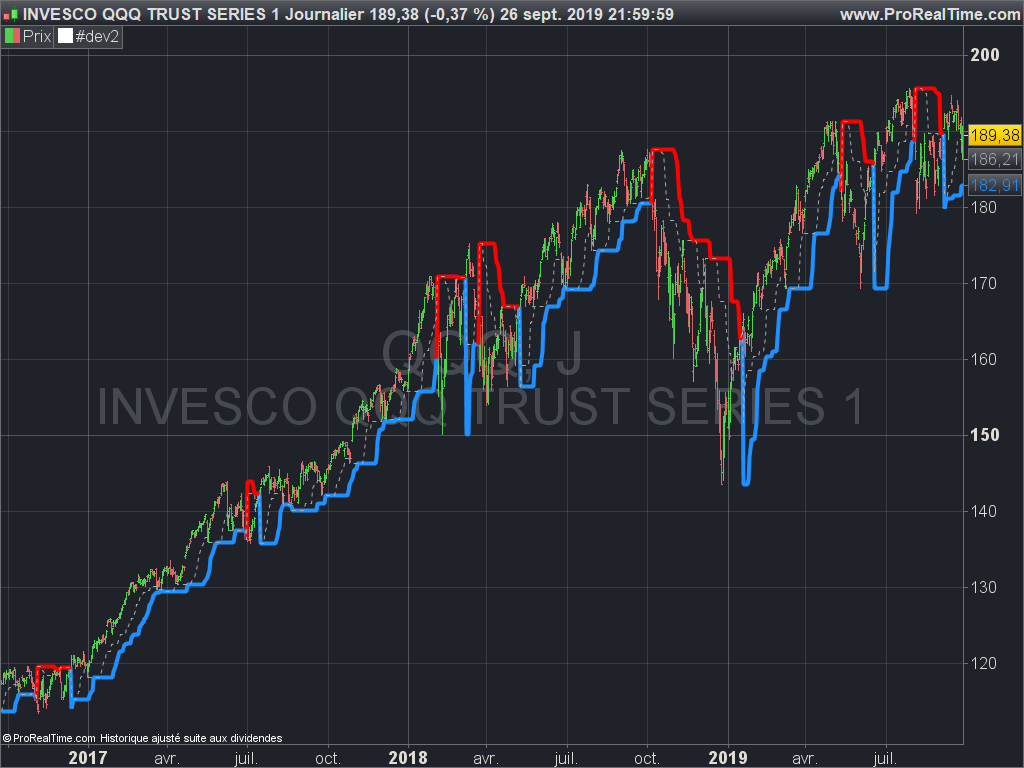
Original Turtle Rules:
To trade exactly like the turtles did, you need to set up two indicators representing the main and the failsafe system.
- Set up the main indicator with TradePeriod = 20 and StopPeriod = 10 (A.k.a S1)
- Set up the failsafe indicator with TradePeriod = 55 and StopPeriod = 20 using a different color. (A.k.a S2)
The entry strategy using S1 is as follows
- Buy 20-day breakouts using S1 only if last signaled trade was a loss.
- Sell 20-day breakouts using S1 only if last signaled trade was a loss.
- If last signaled trade by S1 was a win, you shouldn’t trade -Irregardless of the direction or if you traded last signal it or not-
The entry strategy using S2 is as follows:
- Buy 55-day breakouts only if you ignored last S1 signal and the market is rallying without you
- Sell 55-day breakouts only if you ignored last S1 signal and the market is pluging without you
The turtles had a progressive position sizing approach that boosted their winnings. Once a trading decision has been made you should…
- Enter the market with 2% risk. Place stop-loss 2ATR from the opening price.
- If the position moves in your favor 1/2ATR, enter the market again with 2% risk and trail all stop-losses 2ATR from current price.
- If the position moves in your favor 1/2ATR, enter the market again with 2% risk and trail all stop-losses 2ATR from current price.
- If the position moves in your favor 1/2ATR, enter the market again with 2% risk and trail all stop-losses 2ATR from current price.
- Stop adding to positions when 4 positions have been taken. (*** And see money management rule below)
The exit strategy is performed using the dotted line of the indicator:
- Exit longs taken using S1 when price action closes below a 10-day low
- Exit shorts taken using S1 when price action closes above a 10-day high
- Exit longs taken using S2 when price action closes below a 20-day low
- Exit shorts taken using S2 when price action closes avove a 20-day high
The turtles had very strict money management too. Initial position risk was 2%, but it decreased according to the current drawdown.
- If the account had a 10% drawdown, the risk for each trade should decrease a 20%
- If the account had a 20% drawdown, the risk for each trade should decrease a 40%.
- If the account had a 30% drawdown, the risk for each trade should decrease a 60%.
- So, if the account had a N% drawdown, the risk for each trade should decrease N*2%.
Can this be converted to PROREALCODE.
Thank you in advance
//+------------------------------------------------------------------+
//| TheTurtleTradingChannel.mq4
//| Copyright © Pointzero-indicator.com
//+------------------------------------------------------------------+
#property copyright "Copyright © Pointzero-indicator.com"
#property link      "http://www.pointzero-indicator.com"

//---- indicator settings
#property indicator_chart_window
#property indicator_buffers 6
#property indicator_color1 DodgerBlue
#property indicator_color2 Red
#property indicator_color3 DarkSlateGray
#property indicator_color4 DarkSlateGray
#property indicator_color5 DodgerBlue
#property indicator_color6 Red
#property indicator_width1 3
#property indicator_width2 3
#property indicator_width3 1
#property indicator_width4 1
#property indicator_width5 1
#property indicator_width6 1
#property indicator_style3 STYLE_DOT
#property indicator_style4 STYLE_DOT
#property indicator_style5 STYLE_DOT
#property indicator_style6 STYLE_DOT

//---- indicator parameters
extern int  TradePeriod         = 20;     // Donchian channel period for trading signals
extern int  StopPeriod          = 10;     // Donchian channel period for exit signals
extern bool Strict              = false;  // Apply strict entry parameters like the Turtles did
extern bool DisplayAlerts       = false;  // You know...

//---- indicator buffers
double ExtMapBuffer1[];
double ExtMapBuffer2[];
double ExtMapBuffer3[];
double ExtMapBuffer4[];
double ExtMapBuffer5[];
double ExtMapBuffer6[];
double TrendDirection[];

//---- internal
static datetime TimeStamp;
static int AlertCount = 1;

//+------------------------------------------------------------------+
//| Custom indicator initialization function                         |
//+------------------------------------------------------------------+
int init()
{
// One more invisible buffer to store trend direction
IndicatorBuffers(7);

// Drawing settings
SetIndexStyle(0,DRAW_LINE);
SetIndexStyle(1,DRAW_LINE);
SetIndexStyle(2,DRAW_LINE);
SetIndexStyle(3,DRAW_LINE);
SetIndexStyle(4,DRAW_ARROW); SetIndexArrow(4,159);
SetIndexStyle(5,DRAW_ARROW); SetIndexArrow(5,159);
IndicatorDigits(MarketInfo(Symbol(),MODE_DIGITS));

// Name and labels
IndicatorShortName("Turtle Channel ("+ TradePeriod +"-"+ StopPeriod +")");
SetIndexLabel(0,"Upper line");
SetIndexLabel(1,"Lower line");
SetIndexLabel(2,"Longs Stop line");
SetIndexLabel(3,"Shorts Stop line");
//   SetIndexBuffer(4, "Bullish trend change");
//   SetIndexBuffer(5, "Bearish trend change");

// Buffers
SetIndexBuffer(0,ExtMapBuffer1);
SetIndexBuffer(1,ExtMapBuffer2);
SetIndexBuffer(2,ExtMapBuffer3);    // Stop level for longs
SetIndexBuffer(3,ExtMapBuffer4);    // Stop level for shorts
SetIndexBuffer(4,ExtMapBuffer5);
SetIndexBuffer(5,ExtMapBuffer6);
SetIndexBuffer(6,TrendDirection);

Comment("Copyright © http://www.pointzero-indicator.com");
return(0);
}
//+------------------------------------------------------------------+
//| Custom indicator iteration function                              |
//+------------------------------------------------------------------+
int start()
{
// More vars here too...
int start = 0;
int limit;
int counted_bars = IndicatorCounted();

// check for possible errors
if(counted_bars < 0)
return(-1);

// Only check these
limit = Bars - 1 - counted_bars;
if(counted_bars==0) limit-=1+1;

// Check the signal foreach bar
for(int i = limit; i >= start; i--)
{
// Highs and lows
double rhigh = iHigh(Symbol(),Period(),iHighest(Symbol(), Period(), MODE_HIGH, TradePeriod,i+1));
double rlow  = iLow(Symbol(),Period(),iLowest(Symbol(), Period(), MODE_LOW, TradePeriod, i+1));
double shigh = iHigh(Symbol(),Period(),iHighest(Symbol(), Period(), MODE_HIGH, StopPeriod,i+1));
double slow  = iLow(Symbol(),Period(),iLowest(Symbol(), Period(), MODE_LOW, StopPeriod, i+1));

// Candle value
double CLOSE = iClose(Symbol(),0, i);
double HIGH = iHigh(Symbol(),0, i);
double LOW = iLow(Symbol(),0, i);

// Default behavior is to preserve the trend
TrendDirection[i] = TrendDirection[i+1];

// It might be recalculating bar zero
ExtMapBuffer1[i] = EMPTY_VALUE;
ExtMapBuffer2[i] = EMPTY_VALUE;
ExtMapBuffer3[i] = EMPTY_VALUE;
ExtMapBuffer4[i] = EMPTY_VALUE;
ExtMapBuffer5[i] = EMPTY_VALUE;
ExtMapBuffer6[i] = EMPTY_VALUE;

// Change to uptrend
if(((CLOSE > rhigh && i > 0) || (HIGH > rhigh && Strict == true)) && TrendDirection[i+1] != OP_BUY)
{
TrendDirection[i] = OP_BUY;
ExtMapBuffer5[i] = rlow;

// Change to downtrend
} else if(((CLOSE < rlow && i > 0) || (LOW < rlow && Strict == true)) && TrendDirection[i+1] != OP_SELL) {

TrendDirection[i] = OP_SELL;
ExtMapBuffer6[i] = rhigh;
}

// Draw lines
if(TrendDirection[i] == OP_BUY)
{
ExtMapBuffer1[i] = rlow;
ExtMapBuffer3[i] = slow;

// Draw lines
} else if(TrendDirection[i] == OP_SELL) {

ExtMapBuffer2[i] = rhigh;
ExtMapBuffer4[i] = shigh;
}
}

// Alert
if(TimeStamp != Time[0] && DisplayAlerts == true)
{
if(TrendDirection[1] == OP_SELL && TrendDirection[2] == OP_BUY && AlertCount == 0)
{
Alert("[Turtle Trading "+ TradePeriod +"-"+ StopPeriod +"]["+ Symbol() +"] SELL");
} else if (TrendDirection[1] == OP_BUY && TrendDirection[2] == OP_SELL && AlertCount == 0) {
Alert("[Turtle Trading "+ TradePeriod +"-"+ StopPeriod +"]["+ Symbol() +"] BUY");
}
TimeStamp = Time[0];
AlertCount = 0;
}

// Bye Bye
return(0);
}