Bard
BardParticipant
Master
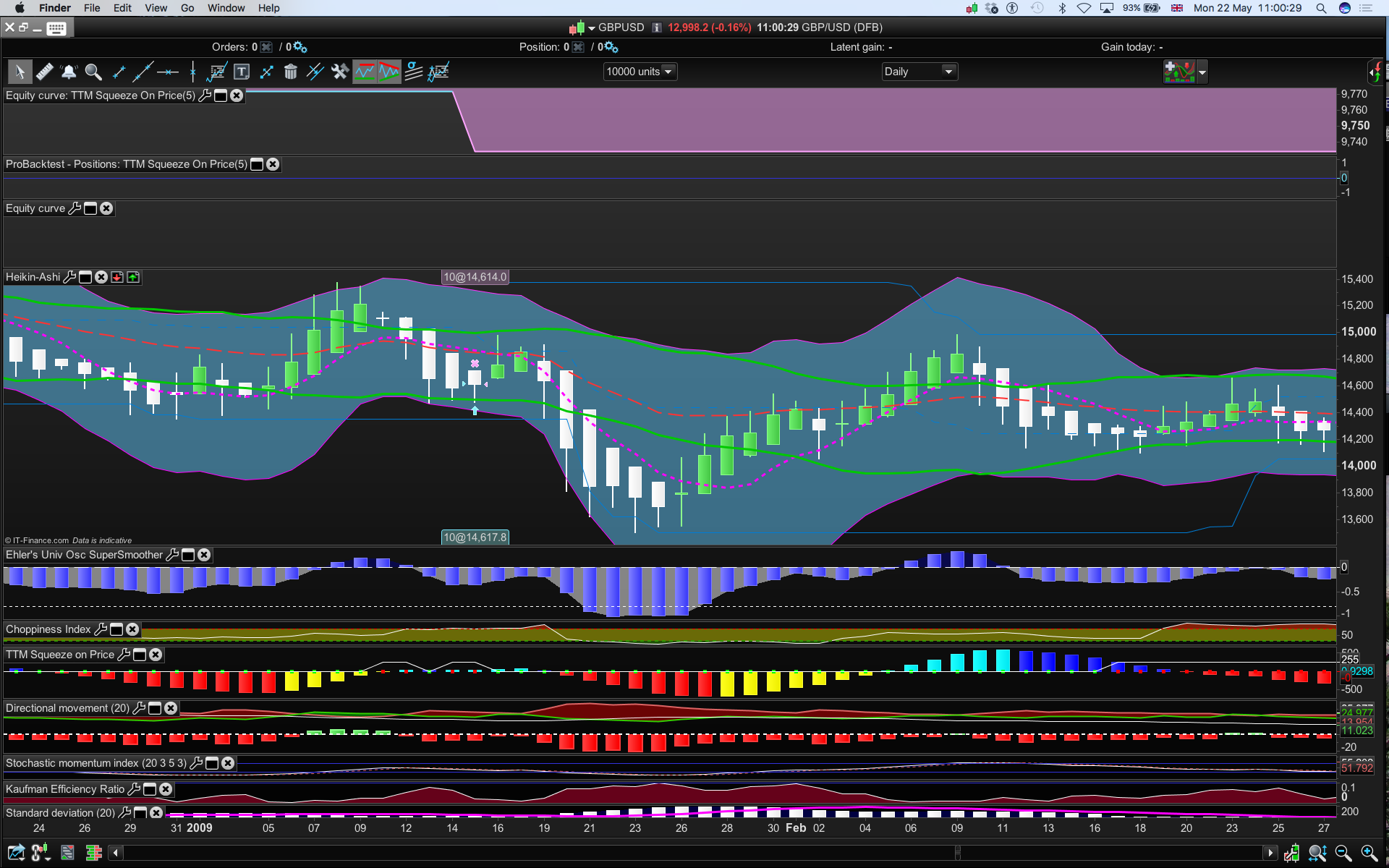
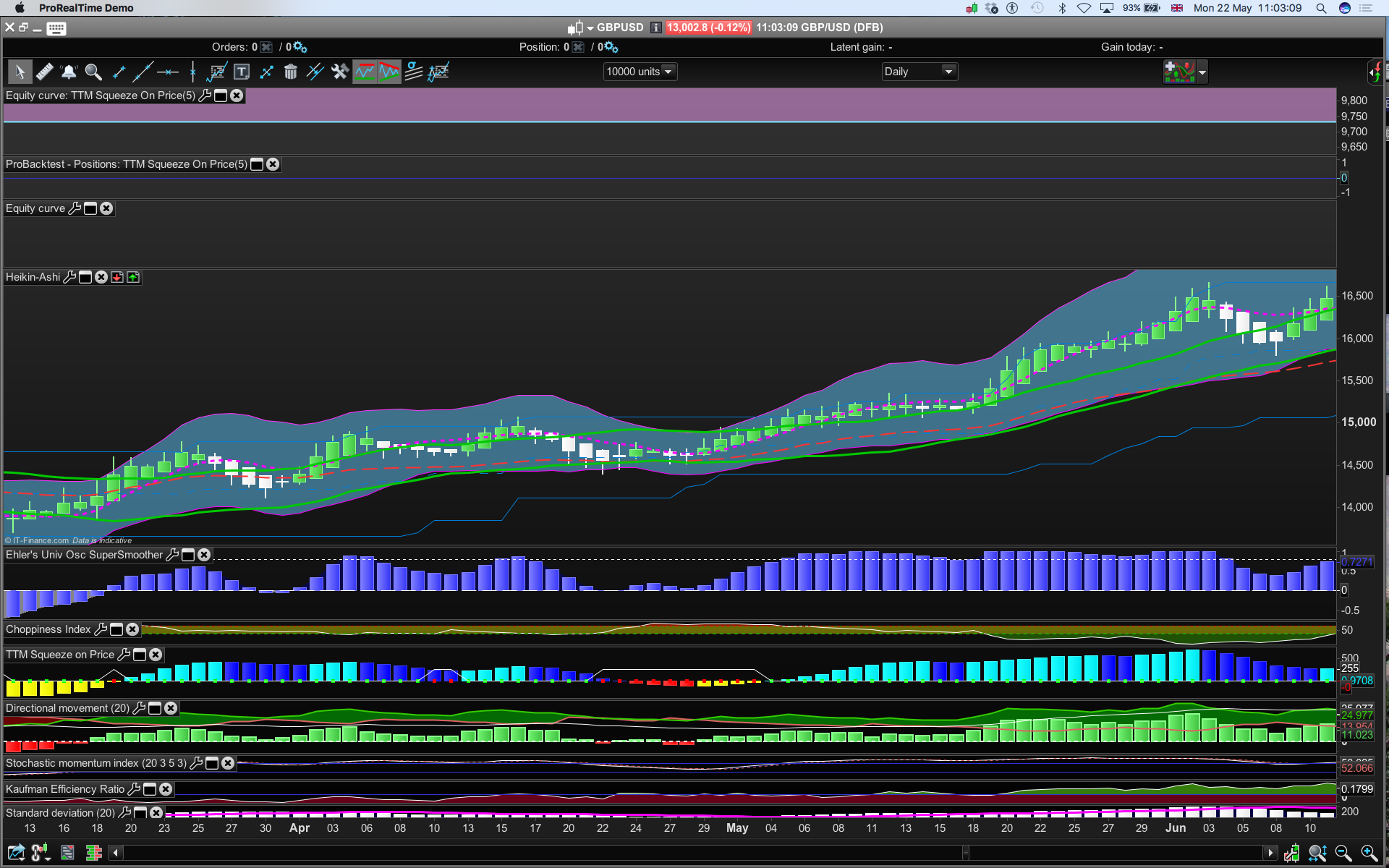
I want to automate a system to enter when the red dot goes to green, I cannot figure out how do do that using the assisted creation tool?
“if sColorR is superior to 0, the dot is red”
But sqz momentum = 0, (and the mkt is falling), yet the dot can be either red OR green and
if sqz momentum = -0 (and emphasis on minus here because you cannot have a -0.0 in assisted creation), it’s also red OR green (the mkt is rising), meaning I cannot figure out how to set up a conditionality:
Enter long if
(i) the red dot squeeze turns to a green dot (and a breakout is imminent)
AND
(ii) the plus increase is > 0 (to signify a long position is to be taken).
Exit Long if
Plus decrease bar occurs (as per John Carter’s strategy)
Cheers
Bard
The sColorR variable is not returned by the indicator, thus it cannot be used by the assisted creation tool, so first change the indicator RETURN line with this one: (I added the sColorR variable at the end of it)
RETURN plusI coloured(colorR,colorG,colorB) style(histogram,1) as "plus increase", plusD coloured(colorR,colorG,colorB) style(histogram,1) as "plus decrease", minusI coloured(colorR,colorG,colorB) style(histogram,1) as "minus increase", minusD coloured(colorR,colorG,colorB) style(histogram,1) as "minus decrease", sqz coloured(scolorR,scolorG,0) style(point,5) as "squeeze momentum",scolorR
Then you can automate the trigger of your orders by comparing the sColorR value from now to the previous period: (colour change of dot from green to red)
trigger = sColorR>0 and sColorR[1]=0

if trigger then
 //BUY OR SELLSHORT !!
endif
 Maz
MazParticipant
Veteran
@Bard, I also have some interest in this indicator. Let’s share results here and bounce some ideas.
BardParticipant
Master
Hi @Maz, I’ll take a look at Nicolas’s additional code and see if it can be auto traded as John Carter intended it to be used: https://www.youtube.com/watch?v=lbmUfauTGkU
BardParticipant
Master
Hi Nicolas,
Cheers for the Return and trigger code. The Return code has been added to the indicator.
When I code the trigger it’s telling me “sColourR is undefined?”
I’m also thinking the TTM indicator code will need to be inserted into the auto trading code so as to be able to optimise the period (or eg the std dev value (mult)) to be then able to compare profits with a range of period (or std dev) values in Excel, to see if there is a robust range/set of values for period (or std dev).
Long side:
trigger = sColorR>0 and sColorR[1]=0

// Conditions to enter long positions
indicator1, ignored, ignored, ignored, ignored, ignored = CALL "TTM Squeeze on Price"
c1 = (indicator1 > 0) ///plus increase > 0

if trigger and C1 then
BUY 10 PERPOINT AT MARKET
ENDIF

// Conditions to exit long positions
indicator3, indicator2, ignored, ignored, ignored, ignored = CALL "TTM Squeeze on Price"
c2 = (indicator2 < indicator3) //plus decrease < plus increase

IF c2 THEN
SELL AT MARKET
ENDIF
Best,
Bard
Yes because the sColorR is the variable name of the indicator, it is not in your strategy, you are calling the indicator but telling ProBacktest that it is “ignored” (it’s the 6th variable of your indi):
// Conditions to enter long positions
indicator1, indicator2, ignored, ignored, ignored, sColorR = CALL "TTM Squeeze on Price"
c1 = (indicator1 > 0) ///plus increase > 0

trigger = sColorR>0 and sColorR[1]=0

if trigger and C1 then
BUY 10 PERPOINT AT MARKET
ENDIF

// Conditions to exit long positions
c2 = (indicator2 < indicator1) //plus decrease < plus increase

IF c2 THEN
SELL AT MARKET
ENDIF
Note that the sColorR could have been renamed with something else, it would have not mattered.
EDIT: it is not needed to “CALL” the same indicator twice.
BardParticipant
Master
Thanks for rearranging the code Nicolas!
Not sure why the code isn’t doing what John Carter intentioned it to do, eg for long trades:
Enter long if
(i) on a green dot after it changes from a red dot squeeze (red dots = and a breakout is imminent)
AND
(ii) the plus increase is > 0 (to signify a long position is to be taken).
Exit Long if
Plus decrease bar occurs.
Checked it on £/$ Daily 1997 – 2013, many squeezes that breakout with positive plus increase but trades aren’t taken?
Thanks again,
Bard
Hi
Not sure if this is the best place to ask another question regarding this indicator or start a new thread.
I would like to also use this indicator to setup a trade.
However whenever I try and use the simplified creation tool it always says that it is only returning 5 values when it needs 6?
What is the reason for this?
Additionally I would like to understand how I can setup an action so it sells on market once a plus decrease bar (dark blue) on the histogram if i am long and to Close a Short when it turns to a minus increase bar (yellow).
Many thanks