1-30 is nonsense too. 30-1 maybe. 😉
// Definition of code parameters
DEFPARAM CumulateOrders = False // Cumulating positions deactivated

// Conditions to enter long positions
indicator1 = Average[20](close)
indicator2 = Average[100](close)
c1 = (indicator1 CROSSES UNDER indicator2)

IF c1 THEN
BUY 1 CONTRACT AT MARKET
ENDIF

// Conditions to exit long positions
indicator3 = Average[20](close)
indicator4 = Average[100](close)
c2 = (indicator3 CROSSES OVER indicator4)

IF c1 THEN
BUY 5 CONTRACT AT MARKET
ENDIF

// Conditions to exit long positions
indicator3 = Average[20](close)
indicator4 = Average[100](close)
c2 = (indicator3 CROSSES OVER indicator4)

If c2 Then
// Stops and targets
trailingstart = 10   //trailing will start @trailinstart points profit
trailingstep  = 30     //trailing step to move the "stoploss"

//reset the stoploss value
IF NOT ONMARKET THEN
newSL=0
ENDIF

//manage long positions
IF LONGONMARKET THEN
//first move (breakeven)
IF newSL=0 AND close-tradeprice(1)>=trailingstart*pipsize THEN
newSL = tradeprice(1)+trailingstep*pipsize
ENDIF
//next moves
IF newSL>0 AND close-newSL>=trailingstep*pipsize THEN
newSL = newSL+trailingstep*pipsize
ENDIF
ENDIF

//stop order to exit the positions
IF newSL>0 THEN
SELL AT newSL STOP
ENDIF
Endif
SET STOP pLOSS 500
I cleaned it up with no delay or strange trailing start and steps. If you look at the trade that starts May 12 08:00 and don’t sell of until June 15 you will se the problem. That trade should have been closed May 12/13 if the trailing stop was working.
30 min timeframe, DAX
Am I making myself so slurred? trailstart must be larger than trailstep.
// Definition of code parameters
DEFPARAM CumulateOrders = False // Cumulating positions deactivated

// Conditions to enter long positions
indicator1 = Average[20](close)
indicator2 = Average[100](close)
c1 = (indicator1 CROSSES UNDER indicator2)

IF c1 THEN
BUY 1 CONTRACT AT MARKET
ENDIF

// Conditions to exit long positions
indicator3 = Average[20](close)
indicator4 = Average[100](close)
c2 = (indicator3 CROSSES OVER indicator4)


If c2 Then
// Stops and targets
trailingstart = 10   //trailing will start @trailinstart points profit
trailingstep  = 30     //trailing step to move the "stoploss"

//reset the stoploss value
IF NOT ONMARKET THEN
newSL=0
ENDIF

//manage long positions
IF LONGONMARKET THEN
//first move (breakeven)
IF newSL=0 AND close-tradeprice(1)>=trailingstart*pipsize THEN
newSL = tradeprice(1)+trailingstep*pipsize
ENDIF
//next moves
IF newSL>0 AND close-newSL>=trailingstep*pipsize THEN
newSL = newSL+trailingstep*pipsize
ENDIF
ENDIF

//stop order to exit the positions
IF newSL>0 THEN
SELL AT newSL STOP
ENDIF
Endif
SET STOP pLOSS 500
Disregard the last one. This one is correct. (Both will give the same result but the other one got some code in it that don’t belong)
I cleaned it up with no delay or strange trailing start and steps. If you look at the trade that starts May 12 08:00 and don’t sell of until June 15 you will se the problem. That trade should have been closed May 12/13 if the trailing stop was working.
DAX 30min
13509 08:00 on 05/12
13665 21:00 on 05/12.
Ergo… try trailstart 100 and trailstep 5 and see what happens.
Trailstart 100 Trailstep 5, does not change that trade for me.
13509 08:00 05/12
13494 14:00 06/15
Did a backtest with 100 and 5, on 5k units. Do you get the same numbers as me?
I don’t have a laptop handy.
@Grahal
Import attached .itf and try out, my results attached.
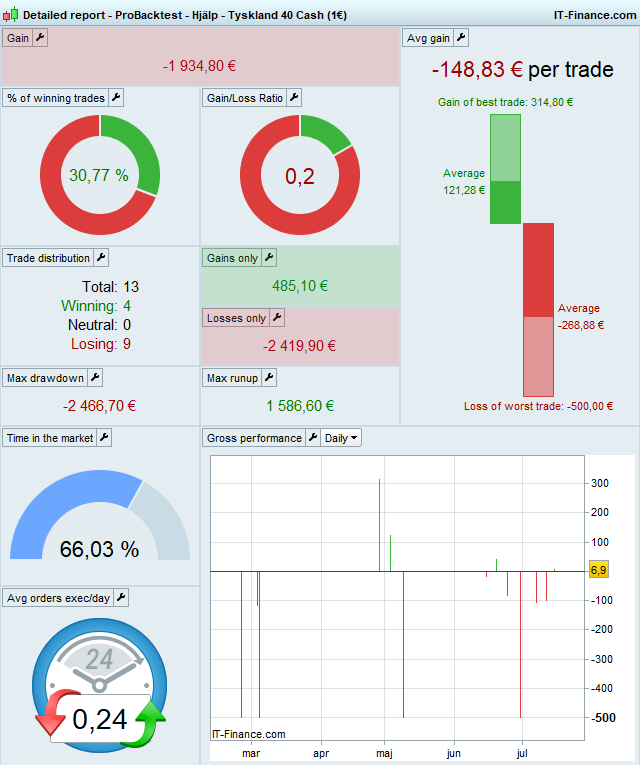
Start 50 Step 25 SL 200 1 min TF spread = 5 (should be 2)
Used the file and got same result,ty
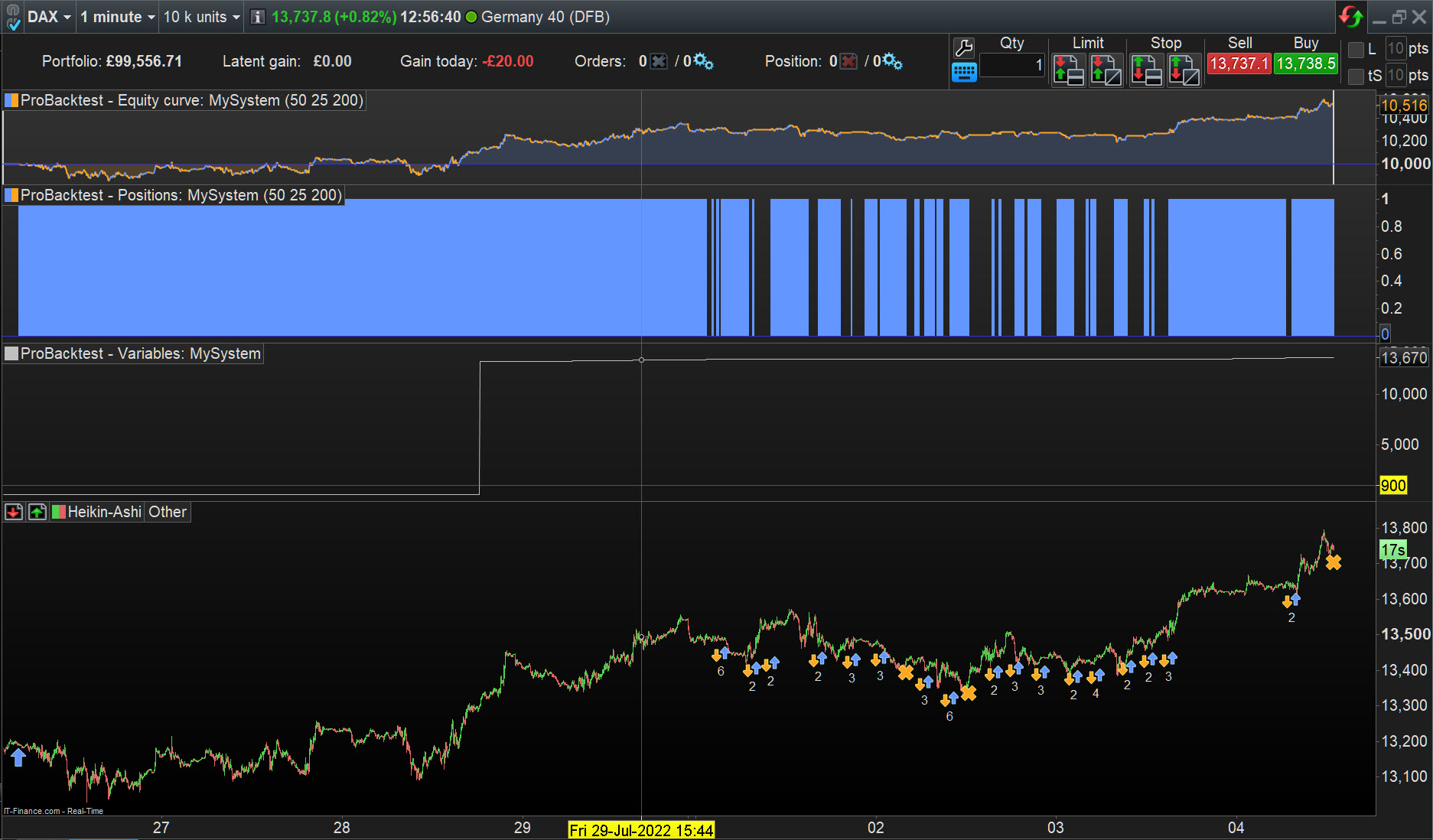
Yes now you to can to see the problem. For example the first trade in your pic, the one that stays in the market for half the chart. 3-4 times it have +100p drop and don’t sell of.
Same with the last trade, it droped over 100p before sold.
If you change your settings from 1min to 30 min, the problem becomes even more clearly. There you can for example see one trade that was good in profit fall 1000p without beeing sold.
(Used the file and got same result,ty)
have +100p drop and don’t sell of
That because you asked for C2 (c2 = (indicator3 CROSSES OVER indicator4) to trigger WHEN the Trailing Stop is to start Trailing.
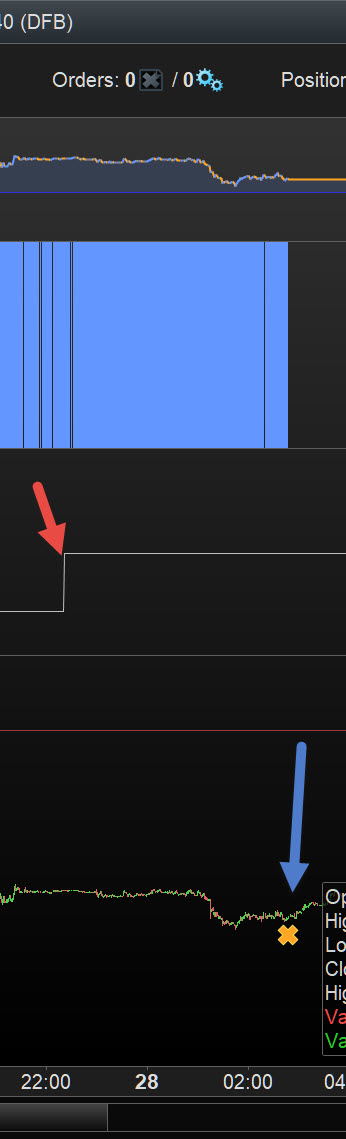
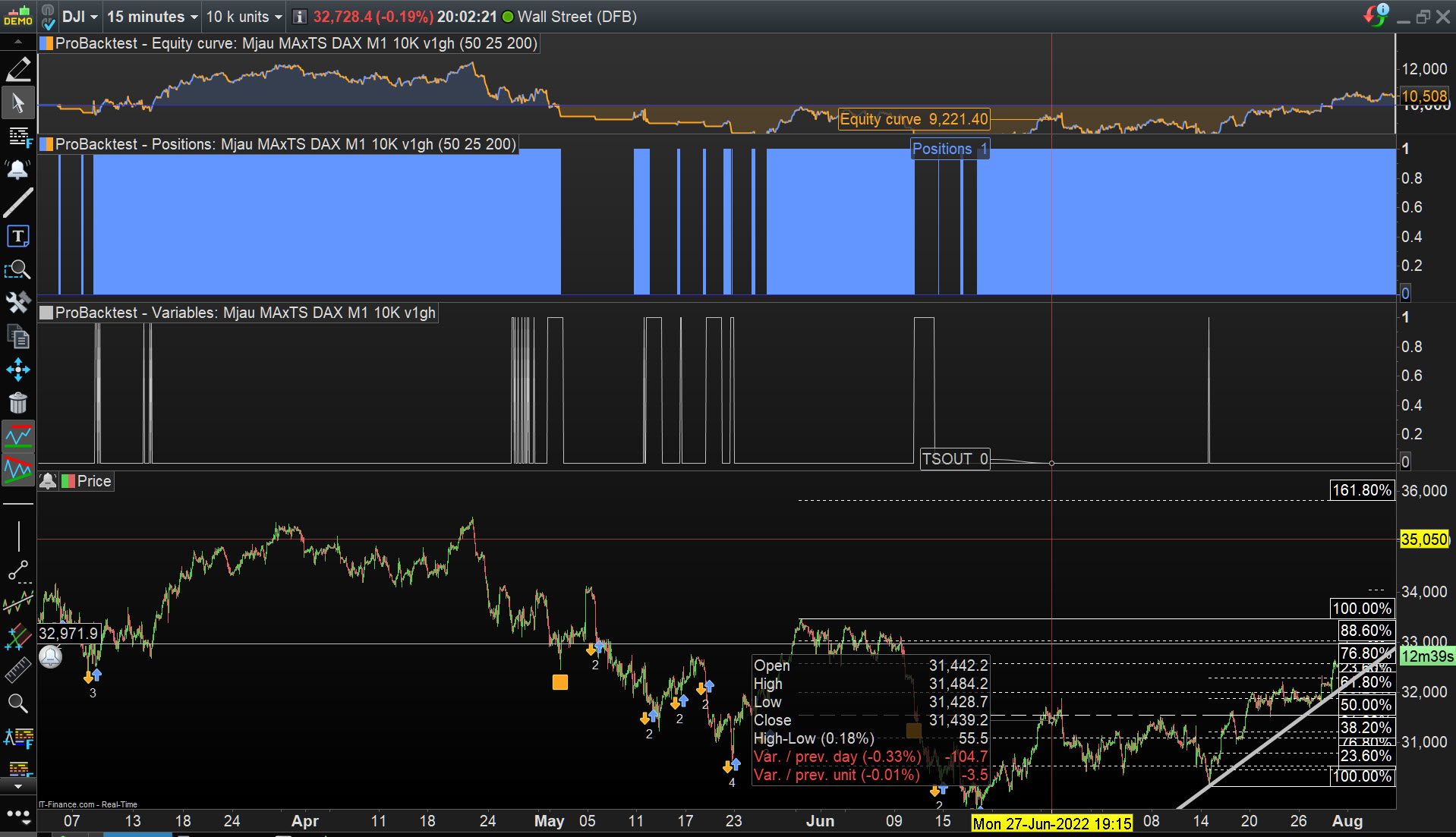
So the Trailing Stop started on 27 July at 13,222 (as you can see from the variable Line / newSL I added for you as GRAPH newSL) and the trade exited at 13,197 on 28 July. See attached at red arrowhead for TS Start and Blue arrowhead for Trade Exit.
Beware of what you ask for! 🙂
Plz just try with a higher setting 5 min, 15 min, 30 min. and post a pic of it. If you don’t see it then we just drop this and move on.
I see what you are saying and I agree with your observation, but there is a lot of ground you need to cover / reading up / thinking / testing … to understand why.
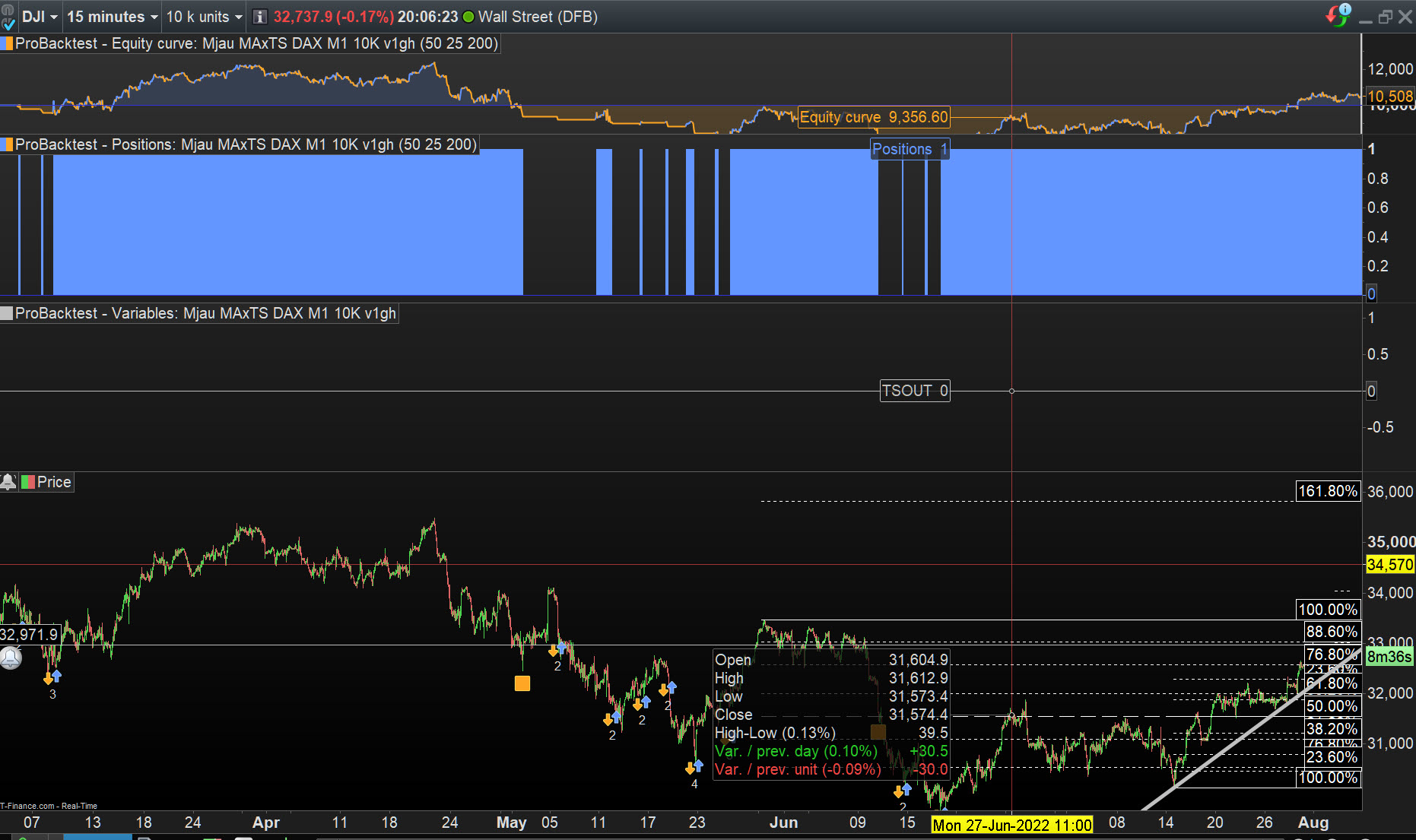
For example, same code / settings on 15 min TF but C2 setting is now as below … see what a difference it makes?
c2 = (indicator3 > indicator4)
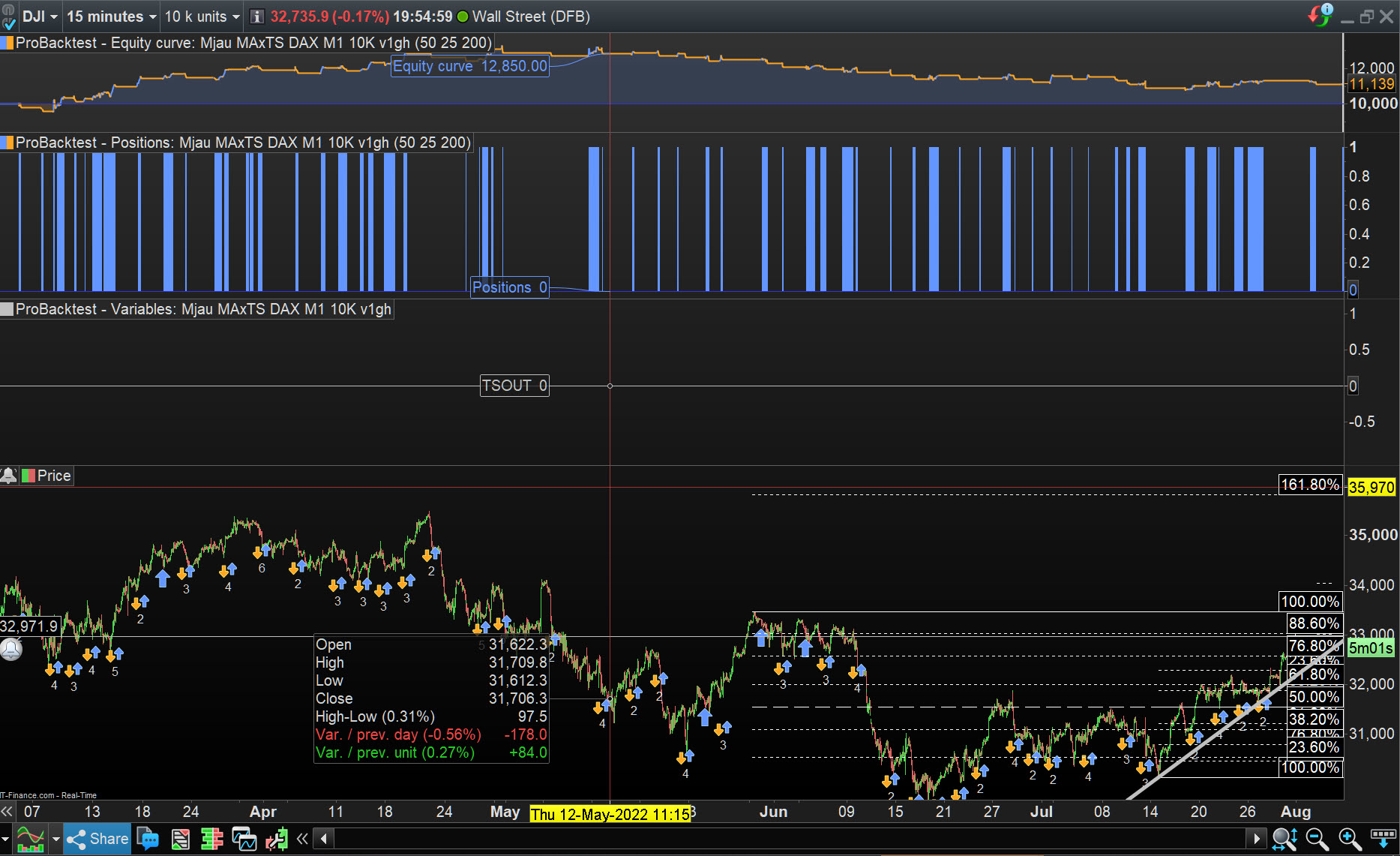
Start thinking on attached … this is with c2 = (indicator3 crosses over indicator4) but see the variable line this is GRAPH = Close < newSL AND C2 = 0.
But what you want is C2 = 1 / True because you asked for c2 = (indicator3 crosses over indicator4).
Attached is GRAPH = Close < newSL AND C2 = 1
As you can see from attached … above doesn’t happen ever … see the straight line at 0 !
I stand to be corrected on my findings as I have done this a bit too quick maybe?
In hindsight it’s logical. If the trail settings don’t exactly match the cross, i.e. right at the one candle, the trail never starts to work. So no cross but a > b.