TrendDecoder Screener customization

Viewing 9 posts - 1 through 9 (of 9 total)
  • Author
    Posts
  • #189155 quote
    Cryptoman
    Participant
    New

    Hi there,

    I like this indicator and screener but I am looking for a special set-up on several timeframes:

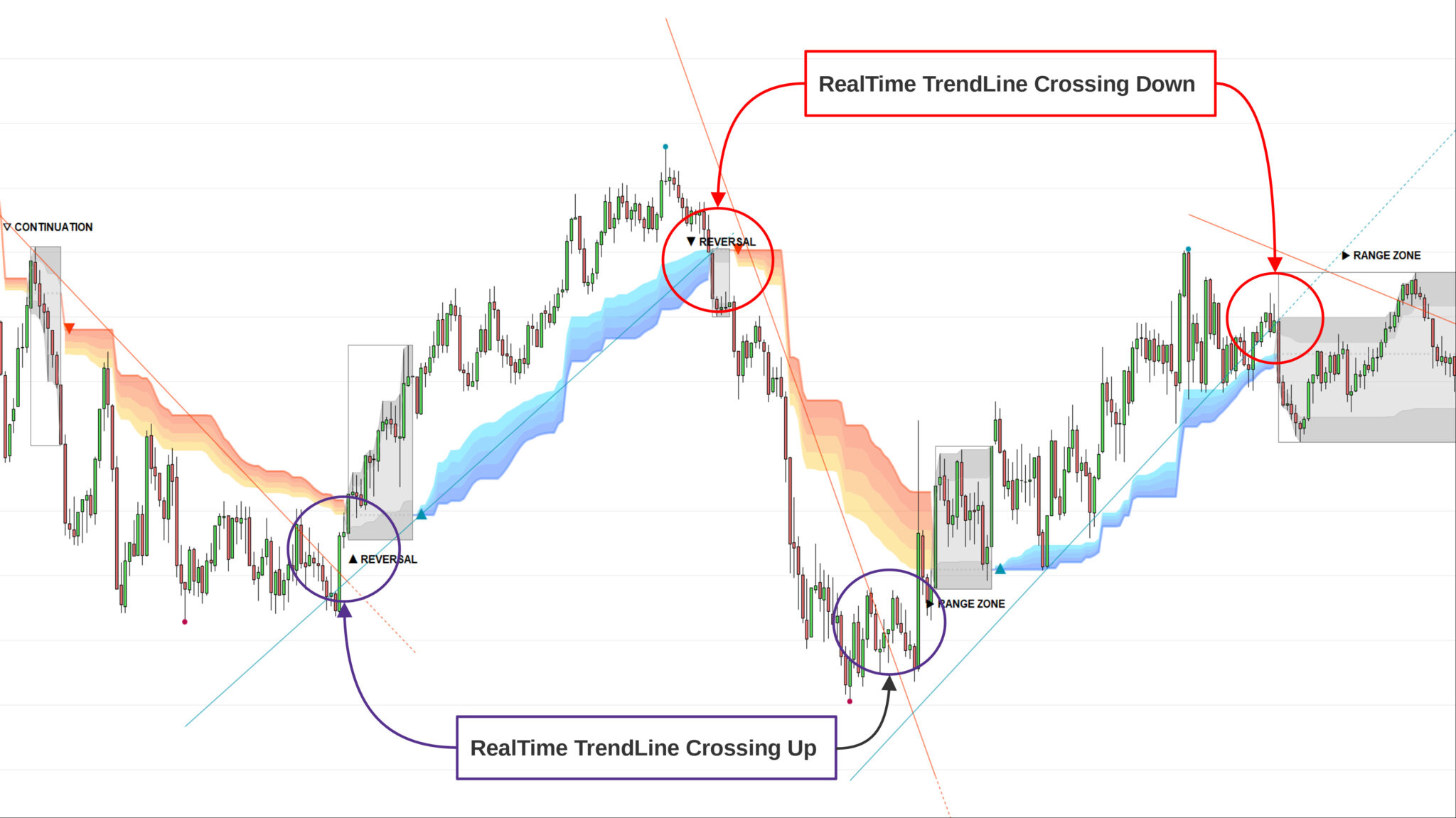
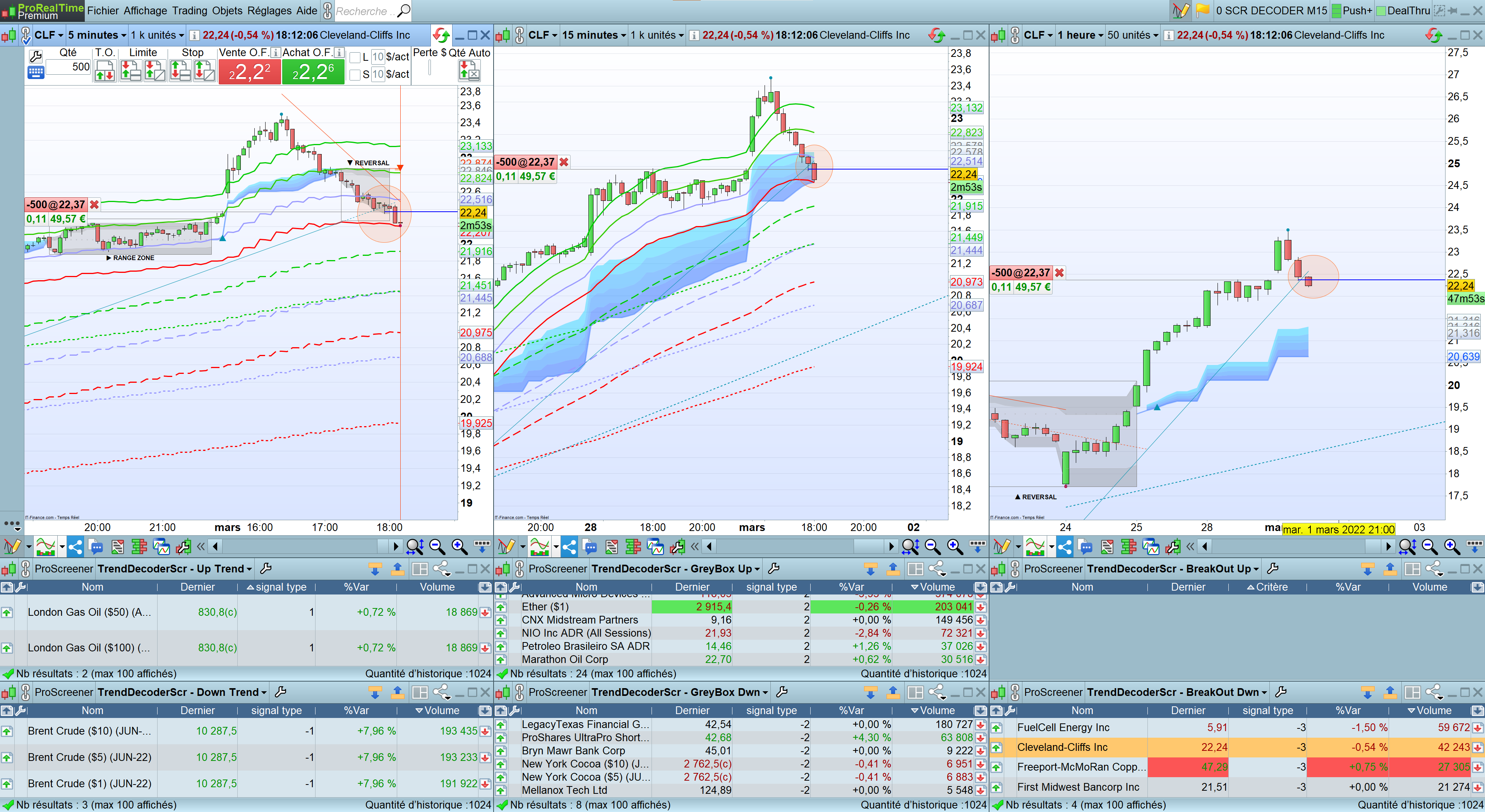
    I would like to combine the screeners so that I have the same configuration of the price crossing down/up the RealTime Tradeline on 5MN,  15MN and 1Hour as shown in the picture;

    Anybody sees how to do that?

    Thanks in advance ^^


    This is the code : sorry but I cannot find the insert code button


    //signalType details:
    // 1 = new bullish trend detected (from red to blue cloud)
    // -1 = new bearish trend detected (from blue to red cloud)
    // 2 = grey box during bullish trend
    // -2 = grey box during bearish trend
    // 3 = red trend line breakout
    // -3 = blue trend line breakout

    // change below with the desired signal type you want to detect with TrendDECODER:
    signalType = 3

    // adjust below the size and the liquidity of the assets you want to trade

    minPrice = close > 5
    minVol = volume > 1000

    // ===============================================

    data = CALL “TrendDecoder_datas”(close)
    test = data=signalType

    screener[test and minPrice and minVol](data as “signal type”)

    Trend-decoder-Strategy.png Trend-decoder-Strategy.png
    #189205 quote
    robertogozzi
    Moderator
    Master

    Try  this one (not tested):

    //signalType details:
    // 1 = new bullish trend detected (from red to blue cloud)
    // -1 = new bearish trend detected (from blue to red cloud)
    // 2 = grey box during bullish trend
    // -2 = grey box during bearish trend
    // 3 = red trend line breakout
    // -3 = blue trend line breakout
    
    // change below with the desired signal type you want to detect with TrendDECODER:
    Timeframe(default)   //5 minutes
    signalType = 3
    // adjust below the size and the liquidity of the assets you want to trade
    minPrice = close > 5
    minVol = volume > 1000
    // ===============================================
    data1 = CALL "TrendDecoder_datas"(close)
    test1 = data1=signalType
    //
    Timeframe(15 Minute)
    // ===============================================
    data2 = CALL "TrendDecoder_datas"(close)
    test2 = data2=signalType
    //
    Timeframe(1h)
    // ===============================================
    data3 = CALL "TrendDecoder_datas"(close)
    test3 = data3=signalType
    //
    Timeframe(default)
    test = test1 AND test2 AND test3
    screener[test and minPrice and minVol](data1 as "signal type")
    Cryptoman and Meta Signals Pro thanked this post
    #189208 quote
    Cryptoman
    Participant
    New

    Fantastic^^

    thanks a lot Roberto 😉

    #189231 quote
    Meta Signals Pro
    Participant
    Veteran

    combine the screeners so that I have the same configuration of the price crossing down/up the RealTime Tradeline on 5MN, 15MN and 1Hour as shown in the picture;

    —————————–


    @Cryptoman
    ,

    Thanks for your initiative; this is surely a very interesting set up to maximize the probability of success;

    I will post here a few set ups that can help the community;


    @Robertogozzi
    @Nicolas

    I would like to open a thread on Prorealcode  where people can share their successful trades or less succesful ones (trading is about stats right 😉 and their strategies with TrendDecoder.

    is there any problem to do this on PRC ?

    Thanks

    #189232 quote
    Nicolas
    Keymaster
    Master

    No worries 😉 I will subscribe to the thread!

    Meta Signals Pro thanked this post
    #189233 quote
    Meta Signals Pro
    Participant
    Veteran

    Whooooo I am honored 😉

    Thanks Nicolas

    #189235 quote
    robertogozzi
    Moderator
    Master

    Perfect Kris!

    #202737 quote
    Meta Signals Pro
    Participant
    Veteran

    Hi TrendDECODERS,

    After many requests, we have updated our backtest function.

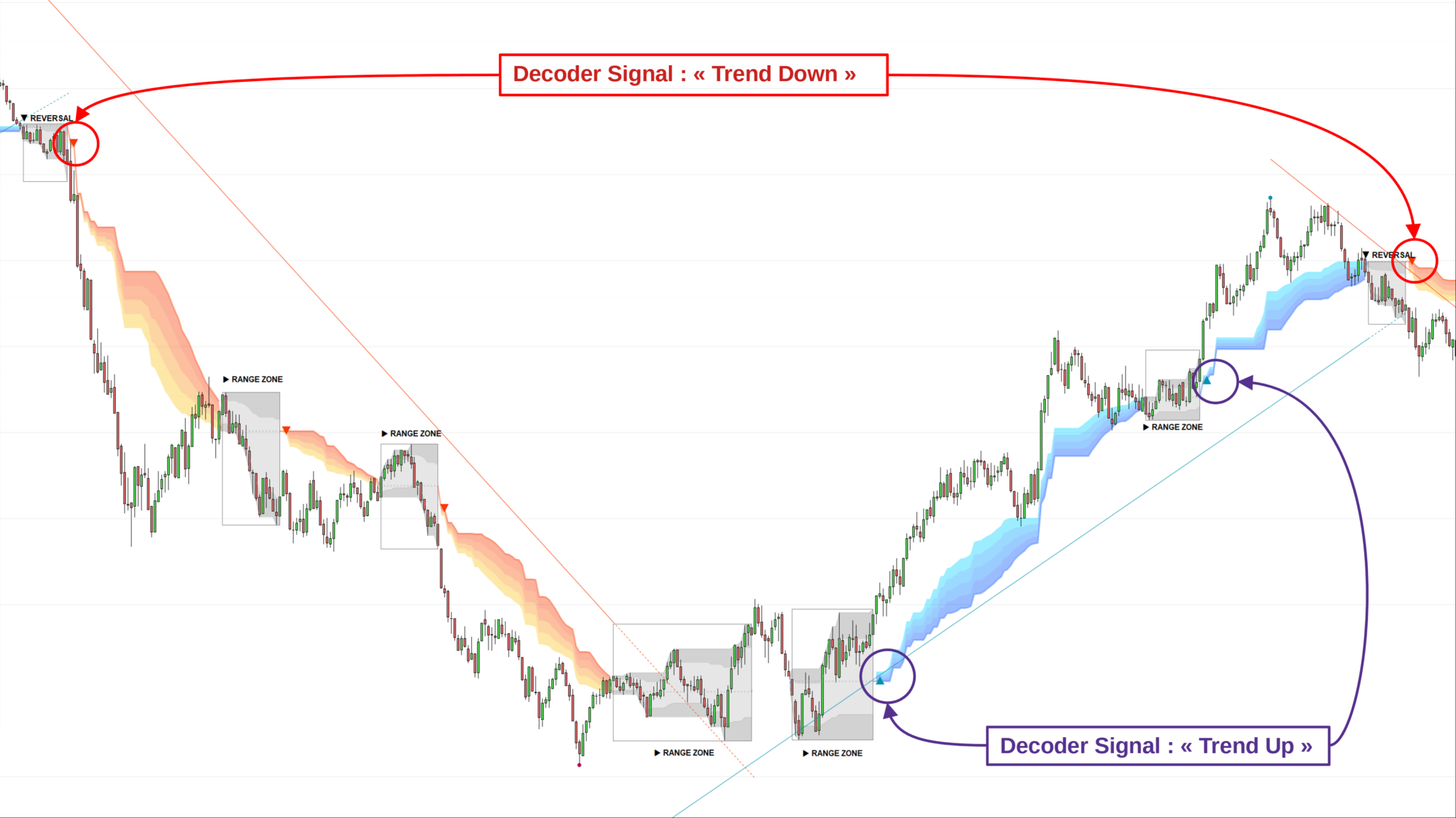
    You now have the possibility to include Trailing Stop Loss values to make your exits thanks to the “TrailLong” and “TrailShort” variables which correspond respectively to the boundaries of the Blue and Orange Clouds;
    TrailLong is the farthest edge of the price and TrailShort the closest;

    Signals, TrailLong, TrailShort = CALL “TrendDecoder_datas”(close)

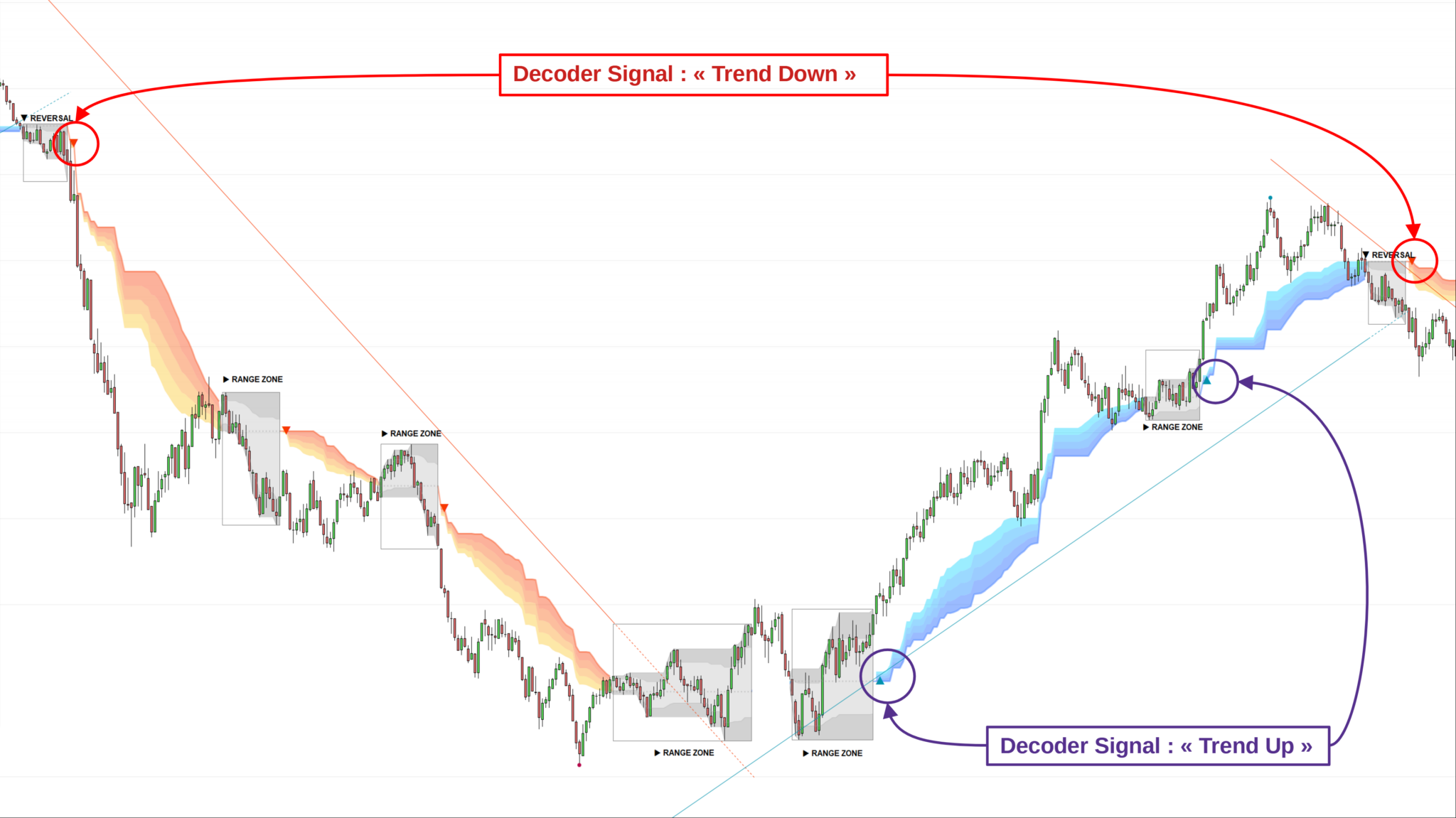
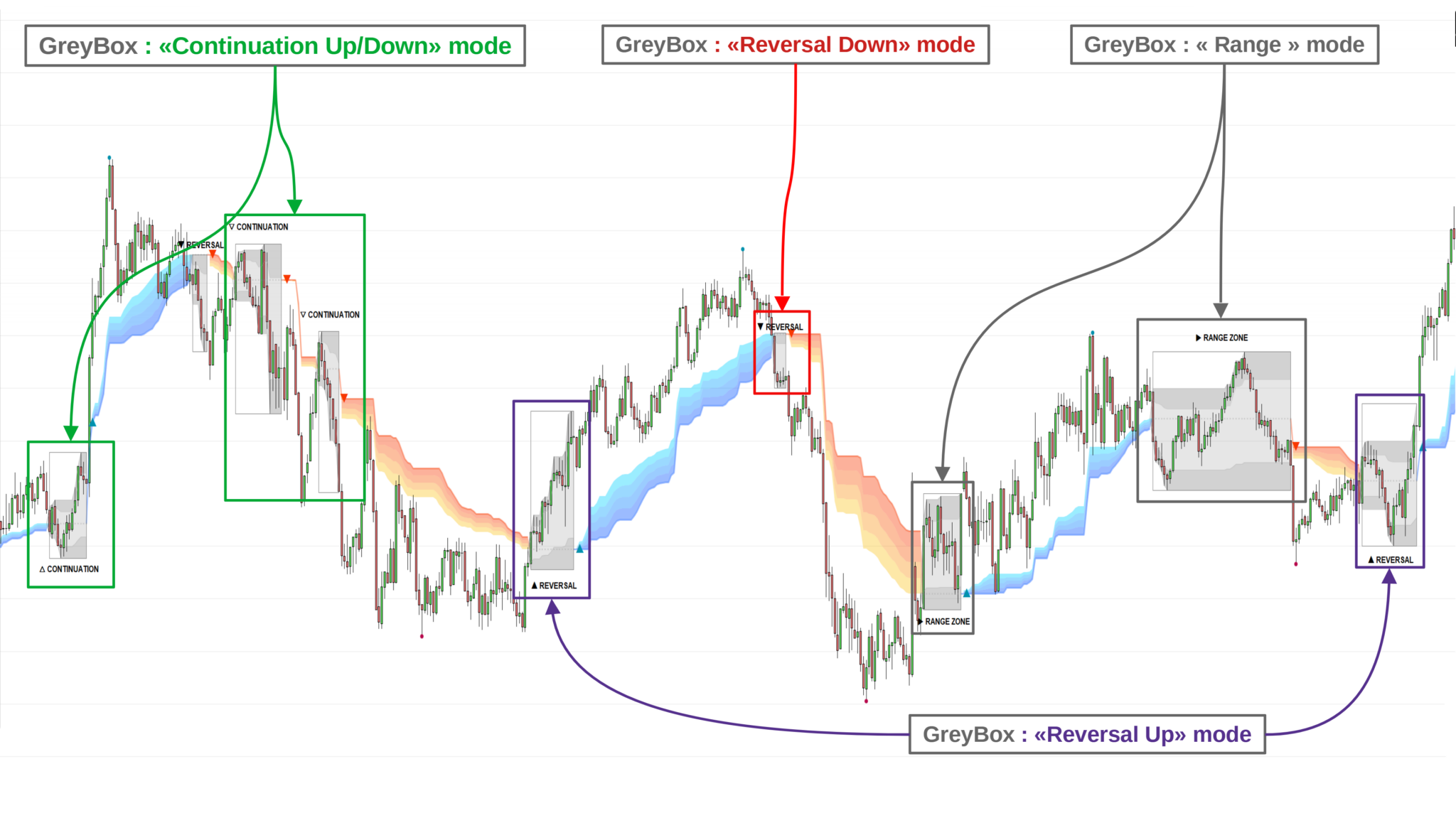
    The 6 values of the “Signals” variable are as follows:

    // 1 = new UP trend detected (from red cloud to blue cloud)
    // -1 = new DOWN trend detected (from blue cloud to red cloud)
    // 2 = GreyBOX during the uptrend
    // -2 = GreyBOX during a downtrend
    // 3 = break out of the red Realtime trendline
    // -3 = break out of the blue Realtime trendline


    You also have this post on Prorealcode that may help:

    Backtests timeframe multiple avec TrendDecoder

    => Of course, you’ll have to replace the “TrendDecoder_datas” function in the code with the one above because we’ve enhanced it 😉

    Timeframe (15mn, updateonclose)
    Signal15 = CALL “TrendDecoder_datas”(close) => Signals15, TrailLong15, TrailShort15=CALL “TrendDecoder_datas”(close)
    NB: the function CALL “TrendDecoder_datas”(close) is a free bonus given on reques to TrendDECODER customers with identified licence
    Decoder-Signal-def.png Decoder-Signal-def.png Decoder-Signal-def-2.png Decoder-Signal-def-2.png GreyBox-def-2.png GreyBox-def-2.png RealTime-TrendLines-Crossing-def-2.jpg RealTime-TrendLines-Crossing-def-2.jpg
    #202744 quote
    Meta Signals Pro
    Participant
    Veteran
Viewing 9 posts - 1 through 9 (of 9 total)
  • You must be logged in to reply to this topic.

TrendDecoder Screener customization


General Trading: Market Analysis & Manual Trading

New Reply
Author
author-avatar
Cryptoman @cryptoman Participant
Summary

This topic contains 8 replies,
has 5 voices, and was last updated by Meta Signals Pro

3 years, 3 months ago.

Topic Details
Forum: General Trading: Market Analysis & Manual Trading
Language: English
Started: 03/01/2022
Status: Active
Attachments: 4 files
Logo Logo
Loading...