Hi there,
Were are pleased to introduce Upgrade #3 of TrendDECODER,
#1 BestReviewed Indicator of PRCMarketPlace.
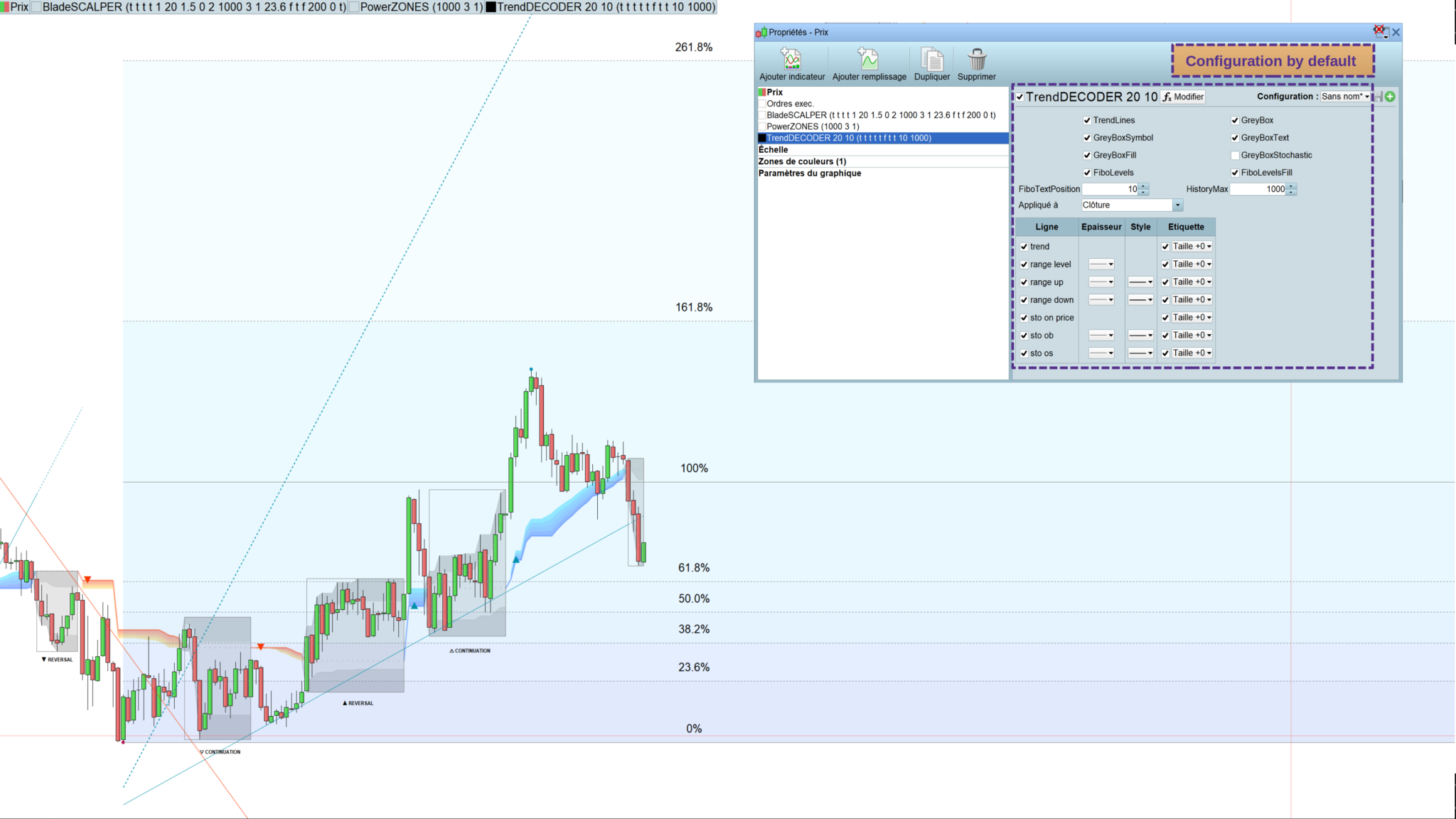
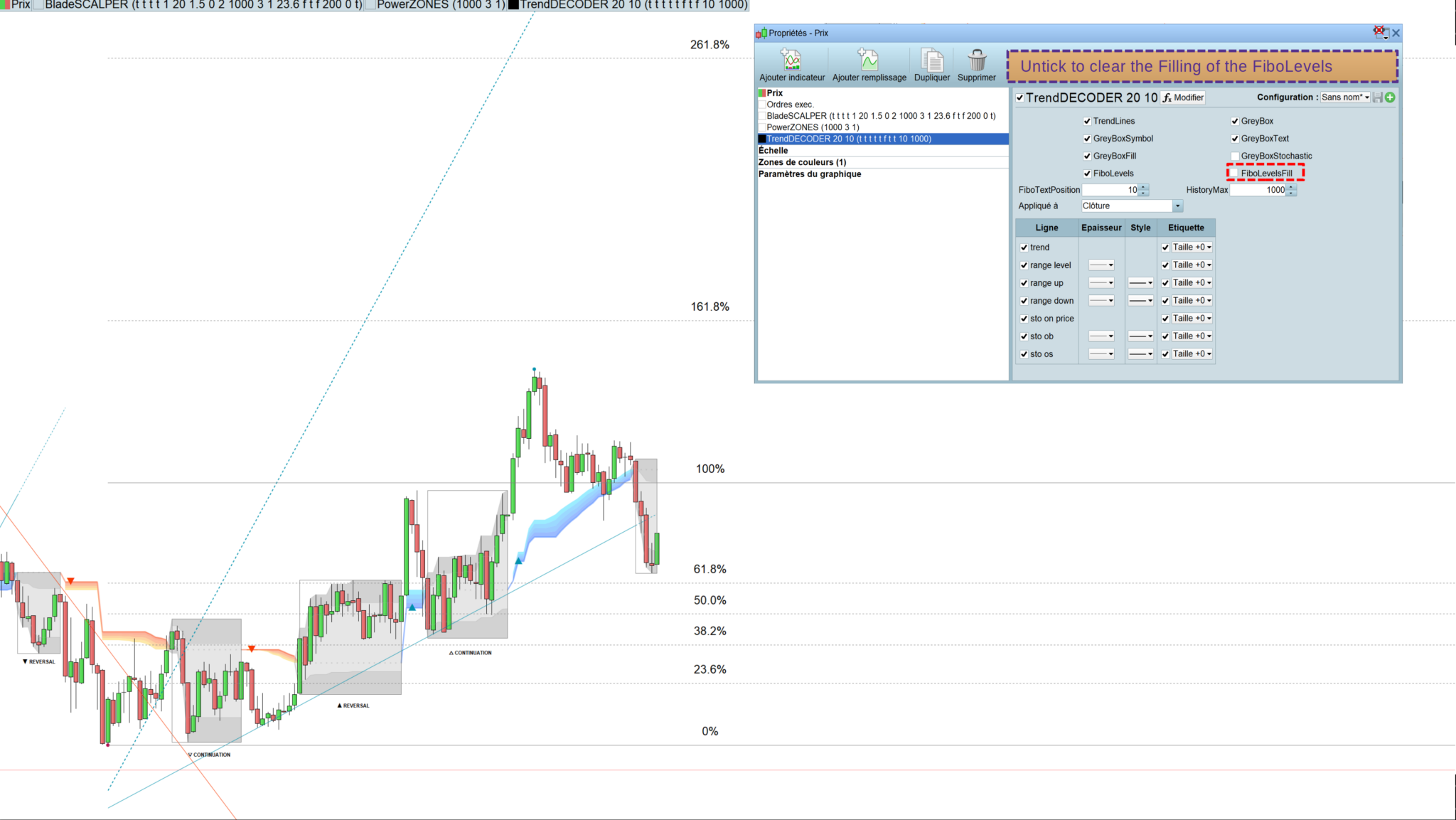
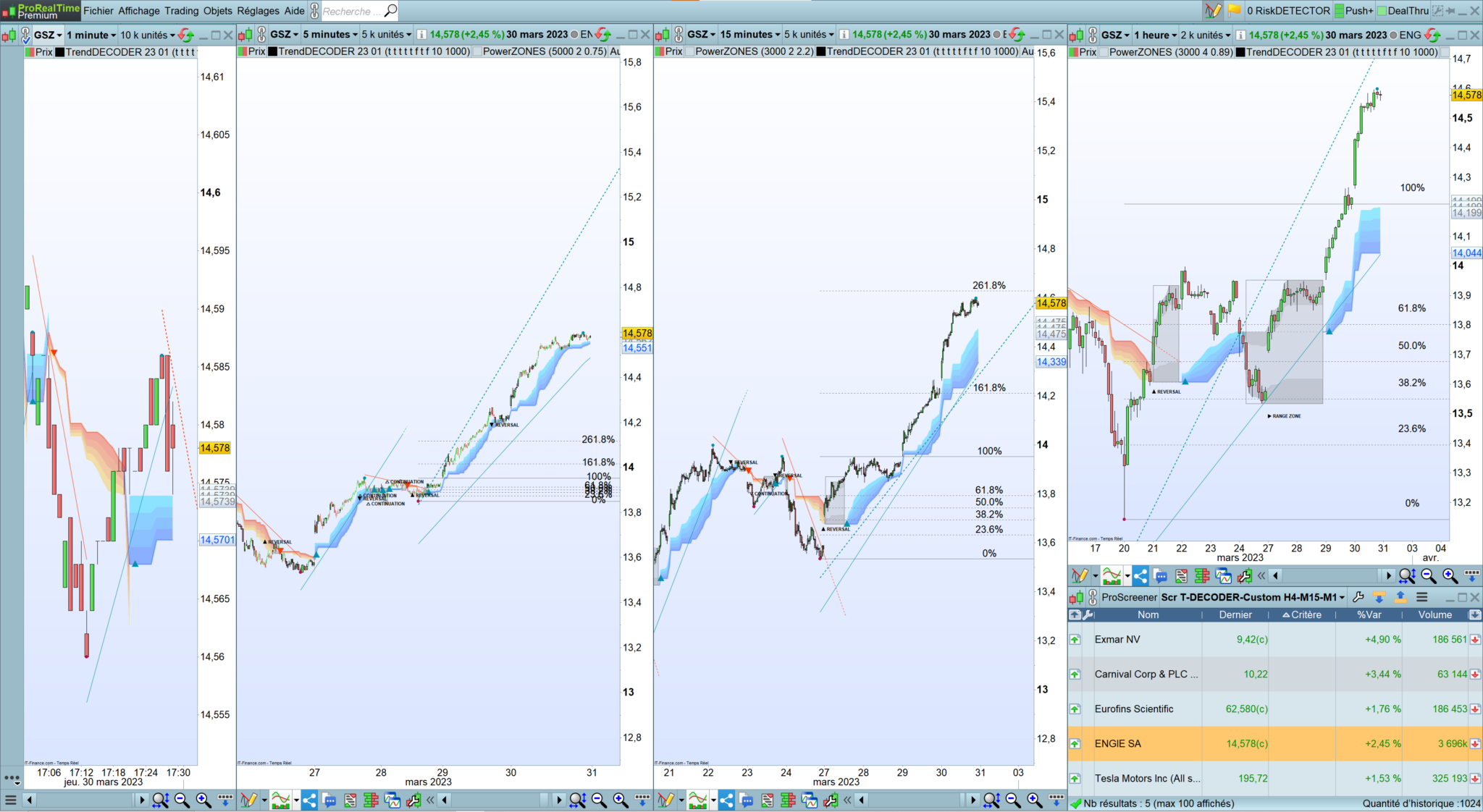
>>>Now including Fibonacci Levels <<<
- With the FiboLevels© – spot immediately which price levels the market will test
- Once a new Trend is signaled, the levels of Fibonnaci are automatically placed
- They are calculated on the last Highest and Lowest of the former movement
This update is free and automatic for current customers: just log off/ log on from your running PRT session;
Test if for 3€ a day
https://market.prorealcode.com/product/trenddecoder-daily-license/
https://market.prorealcode.com/product/trenddecoder-lifetime-license/
—————————————————————————————————
Here is an update of our two main strategies:
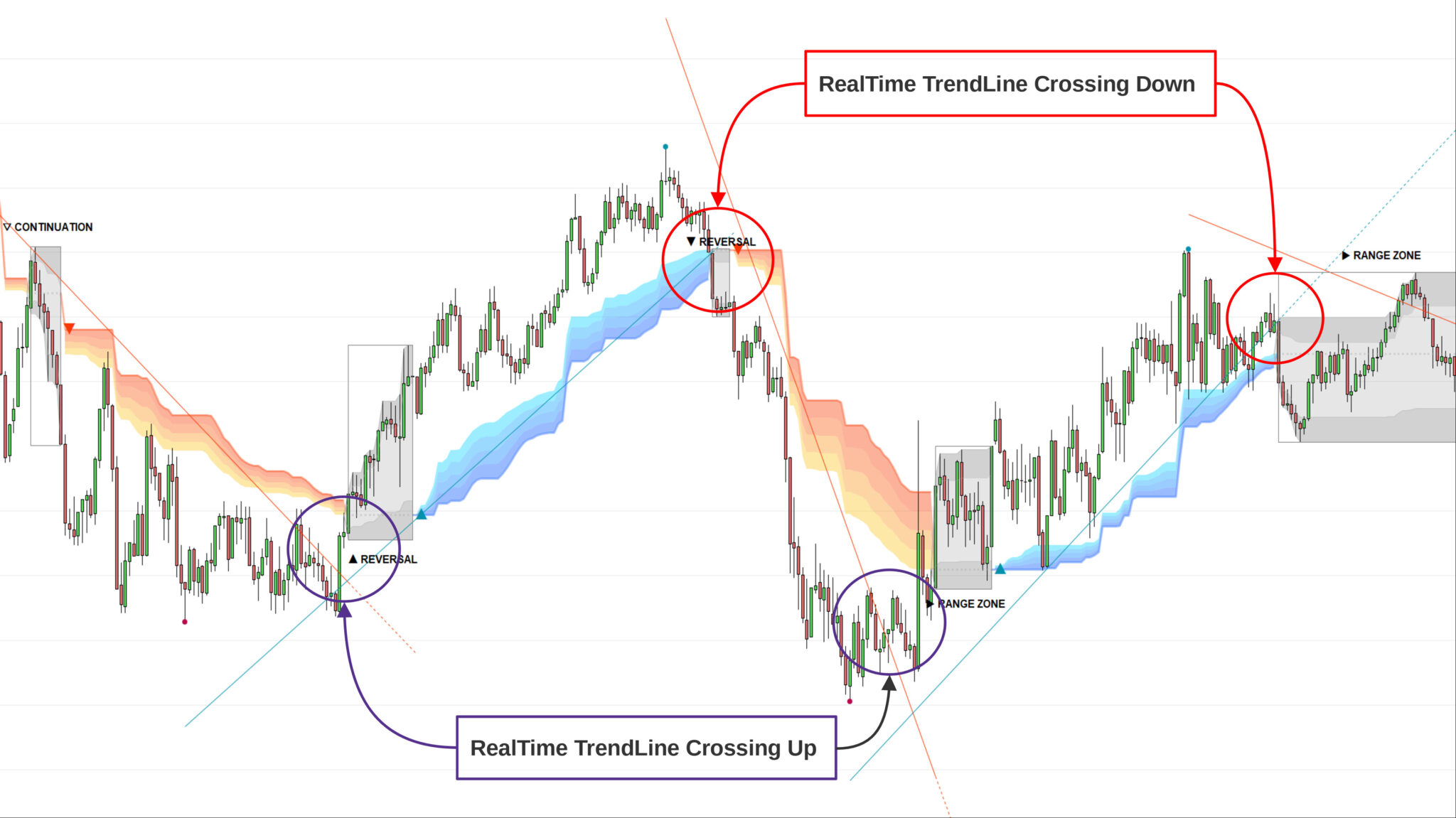
Strategy #1: Early Trend following : RealTime TrendLine Crossing© (see picture)
- With this simple tool, get a very early signal of a probable inversion of the current Trend, way before the Decoder Signal is shown, once confirmed by the GreyBox.
Strategy #1: Early Trend following – Checklist
- Set a Multi Time Frame environment
- Check that the Main Time Frame and the Upper Time Frame are moving in the same direction (Up or Down)
- Entry:
- Main Time Frame: wait for the opening of the GreyBox
- Lower Time Frame: place your entry when a « TrendUp Signal » / « TrendDown Signal » has appeared
- First Stop Loss:
- Main Time Frame: place your SL under the lowerborder of the GreyBox
- Trailing Stop:
- Move your SL just under the lowest border of the Blue Cloud (TrendUp) or the highest border of the Orange Cloud (TrendDown)
- TakeProfits
- In a TrendUp, place your take profits just under the FibosLevels in order not to get exited (and above in a TrendDown)
Check our TradeMANAGER for Swing Traders and
TradeMANAGER for Day Traders to automate and secure your trades: SL, BreakEven, TP1/TP2/TP3, Trailing and partial close.
—————————————————————————————————
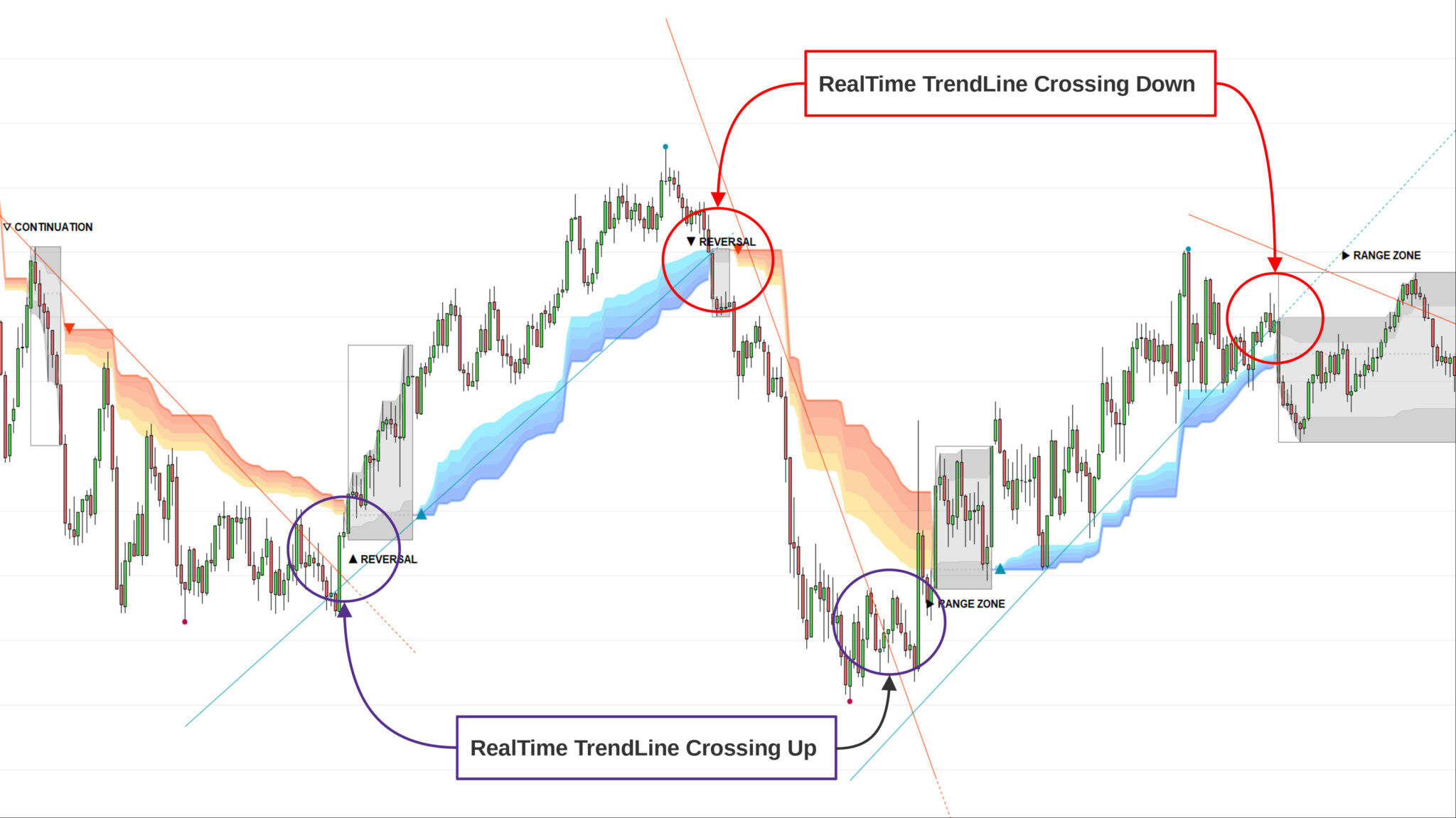
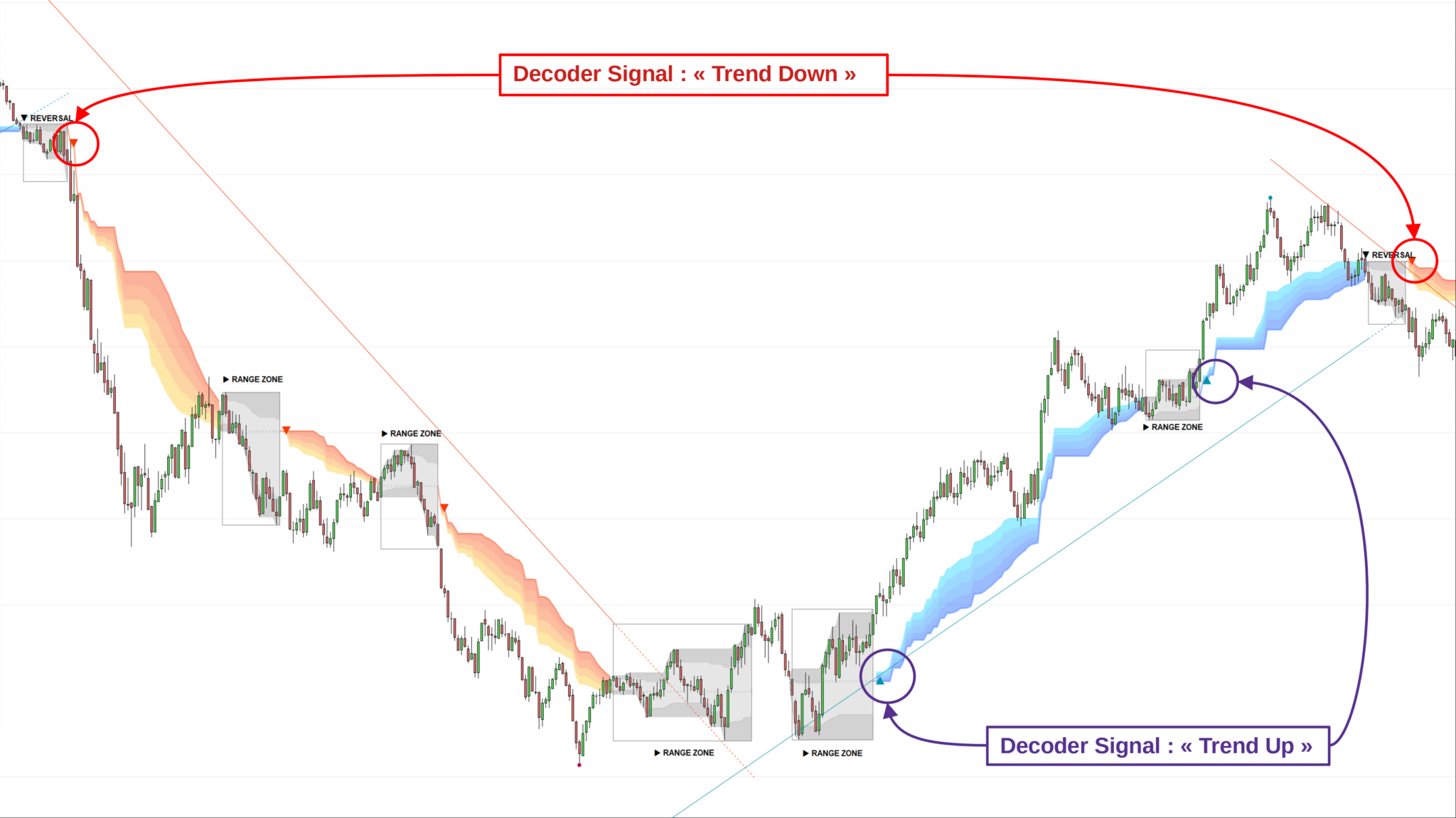
Strategy #2: Trend Following : DecoderSignals© & Blue/Orange Clouds© (see picture)
- This is the moment we have been waiting for. The GreyBox has given the next probable movement and the Trend in on. The RealTime TrendLine guides us on the pace of this movement and the Blue/Orange Cloud figures the support/resistance of this movement.
- It will be wise not to jump immediately in the Trend as the signal appears as the price will very probably make a pullback in direction of the cloud first.
- The Blue/Orange Clouds are a proprietary synthesis of Price Action and Volume Exchange in real time.
Strategy #2: Trend Following – Checklist
- Set a Multi Time Frame environment
- Check that the Main Time Frame and the Upper Time Frame are moving in the same direction (Up or Down)
- Main Time Frame:
- check the appearance of the « TrendUp Signal » or the « TrendDown Signal »
- Entry:
- buying « at Market » immediately at « TrendUp Signal » is quite risky as many times the price will pull back near the Blue Cloud (TrendUp) or reverse up near the Orange Cloud (TrendDown)
- a good option is to buy 1/2 the position at market on signal and 1/2 after the pull back
- First Stop Loss: place your SL under the lower border of the GreyBox (for an expected TrendUp) or the higher border (for an expected TrendDown)
- Trailing Stop: just under the lowest border of the Blue Cloud (TrendUp) or the highest border of the Orange Cloud (TrendDown)
- TakeProfits : in a TrendUP, place your take profits just under the FibosLevels in order not to get exited (and above in a TrendDOWN)
Check our TradeMANAGER for Swing Traders and
TradeMANAGER for Day Traders to automate and secure your trades: SL, BreakEven, TP1/TP2/TP3, Trailing and partial close.
🔔TrendDECODER – Best reviewed indicator & screener of #Prorealtime
👉 review #24 : a new 5 stars!
🙏 Thanks Olivier; I am happy it helped you 🙌
✅Test it with TradeMANAGER
https://market.prorealcode.com/product/trenddecoder-lifetime-license/ …
https://market.prorealcode.com/product/trade-manager-swing-prorealtime/
#Prorealcode #TrendFollowing #Trading
Dear customer of TrendDECODER Screener,
We are making an improvement on the Screener capabilities by allowing you to get the value of the RealTimeTrendLine.
You can now use it to have custmomized screeners like hereunder:
In order to benefit from it
- please exit your ProRealTime session before restarting it so that Trade MANAGER can be updated
- please start from the original code and duplicate it for all your personal trading plan settings
At your disposal,
Chris
MetaSignalsPro
//signalType details:
// 1 = new bullish trend detected (from red to blue cloud)
// -1 = new bearish trend detected (from blue to red cloud)
// 2 = grey box during bullish trend
// -2 = grey box during bearish trend
// 3 = red trend line breakout
// -3 = blue trend line breakout

// adjust below the size and the liquidity of the assets you want to trade

minPrice = close > 5
minVol = summation[10](volume) > 2000

// ===============================================
timeframe (1H)
data1, ignored, ignored, TrendLine1 = CALL "TrendDecoder_datas"(close)
if data1 = 1 and data1[1]=0 then
trend1=1
endif
if data1 = -1 then
trend1=0
endif
testH1 = trend1 and Close > TrendLine1

// ===============================================
timeframe (15 minutes)
data2, ignored, ignored, TrendLine2 = CALL "TrendDecoder_datas"(close)
if data2 = 1 and data2[1]=0 then
trend2=1
endif
if data2 = -1 then
trend2=0
endif
testM15 = trend2 and Close > TrendLine2

// ===============================================
timeframe (5 minutes)
data3, ignored, ignored, TrendLine3 = CALL "TrendDecoder_datas"(close)
if data3 = 1 and data3[1]=0 then
trend3=1
endif
if data3 = -1 then
trend3=0
endif
testM5 = trend3 and Close > TrendLine3

// ===============================================
Timeframe (default)// M1
ignored, ignored, ignored, TrendLine4 = CALL "TrendDecoder_datas"(close)
testM1 = Close < TrendLine4

screener[testM1 and testM5 and testM15 and testH1 and minPrice and minVol]