


Trend Sequence Indicator HELP!

Viewing 3 posts - 1 through 3 (of 3 total)

  • Author
    Posts
  • #235935 quote
    Joshi
    Participant
    New

    Hi everyone,

    I’m hoping someone here can help me out. A friend of mine used AI to create an indicator for ProRealTime, but we’re running into some issues with the code. The indicator is called the “Trend Sequence Breaker (TSB)” and is supposed to identify trends and sequence breaks based on high and low points. However, we are having trouble getting it to work correctly. The indicator uses dots in different colors, to show high, lows, and breack of a sequence.

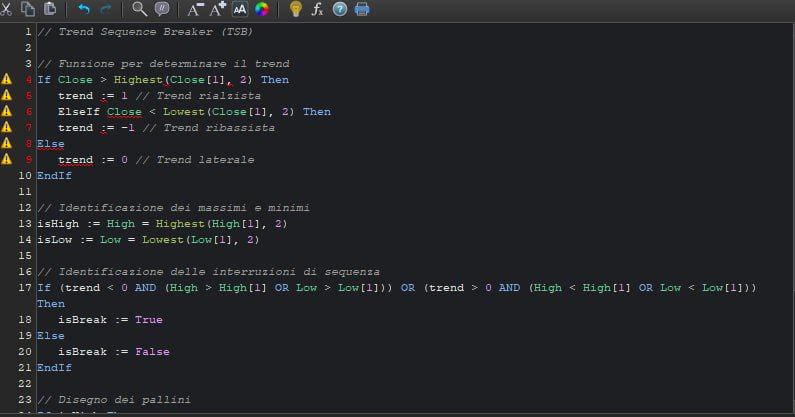
    Here’s the code we have so far:

    // Trend Sequence Breaker (TSB)
    // Function to determine the trend
    If Close > Highest(Close[1], 2) Then
    trend := 1 // Bullish Trend
    ElseIf Close < Lowest(Close[1], 2) Then trend := -1 // Bearish Trend
    Else trend := 0 // “side” Trend
    EndIf
    // Identification of max and mins
    isHigh := High = Highest(High[1], 2)
    isLow := Low = Lowest(Low[1], 2)
    // Identification of sequence breaks
    If (trend < 0 AND (High > High[1] OR Low > Low[1])) OR (trend > 0 AND (High < High[1] OR Low < Low[1])) Then
    isBreak := True
    Else isBreak := False
    EndIf
    // Drawing of the circles
    If isHigh Then DrawSymbol(High, “circle”, RGB(255, 165, 0)) // Orange
    EndIf
    If isLow Then DrawSymbol(Low, “circle”, RGB(0, 255, 255)) // Cyan
    EndIf
    If isBreak Then DrawSymbol(Close, “circle”, RGB(255, 0, 255)) // Magenta
    EndIf

    We are encountering some issues and the indicator doesn’t seem to be working as expected. If anyone could take a look and let me know what needs to be fixed, it would be greatly appreciated!

    Thank you in advance for your help!

    #235941 quote
    Iván González
    Moderator
    Master

    Ciao. Estás utilizando lenguaje de otro  programa… por eso te da errores. Ecco il codice modificato:

    Hello. You are using language from another program… that’s why you get errors. Here is the modified code:

    // Function to determine the trend
    if close > highest[2](close[1]) then
    trend=1
    elsif close < lowest[2](close[1]) then
    trend=-1
    else
    trend=0
    endif
    // Identification of max and mins
    isHigh=high=highest[2](high[1])
    isLow=low=lowest[2](low[1])
    // Identification of sequence breaks
    If (trend < 0 AND (High > High[1] OR Low > Low[1])) OR (trend > 0 AND (High < High[1] OR Low < Low[1])) Then
    isBreak=1
    else
    isBreak=0
    endif
    // Drawing of the circles
    If isHigh Then
    Drawpoint(barindex,High,2)coloured(255, 165, 0) // Orange
    EndIf
    If isLow Then
    Drawpoint(barindex,Low,2)coloured(0, 255, 255) // Cyan
    EndIf
    If isBreak Then
    Drawpoint(barindex,Close,2)coloured(255, 0, 255) // Magenta
    EndIf
    return
    
    #235945 quote
    robertogozzi
    Moderator
    Master

    @Joshi

    Only post in the language of the forum that you are posting in. For example English only in the English speaking forums and French only in the French speaking forums. Thanks 🙂

    I moved it from the Italian forum.

Viewing 3 posts - 1 through 3 (of 3 total)
  • You must be logged in to reply to this topic.

Trend Sequence Indicator HELP!


ProBuilder: Indicators & Custom Tools

New Reply
Author
author-avatar
Joshi @joshi Participant
Summary

This topic contains 2 replies,
has 3 voices, and was last updated by robertogozzi
1 year, 6 months ago.

Topic Details
Forum: ProBuilder: Indicators & Custom Tools
Language: English
Started: 07/30/2024
Status: Active
Attachments: 1 files
Logo Logo
Loading...

