Translating from Excel to PRC

Viewing 8 posts - 1 through 8 (of 8 total)

  • Author
    Posts
  • #77061 quote
    DavHam
    Participant
    Junior

    Hi!

    Another trader shared an ATR (1) code to use as an intraday indicator that I really want to try out.

    However since I am a beginner at coding and PRC is the first “language” I am learning, I need help translating this from Excel to PRC. I appreciate any help!

    A1 = yesterdays close

    A2 = day high

    A3 = day low

    =IF(A1<A3;A2-A1;IF(A1>A2;A1-A3;A2-A3))

    #77072 quote
    Vonasi
    Moderator
    Master

    I’m not big on Excel calculations but I think this is what it says. Apologies if I am wrong. If I am then I look forward to being corrected and to learn something!

    A1 = close[1]//yesterdays close
    A2 = high//day high
    A3 = low//day low
    
    IF A1 < A3 then
    a = A2 - A1
    else
    if A1 > A2 then
    a = A1 - A3
    else
    a = A2 - A3
    endif
    endif
    
    return a
    #77667 quote
    CharlieByrd
    Participant
    Junior

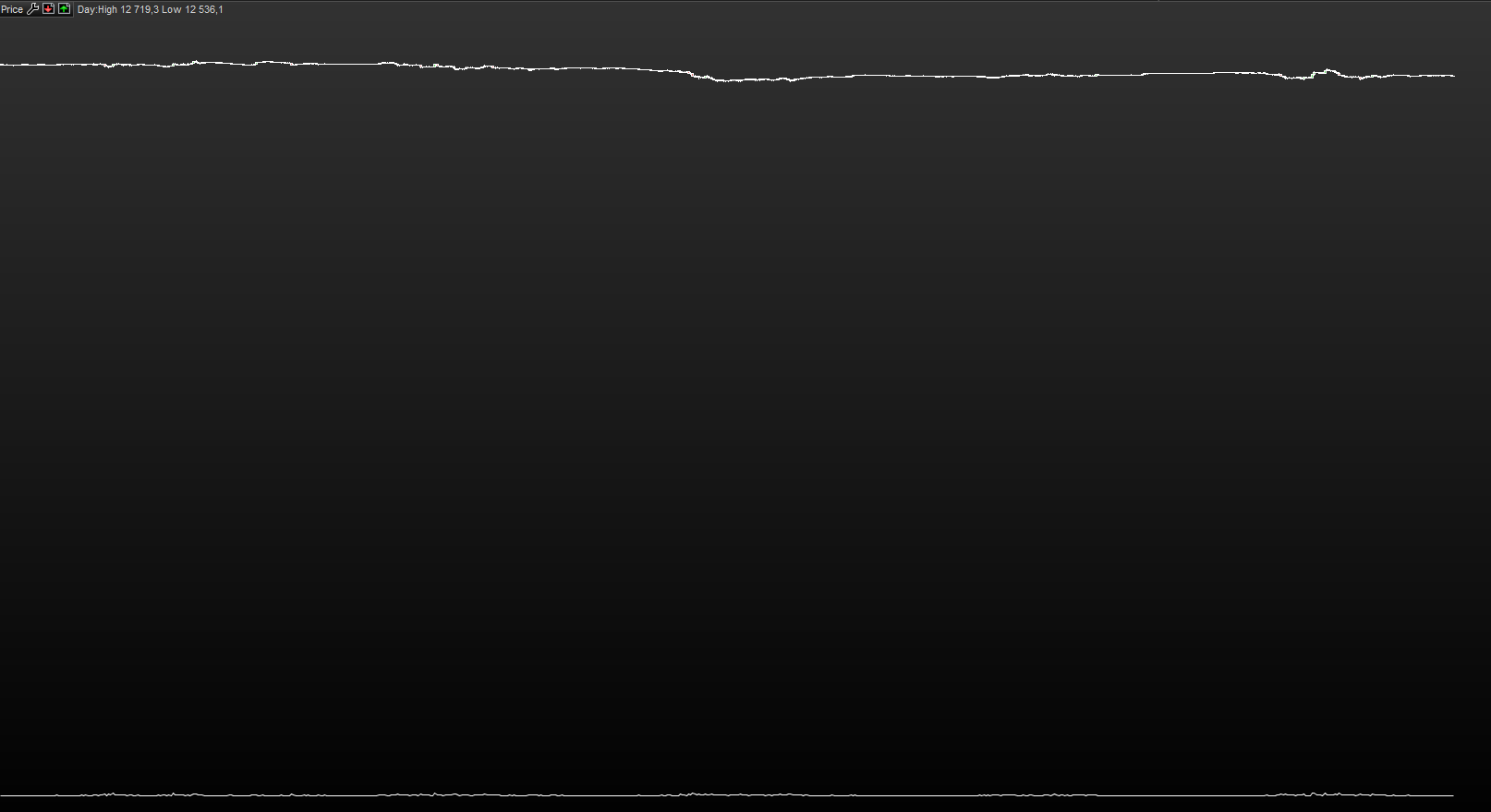
    Did you get this to work? When i upload the code i get this result, if you have any tips please let me know!

    Thanks in advance 🙂

    #77669 quote
    Vonasi
    Moderator
    Master

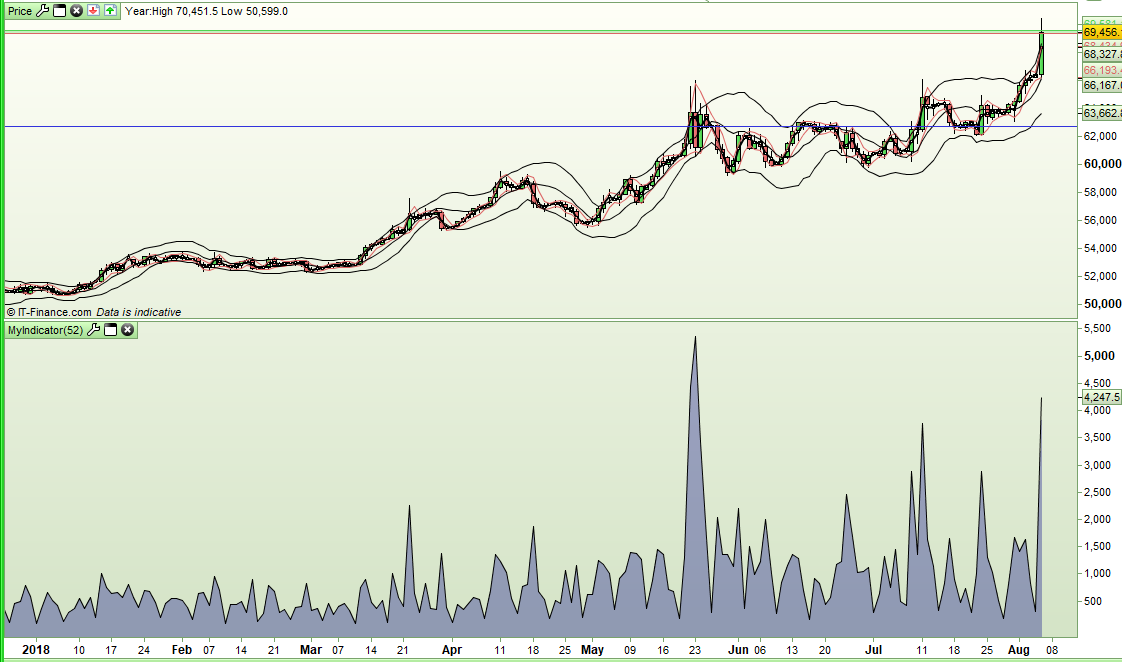
    Don’t add it to your ‘price’ chart – add it as a separate indicator and you get something like this:

    [attachment file=77670]

    What the values or the time frame are supposed to be or how you are supposed to analyse the results I don’t know. Maybe Davham can enlighten us?

    #77683 quote
    JC_Bywan
    Moderator
    Master

    That’s the formula of the true range,  you could just use TR (keyword I discovered thanks to your question until then I thought the “average true range” over only 1 period was the only way to get it fast) and have the same result:

    x=TR(close)
    
    return x

    If your next question was going to be how to program the average of this over say 14 periods for example, then you can use the averagetruerange keyword:

    x=AverageTrueRange[14](close)
    
    return x
    GraHal thanked this post
    #77684 quote
    Vonasi
    Moderator
    Master

    Yes – I guess I should read the question where it clearly says it is the ATR[1] calculation – but as usual I was more interested in the coding problem to solve than the actual question…. and I already knew about the TR instruction! Oh well it is all good practice.

    This code confirms that all three return identical values – so the OP has three ways to choose from:

    c = averagetruerange[1]
    b = TR
    
    A1 = close[1]//yesterdays close
    A2 = high//day high
    A3 = low//day low
     
    IF A1 < A3 then
    a = A2 - A1
    else
    if A1 > A2 then
    a = A1 - A3
    else
    a = A2 - A3
    endif
    endif
     
    return a as "Calculation",b as "TR",c as "ATR"
    DavHam thanked this post
    #77694 quote
    DavHam
    Participant
    Junior

    The trader who shared it with me uses it on an intraday futures chart to take trades. Not sure about the accuracy of it, that is really why I wanted to try it out.

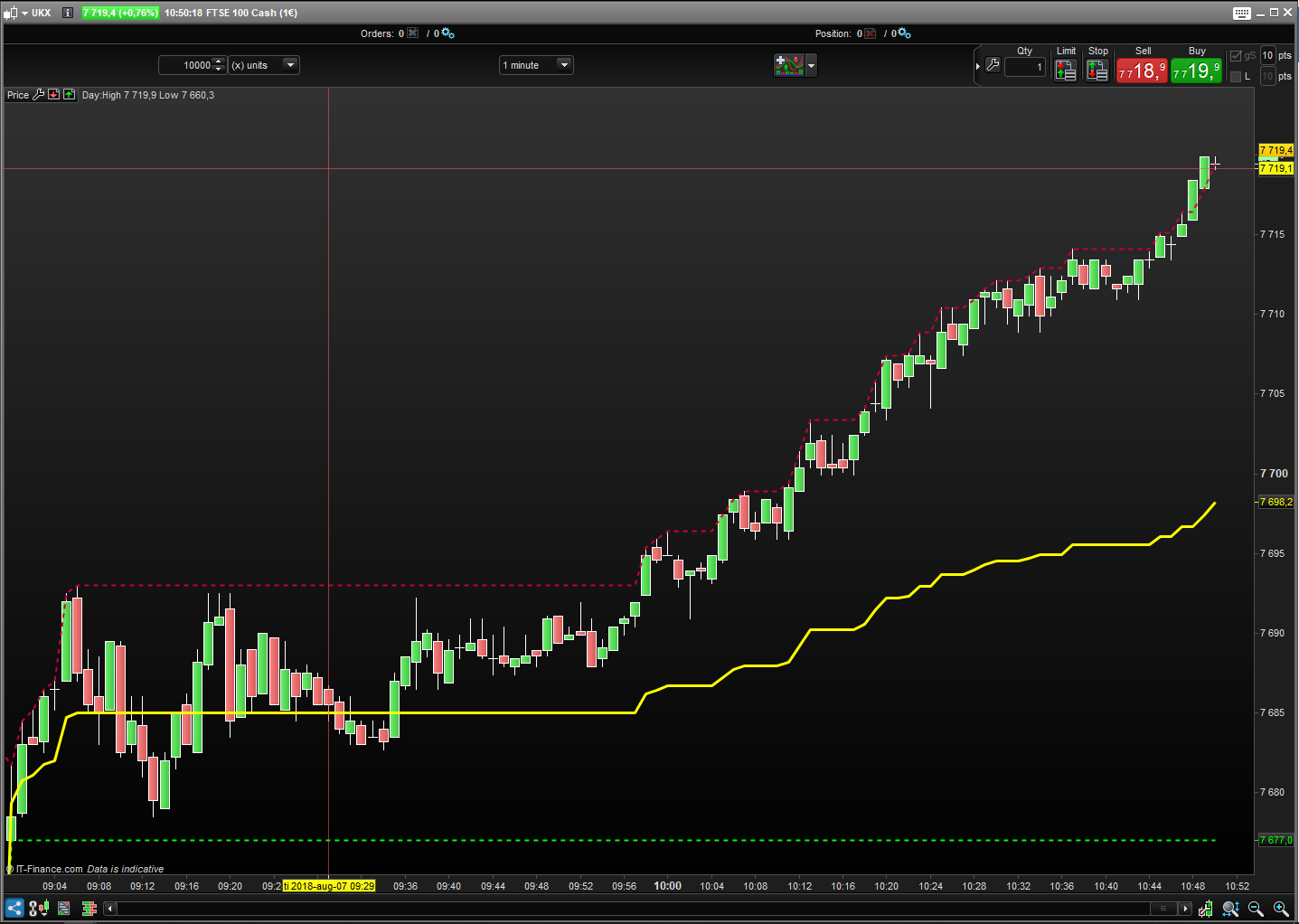
    The code shows the correct value when you add it as an indicator, but is there any way to place it on top of the price like in the example below?

    A = Dhigh (0)
    B = Dlow (0)
    C = (A+B)/2
    
    RETURN A, B, C
    CharlieByrd thanked this post
    #77698 quote
    CharlieByrd
    Participant
    Junior

    Hello Guys,

    So i have talked to the author of the original code, he is a known swedish daytrader.

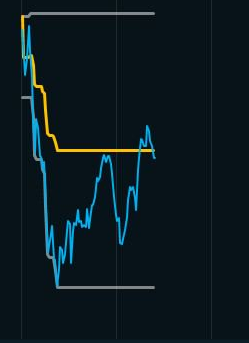
    So this code is meant to be built in the chart(see the attachment).

    Blue line = OMX30 Intraday

    Grey line = ATR1 Daily (resolution) high & low

    Yellow = (ATR1 daily high-low)/2+ATR1 daily low.

    So when we spoke he mentioned that you must combine the daily chart ATR1 with intraday chart to make this possible.

    I hope i have all the information needed for you guys to look further if it is possible to code this in PRT.

    If you have questions i can contact the author because i would really love to see this work in PRT too!

Viewing 8 posts - 1 through 8 (of 8 total)

  • You must be logged in to reply to this topic.

Translating from Excel to PRC


ProBuilder: Indicators & Custom Tools

New Reply
Author
author-avatar
DavHam @davham Participant
Summary

This topic contains 7 replies,
has 4 voices, and was last updated by CharlieByrd

7 years, 6 months ago.

Topic Details
Forum: ProBuilder: Indicators & Custom Tools
Language: English
Started: 07/30/2018
Status: Active
Attachments: 4 files
Logo Logo
Loading...