Transfering code from V10.3 to V11

Viewing 11 posts - 1 through 11 (of 11 total)
  • Author
    Posts
  • #160394 quote
    robert123
    Participant
    Master

    Dear Nicolas,

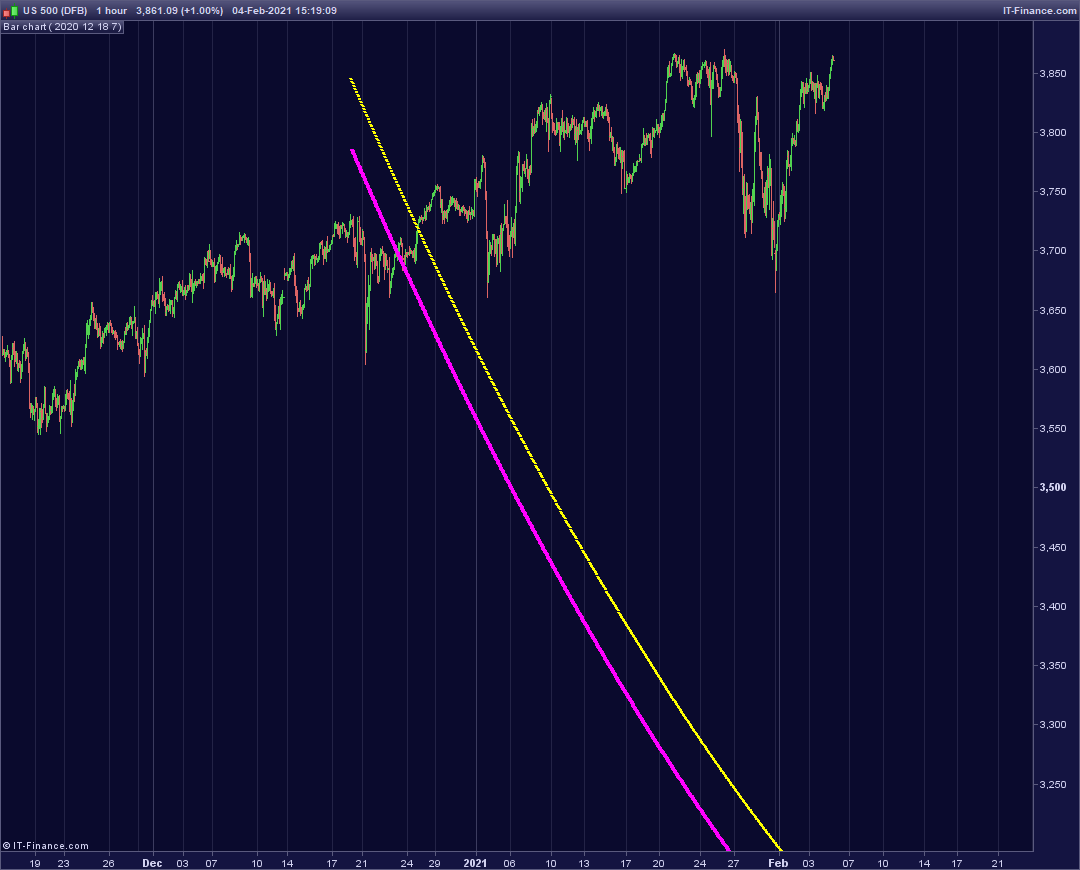
    I am having trouble transferring the below code into V11 and would be grateful if you could have a look and give me any pointers as to why I am having difficulties. It is coded for use in a 1-hour chart with 2k units of info.

    Many thanks

    Robert

    defparam CALCULATEONLASTBARS=8000
    //y=0
    //m=0
    //d=0
    //h=0
    
    if year=y and month=m and day=d and hour=ho then
    once pole=barindex
    poleb=barindex
    polea=high
    
    //DRAWVLINE(pole)coloured(0,255,255)
    endif
    
    DRAWBARCHART(open, high, low, close)
    
    
    //////////////////////////////////////////////high finder///////////////////////////////////////////////////
    
    dc1=(poleb[0]-barindex)/7000 //arch
    dc=(((poleb[0]-barindex[0])))/(50+dc1)//height
    
    dcc1=SQRT(polea)///depth of bracket
    dcc=SQRT(polea)+dc
    dccc=dcc1+(dc*dcc)+polea


    up1=dccc+dcc1
    
    Drawtext ("-",barindex[pole],up1[pole],dialog,bold,12)coloured(255,255,0)
    centre=dccc
    
    Drawtext ("-",barindex[pole],centre[0],dialog,bold,14)coloured(255,0,255)
    
    return
    floater-1-hour.png floater-1-hour.png
    #160409 quote
    Nicolas
    Keymaster
    Master

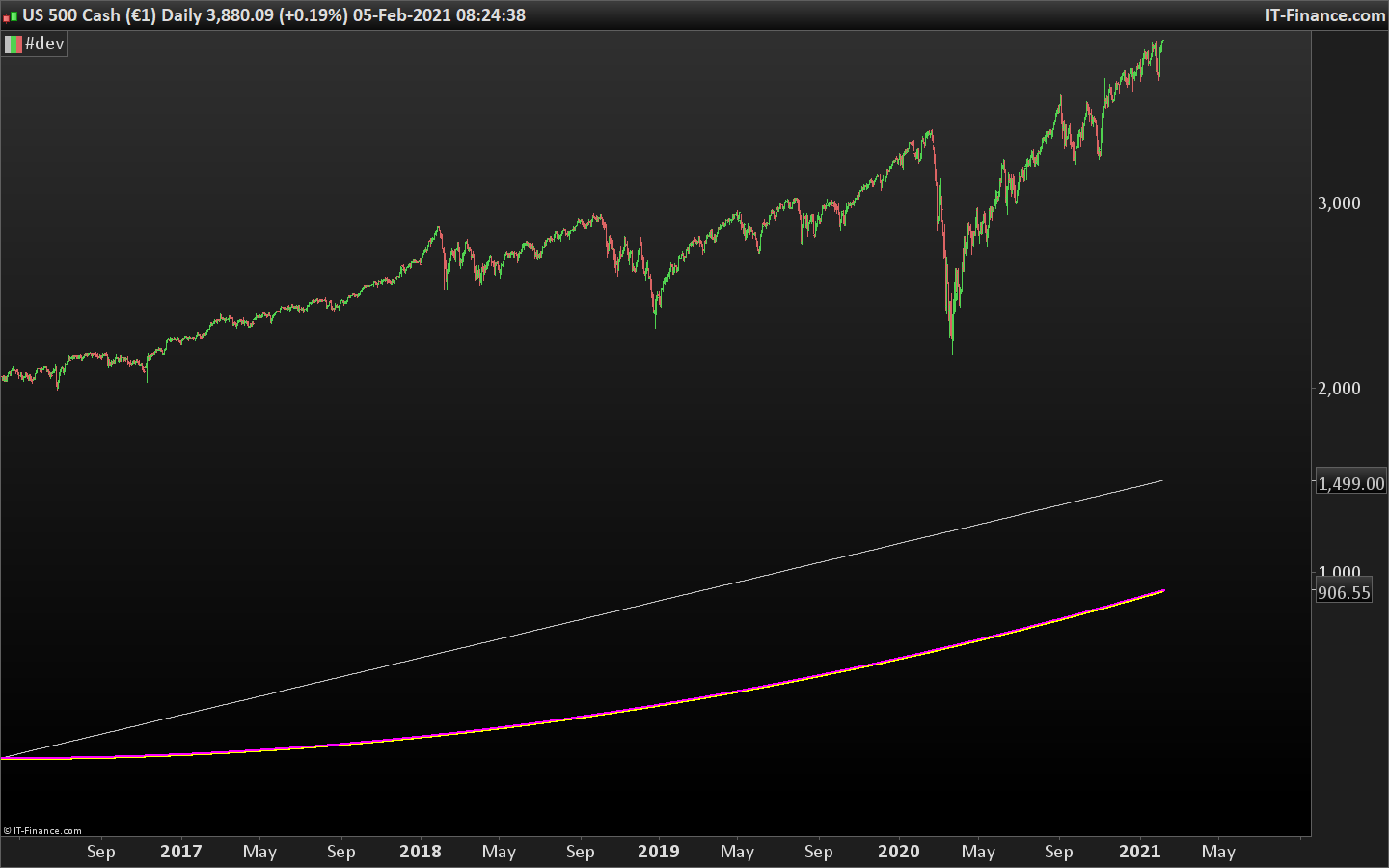
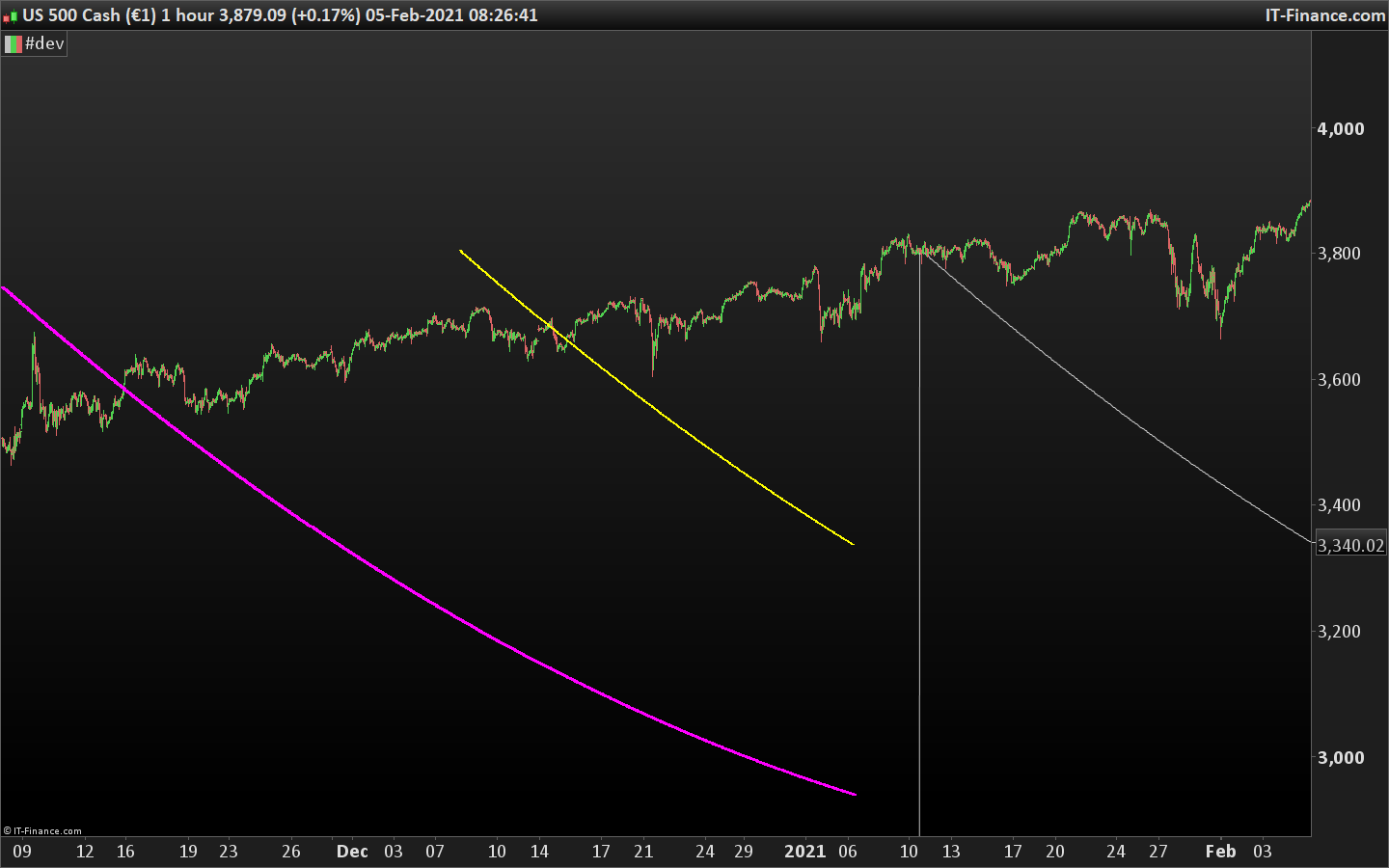
    Here is the result I get with these settings:

    y=2020
    m=12
    d=8
    ho=7

    I don’t know what it is supposed to do, but feels like it works?

    SPTRD-Daily.png SPTRD-Daily.png SPTRD-1-hour.png SPTRD-1-hour.png
    #160412 quote
    Nicolas
    Keymaster
    Master

    Here is the result I get with these settings:

    y=2020
    m=12
    d=8
    ho=7

    I don’t know what it is supposed to do, but feels like it works?

    SPTRD-Daily-1.png SPTRD-Daily-1.png SPTRD-1-hour-1.png SPTRD-1-hour-1.png
    #160415 quote
    robert123
    Participant
    Master

    Thanks for getting back to me Nicholas- I take it the left-hand image is from V11?, I am looking to get the lines in the same place as they are on V10.3, I have contacted Prorealtime, who a) pointed me in your direction, and b)suggested that the coding of ‘barindex’ was different in V11?…

    #160416 quote
    robert123
    Participant
    Master

    Forgive me, I forgot to put my settings in …

    y=2020

    m=12

    d=18

    ho=7

    #160418 quote
    Nicolas
    Keymaster
    Master

    left image is on a daily chart. Do you have pictures on how it should look like in previous version? There is no difference in BARINDEX between the versions.

    #160419 quote
    robert123
    Participant
    Master

    The picture I supplied was from V10.3 using a 1-hour timeframe and 2k units of info…for some reason V11 doesn’t seem to want to ‘paint’ the text in the same place….and produces the white trace line…I’m not sure where that comes from!

    #160427 quote
    Nicolas
    Keymaster
    Master

    So, the picture from your first post is how it should look but the code is applied on v10.3, right?

    #160430 quote
    robert123
    Participant
    Master

    That is correct Nicolas.

    #160438 quote
    Nicolas
    Keymaster
    Master

    Ok, so that below code will fix your problem. In PRT v11, you shouldn’t use the ONCE instruction in a conditionnal block (IF/ENDIF).

    defparam CALCULATEONLASTBARS=8000
    //y=0
    //m=0
    //d=0
    //h=0
    pole=0
    if year=y and month=m and day=d and hour=ho then
    //once pole=barindex
    poleb=barindex
    polea=high
    
    //DRAWVLINE(pole)coloured(0,255,255)
    endif
    
    DRAWBARCHART(open, high, low, close)
    
    
    //////////////////////////////////////////////high finder///////////////////////////////////////////////////
    
    dc1=(poleb[0]-barindex)/7000 //arch
    dc=(((poleb[0]-barindex[0])))/(50+dc1)//height
    
    dcc1=SQRT(polea)///depth of bracket
    dcc=SQRT(polea)+dc
    dccc=dcc1+(dc*dcc)+polea


    up1=dccc+dcc1
    
    Drawtext ("-",barindex[pole],up1[pole],dialog,bold,12)coloured(255,255,0)
    centre=dccc
    
    Drawtext ("-",barindex[pole],centre[0],dialog,bold,14)coloured(255,0,255)
    
    return
    #160444 quote
    robert123
    Participant
    Master

    Many thanks, Nicolas

Viewing 11 posts - 1 through 11 (of 11 total)

  • You must be logged in to reply to this topic.

Transfering code from V10.3 to V11


ProBuilder: Indicators & Custom Tools

New Reply
Author
author-avatar
robert123 @robert123 Participant
Summary

This topic contains 10 replies,
has 2 voices, and was last updated by robert123
5 years, 2 months ago.

Topic Details
Forum: ProBuilder: Indicators & Custom Tools
Language: English
Started: 02/04/2021
Status: Active
Attachments: 5 files
Logo Logo
Loading...