Trailing stop not working as expected, then suddenly starts to work

Viewing 8 posts - 1 through 8 (of 8 total)

  • Author
    Posts
  • #86432 quote
    Harrys
    Participant
    Junior

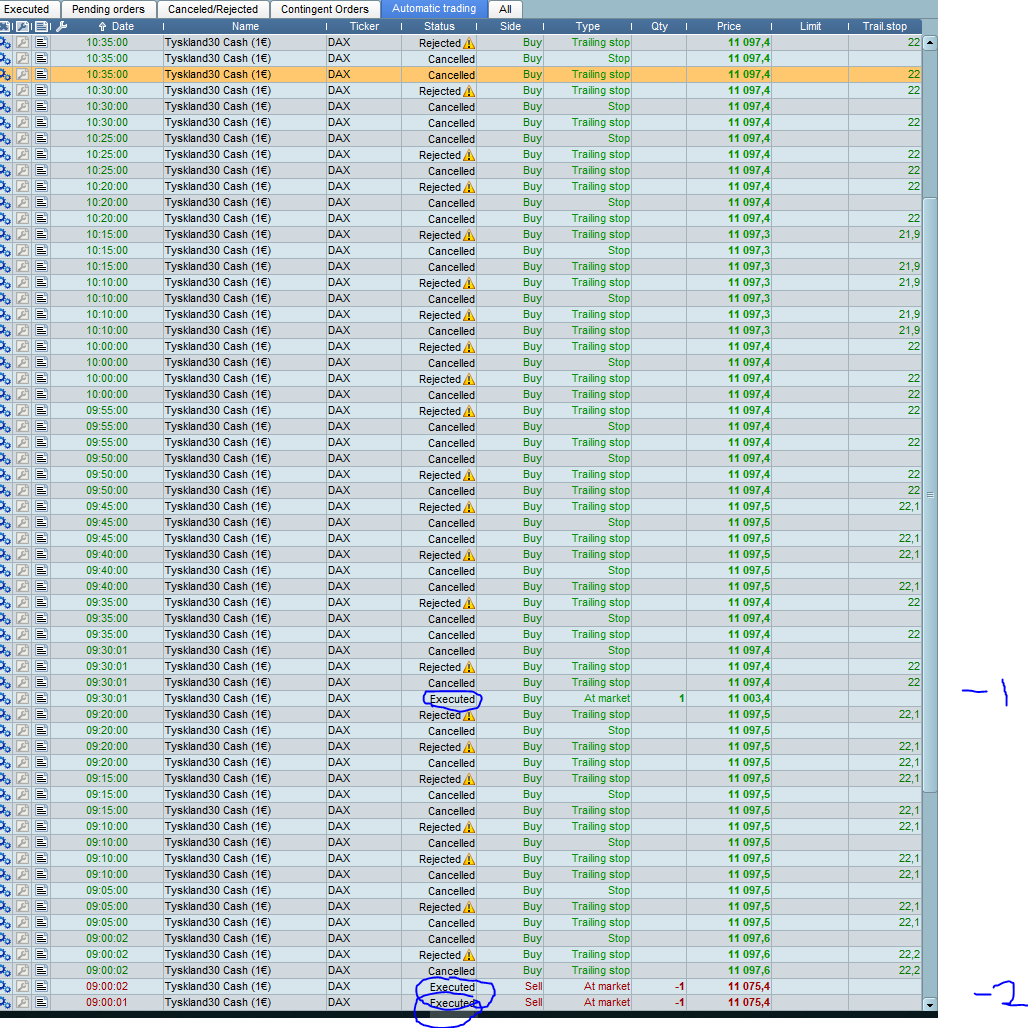
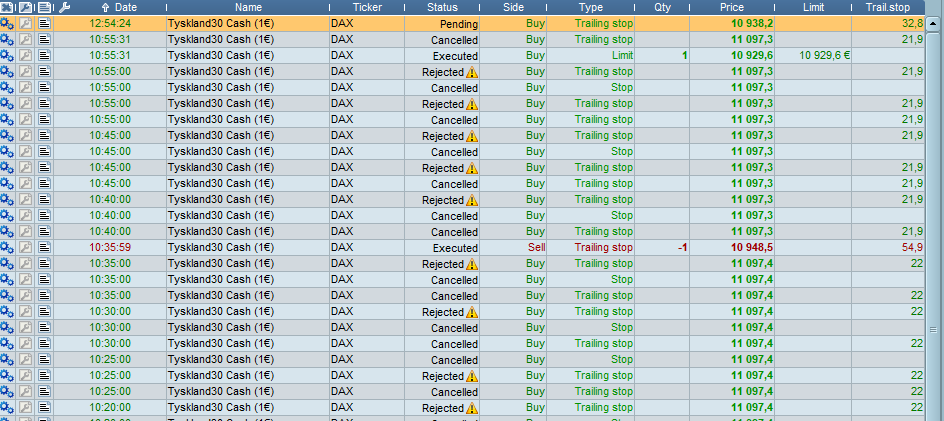
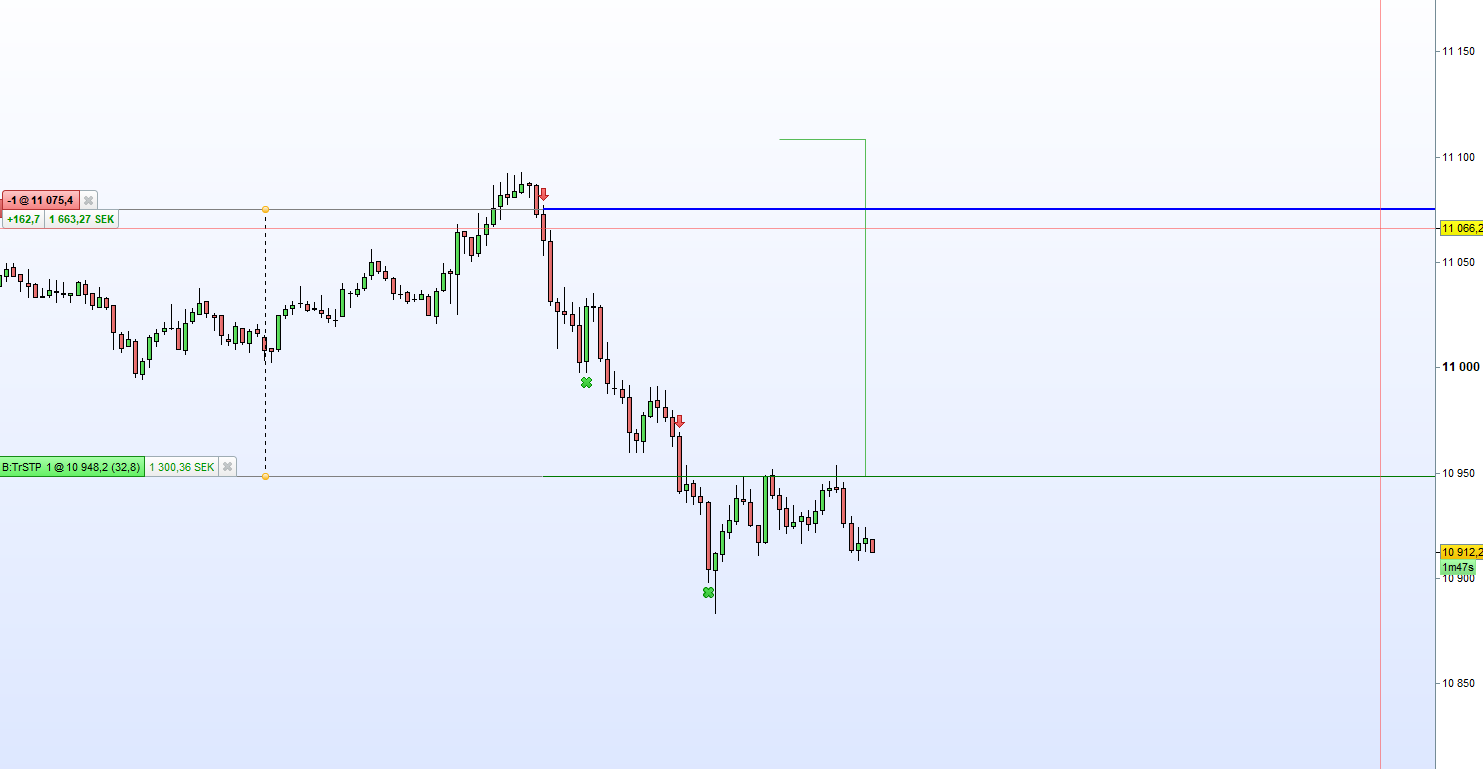
    So the trailing stop did not move for several hours from what i can see and then it suddenly jumped. Anyone know what the problem can be?

    All the error messages on the rejected orders read “Position already has an on-going stop”

    09:00:01 algo1 went short

    09:00:02 algo2 went short

    09:30:01 algo3 went long

    10:35:59 algo3 was stopped out

    10:55:31 algo1 took profit

    11:20:00- ish algo 2 should have taken profit

    12:45:00 trailing stop for algo2 starts working again

    13:20:39 algo 2 takes profit

    Guessing it could have something to do with algos working in different directions with ongoing positions.

    stopiddax.png stopiddax.png 2.png 2.png 3.png 3.png
    #86436 quote
    robertogozzi
    Moderator
    Master

    To replicate your system we need:

    • complete code
    • TF used
    #86438 quote
    Nicolas
    Keymaster
    Master

    Topic moved into ProOrder section.

    Is your account a limited risk one?

    #86439 quote
    Harrys
    Participant
    Junior

    im running these algos on a demo account.

    #86441 quote
    GraHal
    Participant
    Master

    then it suddenly jumped.

    Trailing Stops (TS) can do this depending on the type / setting of the TS.  You don’t say what type of TS you are using or better still provide the code so we all have to guess! 🙂

    TS can have a threshold value and  then a step value  … for example a 30 point threshold before the TS moves the  5 points step.

    Hope that makes sense?

    Harrys thanked this post
    #86443 quote
    Nicolas
    Keymaster
    Master

    I see many rejected orders in the list, what kind of trailing stop do you use? a SET STOP PTRAILING?

    Harrys thanked this post
    #86445 quote
    Harrys
    Participant
    Junior

    Algo1

    SET STOP pTRAILING close[1]/500
    SET TARGET PPROFIT close[1]/75

    Algo3

    SET STOP pTRAILING close[1]/200
    
     Algo2 . SET STOP pTRAILING close[1]/333

    Algo 2 is the one that failed

    #86448 quote
    Nicolas
    Keymaster
    Master

    What happen if the Close[1] value is very tight? You should not use SET STOP PTRAILING with this kind of calculation. Be aware that SET STOP PTRAILING performs not the same way in backtests than on real/demo accounts because of the minimal stop distance defined by the broker for the step value (it usually makes the backtests much better than in real life).

    Anyway, the main problem here is that the value you set is not respecting this behavior and therefore the trailing stoploss is rejected.

    For example, if the DAX minimal stop distance is 5 points, you could modify the code like this:


    SET STOP pTRAILING max(5,close[1]/200)

    For trailing stop functionnalities, you should use coded versions that exist around in the forums.

    Harrys thanked this post
Viewing 8 posts - 1 through 8 (of 8 total)
  • You must be logged in to reply to this topic.

Trailing stop not working as expected, then suddenly starts to work


ProOrder: Automated Strategies & Backtesting

New Reply
Author
author-avatar
Harrys @harrys Participant
Summary

This topic contains 7 replies,
has 4 voices, and was last updated by Nicolas

7 years, 2 months ago.

Topic Details
Forum: ProOrder: Automated Strategies & Backtesting
Language: English
Started: 12/06/2018
Status: Active
Attachments: 3 files
Logo Logo
Loading...